The Best Microsoft Paint AlternativesTop Digital Painting Tools & Image Editors like Microsoft Paint

Microsoft Paint is described as 'Basic, ad-free editor bundled with Windows for bitmap, JPEG, GIF, PNG, and TIFF files. Features AI powered features, layer support, offline use, and no registration' and is a very popular digital painting tool in the photos & graphics category. There are more than 100 alternatives to Microsoft Paint for a variety of platforms, including Windows, Mac, Linux, Web-based and Android apps. The best Microsoft Paint alternative is Paint.NET, which is free. Other great apps like Microsoft Paint are Krita, Pinta, Photopea and MyPaint.

Copy a direct link to this comment to your clipboard
Microsoft Paint alternatives page was last updated

Alternatives list

  1. Paint.NET icon
     1670 likes

    Free Windows image editor with support for layers, plugins, and special effects. Offers intuitive interface, works offline, ad-free, and portable, consuming fewer resources.

    171 Paint.NET alternatives

    Cost / License

    • Free
    • Proprietary

    Platforms

    • Windows
    • .NET Framework
     
    |
    3
    Paint.NET vs Microsoft Paint Comments
    ThomasJPitts
    Positive
    1

    The amount of support, plugins and alternative options make it far better than Paint.

    frozengamer687
    Positive
    0

    This one is nice, but i think it should have iOS support and be a little cheaper.

    Guest
    Positive
    -1

    Easy to use, basic, photo editing software.

    • Paint.NET is Free and ProprietaryMicrosoft Paint is also Free and Proprietary
    • Paint.NET is an Image Editor Microsoft Paint is a Digital Painting Tool
  2. Krita icon
     1487 likes

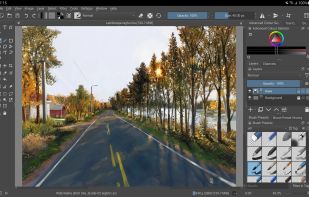
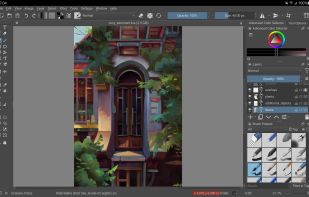
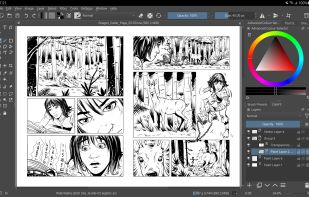
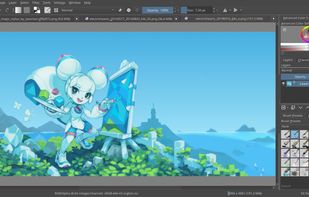
    Free, open-source painting software designed by artists for artists. Offers customizable UI, 9 brush engines, color management, tablet support, non-destructive editing, and privacy features. Portable and available on major platforms, supporting seamless texture creation.

    153 Krita alternatives

    Cost / License

    • Free
    • Open Source

    Application type

    Platforms

    • Mac
    • Windows
    • Linux
    • Android Tablet
    • KDE Plasma
    • Epic Games Store
    • PortableApps.com
    • F-Droid
    • Steam
    • AppImage
     
    |
    8
    Krita vs Microsoft Paint Comments
    Top Positive Comment
    vincentasmargis
    1

    I was looking for a program that could convert a .JPG file into .ico,and Krita did just that.

    Top Negative Comment
    vertigo
    4

    Krita is probably a great program for those that need the extra functionality, but those looking for an alternative to the extremely basic MS Paint don't need that, and it will be far more complicated to use. Even more importantly, though, is that even on my high-end system, it takes minimum several seconds to start, and sometimes around half a minute or longer, and that's just too long for doing basic tasks that would be done in Paint.

    Guest
    Negative
    0

    too complicated and bloated

    3 of 8 comments
    • Krita is Free and Open SourceMicrosoft Paint is Free and Proprietary
    • Krita is Customizable and Privacy focusedMicrosoft Paint is not according to our users
  3. Pinta icon
     284 likes

    Pinta is a image editing, drawing and painting application with a simple yet powerful interface. Pinta has a wide range of drawing tools, including: freehand, rectangles, circles and lines. It also has over 35 effects to apply to your images, and also has the ability to create...

    101 Pinta alternatives

    Cost / License

    • Free
    • Open Source (MIT)

    Platforms

    • Mac
    • Windows
    • Linux
    • BSD
    • Flathub
    • Mono
    • Snapcraft
     
    |
    5
    Pinta vs Microsoft Paint Comments
    Top Positive Comment
    Guest
    2

    Simple interface with powerful tools

    Guest
    Positive
    0

    This app uses similar features like MS Paint, but there’s one thing that’s missing. The Grid Lines. Needs an Update.

    Guest
    Positive
    0

    Similar options like mspaint. If you come from windows, install and work.

    3 of 5 comments
    • Pinta is Free and Open SourceMicrosoft Paint is Free and Proprietary
    • Pinta is an Image Editor Microsoft Paint is a Digital Painting Tool
    • Pinta is Privacy focusedMicrosoft Paint is not according to our users
  4. Photopea icon
     357 likes

    Browser-based image editing supports PSD, XCF, Sketch formats, advanced layers, vector tools, RAW photo support, and exports in 40+ formats. Fully client-side with AI background removal, content-aware tools, and privacy as files never leave your device.

    125 Photopea alternatives

    Cost / License

    • Freemium
    • Proprietary

    Platforms

    • Online
    • Software as a Service (SaaS)
     
    |
    2
    Photopea vs Microsoft Paint Comments
    Guest
    Negative
    2

    Photopea is an outstanding Chrome OS substitute for Photoshop (or GIMP), but it is much more complicated to use than MS Paint.

    Guest
    Positive
    -1

    Its The same but simply it's more advanced

    • Photopea is Freemium and ProprietaryMicrosoft Paint is Free and Proprietary
    • Photopea is an Image Editor Microsoft Paint is a Digital Painting Tool
  5. MyPaint icon
     397 likes

    MyPaint is a fast, distraction-free, and easy painting tool for digital artists. It supports graphics tablets made by Wacom, and many similar devices.

    137 MyPaint alternatives

    Cost / License

    Application type

    Platforms

    • Mac
    • Windows
    • Linux
    • PortableApps.com
     
    |
    1
    MyPaint vs Microsoft Paint Comments
    Guest
    Negative
    6

    There is no selection tool, which is what i need.

    • MyPaint is Free and Open SourceMicrosoft Paint is Free and Proprietary
  6. Paint 98 icon
     3 likes

    Paint 98 is a simple yet powerful drawing tool for iPhone and iPad that lets you to create, edit and share images without all the complications of today's image editors. Paint like it's 1998!.

    Cost / License

    • Free
    • Proprietary

    Platforms

    • iPhone
    • iPad
     
    |
    3
    Paint 98 vs Microsoft Paint Comments
    Guest
    Positive
    7

    It edits image files exactly like paint does

    Guest
    Positive
    0

    Straightforward for amateurs!

    Guest
    Positive
    -2

    it's actually pretty much microsoft paint

    • Paint 98 is Free and ProprietaryMicrosoft Paint is also Free and Proprietary
  7. Professional software for comic and manga creation, optimized with panel layouts, perspective rulers, sketching, inking, toning, vector support, and 3D model import, suitable for artists seeking advanced drawing and coloring tools.

    109 Clip Studio Paint alternatives

    Cost / License

    • Paid
    • Proprietary

    Platforms

    • Mac
    • Windows
    • Android
    • iPhone
    • Chrome OS
    • Android Tablet
    • iPad
    • Samsung Galaxy Store
     
  8. Photoscape icon
     265 likes

    PhotoScape is a fun and easy photo editing software that enables you to fix and enhance photos.

    200 Photoscape alternatives

    Cost / License

    • Freemium
    • Proprietary

    Application types

    Platforms

    • Mac
    • Windows
     
    |
    1
    Photoscape vs Microsoft Paint Comments
    Guest
    Negative
    1

    you cannot actually create or draw pictures with this app

    • Photoscape is Freemium and ProprietaryMicrosoft Paint is Free and Proprietary
    • Photoscape is an Image Editor Microsoft Paint is a Digital Painting Tool
  9. Procreate icon
     171 likes

    Procreate is a versatile, award-winning app for creative digital drawing and painting on iOS. It delivers a robust, professional toolset with hundreds of configurable brushes, a powerful layering system, vector graphic tools, and comprehensive design capabilities, ensuring desktop-level flexibility and power.

    71 Procreate alternatives

    Cost / License

    • Paid
    • Proprietary

    Platforms

    • iPhone
    • iPad
     
  10. MediBang Paint icon
     120 likes

    MediBang Paint is a lightweight software for illustration and making comic books on Windows and Mac OS.

    83 MediBang Paint alternatives

    Cost / License

    • Freemium
    • Proprietary

    Platforms

    • Mac
    • Windows
    • Android
    • iPhone
    • Android Tablet
    • iPad
    • Steam
     
    |
    3
    MediBang Paint vs Microsoft Paint Comments
    Guest
    Positive
    3

    While a lot more complicated than Paint, it has everything you need to create a Paint image; line tools, shape tools, airbrush, pixel brush, bucket tool (that can fill without white spaces by expanding!) Not to mention more advanced tools and layer options, for more complicated drawings and even professional artists’ needs.

    Guest
    Positive
    0

    It is a great program I have been using it for years and it's very easy to use

    Guest
    Negative
    -1

    Microsoft Paint is far smaller than MediBang Paint. While MediBang Paint can do anything Microsoft Paint can do, it can do much more than Microsoft paint. So, using it as an alternative is rather unwieldy.

    • MediBang Paint is Freemium and ProprietaryMicrosoft Paint is Free and Proprietary
  11. KolourPaint icon
     43 likes

    KolourPaint is a simple painting program to quickly create raster images. It is useful as a touch-up tool and for simple image editing tasks.

    Cost / License

    • Free
    • Open Source

    Platforms

    • Linux
    • KDE Plasma
    • Snapcraft
    • Flathub
    • Mac
     
    |
    10
    KolourPaint vs Microsoft Paint Comments
    Top Positive Comment
    edgatolobo
    0

    Almost the same funtions and interface

    Top Negative Comment
    Guest
    0

    Not similar to Microsoft Paint and not easy for my Disability.

    ahmed52
    Positive
    0

    simple, lightwate, its ms paint but much better +also respect your theme

    3 of 10 comments
    • KolourPaint is Free and Open SourceMicrosoft Paint is Free and Proprietary
  12. FireAlpaca icon
     90 likes

    FireAlpaca is the image editor that can be used readily and easily. We made it possible to provide the completely free download, in order for our products to be experienced by more users from all over the world. It is available for both Mac and Windows users!

    130 FireAlpaca alternatives

    Cost / License

    • Free
    • Proprietary

    Platforms

    • Mac
    • Windows
    • Linux
     
12 of 129 Microsoft Paint alternatives