The Best Clip Studio Paint AlternativesTop Digital Painting Tools & Image Editors like Clip Studio Paint

Clip Studio Paint is described as 'Essential digital tool for comic and manga artists, offering specialized tools for shortcuts like panel layouts, inking, vector support, and 3D model import' and is a very popular digital painting tool in the photos & graphics category. There are more than 100 alternatives to Clip Studio Paint for a variety of platforms, including Windows, Mac, iPad, iPhone and Web-based apps. The best Clip Studio Paint alternative is Krita, which is both free and Open Source. Other great apps like Clip Studio Paint are MediBang Paint, Adobe Photoshop, Affinity and Photopea.

Copy a direct link to this comment to your clipboard
Clip Studio Paint alternatives page was last updated

Alternatives list

  1. Krita icon
     1487 likes

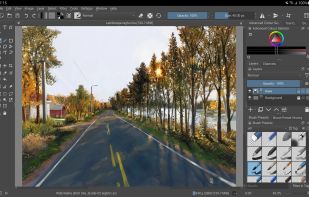
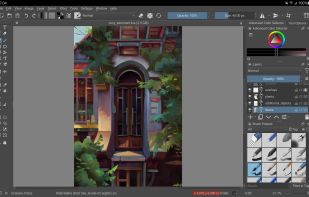
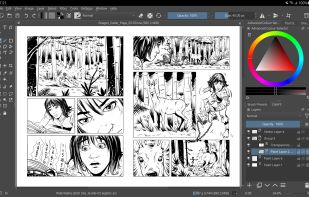
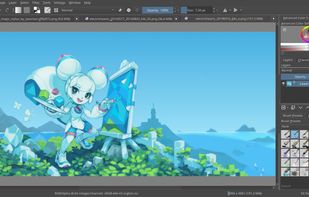
    Free, open-source painting software designed by artists for artists. Offers customizable UI, 9 brush engines, color management, tablet support, non-destructive editing, and privacy features. Portable and available on major platforms, supporting seamless texture creation.

    154 Krita alternatives

    Cost / License

    • Free
    • Open Source

    Application type

    Platforms

    • Mac
    • Windows
    • Linux
    • Android Tablet
    • KDE Plasma
    • Epic Games Store
    • PortableApps.com
    • F-Droid
    • Steam
    • AppImage
     
    |
    8
    Krita vs Clip Studio Paint Comments
    Top Positive Comment
    Guest
    6

    a great software for poor artist but very powerfull to drew . i'm like it

    Top Negative Comment
    Guest
    0

    It lacks key features like reference layers, gap closing, etc. so is impossible to do flatting with any speed. The supposed 'autofill' alternative is unintuitive and doesn't work most times. Krita is a good painting program, but its not usable for illustration the way clip studio is.

    BlueTen
    Positive
    0

    A recent (May 2026) comment here claimed that Krita lacks features like reference layers and gap closing. It has both of these, and has had them for a while.

    Reference Layers: right-click on and assign a color to your Layer -- then tools like the fill bucket and magic wand can be made to reference those layers by their assigned color.

    Gap Closing: when you're using the Fill Bucket tool or the magic wand, there is a slider in the Tool Options docker called "Close Gap" which does exactly that.

    Krita is a fantastic alternative to Clip Studio!

    3 of 8 comments
    • Krita is Free and Open SourceClip Studio Paint is Paid and Proprietary
    • Krita is Privacy focusedClip Studio Paint is not according to our users
  2. MediBang Paint icon
     120 likes

    MediBang Paint is a lightweight software for illustration and making comic books on Windows and Mac OS.

    Cost / License

    • Freemium
    • Proprietary

    Platforms

    • Mac
    • Windows
    • Android
    • iPhone
    • Android Tablet
    • iPad
    • Steam
     
    |
    4
    MediBang Paint vs Clip Studio Paint Comments
    Milla Palacio
    Positive
    2

    Not only is it free, they do share a lot of common functionality. Of course, MediBang Paint isn't as feature-rich, but it's still good for anime- and manga-style art.

    Guest
    Positive
    4

    It has all the things that I needed that Clip Studio Paint also had! LOVE IT!??

    SoftOlive
    Positive
    0

    It's an amazing tool for art, just like Clip Studio Paint. VERY good for not just manga, anime, etc art styles, but other art styles.

    3 of 4 comments
    • MediBang Paint is Freemium and ProprietaryClip Studio Paint is Paid and Proprietary
  3. Adobe Photoshop icon
     2451 likes

    Comprehensive raster graphics editor offering advanced photo and image editing features. Supports multiple layers, masks, alpha compositing, various color models, and has limited vector graphics, 3D, and video capabilities. Extensible via plug-ins.

    247 Adobe Photoshop alternatives

    Cost / License

    • Paid
    • Proprietary

    Platforms

    • Mac
    • Windows
    • Online
    • Android
    • iPhone
    • Android Tablet
    • iPad
    • Google Chrome
    • Wine
    • ReactOS
     
    |
    1
    Adobe Photoshop vs Clip Studio Paint Comments
    Guest
    Negative
    2

    Photoshop is a photo retouch application rather than a paint or sketch app.

    • Adobe Photoshop is Paid and ProprietaryClip Studio Paint is also Paid and Proprietary
    • Adobe Photoshop is an Image Editor Clip Studio Paint is a Digital Painting Tool
  4. Affinity icon
     88 likes

    Unified design solution merging advanced photo, vector, and layout tools for seamless workflow, non-destructive editing, RAW support, batch processing, AI enhancements, GPU acceleration, file compatibility, cloud asset integration, and tailored workspace options.

    93 Affinity alternatives

    Cost / License

    • Freemium
    • Proprietary

    Platforms

    • Mac
    • Windows
     
    |
    1
    Affinity vs Clip Studio Paint Comments
    cel
    Negative
    0

    Different intended audience, difference tools pack.

    • Affinity is Freemium and ProprietaryClip Studio Paint is Paid and Proprietary
    • Affinity is an Image Editor Clip Studio Paint is a Digital Painting Tool
  5. Photopea icon
     357 likes

    Browser-based image editing supports PSD, XCF, Sketch formats, advanced layers, vector tools, RAW photo support, and exports in 40+ formats. Fully client-side with AI background removal, content-aware tools, and privacy as files never leave your device.

    126 Photopea alternatives

    Cost / License

    • Freemium
    • Proprietary

    Platforms

    • Online
    • Software as a Service (SaaS)
     
    |
    1
    Photopea vs Clip Studio Paint Comments
    Guest
    Negative
    0

    Photopea isn't made with drawing and painting purposes in mind, you could use it for that, but it really isn't a Clip Studio Paint alternative

    • Photopea is Freemium and ProprietaryClip Studio Paint is Paid and Proprietary
    • Photopea is an Image Editor Clip Studio Paint is a Digital Painting Tool
  6. MyPaint icon
     397 likes

    MyPaint is a fast, distraction-free, and easy painting tool for digital artists. It supports graphics tablets made by Wacom, and many similar devices.

    137 MyPaint alternatives

    Cost / License

    Application type

    Platforms

    • Mac
    • Windows
    • Linux
    • PortableApps.com
     
    |
    1
    MyPaint vs Clip Studio Paint Comments
    Guest
    Negative
    -1

    not made for drawing manga

    • MyPaint is Free and Open SourceClip Studio Paint is Paid and Proprietary
  7. OpenToonz icon
     138 likes

    Open-source 2D animation software supporting raster and vector workflows, node-based compositing, plug-in extensions, anti-aliased painting, and support for major platforms, developed in collaboration with Studio Ghibli and suitable for commercial projects.

    46 OpenToonz alternatives

    Cost / License

    • Free
    • Open Source

    Platforms

    • Mac
    • Windows
    • Linux
     
    |
    1
    OpenToonz vs Clip Studio Paint Comments
    SoftOlive
    Negative
    0

    Opentoonz is very confusing for use, and primarily focuses on animation rather than art. Clip Studio Paint and Opentoonz is almost completely incomparable to Clip Studio, aside from the fact that they both can make art.

    • OpenToonz is Free and Open SourceClip Studio Paint is Paid and Proprietary
    • OpenToonz is an Animation Maker Clip Studio Paint is a Digital Painting Tool
    • OpenToonz is Privacy focusedClip Studio Paint is not according to our users
  8. PaintTool SAI icon
     144 likes

    PaintTool SAI is high quality and lightweight painting software, fully digitizer support, amazing anti-aliased paintings, provide easy and stable operation, this software make digital art more enjoyable and comfortable.

    99 PaintTool SAI alternatives

    Cost / License

    • Paid
    • Proprietary

    Platforms

    • Windows
     
    |
    1
    PaintTool SAI vs Clip Studio Paint Comments
    Guest
    Positive
    0

    It has basically the same features (plus some features, minus some features) and is used by the same category of professionals. On the downside, it is also paid. Not overly expensive, but not cheap either. It is worth the price though (the same goes for Clip Studio Paint).

    • PaintTool SAI is Paid and ProprietaryClip Studio Paint is also Paid and Proprietary
  9. Procreate icon
     171 likes

    Procreate is a versatile, award-winning app for creative digital drawing and painting on iOS. It delivers a robust, professional toolset with hundreds of configurable brushes, a powerful layering system, vector graphic tools, and comprehensive design capabilities, ensuring desktop-level flexibility and power.

    71 Procreate alternatives

    Cost / License

    • Paid
    • Proprietary

    Platforms

    • iPhone
    • iPad
     
  10. Suite featuring tools for vector illustration, image editing, page layout, bitmap tracing to convert bitmaps to vectors, asset browsing, web page creation, screen capture, file compatibility, color management, and professional multi-page document design.

    91 CorelDRAW Graphics Suite alternatives

    Cost / License

    • Paid
    • Proprietary

    Platforms

    • Mac
    • Windows
    • Online
     
    |
    1
    CorelDRAW Graphics Suite vs Clip Studio Paint Comments
    lauraess1
    Negative
    0

    CorelDRAW is primarily a vector drawing and design package, rather than primarily a bitmap editor.

    • CorelDRAW Graphics Suite is Paid and ProprietaryClip Studio Paint is also Paid and Proprietary
    • CorelDRAW Graphics Suite is a Vector Graphic Clip Studio Paint is a Digital Painting Tool
  11. Storyboarder icon
     51 likes

    Storyboarder makes it easy to visualize a story as fast you can draw stick figures. Quickly draw to test if a story idea works. Create and show animatics to others. Express your story idea without making a movie.

    Cost / License

    • Free
    • Open Source

    Application type

    Platforms

    • Mac
    • Windows
    • Linux
     
  12. FireAlpaca icon
     90 likes

    FireAlpaca is the image editor that can be used readily and easily. We made it possible to provide the completely free download, in order for our products to be experienced by more users from all over the world. It is available for both Mac and Windows users!

    130 FireAlpaca alternatives

    Cost / License

    • Free
    • Proprietary

    Platforms

    • Mac
    • Windows
    • Linux
     
12 of 109 Clip Studio Paint alternatives