Microsoft Paint Alternatives

Microsoft Paint is described as 'Basic, ad-free editor bundled with Windows for bitmap, JPEG, GIF, PNG, and TIFF files. Features AI powered features, layer support, offline use, and no registration' and is a very popular digital painting tool in the photos & graphics category. There are more than 100 alternatives to Microsoft Paint for a variety of platforms, including Windows, Mac, Web-based, Linux and Android apps. The best Microsoft Paint alternative is Paint.NET, which is free. Other great apps like Microsoft Paint are Krita, Pinta, Photopea and MyPaint.

filter to find the best alternatives

Microsoft Paint alternatives are mainly Image Editors, but if you're looking for Digital Painting Tools or Photo Editors you can filter on that. Other popular filters include Linux, Mac, Open Source, iPhone, iPad, Digital Painting and Android. You can also filter by region, for example EU-based alternatives if you prefer software developed in the European Union. These are just examples - use the filter bar below to find more specific alternatives to Microsoft Paint.
Copy a direct link to this comment to your clipboard
Microsoft Paint alternatives page was last updated

Alternatives list

  1. PaintTool SAI icon
     140 likes

    PaintTool SAI is high quality and lightweight painting software, fully digitizer support, amazing anti-aliased paintings, provide easy and stable operation, this software make digital art more enjoyable and comfortable.

    92 PaintTool SAI alternatives

    Cost / License

    • Paid
    • Proprietary

    Platforms

    • Windows
     
    |
    1
    PaintTool SAI vs Microsoft Paint Comments
    Guest
    Positive
    0

    This program does just about everything you could want in a paint program, apart from text and blur, etc. effects, and is very easy to use while not loosing any abilities to make it so.

    Review by a new / low-activity user.
    • PaintTool SAI is Paid and ProprietaryMicrosoft Paint is Free and Proprietary
    • PaintTool SAI is CustomizableMicrosoft Paint is not according to our users
  2. LazPaint icon
     46 likes

    Raster & vector graphic editor with many tools and filters, written in Lazarus. Portable, 32bit & 64bit versions, ORA format & 16384x16384 image support. In app 3D import & rendering.

    Cost / License

    Platforms

    • Mac
    • Windows
    • Linux
    • BSD
    • PortableApps.com
    • Flathub
    • Flatpak
     
    |
    1
    LazPaint vs Microsoft Paint Comments
    Guest
    Positive
    -2

    Really lightweight and fast, has a lot of additional features but is neat, making it powerful but not complicated (looking at you, Gimp).

    It would count closer to a Paint.NET replacement in my opinion. Though if you have this why would you ever want a normal MS Paint clone?

    Review by a new / low-activity user.
    • LazPaint is Free and Open SourceMicrosoft Paint is Free and Proprietary
  3. miniPaint icon
     30 likes

    miniPaint is free online image editor using HTML5. Edit, adjust your images, add effects online in your browser without installing anything. You can use the Electron based version of the editor if you like.

    37 miniPaint alternatives

    Cost / License

    • Free
    • Open Source

    Platforms

    • Linux
    • Online
    • Self-Hosted
     
  4. Adobe Elements icon
     84 likes

    Comprehensive photo editing tool with AI-powered automation and easy step-by-step guidance. It includes unique creation tools, layer support, facial recognition, and organizes your photos seamlessly. Available as a one-time purchase, no subscription required, with cloud sync for flexibility.

    148 Adobe Elements alternatives

    Cost / License

    • Paid
    • Proprietary

    Application types

    Platforms

    • Mac
    • Windows
    • Online
    • Android
    • iPhone
     
  5. PhotoFiltre icon
     109 likes

    PhotoFiltre 7 is a complete image retouching program. It allows you to do simple or advanced adjustments to an image and apply a vast range of filters on it. It is simple and intuitive to use, and has an easy learning curve.

    127 PhotoFiltre alternatives

    Cost / License

    • Freemium
    • Proprietary

    Application type

    Platforms

    • Windows
    • PortableApps.com
     
  6. PhotoDemon icon
     33 likes

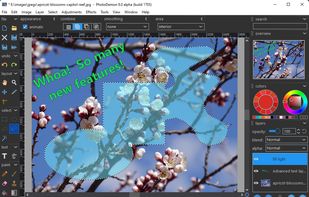
    PhotoDemon provides a comprehensive selection of photo editing tools in an 8 MB download. It runs on any Windows machine (XP through Win 10) and does not require installation. It can easily be run from a USB stick or SD card.

    23 PhotoDemon alternatives

    Cost / License

    • Free
    • Open Source

    Platforms

    • Windows
     
  7. Pixen icon
     18 likes

    Pixen is a pixel art editor designed for working with low-resolution raster art, such as those 8-bit sprites found in old-school video games. With innovative features like a color palette system, patterns, and high-zoom support, Pixen packs all the tools pixel artists need in an...

    Cost / License

    • Free
    • Proprietary

    Platforms

    • Mac
    • iPad
     
  8. Paint 3D icon
     28 likes

    Paint 3D is Microsoft's totally rebuilt and enhanced version of Microsoft Paint built for Windows 10 and with extensive 3D support as well as other helpful, long-needed additions like pen support and easier cropping feature.

    17 Paint 3D alternatives

    Cost / License

    • Free
    • Proprietary

    Application types

    Alerts

    • Discontinued

    Platforms

    • Windows
     
  9. Acorn icon
     74 likes

    Acorn is a photo editor built for the rest of us. With a simple interface and tools for adding everything from text, shapes, and effects, you can make the perfect picture in seconds and minutes, not hours and days.

    Cost / License

    • Paid
    • Proprietary

    Application types

    Platforms

    • Mac
     
  10. Sumo Paint icon
     74 likes

    Sumo Paint is a powerful image editor with a long-standing history as a fully capable Photoshop clone in the browser. Being designed for the browser, it's accessible on practically any system and loads much faster than most comparable desktop tools while still providing core...

    Cost / License

    • Freemium
    • Proprietary

    Platforms

    • Online
     
You are at page 2 of Microsoft Paint alternatives