Microsoft Paint Alternatives

Microsoft Paint is described as 'Basic, ad-free editor bundled with Windows for bitmap, JPEG, GIF, PNG, and TIFF files. Features AI powered features, layer support, offline use, and no registration' and is a very popular digital painting tool in the photos & graphics category. There are more than 100 alternatives to Microsoft Paint for a variety of platforms, including Windows, Mac, Web-based, Linux and Android apps. The best Microsoft Paint alternative is Paint.NET, which is free. Other great apps like Microsoft Paint are Krita, Pinta, Photopea and MyPaint.

filter to find the best alternatives

Microsoft Paint alternatives are mainly Image Editors, but if you're looking for Digital Painting Tools or Photo Editors you can filter on that. Other popular filters include iPad, iPhone, Open Source, Mac, Android, Linux and Digital Painting. You can also filter by region, for example EU-based alternatives if you prefer software developed in the European Union. These are just examples - use the filter bar below to find more specific alternatives to Microsoft Paint.
Copy a direct link to this comment to your clipboard
Microsoft Paint alternatives page was last updated

Alternatives list

  1. RealWorld Paint icon
     23 likes
    Copy a direct link to this comment to your clipboard

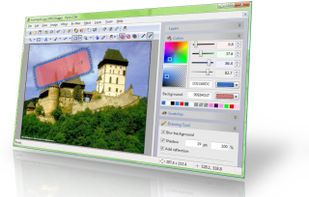
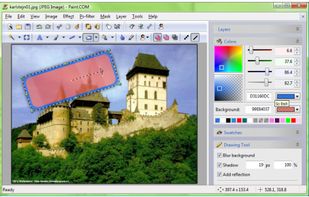
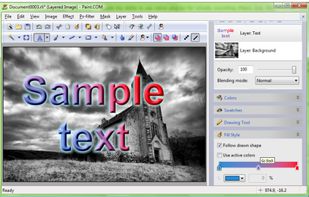
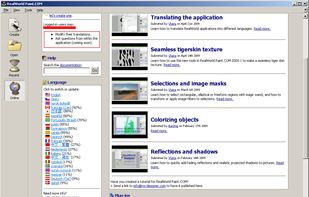
    RealWorld Paint is an free portable image/photo/animation editor. It supports layers with styles and can import and export Photoshop, GIMP and Paint.net images with layers.

    62 RealWorld Paint alternatives

    Cost / License

    • Free
    • Proprietary

    Platforms

    • Windows
     
    |
    1
    Comments about RealWorld Paint as an Alternative to Microsoft Paint
    CERTUIKO
    Positive
    0

    Is fast and efective..with plugins...etc etc

    Microsoft Paint Icon
    RealWorld Paint icon
    • RealWorld Paint is Free and ProprietaryMicrosoft Paint is also Free and Proprietary
  2. Seashore icon
     69 likes
    Copy a direct link to this comment to your clipboard

    Seashore is an open source image editor for Mac OS. It features gradients, textures and anti-aliasing for both text and brush strokes. It supports multiple layers and alpha channel editing. It is based around the GIMPs technology and uses the same native file format.

    Cost / License

    • Free
    • Open Source

    Application types

    Platforms

    • Mac
     
    |
    1
    Comments about Seashore as an Alternative to Microsoft Paint
    John Fastman
    Positive
    -3

    Although Seashore is now discontinued, it was one of the closest open source equivalents to Microsoft Paint for Mac users. It's a shame it's discontinued.

    Microsoft Paint Icon
    Seashore icon
    • Seashore is Free and Open SourceMicrosoft Paint is Free and Proprietary
  3. DPaint JS icon
     6 likes
    Copy a direct link to this comment to your clipboard

    Webbased image editor modeled after the legendary Deluxe Paint with a focus on retro Amiga file formats.

    Cost / License

    • Free
    • Open Source

    Platforms

    • Online
     
  4. Paint a File icon
     3 likes
    Copy a direct link to this comment to your clipboard

    Paint and export your drawings as GIF, Video, Image, PDF, SVG, DOCX, PPTX.

    Cost / License

    • Free
    • Proprietary

    Application type

    Platforms

    • Online
     
  5. Fresh Paint icon
     13 likes
    Copy a direct link to this comment to your clipboard

    Unleash your inner creative with Fresh Paint – the ultimate canvas for your big ideas. Fresh Paint is a fun and easy to use painting app with the right tools for artists of all ages. We believe that brilliant, creative ideas can come from anyone, anytime.

    53 Fresh Paint alternatives

    Cost / License

    • Free
    • Proprietary

    Application type

    Platforms

    • Windows
    • Windows Phone
     
  6. Pro Paint icon
     2 likes
    Copy a direct link to this comment to your clipboard

    Pro Paint for Mac is the realistic full-featured digital art software that is used for painting, image editing, vector drawing, free-form transformation, cropping, alpha channel editing, and more specialized tasks.

    Cost / License

    • Pay once
    • Proprietary

    Application type

    Platforms

    • Mac
     
  7. Copy a direct link to this comment to your clipboard

    Very powerfull image processing, editing, and retouching. Fully supported 48 bit color mode (in layers and all filters), automatic enhancement (Red Eye removal, Scratch and Dust removal, and more with one click), over 130 image processing tools, measure module, scripting and...

    Cost / License

    • Paid
    • Proprietary

    Application type

    Alerts

    • Discontinued

    Platforms

    • Windows
     
  8. Photokit icon
     3 likes
    Copy a direct link to this comment to your clipboard

    PhotoKit.com is integrated with a powerful online photo editor, smart brush, image quality enhancement, exposure repairment and image filters, splicing, cropping, transformation, painting, resizing, and can add text, shape, sticker, frame, round corners, etc.

    Cost / License

    • Free
    • Proprietary

    Application types

    Platforms

    • Online
    • Software as a Service (SaaS)
     
  9. PictBear icon
     6 likes
    Copy a direct link to this comment to your clipboard

    PictBear is an image editor and paint program that is very friendly toward the beginning user, PictBear is very straightforward and easy to use no matter what your skill level is.

    Cost / License

    • Free
    • Proprietary

    Platforms

    • Windows
     
  10. Flame Painter icon
     7 likes
    Copy a direct link to this comment to your clipboard

    Flame Painter is a unique paint program that lets you create original artworks with flame brushes.

    Cost / License

    • Paid
    • Proprietary

    Application type

    Platforms

    • Mac
    • Windows
    • iPhone
    • iPad
     
You are at page 4 of Microsoft Paint alternatives