Microsoft Paint AlternativesOnly apps from the EU

The best alternative to Microsoft Paint is Krita, which is both free and Open Source. If that doesn't suit you, our users have ranked more than 100 alternatives to Microsoft Paint and many of them are so hopefully you can find a suitable replacement. Other interesting alternatives to Microsoft Paint are Photopea, KolourPaint, LazPaint and miniPaint.

filter to find the best alternatives

Microsoft Paint alternatives are mainly Image Editors, but if you're looking for Digital Painting Tools or Photo Editors you can filter on that. Other popular filters include Mac, iPhone, Linux, Open Source, iPad, Digital Painting and Android. You can also filter by region, for example EU-based alternatives if you prefer software developed in the European Union. These are just examples - use the filter bar below to find more specific alternatives to Microsoft Paint.
Copy a direct link to this comment to your clipboard
Microsoft Paint alternatives page was last updated

Alternatives list

  1. Krita icon
     1424 likes

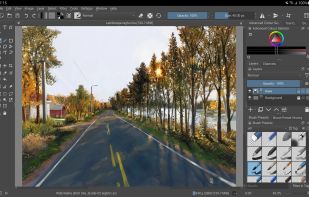
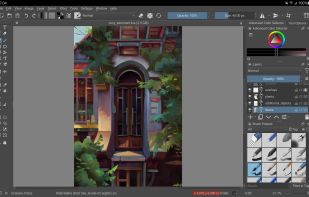
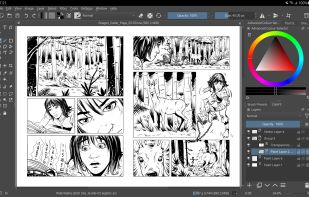
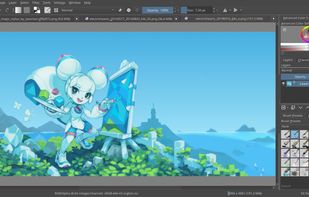
    Free, open-source painting software designed by artists for artists. Offers customizable UI, 9 brush engines, color management, tablet support, non-destructive editing, and privacy features. Portable and available on major platforms, supporting seamless texture creation.

    145 Krita alternatives

    Cost / License

    • Free
    • Open Source

    Application type

    Platforms

    • Mac
    • Windows
    • Linux
    • Android Tablet
    • KDE Plasma
    • Epic Games Store
    • PortableApps.com
    • F-Droid
    • Steam
    • AppImage
     
    |
    8
    Krita vs Microsoft Paint Comments
    Top Positive Comment
    vincentasmargis
    1

    I was looking for a program that could convert a .JPG file into .ico,and Krita did just that.

    Top Negative Comment
    vertigo
    4

    Krita is probably a great program for those that need the extra functionality, but those looking for an alternative to the extremely basic MS Paint don't need that, and it will be far more complicated to use. Even more importantly, though, is that even on my high-end system, it takes minimum several seconds to start, and sometimes around half a minute or longer, and that's just too long for doing basic tasks that would be done in Paint.

    Guest
    Negative
    0

    too complicated and bloated

    Review by a new / low-activity user.
    3 of 8 comments
    • Krita is Free and Open SourceMicrosoft Paint is Free and Proprietary
    • Krita is Customizable and Privacy focusedMicrosoft Paint is not according to our users
  2. Photopea icon
     341 likes

    Browser-based image editing supports PSD, XCF, Sketch formats, advanced layers, vector tools, RAW photo support, and exports in 40+ formats. Fully client-side with AI background removal, content-aware tools, and privacy as files never leave your device.

    112 Photopea alternatives

    Cost / License

    • Freemium
    • Proprietary

    Platforms

    • Online
    • Software as a Service (SaaS)
     
    |
    2
    Photopea vs Microsoft Paint Comments
    Guest
    Negative
    2

    Photopea is an outstanding Chrome OS substitute for Photoshop (or GIMP), but it is much more complicated to use than MS Paint.

    Review by a new / low-activity user.
    Guest
    Positive
    -1

    Its The same but simply it's more advanced

    Review by a new / low-activity user.
    • Photopea is Freemium and ProprietaryMicrosoft Paint is Free and Proprietary
  3. KolourPaint icon
     43 likes

    KolourPaint is a simple painting program to quickly create raster images. It is useful as a touch-up tool and for simple image editing tasks.

    41 KolourPaint alternatives

    Cost / License

    • Free
    • Open Source

    Platforms

    • Linux
    • KDE Plasma
    • Flathub
    • Snapcraft
     
    |
    10
    KolourPaint vs Microsoft Paint Comments
    Top Positive Comment
    edgatolobo
    0

    Almost the same funtions and interface

    Top Negative Comment
    Guest
    0

    Not similar to Microsoft Paint and not easy for my Disability.

    Review by a new / low-activity user.
    ahmed52
    Positive
    0

    simple, lightwate, its ms paint but much better +also respect your theme

    3 of 10 comments
    • KolourPaint is Free and Open SourceMicrosoft Paint is Free and Proprietary
  4. LazPaint icon
     46 likes

    Raster & vector graphic editor with many tools and filters, written in Lazarus. Portable, 32bit & 64bit versions, ORA format & 16384x16384 image support. In app 3D import & rendering.

    Cost / License

    Platforms

    • Mac
    • Windows
    • Linux
    • BSD
    • PortableApps.com
    • Flathub
    • Flatpak
     
    |
    1
    LazPaint vs Microsoft Paint Comments
    Guest
    Positive
    -2

    Really lightweight and fast, has a lot of additional features but is neat, making it powerful but not complicated (looking at you, Gimp).

    It would count closer to a Paint.NET replacement in my opinion. Though if you have this why would you ever want a normal MS Paint clone?

    Review by a new / low-activity user.
    • LazPaint is Free and Open SourceMicrosoft Paint is Free and Proprietary
  5. miniPaint icon
     30 likes

    miniPaint is free online image editor using HTML5. Edit, adjust your images, add effects online in your browser without installing anything. You can use the Electron based version of the editor if you like.

    Cost / License

    • Free
    • Open Source

    Platforms

    • Linux
    • Online
    • Self-Hosted
     
  6. PhotoFiltre icon
     109 likes

    PhotoFiltre 7 is a complete image retouching program. It allows you to do simple or advanced adjustments to an image and apply a vast range of filters on it. It is simple and intuitive to use, and has an easy learning curve.

    124 PhotoFiltre alternatives

    Cost / License

    • Freemium
    • Proprietary

    Application type

    Platforms

    • Windows
    • PortableApps.com
     
  7. Pixelitor icon
     27 likes

    Open source image editor with non-destructive editing, 110+ filters, adjustment and text layers, support for smart objects and adjustment layers, cross-platform compatibility, and layer-based editing for flexible image composition.

    Cost / License

    Platforms

    • Mac
    • Windows
    • Linux
     
  8. KRESKA.art icon
     7 likes

    KRESKA.art is a free online drawing and painting app that lets you create art directly in your web browser. It offers a simple interface, diverse brushes, and unique features like auto-color tracing. You can use it to sketch and paint without any downloads or installations.

    Cost / License

    • Free
    • Proprietary

    Platforms

    • Online
     
  9. Artweaver icon
     59 likes

    Artweaver is a simple Freeware program for creative painting, i.e. Artweaver offers you all artistic effects which you need for your work.

    Cost / License

    • Freemium
    • Proprietary

    Platforms

    • Windows
     
    |
    1
    Artweaver vs Microsoft Paint Comments
    Guest
    Positive
    0

    Yes this is fine ballance between size and functionality, similar to ms paint and lots of features missing in mspaint :)

    Review by a new / low-activity user.
    • Artweaver is Freemium and ProprietaryMicrosoft Paint is Free and Proprietary
  10. Flame Painter icon
     8 likes

    Flame Painter is a unique paint program that lets you create original artworks with flame brushes.

    Cost / License

    • Paid
    • Proprietary

    Application type

    Platforms

    • Mac
    • Windows
    • iPhone
    • iPad
     
  11. RealWorld Paint icon
     23 likes

    RealWorld Paint is an free portable image/photo/animation editor. It supports layers with styles and can import and export Photoshop, GIMP and Paint.net images with layers.

    Cost / License

    • Free
    • Proprietary

    Platforms

    • Windows
     
    |
    1
    RealWorld Paint vs Microsoft Paint Comments
    CERTUIKO
    Positive
    0

    Is fast and efective..with plugins...etc etc

    • RealWorld Paint is Free and ProprietaryMicrosoft Paint is also Free and Proprietary
  12. Drawing icon
     13 likes

    This application is a basic image editor, similar to Microsoft Paint, but aiming at the GNOME desktop.

    Cost / License

    Platforms

    • Linux
    • Linux Mobile
    • Flathub
    • GNOME
     
12 of 21 Microsoft Paint alternatives