• Evernote icon
  • Simplenote icon
  • Microsoft OneNote icon
  • OBS Studio icon
  • Camtasia icon
  • +16

Software to help you launch your YouTube channel (Windows edition)

PaulPaul21 appsUpdated
Copy a direct link to this comment to your clipboard

When creating a https://alternativeto.net/software/youtube/ channel, one of the first things that you need to think about is your equipment. There are over 100 hours of video uploaded to YouTube every minute, and in order to stand out, you will need some equipment that will help you accomplish just that. There are 3 different things that are crucial to have before uploading your first video: a microphone, a camera, and some video software.

In this post, we're going to talk about software that can help you launch your https://alternativeto.net/software/youtube/ channel. This post will be oriented toward https://alternativeto.net/software/windows-10/, but a similar post for macOS has already been posted and another one about Linux will be published in the following weeks.

Write up your ideas

  1. Evernote icon
     Like

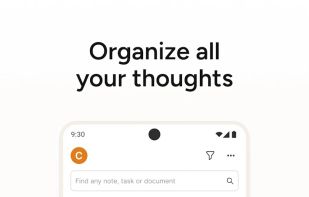
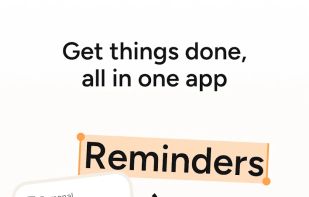
    Cross-platform app for creating and organizing notes from text, web pages, images, and voice memos. Offers security features and integrates with various tools.

    Cost / License

    • Freemium
    • Proprietary

    Application type

    Platforms

    • Mac
    • Windows
    • Online
    • Android
    • iPhone
    • Blackberry
    • Android Tablet
    • Windows Phone
    • iPad
    • Apple Watch
    • Kindle Fire
    Evernote screenshot 1
    Evernote screenshot 1
    Evernote screenshot 2
    +5
    Evernote screenshot 3
    PaulPaul’s note

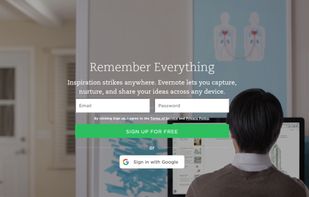
    Evernote allows you to view and save all your notes, photos, links and files using a single application and synchronize them with all your devices. Take notes, create lists, save images and web captures, record audio memos, and more. Each item created can then be viewed on your smartphone, tablet or other computer and shared with your friends.

  2. Cross-platform cloud note-taking with plain text, syncing, tagging, real-time collaboration, markdown, version history, and open-source clients.

    Cost / License

    • Free
    • Open Source

    Application type

    Platforms

    • Mac
    • Windows
    • Linux
    • Online
    • Android
    • iPhone
    • Android Tablet
    • iPad
    Simplenote screenshot 1
    Simplenote screenshot 1
    Simplenote screenshot 2
    +3
    Simplenote screenshot 3
    PaulPaul’s note

    Simplenote is a free, lightweight, and easy-to-use cross-platform note-taking utility with the unique feature of being synchronized on the cloud. All notes created on Simplenote are automatically synchronized on all devices that have the software installed.

  3. Microsoft OneNote, part of the Microsoft 365 Copilot icon Microsoft 365 Copilot, is a digital notebook application that gives people one place to gather notes and information. It also offers shared notebooks, syncing between multiple computers and devices via Windows...

    Cost / License

    • Freemium
    • Proprietary

    Application type

    Platforms

    • Mac
    • Windows
    • Online
    • Android
    • iPhone
    • Chrome OS
    • Windows Phone
    • iPad
    • Apple Watch
    • Android Wear
    • Kindle Fire
    Microsoft OneNote screenshot 1
    Microsoft OneNote screenshot 1
    Microsoft OneNote screenshot 2
    +4
    Microsoft OneNote screenshot 3
    PaulPaul’s note

    With Microsoft OneNote, capture the important points of your personal and professional life. Write down your ideas, add pictures, update your shopping list, and check your tasks. Collaborate with friends, family, classmates, and colleagues. Share your notebooks with others to allow them to view or edit them.

Record & stream your screen

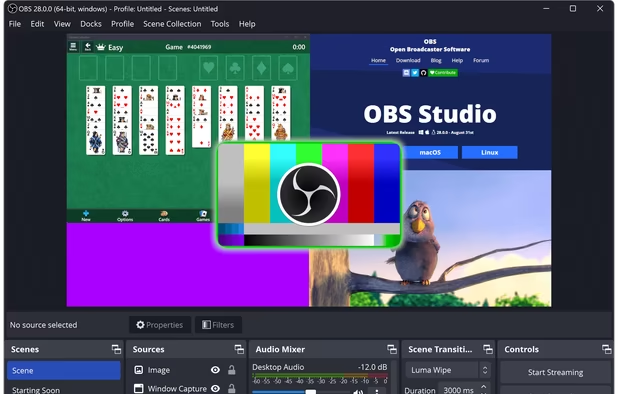
  1. Comprehensive software providing screen recording and live streaming on Mac, Windows, and Linux with powerful encoding support and unlimited scenes.

    Cost / License

    • Free
    • Open Source

    Application type

    Platforms

    • Mac
    • Windows
    • Linux
    • BSD
    • Snapcraft
    • Flathub
    • PortableApps.com
    • Steam
    • FreeBSD
    OBS Studio screenshot 1
    OBS Studio screenshot 1
    OBS Studio screenshot 2
    +8
    OBS Studio screenshot 3
    PaulPaul’s note

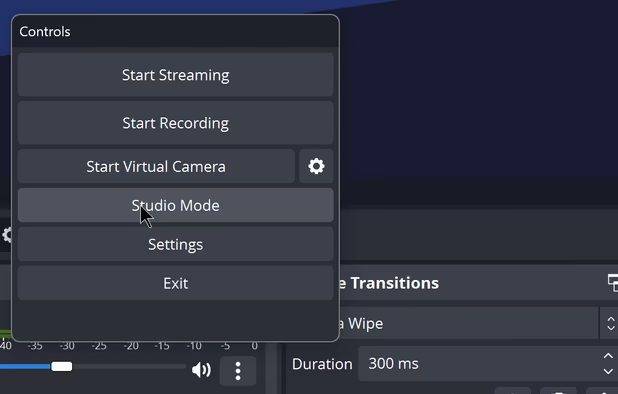
    Well known to video game streaming enthusiasts, Open Broadcaster Software is a free and powerful solution for broadcasting games on several platforms including Twitch icon Twitch and YouTube Gaming icon YouTube Gaming. It offers advanced scene management and allows unlimited customization of the streaming interface.

  2. Camtasia icon
     Like

    Create stunning HD videos with compact file sizes using this intuitive tool with presets for YouTube, HD display, and Screencast.com platforms.

    Cost / License

    • Freemium
    • Proprietary

    Application type

    Platforms

    • Mac
    • Windows
    • Online
    Camtasia screenshot 1
    Camtasia screenshot 1
    Camtasia screenshot 2
    +1
    Camtasia screenshot 3
    PaulPaul’s note

    Camtasia allows you to record everything that happens on your screen in order to create, for example, tutorials or software presentations. The application captures everything that appears on your screen, from moving your cursor to entering text and dialog boxes.

  3. Captura icon
     Like

    Captura is a Windows software that allows you to record your screen or a region of you screen in high resolution with or without audio, keystrokes and mouse cursor.

    Cost / License

    • Free
    • Open Source

    Application type

    Platforms

    • Windows
    Home
    Home in Dark theme
    Mini mode in Dark theme
    +9
    Recent
    PaulPaul’s note

    Captura is a screencasting software developed in .NET Framework icon .NET Framework. Capable of recording everything that happens on the screen, Captura also supports audio recording from a microphone. Offered free of charge, Captura is an open source utility that can work very discreetly by being minimized in the hidden icon drawer. Thanks to it, you can easily take screenshots, but also video recordings of your computer's screen by triggering them directly from a keyboard shortcut that can be customized.

Edit your videos

  1. Nonlinear video editor with customizable timeline, multi-format import, and accelerated rendering for fast editing performance.

    Cost / License

    • Paid
    • Proprietary

    Application type

    Platforms

    • Mac
    • Windows
    • iPhone
    • iPad
    • Android
    • Android Tablet
    Adobe Premiere Pro screenshot 1
    Adobe Premiere Pro screenshot 1
    Adobe Premiere Pro screenshot 2
    PaulPaul’s note

    With Final Cut Pro, Adobe Premiere Pro is a must for video editing and post-production professionals. It is full of advanced tools and is powerful enough to process your video streams. Premiere is a must in this field! For compositing, motion graphics, and visual effects, you can use Adobe After Effects icon Adobe After Effects with it.

  2. Advanced video editing and color correction with integrated visual effects, motion graphics, and audio post-production tools, used by professionals.

    Cost / License

    • Freemium
    • Proprietary

    Application type

    Platforms

    • Mac
    • Windows
    • Linux
    • iPad
    Hollywood's #1 Post Solution
    All In One Solution for Post Production
    Edit
The world's fastest and
most advanced professional NLE.
    +9
    Cut
Designed for editors
to turn around work fast!
    PaulPaul’s note

    DaVinci Resolve is a very complete calibration software that allows you to play with colorimetry as well as edit your videos and composit. Thanks to its very complete interface, DaVinci Resolve allows you to manage your projects from A to Z without too much difficulty. Multitrack management allows you to work with multiple video and audio sequences simultaneously. Multicam support gives your work a formidably professional look and quality, automatically synchronizing audio and video tracks through sound wave analysis. DaVinci Resolve offers very complete colorimetry tools including wheels for primary corrections (lift, gamma, gain, offset) and modules for secondary corrections within specific areas of the image.

  3. VEGAS Pro icon
     Like

    Utilizes AI tech for creative video production. Advanced audio editing with SOUND FORGE Pro. Enables mobile video upload and cloud collaboration.

    Cost / License

    • Paid
    • Proprietary

    Application type

    Platforms

    • Windows
    • Steam
    VEGAS Pro screenshot 1
    VEGAS Pro screenshot 1
    VEGAS Pro screenshot 2
    +1
    VEGAS Pro screenshot 3
    PaulPaul’s note

    Sony Vegas Pro is an advanced video editing software with a simplified interface. Operating from a track system (by image sequences and in wave form for sound), the application allows you to more easily assemble audio and video elements, insert transitions, add audio and video effects, cut out parts that are too long, etc. You can also add text (titles, comments, logos, etc.) that you can customize, as well as images and other items.

  4. HitFilm merges FXHome VisionLab Studio icon FXHome VisionLab Studio , FXHome Effectslab icon FXHome Effectslab and into one software.

    Cost / License

    • Paid
    • Proprietary

    Application type

    Platforms

    • Mac
    • Windows
    Editing
    Drag and drop Presets - 3D Effects - Muzzle Flashes-M16
    Drag and drop 3D-Fire-Bonfire
    +4
    Drag and drop 3D - Falling debris
    PaulPaul’s note

    HitFilm is one of the most powerful editing software on the market. Used in post-production, it offers a wide range of possibilities for full-length films, advertising and multimedia production. Equipped with a relatively easy to learn interface, the software is designed for many types of work: 3D retouching, special effects, colorimetry, and more. HitFilm has a host of tools dedicated to editing such as a very advanced timeline that makes it easy to integrate one video onto another, many dynamic transitions, and a specialized tool for titles and special effects.

Record & edit your audio

  1. Robust audio editing tool for commercial projects offering dynamic post-production features, perfect for video and podcast editing.

    Cost / License

    • Paid
    • Proprietary

    Application type

    Platforms

    • Mac
    • Windows
    Adobe Audition screenshot 1
    Adobe Audition screenshot 1
    PaulPaul’s note

    Adobe Audition CC provides sound and music professionals with an ideal audio production tool for recording, mixing, editing, and mastering. The application allows you to create your own music, record and mix a project, clean the soundtrack of a movie, etc.

  2. Wavosaur icon
     Like

    Wavosaur is a cool free sound editor, audio editor, wav editor software for editing, processing and recording sounds, wav and mp3 files. Wavosaur has all the features to edit audio (cut, copy, paste, etc.) produce music loops, analyze, record, batch convert.

    Cost / License

    • Free
    • Proprietary

    Application type

    Platforms

    • Windows
    Main Window
    multiple views
    3d spectrum analysis
    PaulPaul’s note

    Wavosaur is an audio file editor that supports most popular formats such as WAV, MP3, AIF, IFF, OGG, and many others. This application allows you to graphically visualize (in wave form) your song and transform it at will: copy and paste, add effects, fade, record, analyze the spectrum, insert silences, etc.

  3. Ocenaudio icon
     Like

    Ocenaudio is a cross-platform, easy to use, fast and functional audio editor. It is the ideal software for people who need to edit and analyze audio files without complications. ocenaudio also has powerful features that will please more advanced users.

    Cost / License

    • Free
    • Proprietary

    Application type

    Platforms

    • Mac
    • Windows
    • Linux
    Ocenaudio version 3.7.19 running on Windows with an audio file open.
    Ocenaudio version 3.7.19 running on Windows with no file open.
    Ocenaudio screenshot 2
    +4
    audio screenshot
    PaulPaul’s note

    Ocenaudio is an easy-to-use, complete, and free audio editor. It offers several effects, support for VST plugins, and a spectrogram display. A software not as complete as Audacity, but still very practical for easily editing your voice or some music.

  4. Audacity icon
     Like

    Free open-source multi-track audio editor and recorder with 32-bit float processing. Supports many formats and plugins for Windows, macOS, Linux.

    Cost / License

    • Free
    • Open Source

    Application type

    Platforms

    • Mac
    • Windows
    • Linux
    • BSD
    • AppImageHub
    • Flathub
    • PortableApps.com
    • Haiku
    Audacity screenshot 1
    Audacity screenshot 1
    Audacity screenshot 2
    +6
    Audacity screenshot 3
    PaulPaul’s note

    Audacity is a free audio editor, both complete and easy to use. It allows you to manipulate files in WAV, AIFF, OGG or MP3 format: delete silences, add echoes or special effects, delete noise, mix, etc. Thanks to the integrated editor, you can also copy, paste, and assemble sound clips to create multi-track projects.

Design your logo, banner, etc.

  1. Paint.NET icon
     Like

    Free image editor for Windows, offering layer support, plugins, special effects, and portable use without installation. Lightweight and ad-free.

    Cost / License

    • Free
    • Proprietary

    Application type

    Platforms

    • Windows
    • .NET Framework
    Paint.NET screenshot 1
    PaulPaul’s note

    Paint.NET is a photo editing tool that is particularly easy to use. Many features are available, making the product an essential software for amateur photographers. The application supports layers, unlimited cancellation and blur, sharpness, and red eye filters.

  2. Fast, smooth vector graphic design software with curve precision, vibrant colors, live gradients, and dynamic drawing tools, ideal for professionals.

    Cost / License

    • Paid
    • Proprietary

    Application type

    Platforms

    • Mac
    • Windows
    • iPad
    Affinity Designer screenshot 1
    Affinity Designer screenshot 1
    Affinity Designer screenshot 2
    +7
    Affinity Designer screenshot 3
    PaulPaul’s note

    Affinity Designer is an incredibly accurate vector illustrator that feels fast and at home in the hands of creative professionals. It intuitively combines rock solid and crisp vector art with flexible layer management and an impressive range of high quality raster tools for finishing. With accuracy, quality and speed at the heart of every single design task, and the ability to finesse designs without switching apps, this fresh-faced multi-discipline Adobe Illustrator icon Adobe Illustrator lets creatives shine.

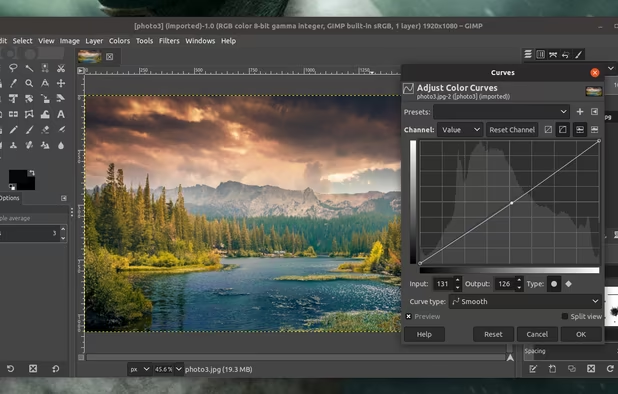
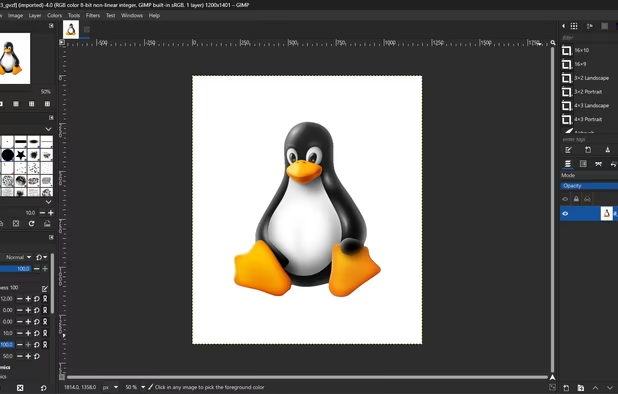
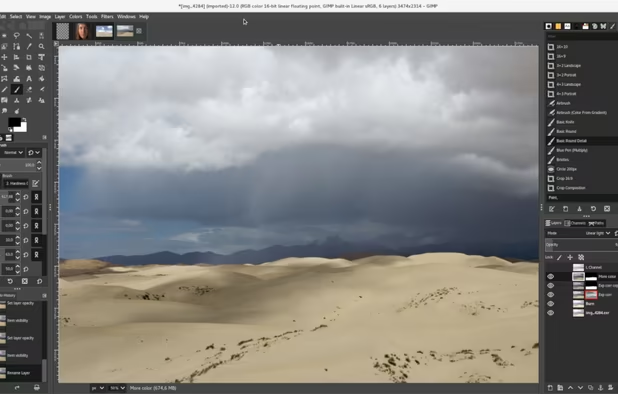
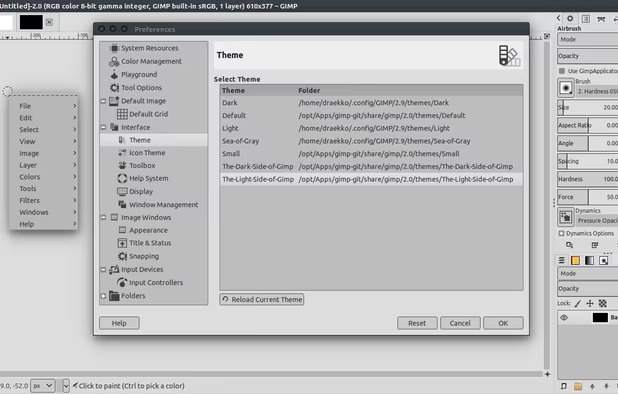
  3. GIMP icon
     Like

    Free open-source suite with advanced photo retouching, composition, batch processing, plugin extensibility, custom scripting, and wide file format compatibility.

    Cost / License

    • Free
    • Open Source

    Application type

    Platforms

    • Mac
    • Windows
    • Linux
    • BSD
    • Snapcraft
    • Flathub
    • PortableApps.com
    • Haiku
    • Flatpak
    • AmigaOS
    • AppImage
    GIMP screenshot 1
    GIMP 2.99.18 on Windows, non-default theme.
    GIMP screenshot 2
    +5
    GIMP screenshot 3
    PaulPaul’s note

    The GNU Image Manipulation Program, generally called GIMP, is a free photo editing and processing software. A true competitor to the commercial, professional Adobe Photoshop icon Adobe Photoshop solution, this software is one of the flagships of free software since its first version was released in 1995. Despite an unattractive interface at first glance, GIMP has a wonder of power for free and open source software. It's hard to find a better performance without paying a single penny.

Manage your YouTube channel and social media accounts

  1. TubeBuddy icon
     Like

    TubeBuddy is The Premier YouTube Channel Management and Video Optimization Toolkit

    Cost / License

    • Freemium
    • Proprietary

    Platforms

    • Online
    • Android
    • iPhone
    • iPad
    • Microsoft Edge
    • Google Chrome
    • YouTube
    • Opera
    • Firefox
    TubeBuddy screenshot 1
    TubeBuddy "Dropout" Menu
    PaulPaul’s note

    TubeBuddy is a browser extension that integrates directly into YouTube icon YouTube to help you run your channel with ease. You can perform bulk updates to your videos such as adding annotations or cards to every video with just a few clicks. You can perform Find/Replace on your videos just as if you were using a word processor. You can generate professional custom thumbnails using screenshots and branding/text layers. You can engage with your audience quicker and more efficiently. You can export your list of subscribers and their social profiles. You can get details analysis of competitor channels. You can promote your new upload across all other videos. The list goes on and on.

  2. Social Blade is a statistics website that allows you to track your statistics and measure growth across multiple social media platforms including YouTube, Twitch, and Instagram. It is our mission for Social Blade to become your go-to place for monitoring the following of your...

    Cost / License

    • Freemium
    • Proprietary

    Application type

    Platforms

    • Online
    • Android
    • iPhone
    • Android Tablet
    • iPad
    • Google Chrome
    • Firefox
    SocialBlade screenshot 1
    SocialBlade screenshot 1
    SocialBlade screenshot 2
    +8
    SocialBlade screenshot 3
    PaulPaul’s note

    Social Blade tracks user statistics for YouTube icon YouTube, Twitch icon Twitch, Instagram icon Instagram, and X icon X. It's a great tool that can help you get a deeper understanding of user growth and trends.

  3. Buffer icon
     Like

    Manage multiple social profiles, schedule queued posts in advance using customizable timeslots, analyze engagement, and use browser tools to add content easily.

    Cost / License

    • Freemium
    • Proprietary

    Platforms

    • Online
    • Android
    • iPhone
    • Android Tablet
    • iPad
    • Apple Watch
    • Google Chrome
    • Safari
    • Mozilla Firefox
    Buffer screenshot 1
    Buffer screenshot 1
    Buffer screenshot 2
    +8
    Buffer screenshot 3
    PaulPaul’s note

    Buffer is a practical tool to manage, publish, and schedule your output on various social networks that include the following: X icon X, Facebook icon Facebook, LinkedIn icon LinkedIn, Instagram icon Instagram, Pinterest icon Pinterest and Google Plus icon Google Plus (even if…).

  4. Hootsuite icon
     Like

    Manage and schedule posts across social accounts, analyze engagement, monitor real-time mentions, and collaborate using a content planner and unified inbox.

    Cost / License

    • Paid
    • Proprietary

    Platforms

    • Online
    • Android
    • iPhone
    • Blackberry
    • iPad
    Hootsuite screenshot 1
    Hootsuite screenshot 1
    Hootsuite screenshot 2
    +4
    Hootsuite screenshot 3
    PaulPaul’s note

    With Hootsuite, save time and manage all your social networks through a single interface. Both simple and fast, just connect and add the different social networks you want to track.


Well, this list is not going to make you a YouTube star overnight, but it might just help you produce quality videos, and that's a start! 🙂

Comments

Arian Ullah
0

You should put Inkscape for logo designing.

spectrumsss
0

You can also edit with camtasia studio, not sure why you didn't mention that because it's a video editor anyway. You can also record your screen with Nvidia Shadowplay (For Nvidia graphics cards) and Radeon ReLive (For AMD graphics cards)

1

hitfilm is not a video editor its build for SFX editing.

-2

You can also use the Windows built-in recorder to record gameplay.

Software to help you launch your YouTube channel (Windows edition) | AlternativeTo