
Apps tagged with 'CPU Usage'

All apps in Apps tagged with 'CPU Usage' category. Use the filters below to narrow down your search. 
Copy a direct link to this comment to your clipboard
  1. TrafficMonitor icon
     67 likes

    Monitors real-time network speed, CPU, and memory usage on Windows with a floating window or taskbar widget, customizable skins, and traffic history.

    Cost / License

    • Free
    • Open Source

    Application type

    Since

    • Since 2018

    Platforms

    • Windows
    • CN flagChina
    Taskbar No activity
    Taskbar uploading
    Main (floating) window
    +9
    Main (floating) window options
    64 alternatives
    4.5
    Excellent12 ratings
  2. Beszel icon
     14 likes

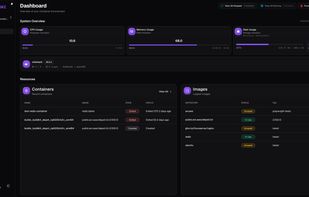
    Beszel is a lightweight server monitoring platform that includes Docker statistics, historical data, and alert functions.

    Cost / License

    • Free
    • Open Source (MIT)

    Application type

    Since

    • Since 2025

    Platforms

    • Self-Hosted
    • Docker
    • Cloudron
    • US flagUnited States
    Beszel screenshot 1
    Beszel screenshot 1
    26 alternatives
  3. cpufetch icon
     4 likes

    cpufetch is a command-line tool written in C that displays the CPU information in a clean and beautiful way.

    Cost / License

    Since

    • Since 2024

    Platforms

    • Windows
    • Mac
    • Linux
    • BSD
    • FreeBSD
    • Android
    • Termux
    • Homebrew
    • Chocolatey
    • MacPorts
    • ES flagSpain
    • European Union flagEU
    cpufetch screenshot 1
    cpufetch screenshot 1
    cpufetch screenshot 2
    +4
    cpufetch screenshot 3
    33 alternatives
  4. Mangojuice icon
     3 likes

    GUI tool for Linux to easily edit, preview, and export MangoHUD overlay settings, simplifying configuration with detailed options for games and software.

    Cost / License

    Since

    • Since 2025

    Platforms

    • Linux
    • Flathub
    • Flatpak
    • RU flagRussia
    Mangojuice screenshot 1
    Mangojuice screenshot 1
    Mangojuice screenshot 2
    +2
    Mangojuice screenshot 3
    14 alternatives
  5. TG Pro icon
     3 likes

    Monitor Mac internal temperatures for potential overheating. Automatically or manually adjusts fan speeds to keep your Mac cool, ensuring optimal performance.

    Cost / License

    • Pay once
    • Proprietary

    Since

    • Since 2019

    Platforms

    • Mac
    • US flagUnited States
    TG Pro screenshot 1
    TG Pro screenshot 1
    TG Pro screenshot 2
    +1
    TG Pro screenshot 3
    26 alternatives
  6. This program is switching automatic between low and high power energy plans depending on the load of the CPU and CPU temperature. The Pro version adds new features to control individual programs including CPU core affinity, process and I/O scheduling priorities.

    Cost / License

    • Pay once
    • Proprietary

    Application type

    Since

    • Since 2018

    Platforms

    • Windows
    • NL flagNetherlands
    • European Union flagEU
    The different tabs of power control pro
    21 alternatives
  7. ThrottleStop icon
     14 likes

    ThrottleStop is a small application designed to monitor for and correct the three main types of CPU throttling that are being used on many laptop computers.

    Cost / License

    • Free
    • Proprietary

    Since

    • Since 2014

    Platforms

    • Windows
    • US flagUnited States
    ThrottleStop screenshot 1
    5 alternatives
  8. NotCPUCores icon
     7 likes

    NotCPUCores is a GUI for quick CPU Resource Assignment and Priority adjustment, along with other minor tweaks. A lot of similar snake oil marketed Non-Free alternatives exist that like to call themselves names such as "Game Booster", "FPS Booster"...

    Cost / License

    • Free
    • Open Source

    Application type

    Since

    • Since 2018

    Platforms

    • Windows
    older version on windows 7
    version 1.5.0.0 on windows 10
    11 alternatives
  9.  1 like

    Fuzzy find and kill processes from your terminal.

    Cost / License

    • Free
    • Open Source (MIT)

    Since

    • Since 2026

    Platforms

    • Mac
    • Linux
    • Rust
    • Homebrew
    • Nix Package Manager
    • GB flagUnited Kingdom
    rip-cli screenshot 1
    53 alternatives
  10. BES is GPL free software that controls per-process CPU usage: an “active” software CPU cooler. It throttles CPU-hungry application(s) when asked.

    Cost / License

    • Free
    • Open Source

    Since

    • Since 2018

    Platforms

    • Windows
    Battle Encoder Shirase screenshot 1
    Battle Encoder Shirase screenshot 1
    Battle Encoder Shirase screenshot 2
    +4
    Battle Encoder Shirase screenshot 3
    1 alternative
  11. Monitorets icon
     1 like

    Monitorets is a small utility application offering a simple and quick view at the usage of several of your computer resources. Almost like an applet or a widget for your Linux desktop.

    Cost / License

    Since

    • Since 2025

    Platforms

    • Linux
    • Flathub
    • Flatpak
    Monitorets screenshot 1
    Monitorets screenshot 2
    Monitorets screenshot 3
    55 alternatives
  12.  4 likes

    Highly customizable Wayland bar for Sway and Wlroots based compositors.

    Cost / License

    • Free
    • Open Source (MIT)

    Since

    • Since 2022

    Platforms

    • Linux
    • Wayland
    • Sway
    • FR flagFrance
    • European Union flagEU
    Waybar screenshot 1
    27 alternatives
  13. XRG icon
     8 likes

    XRG is an open source system monitor for Mac OS X. XRG allows you to monitor CPU activity, memory usage, battery status, machine temperature, network activity, disk I/O, current weather, and stock market data.

    Cost / License

    • Free
    • Open Source

    Application type

    Since

    • Since 2014

    Platforms

    • Mac
    • US flagUnited States
    XRG screenshot 1
    XRG screenshot 1
    XRG screenshot 2
    +6
    XRG screenshot 3
    33 alternatives
  14. App Tamer icon
     8 likes

    ? Background app taming: CPU use by background apps can lead to slower performance, shorter battery life, prompt heating and trigger your Mac’s fans. App Tamer helps you to manage and reduce overall CPU usage by controlling idle apps working in the background.

    Cost / License

    • Pay once
    • Proprietary

    Application type

    Since

    • Since 2011

    Platforms

    • Mac
    • US flagUnited States
    App Tamer reduces fan noise, extend battery life and harness all of your Mac's power.
    See which apps are consuming battery and CPU even when you're not using them.
    App Tamer automatically reduces the CPU usage of apps when they're not in use.
    +5
    Built-in warnings tell you when apps use more CPU than they should.
    5 alternatives
  15. CatWalk icon
     1 like

    A simple plasmoid showing the total CPU usage.

    Cost / License

    • Free
    • Proprietary

    Since

    • Since 2024

    Platforms

    • Linux
    • KDE Plasma
    CatWalk screenshot 1
    CatWalk screenshot 1
    49 alternatives
  16.  1 like

    CoreFreq, a CPU monitoring software with BIOS like functionalities, is designed for the 64-bits Processors of architecture Intel Atom, Core2, Nehalem, SandyBridge and superiors; AMD Families from 0Fh ... up to 17h (Zen , Zen+ , Zen2), 18h (Hygon Dhyana), 19h (Zen3)

    Cost / License

    Since

    • Since 2023

    Platforms

    • Linux
    • Ubuntu
    • Arch Linux
    • openSUSE
    • CentOS
    • Red Hat
    • Gentoo Linux
    corefreq screenshot 1
    corefreq screenshot 1
    corefreq screenshot 2
    +7
    corefreq screenshot 3
    12 alternatives
  17.  3 likes

    A collection of performance monitoring tools (of which iostat and sar for I/O, CPU, memory and more ) for GNU/Linux OS. Let you monitore ponctually by hand as well as automatically via cron or systemd services.

    Cost / License

    Since

    • Since 2015

    Platforms

    • Linux
    • FR flagFrance
    • European Union flagEU
    sysstat screenshot 1
    sysstat screenshot 1
    sysstat screenshot 2
    1 alternative
  18. This compact utility displays real-time CPU, RAM and disk drives usage meters right on the taskbar notification area, or next to the system clock, that is always visible.

    Cost / License

    • Free
    • Proprietary

    Since

    • Since 2016

    Platforms

    • Windows
    System tray info
    CPU Information
    Settings
    +3
    About
    24 alternatives