


Process Lasso
71 likes
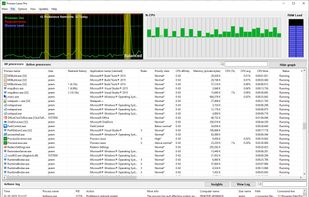
Real-time process and CPU affinity optimization utility with ProBalance technology to preserve responsiveness. Automates rules, power schemes, and core selection. Mitigates system slowdowns, enables persistent affinities, watchdog monitoring, and instance limits, running lightweight.

Cost / License
- Freemium (Pay once)
- Proprietary
Application typeApplication types
Platforms
- Windows


Features
Highlights All activities
Process Lasso News & Activities
Recent News
No news, maybe you know any news worth sharing?
Share a News Tip
Recent activities
 Rodrigo-1291 added Process Lasso as alternative to Recoil Optimizer
 Darkssel added Process Lasso as alternative to SysPulse
 Waynesgoldcoreapp added Process Lasso as alternative to Wayne's GoldCore
- ReduxFlakes liked Process Lasso
 Danilo Venom added Process Lasso as alternative to ACTVT
 mbj97 added Process Lasso as alternative to Tier1Timer
- Hlt Dev liked Process Lasso
 Darlene Sonalder added Process Lasso as alternative to Tux Manager
 Creative_joe added Process Lasso as alternative to Tray Monitor


Useful Windows programs
Clean, small, use!
For activation use: https://massgrave.dev/ or https://github.com/massgravel/Microsoft-Activation-Scripts
For all windows USE OFFICIAL MS SITE if u can / for reserv use this: https://massgrave.dev/genuine-installation-media
For office download use: https://gravesoft.dev/office_c2r_links

Windows Optimization Software
Actually great software that optimizes Windows. This can include trash cleaners, process and power management, and other tools alike. I only include tools that I have tried and delivered.
Developed by
 Bitsum
 Licensing
Proprietary and Freemium product.Pricing
One time purchase (perpetual license) + free version with limited functionality.Rating
Average rating of 4.6Alternatives
47 alternatives listedBadge
Get an embeddable badge for Process LassoSupported Languages


Comments and Reviews
Mz CPU Accelerator + Process Lasso work great together! Mz CPU Accelerator speeds up the program you're using, and Process Lasso slows down the ones you aren't using. Neither is perfect at doing what the other does, although Process Lasso can do weaker job of what Mz CPU Accelerator does.
Process Lasso is one of those apps that does what it promises to do, however it's not magic and does require some know how. Process Lassos uses a lot of the hidden powers of the Win32 process management API to change priorities, affinity, and energy management of processes. It also comes with some nice features like GPU priority from the graphics API, power profiles, their proprietary algorithm ProBalance that manages priority of processes in real time depending on the overall responsiveness of the system, and memory trimming that reduces big working sets to reduce available memory into free memory. For the price tag it's a pretty robust tool for advanced users.
Easy way to temporarily halt some of the ridiculous Windows power-saving and efficiency features. Especially helpful if you are running something that is CPU-bound in a terminal window that you want to keep in the background but still have perform well, like x265 in my case.
The only tool I know that really memorizes process priority. It now has a dark theme too.
Good for optimizing my old laptop, it's more usable than before.
Not useful for low end PC. But gives some more utilization power on High End PC.
won't recommended for low end pc users, it will have no effect.
I'm using it on a really low end pc, now the pc is usable, before it couldn't even open the browser