• Process Lasso icon
  • BleachBit icon

Windows Optimization Software

ReduxFlakes2 appsUpdated
Copy a direct link to this comment to your clipboard

Actually great software that optimizes Windows. This can include trash cleaners, process and power management, and other tools alike. I only include tools that I have tried and delivered.

  1. Real-time process priority and CPU affinity optimization utility with ProBalance technology. Automates rules, manages power schemes, improves system stability.

    Cost / License

    • Freemium
    • Proprietary

    Application type

    Platforms

    • Windows
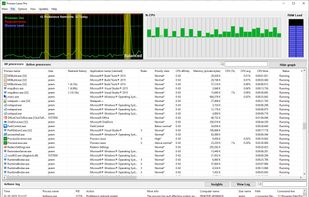
    Main Window
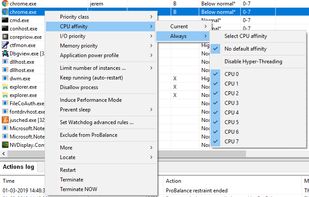
    Process Context Menu
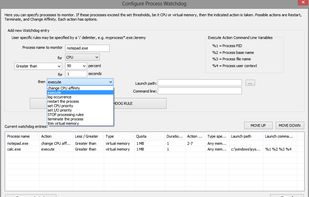
    Process Rules (Watchdog)
    +1
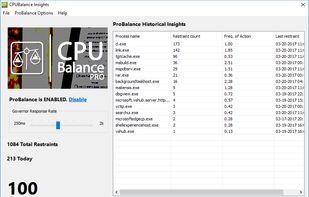
    ProBalance Insights
    ReduxFlakes’s note

    Advanced tool to manage and save process configurations like priority, affinity, power management, and power plans. It can also automatically manage process priorities depending on the current system usage to keep the system responsiveness.

  2. BleachBit icon
     Like

    BleachBit frees disk space and maintains privacy by quickly removing unnecessary files such as cache, cookies, browser history, temporary files, and system logs. It can also shred files and clean free disk space to prevent data recovery.

    Cost / License

    • Free
    • Open Source

    Application type

    Platforms

    • Windows
    • Linux
    • Flatpak
    • Flathub
    • AppImage
    BleachBit screenshot 1
    BleachBit screenshot 1
    BleachBit screenshot 2
    ReduxFlakes’s note

    Simple tool to clean trash of the system and third party tools like browsers, game launchers. It's more reliable and advanced than something like CCleaner with the added bonus of being open source and cross platform with Linux.

No comments so far, maybe you want to be first?