Apps tagged with 'AI Dictation' Page 2 of 3

All apps in Apps tagged with 'AI Dictation' category. Use the filters below to narrow down your search. 
Copy a direct link to this comment to your clipboard
  1. A9 Voice icon
     2 likes

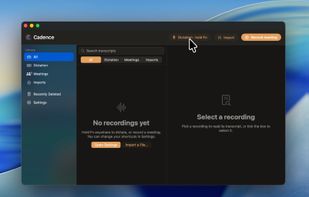
    A Windows app for dictation and meeting notes: type with your voice in any app, and record meetings with no bot joining.

    Cost / License

    • Freemium (Pay once)
    • Proprietary

    Application type

    Since

    • New

    Platforms

    • Windows
    • US flagUnited States
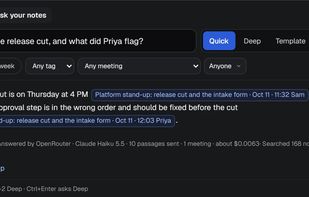
    Ask across every meeting, with cited answers: Press Ctrl+K and ask a question across all your notes. Every answer links to the exact moment in the meeting, or says it couldn’t find it.
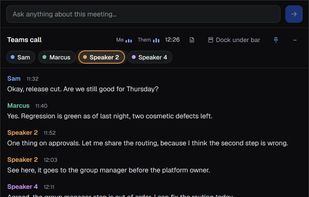
    Live transcript with speaker names, no bot in the call: The Live window during a Teams or Zoom call: a chip per speaker, and one click to name each voice. A9 Voice records from your PC, so nothing joins the meeting.
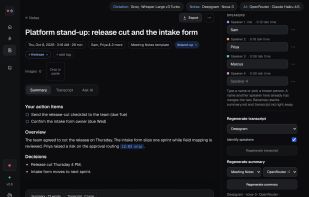
    Meeting notes after a call: your own action items first, then the overview and decisions, each linked to the moment it was said.
    11 alternatives
  2.  1 like

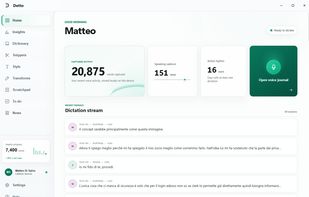
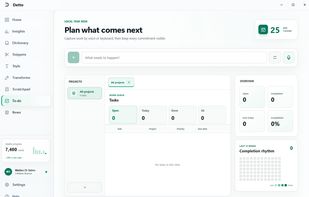
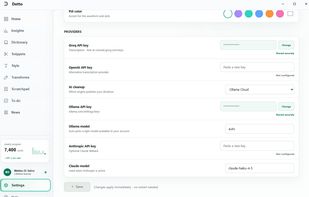
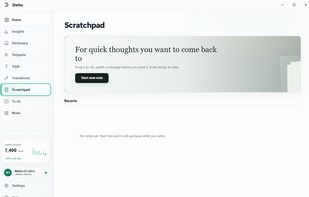
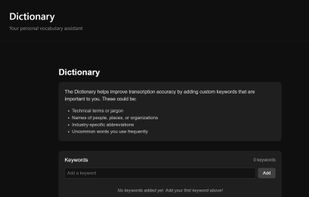
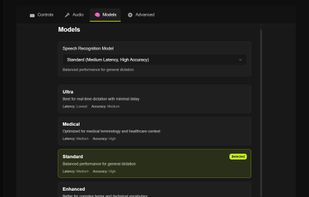
    Dictation app for Windows that types your speech into any application, with AI cleanup, a personal dictionary and text transforms.

    Cost / License

    • Pay once
    • Proprietary

    Application type

    Since

    • Since 2026

    Platforms

    • Windows
    • IT flagItaly
    • European Union flagEU
    Detto screenshot 1
    Detto screenshot 2
    Detto screenshot 3
    +1
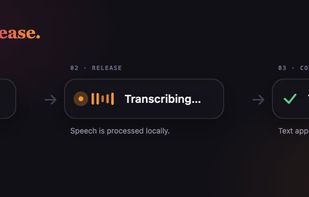
    Detto screenshot 4
    11 alternatives
  3. Glazey icon
     Like

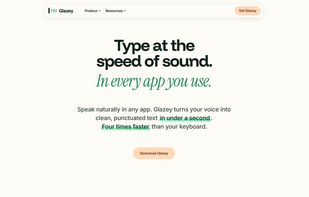
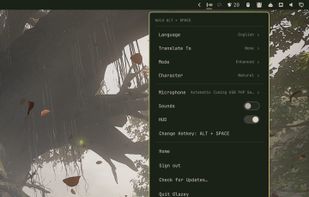
    Voice dictation inserts clean, punctuated text into any app in under a second, with 100+ languages, translation, shortcuts, and custom styles.

    Cost / License

    • Freemium (Subscription)
    • Proprietary

    Since

    • New

    Platforms

    • Windows
    • Mac
    • Linux
    • BG flagBulgaria
    • European Union flagEU
    Glazey screenshot 1
    Glazey screenshot 2
    32 alternatives
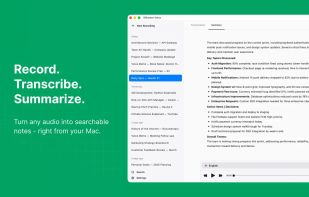
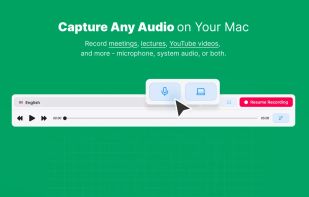
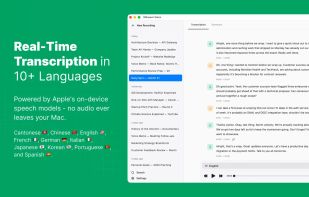
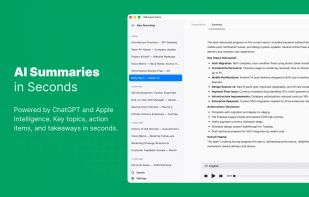
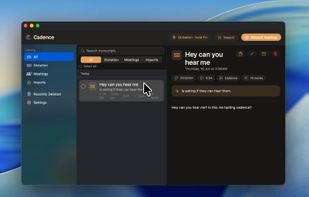
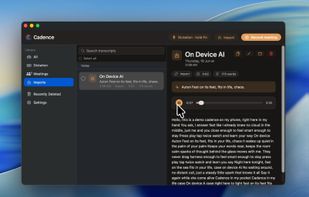
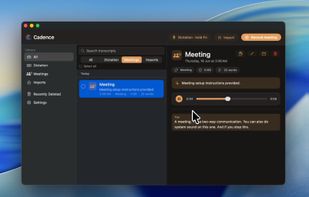
  4. Record meetings, lectures, and podcasts. Transcribe in 10+ languages with on-device Apple models. Get ChatGPT-powered summaries via Apple Intelligence — no subscriptions.

    Cost / License

    • Freemium (Pay once)
    • Proprietary

    Application type

    Since

    • Since 2026

    Platforms

    • Mac
    • AM flagArmenia
    Silkwave Voice screenshot 1
    Silkwave Voice screenshot 2
    Silkwave Voice screenshot 3
    +3
    Silkwave Voice screenshot 4
    59 alternatives
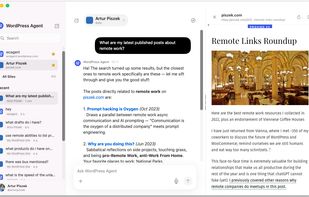
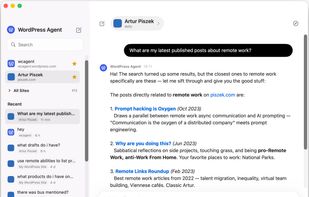
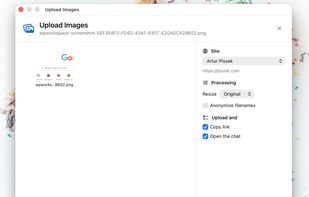
  5. WordPress Workspace is an macOS companion that turns your website into a full productivity suite. Ask the WordPress Agent, dictate, upload images, capture screenshots, and transform text with the voice, history, media, and structure your site already contains.

    Cost / License

    • Free
    • Proprietary

    Since

    • Since 2026

    Platforms

    • Mac
    • Wordpress
    • US flagUnited States
    WordPress Workspace screenshot 1
    WordPress Workspace screenshot 2
    WordPress Workspace screenshot 3
    +2
    WordPress Workspace screenshot 4
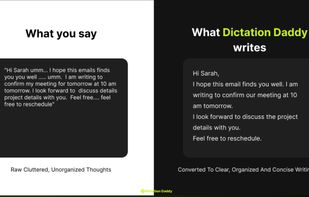
  6. AI speech-to-text tool that types auto-punctuated, formatted text into any app and includes custom vocabulary, templates, and file transcription.

    Cost / License

    • Freemium (Subscription)
    • Proprietary

    Since

    • New

    Platforms

    • Windows
    • Mac
    • Android
    • IN flagIndia
    Dictation Daddy screenshot 1
    Dictation Daddy screenshot 2
    Dictation Daddy screenshot 3
    Dictation Daddy screenshot 4
    9 alternatives
  7. Voice typing app for Mac, Windows, iPhone and Android that keeps mixed-language speech as you said it, English work terms included.
    Cost / License

    • Freemium (Subscription)
    • Open Source (MIT)

    Since

    • Since 2025 (updated Nov 2026)

    GitHub

    • GitHub stars: 138

    Platforms

    • Windows
    • Mac
    • Android
    • iPhone
    AI Dictation screenshot 1
    3 alternatives
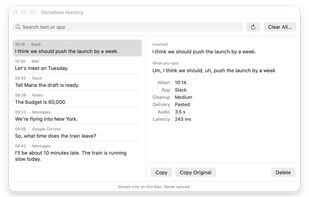
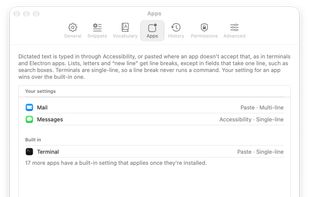
  8. Private dictation for Mac: hold a key, speak, and clean, punctuated text is typed at your cursor in almost any app. Runs entirely on-device.
    Cost / License

    • Free
    • Open Source (MIT)

    Since

    • New

    GitHub

    • GitHub stars: 1

    Platforms

    • Mac
    LiveTranscribe screenshot 1
    LiveTranscribe screenshot 2
    LiveTranscribe screenshot 3
    +1
    LiveTranscribe screenshot 4
    51 alternatives
  9. Wave is a lightweight, native macOS dictation app focused on fast voice-to-text workflows with minimal UI overhead. Press a shortcut, speak, and your words are instantly pasted at the cursor. Supports on-device transcription via Whisper and cloud transcription via Groq, plus an...

    Cost / License

    • Free Personal
    • Proprietary

    Application type

    Since

    • Since 2026

    Platforms

    • Mac
    • IN flagIndia
    Wave Dictation screenshot 1
    Wave Dictation screenshot 2
    Wave Dictation screenshot 3
    51 alternatives
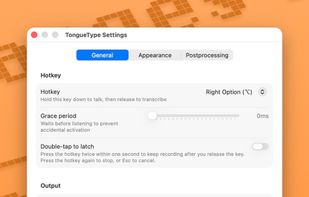
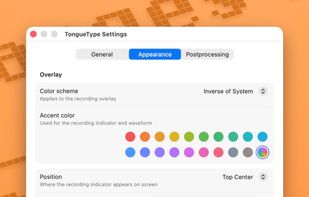
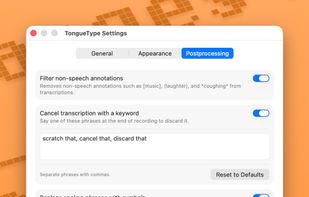
  10. On-device voice dictation for Mac. Hold a hotkey, speak, release, and Whisper-transcribed text appears at your cursor. No cloud, no account, no subscription.

    Cost / License

    • Freemium (Pay once)
    • Proprietary

    Application type

    Since

    • Since 2026

    Platforms

    • Mac
    • US flagUnited States
    Transcriptions happen anytime, anywhere with the press of a key.
    Customizable settings.
    Customizable appearance options.
    Configurable post-processing behaviors and rules.
    15 alternatives
  11. A local-first notes inbox for your Mac. One keystroke, and it lands as plain markdown in a folder you own.

    Cost / License

    • Pay once
    • Proprietary

    Application type

    Since

    • New

    Platforms

    • Mac
    • IN flagIndia
    Jot for Mac screenshot 1
    Jot for Mac screenshot 2
    Jot for Mac screenshot 3
    +1
    Jot for Mac screenshot 4
    24 alternatives
  12. Murmr icon
     Like

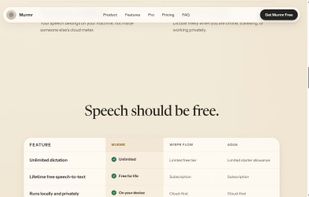
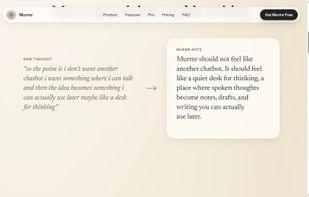
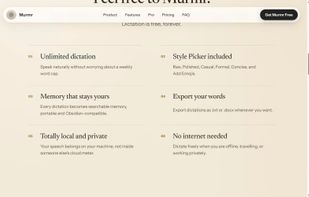
    Murmr is AI dictation that runs entirely on your own computer. Press a key, talk, and clean text appears wherever your cursor is: email, documents, chat, code comments.
    Cost / License

    • Freemium (Pay once)
    • Proprietary

    Since

    • New

    Platforms

    • Windows
    • Mac
    Murmr screenshot 1
    Murmr screenshot 2
    Murmr screenshot 3
    11 alternatives
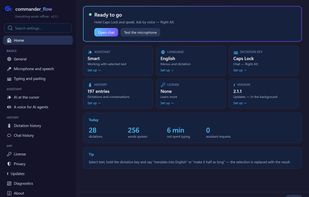
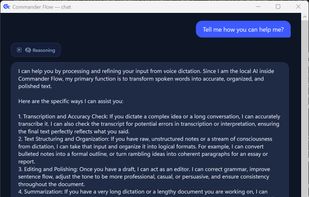
  13. AI under your cursor in every Windows app: dictate offline in 25 languages free forever, or select any text and command it by voice - translate, rewrite, summarize, draft a reply, format.
    Cost / License

    • Freemium (Pay once or Subscription)
    • Proprietary

    Since

    • Since 2026

    Platforms

    • Windows
    Home dashboard: hotkeys, languages, and how much typing time you saved today
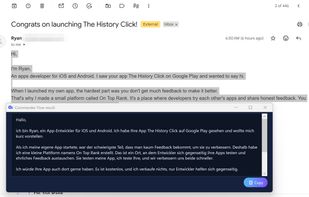
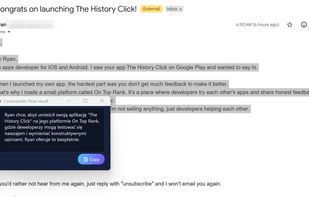
    Voice command 'draft a reply in German' on a selected email - sender address redacted
    Commander Flow screenshot 3
    +3
    Commander Flow screenshot 4
    23 alternatives
  14. Hey Ida icon
     Like

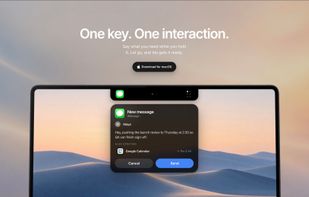
    A hold-to-talk macOS assistant that drafts text and performs tasks in Gmail, Calendar, Slack and more, showing a preview before changes.
    Cost / License

    • Free
    • Proprietary

    Since

    • New

    Platforms

    • Mac
    Say it, and Ida gets the message ready in iMessage, with the calendar change alongside. Nothing sends until you press Send.
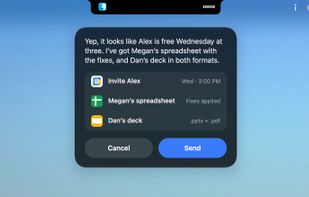
    One request, several actions: a calendar invite, spreadsheet fixes and a deck in two formats, all waiting for your Send.
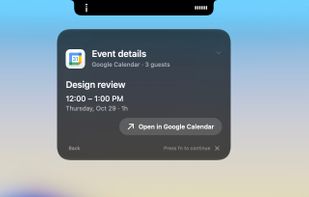
    Ask about your day and Ida answers from Google Calendar, right under the notch.
    10 alternatives
  15. Aloudra icon
     1 like

    Turn recordings, links and your own voice into transcripts you can search, translate and export.

    Cost / License

    • Freemium (Subscription)
    • Proprietary

    Since

    • New

    Platforms

    • Online
    • SG flagSingapore
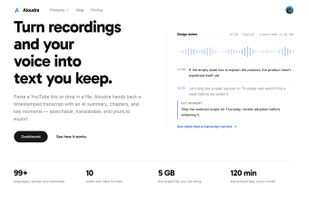
    Make recordings and YouTube links become searchable, timestamped transcripts with AI summaries, chapters, and key moments. The preview includes a waveform, timestamped dialogue, and a key takeaway, alongside support for 99+ languages, 10 media formats, files up to 5 GB, and 120 free minutes per month.
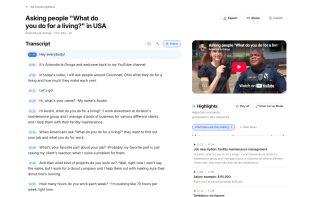
    Highlights will appear inside each Aloudra document beside the transcript and source player. Cards show key moments with headings, timestamps, and supporting text, while a timeline maps them across the recording. Users can jump to a moment, play all highlights, enter Focus Mode, or create topic-specific views—all connected to the same transcript.
    27 alternatives
  16. ListenIn icon
     Like

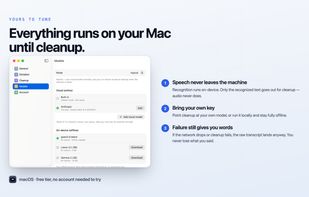
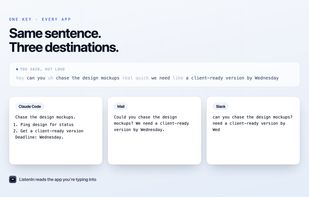
    ListenIn is a menu-bar dictation app for macOS. Hold a trigger key, speak, and cleaned-up text is inserted at your cursor in any app — Claude Code, Cursor, Terminal, Mail, Slack.
    Cost / License

    • Freemium (Pay once or Subscription)
    • Proprietary

    Since

    • New

    Platforms

    • Mac
    The same spoken sentence, adapted to the app you are typing into.
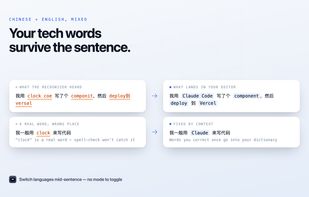
    Mixed Chinese-English speech: English technical terms stay in English.
    What stays on your Mac, and what leaves it for cleanup.
    12 alternatives
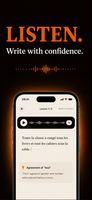
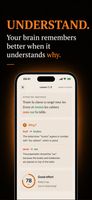
  17. Audio dictations in authentic French help adults improve grammar and spelling, with instant corrections, clear rule explanations, and adaptive spaced repetition.

    Cost / License

    • Subscription
    • Proprietary

    Since

    • Since 2026

    Platforms

    • Android
    • iPhone
    • iPad
    • FR flagFrance
    • European Union flagEU
    Apostrophe French Dictation screenshot 1
    Apostrophe French Dictation screenshot 3
    +4
    Apostrophe French Dictation screenshot 4
    57 alternatives
  18. Iris flow icon
     Like

    Iris Flow is an open-source overlay dictation app for Apple Silicon Macs. Hold Left-Ctrl to speak, release, and the transcript is pasted at the cursor in Notes, Slack, browsers, editors, and other apps. There is no account and no hosted backend.

    Cost / License

    • Free
    • Open Source (MIT)

    Since

    • New

    GitHub

    • GitHub stars: 3

    Platforms

    • Mac
    51 alternatives
  19. SnailText icon
     Like

    Voice dictation for Mac and Windows. Press a hotkey, speak, paste into any text field. Audio stays on your device — no cloud, no account, unlimited free tier.

    Cost / License

    • Freemium (Subscription)
    • Proprietary

    Application type

    Since

    • Since 2026

    Platforms

    • Windows
    • Mac
    • ES flagSpain
    • European Union flagEU
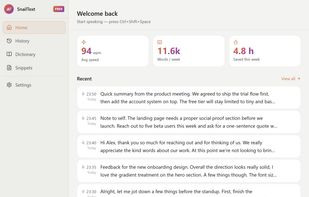
    SnailText main window in light mode — recording history, live word-per-minute stats, and the dictation hotkey.
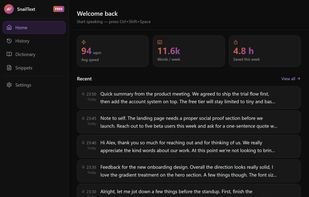
    SnailText main window in dark mode — same dictation history and stats, dark theme for low-light use.
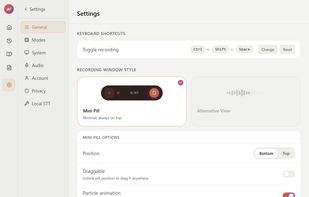
    SnailText settings with the recording pill active at the bottom of the screen — model selection, hotkey config, and the on-screen dictation indicator.
    56 alternatives