





Siri AI
43 likes
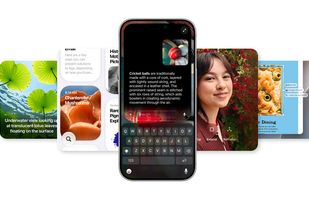
Conversational AI assistant provides voice and text interaction for calls, reminders, device control, smart home, photo search, app integration, privacy, on-device processing, web searches, personal context, follow-up questions, writing aid, and seamless use across devices.

Cost / License
- Free
- Proprietary
Application type
Platforms
- Mac
- iPhone
- iPad
- Apple Watch
- Apple TV
- Apple Car Play
- visionOS


Features
Siri AI News & Activities
Highlights All activities
Recent News
- Mauricio B. Holguin published news article about iOS
- Fla published news article about Spark Mail
- Mauricio B. Holguin published news article about Apple Health


Recent activities



Featured in Lists


My Setup - All Apps and Software
Master List of all Apps and Software I use for both work and personal life.


APPS - SEARCH curated by colin the catalyst
This is a list curated for the purpose of helping to choose the software/ applications (apps) that should be considered at the initial phase i.e. a new or restored device (Mobile Phone, Tablet, Computer/ Laptop, VR/ MR Headset).
The list is based on continuous research, testing and feedback that is intended to help you create an experience that aligns with the goals of your life/ workflow. The research began in 1992 and has included scenario's that consider living conditions guided by the exploration of the three-world model. (The range of countries is currently limited as it requires continued research while factoring in limited time to test, implement and ongoing refinement.)
The list has been curated using a custom time saving processes designed by colin the catalyst that considers a range of life/ work styles.
The sub-categories for this list include the following:
• SEARCH TOOLS
• BOOKMARKS
• ASSISTANT
• DATA


USEFUL TOOLS
A list with 10 apps by alotofthingsdifferent without a description.

What is Siri AI?

Siri AI information
Developed by
 Apple
Apple Licensing
Proprietary and Free product.Alternatives
38 alternatives listedNews
20 news article related to Siri AIBadge
Get an embeddable badge for Siri AISupported Languages
AlternativeTo Categories
AI Tools & Services, Office & Productivity, Audio & Music, Photos & GraphicsApple AppStore
- Updated
- 0 avg rating


Comments and Reviews
It's really handy. The new improved voice is really nice.
Apple is less about technology than about marketing to consumers for money and Siri is a great example of the hype without the functionality. The product has no consistency across platforms. Things that can be done on the iPhone, as limited as they are cannot be performed on the Macbook.
To begin, on the Mac (Macbook Pro), you Enable Ask Siri through preferences. You might observe that Siri is "special" and misunderstands often, whether you are using the system mic, your headset mic or your professional video boom mic. It's not the volume or clarity, it's just Siri.
So, you might want to enable type to Siri, which of course, you cannot enable in the Siri settings, instead you use preferences accessibility, as if it is you that has the handicap, not Siri. Once you enable typing to Siri, all voice commands to Siri are disabled by Apple.
Now, there may be some additional flexibility on the iphone version, but on the Mac, there is no way that you can actually get new applications, especially downloaded third party applications, to be understood by Siri. Siri will search the web for the app you requested, but not launch the installed app. This is the same even if you type directly to Siri asking to launch the specific app.
The complete failure of Apple to provide decent technical solutions has lead to competition with Google and other developers which prevent apps to be installed across platforms, locking you into to the handicap of using, or ignoring, Siri. It would be dreaming that one day Apple would have an platform and applications with sufficient merit that they did not worry about competition. You might want to go back and watch the Apple 1984 Super Bowl ad that introduced the Macintosh! Apple now epitomizes all that it advertised against at that time. Well, it's more a marketing company than anything I suppose.
[Edited by rwshopperw, July 10]
[Edited by rwshopperw, July 10]
help for my disabled son