Apps tagged with 'Clipboard Manager' Page 14 of 14

All apps in Apps tagged with 'Clipboard Manager' category. Use the filters below to narrow down your search. 
Copy a direct link to this comment to your clipboard
  1. Pastebird icon
     Like

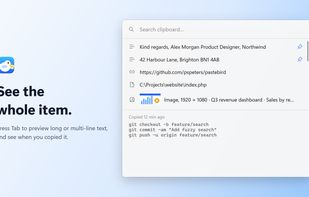
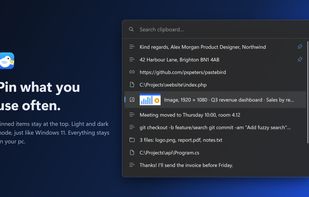
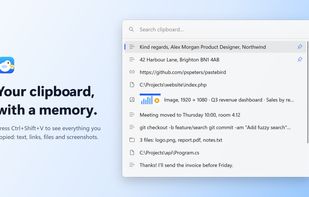
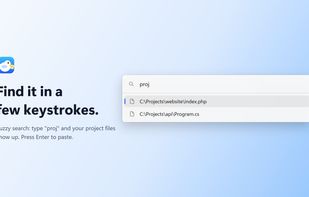
    Pastebird remembers everything you copy. Press Ctrl Shift V, type a few letters and hit Enter. Done.

    Cost / License

    • Free
    • Open Source (MIT)

    Application type

    Since

    • New

    Platforms

    • Windows
    • Mac
    • NL flagNetherlands
    • European Union flagEU
    Pastebird screenshot 1
    Pastebird screenshot 2
    Pastebird screenshot 3
    Pastebird screenshot 4
    12 alternatives
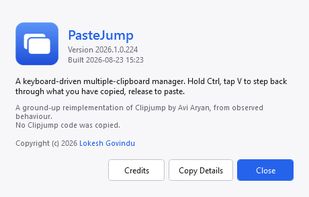
  2. Keyboard-driven multiple-clipboard manager for Windows: hold Ctrl, tap V to walk back through everything you have copied, release to paste - no window, no mouse. A .NET 10 + WPF reimplementation of Clipjump, shipped as one self-contained portable exe.

    Cost / License

    • Free
    • Open Source (MIT)

    Application type

    Since

    • Since 2026 (updated Aug 2026)

    Platforms

    • Windows
    • IN flagIndia
    PasteJUmp screenshot 1
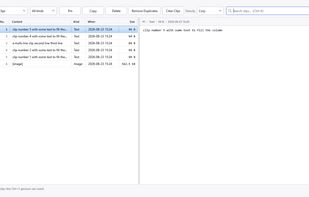
    PasteJUmp screenshot 2
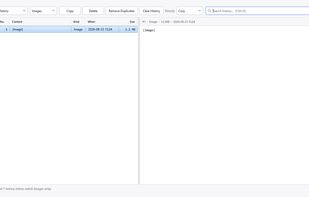
    PasteJUmp screenshot 3
    +28
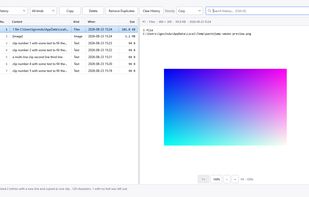
    PasteJUmp screenshot 4
    51 alternatives
  3. Edge-Drop icon
     Like

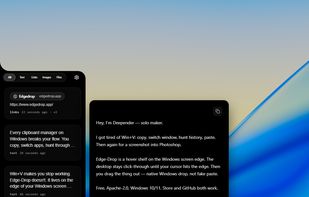
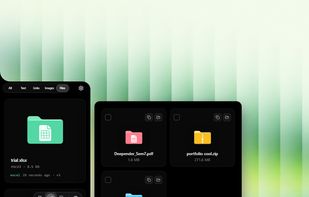
    Hover-activated clipboard shelf for Windows. It hides on your screen edge, springs open when your cursor nears it, and lets you drag files and images straight into any app. Free and open source.
    Cost / License

    Application type

    Since

    • New

    GitHub

    • GitHub stars: 632

    Platforms

    • Windows
    Edge-Drop screenshot 1
    Edge-Drop screenshot 2
    Edge-Drop screenshot 3
    51 alternatives
  4. ClipGate icon
     Like

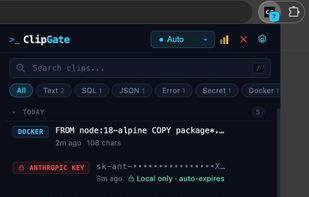
    Terminal-native clipboard vault for developers — auto-classifies, encrypts secrets, and recovers context fast.

    Cost / License

    • Free
    • Proprietary

    Application type

    Since

    • Since 2026

    Platforms

    • Windows
    • Mac
    • Linux
    • Python
    • Google Chrome
    • US flagUnited States
    ClipGate Social
    ClipGate Chrome Extension
    ClipGate working
    +2
    ClipGate Native capability
    6 alternatives
  5. Copy Log icon
     Like

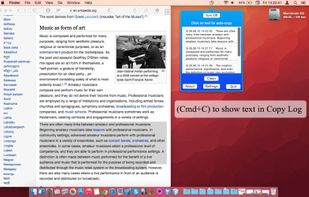
    Copy Log is a powerful app that makes your every day copy/paste operations much easier. It keeps every text youve copied and lets you access and use your saved text anywhere. More than this, Copy Log records date and hour of your copies and enumerates them.

    Cost / License

    • Pay once
    • Proprietary

    Application type

    Since

    • Since 2015

    Platforms

    • Mac
    • RO flagRomania
    • European Union flagEU
    Copy Log screenshot 1
    Copy Log screenshot 2
    Copy Log screenshot 3
    71 alternatives
  6. TypeFire icon
     Like

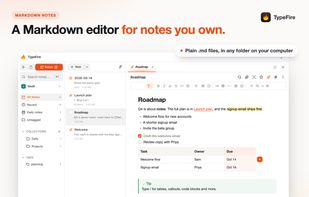
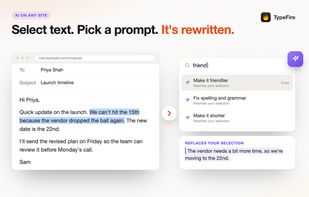
    TypeFire is three tools in one native macOS app: a text expander, a clipboard manager, and a Markdown notes editor. Each one opens over whatever application you are already in, on its own global hotkey, and what you pick lands in the document you were typing in.

    Cost / License

    • Freemium (Pay once)
    • Proprietary

    Application type

    Since

    • Since 2026

    Platforms

    • Mac
    • Online
    • Google Chrome
    • US flagUnited States
    TypeFire screenshot 1
    TypeFire screenshot 2
    TypeFire screenshot 3
    +2
    TypeFire screenshot 4
    35 alternatives
  7. Cliptonite icon
     1 like

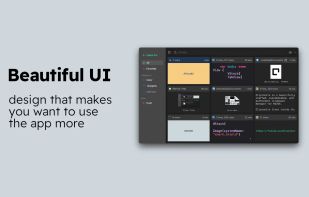
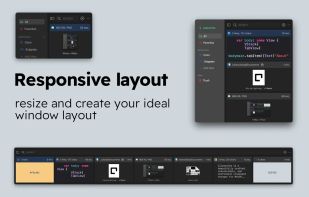
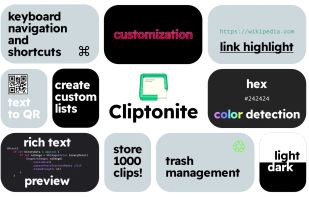
    Cliptonite is a beautifully crafted, customizable, and performant clipboard manager for MacOS.
    Cost / License

    • Freemium (Pay once)
    • Proprietary

    Application type

    Since

    • Since 2023

    Platforms

    • Mac
    Cliptonite screenshot 1
    Cliptonite screenshot 2
    Cliptonite screenshot 3
    +5
    Cliptonite screenshot 4
    53 alternatives
  8.  Like

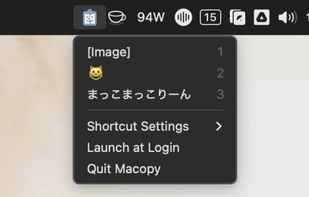
    Macopy keeps a history of what you copy and puts it a keyboard shortcut away. Pick an entry and it pastes straight into whatever app you were using, so you never go hunting for something you copied five minutes ago.

    Cost / License

    • Free
    • Open Source (MIT)

    Application type

    Since

    • Since 2026 (updated Oct 2026)

    GitHub

    • GitHub stars: 34

    Platforms

    • Mac
    • JP flagJapan
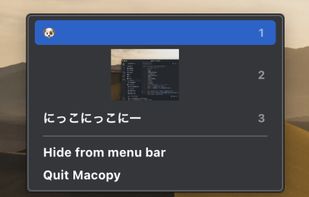
    The clipboard history popup, opened at the cursor
    Picking an entry pastes it into the app you were using
    5 alternatives
  9. Mimer icon
     Like

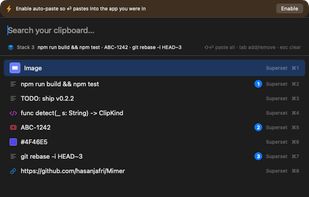
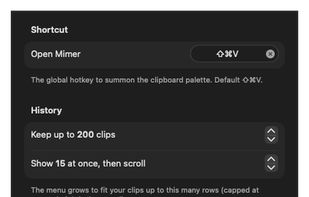
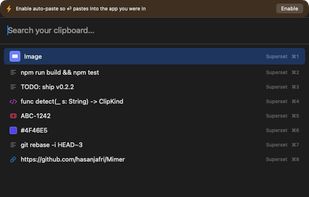
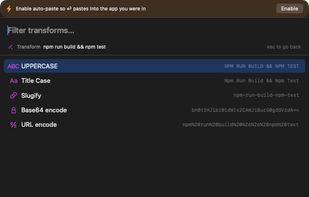
    Mimer is a free, open-source (MIT) clipboard manager that lives in the macOS menu bar. Press Shift-Cmd-V to open a command palette over your clipboard history: search as you type (with type:, app:, is:fav and /regex/ filters), then paste, favorite, or transform any clip.
    Cost / License

    • Free
    • Open Source (MIT)

    Application type

    Since

    • Since 2026 (updated Aug 2026)

    GitHub

    • GitHub stars: 9

    Platforms

    • Mac
    Mimer screenshot 1
    Mimer screenshot 2
    Mimer screenshot 3
    Mimer screenshot 4
    6 alternatives
  10. Tuckaway icon
     Like

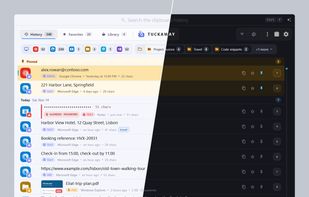
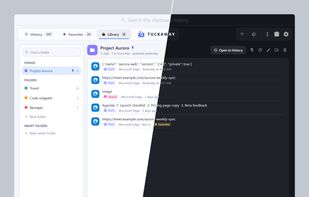
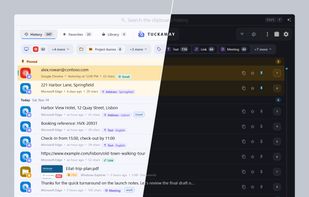
    Tuckaway remembers every text, link, image and file you copy on Windows, groups it by day, and hands it back with one key.
    Cost / License

    • Freemium (Pay once)
    • Proprietary

    Application type

    Since

    • New

    Platforms

    • Windows
    Your clipboard history, grouped by day, with pinned clips on top. Shown in Light and Dark.
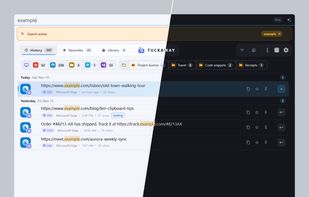
    Search as you type: matches appear instantly with your words highlighted. Press Enter to paste.
    Secret Guard hides copied passwords, keys and card numbers, and clears them on time.
    +1
    Library: organize clips into colored folders, with pinned and smart folders.
    16 alternatives
  11. Clipstory icon
     Like

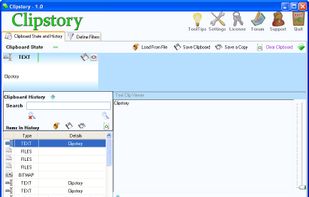
    Clipstory, Clipboard with History - unlimited copy and paste right at your fingertips.

    Cost / License

    • Pay once
    • Proprietary

    Application type

    Since

    • Since 2018

    Platforms

    • Windows
    • US flagUnited States
    Clipstory screenshot 1
    81 alternatives
  12. Copyloom icon
     Like

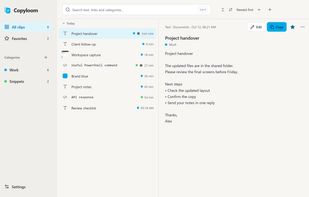
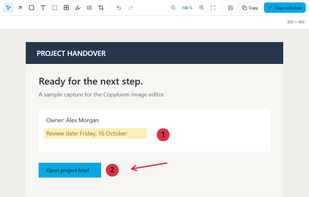
    A clipboard history and image editor for Windows. Pick a clip from a small list that opens where you work, and it is pasted into the app you came from.
    Cost / License

    Application type

    Since

    • New

    GitHub

    • GitHub stars: 2

    Platforms

    • Windows
    Copyloom screenshot 1
    Copyloom screenshot 2
    4 alternatives
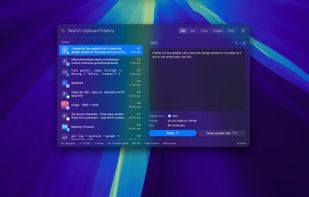
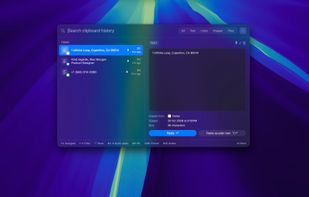
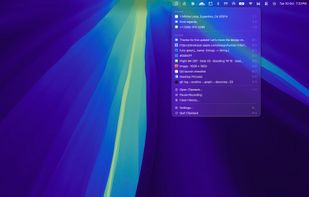
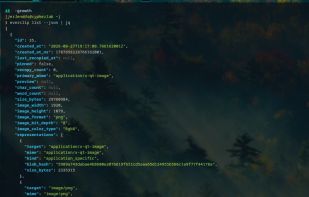
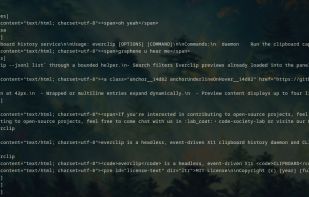
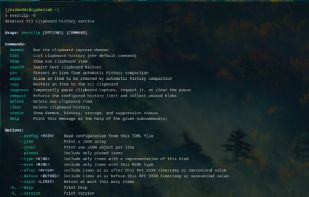
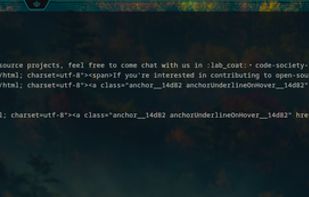
  13. everclip is a headless, event-driven X11 CLIPBOARD history daemon and pipe-first CLI. It stores stable history records in a Turso database (sqlite3) while keeping each original X11 target payload in a deduplicated blob store.
    Cost / License

    • Free
    • Open Source (MIT)

    Application type

    Since

    • New

    GitHub

    • GitHub stars: 2

    Platforms

    • Linux
    everclip's here to help!
    Search, show, and copy paste clipboard entries on X11.
    View additional clipboard metadata with the --json flag
    +1
    List clipboard history entries
    51 alternatives
  14. Makro icon
     1 like

    Free, private text expander for Chrome and Firefox. AES-256 encrypted, zero tracking, 7 languages. Free tier is unlimited - no account needed. Pro from $2.99/mo.

    Cost / License

    • Freemium (Pay once or Subscription)
    • Proprietary

    Application type

    Since

    • Since 2026

    Platforms

    • Google Chrome
    • Mozilla Firefox
    • Microsoft Edge
    • Brave
    • US flagUnited States
    Customize macros with popup inputs
    Automatically fill forms from highlighted or clipboard text
    Example Macro
    16 alternatives
  15. Copychest icon
     Like

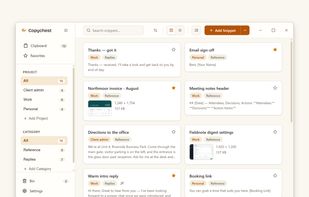
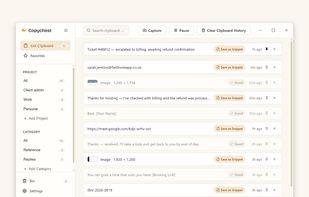
    Clipboard manager for Windows with searchable history, reusable saved text, and region screen capture with annotation. Stored locally, no account.

    Cost / License

    • Freemium (Pay once)
    • Proprietary

    Application type

    Since

    • Since 2026

    Platforms

    • Windows
    • GB flagUnited Kingdom
    Saved text in projects and categories, searchable as you type.
    Clipboard history, searchable and pinnable.
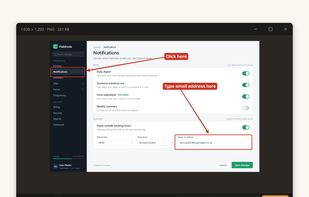
    Region capture with annotation: arrow, highlight, blur.
    +2
    The same library in dark mode.
    19 alternatives
  16. ClipboardMenu is a powerful yet lightweight clipboard manager that lives in your Mac's menu bar. Never lose copied content again - access your complete clipboard history and save frequently used items as snippets for instant reuse.

    Cost / License

    • Free
    • Proprietary

    Application type

    Since

    • New

    Platforms

    • Mac
    • GB flagUnited Kingdom
    ClipboardMenu screenshot 1
    ClipboardMenu screenshot 2
    ClipboardMenu screenshot 3
    +5
    ClipboardMenu screenshot 4
    31 alternatives
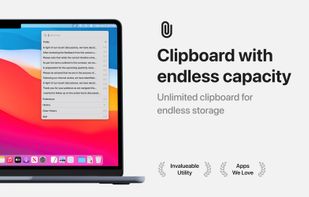
  17. Welcome to Clipsync: clipboard Manager, the ultimate cross-platform clipboard efficiency tool designed to enhance your productivity across all your MacOS devices. Store and easily manage various data types—text, images, files, and more—with ease.
    Cost / License

    • Free
    • Proprietary

    Application type

    Since

    • Since 2025

    Platforms

    • Mac
    Clipsync: Clipboard Manager screenshot 1
    Clipsync: Clipboard Manager screenshot 2
    Clipsync: Clipboard Manager screenshot 3
    Clipsync: Clipboard Manager screenshot 4
    7 alternatives
  18. CleanBoard is a lightweight clipboard utility for macOS that removes unwanted formatting from copied text—so you can paste clean, plain text into any app with ease.

    Cost / License

    • Pay once
    • Proprietary

    Application type

    Since

    • Since 2025

    Platforms

    • Mac
    • SE flagSweden
    • European Union flagEU
    Clipboard Cleaner: CleanBoard screenshot 1
    52 alternatives
  19. Tameo icon
     Like

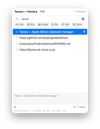
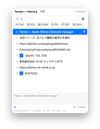
    A native macOS clipboard manager with full-text history search and on-device image OCR — fully local, free, and open source.
    Cost / License

    • Free
    • Open Source (MIT)

    Application type

    Since

    • Since 2026 (updated Sep 2026)

    GitHub

    • GitHub stars: 11

    Platforms

    • Mac
    Search: filter history as you type
    History palette: ??V, paste with 1–0
    +1
    Image OCR: find text inside images, ? to paste
    5 alternatives
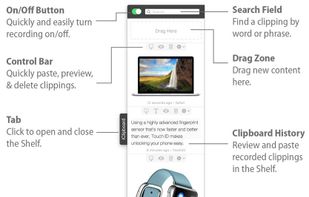
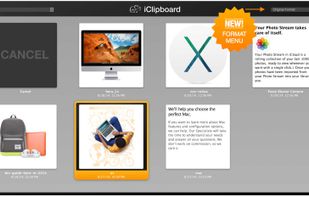
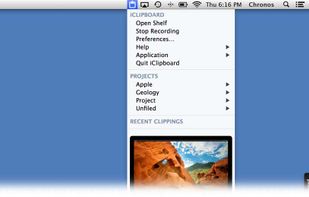
  20. iClipboard is the #1 clipboard manager. Its polished interface and class-leading features set it apart from all others. With the regular copy & paste commands on your computer, you can only paste the very LAST thing you copied.

    Cost / License

    • Pay once
    • Proprietary

    Application type

    Since

    • Since 2013

    Alerts

    • Discontinued

    Platforms

    • Mac
    • US flagUnited States
    iClipboard screenshot 1
    iClipboard screenshot 2
    iClipboard screenshot 3
    +5
    iClipboard screenshot 4
    68 alternatives