ClipboardMenu is a powerful yet lightweight clipboard manager that lives in your Mac's menu bar. Never lose copied content again - access your complete clipboard history and save frequently used items as snippets for instant reuse.
CLIPBOARD HISTORY
Every time you copy something, ClipboardMenu automatically saves it. Access your full history with a single click or keyboard shortcut. Supports all content types:
• Plain text and rich text (with formatting)
• Images and screenshots
• Videos
• Files and file groups
• And more
REUSABLE SNIPPETS
Save important clipboard items as named snippets for quick access anytime. Perfect for:
• Email templates and signatures
• Code snippets and boilerplate
• Frequently used images and logos
• Common file attachments
LIGHTNING FAST SEARCH
Instantly find any item in your history or snippets with the built-in search. Supports regular expression search for power users.
CUSTOMIZABLE KEYBOARD SHORTCUTS
Access your clipboard history and snippets from anywhere with global keyboard shortcuts. Configure them to fit your workflow.
PRIVACY FOCUSED
• Runs entirely on your Mac - no cloud uploads required
• App sandbox for security
• Control how much history to keep
• Set storage limits to manage disk space
THOUGHTFUL DESIGN
• Clean, native macOS interface
• Menu bar app - no dock icon clutter
• Hover previews for images and videos
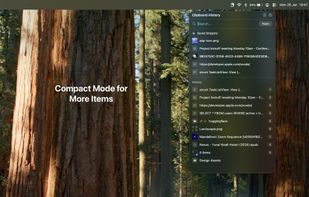
• Compact or comfortable view modes
• Launch at login option
FLEXIBLE CONFIGURATION
• Adjustable history limits (up to thousands of items)
• Configurable storage limits
• Maximum item size controls
• Separate or integrated snippets menu
• Adjustable preview sizes
Whether you're a developer copying code, a designer working with images, a writer managing text, or anyone who copies and pastes frequently, ClipboardMenu streamlines your workflow and ensures you never lose important clipboard content.







 vivenario added ClipboardMenu as alternative to Clipboard History IO, CopyQ, Ditto, Rememory and 27 more
 Nicholas Fay


No comments or reviews, maybe you want to be first?