
ClipGate icon
ClipGate icon

ClipGate

Terminal-native clipboard vault for developers — auto-classifies, encrypts secrets, and recovers context fast.
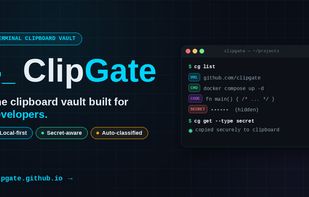
ClipGate Social

Cost / License

  • Free
  • Proprietary

Platforms

  • Mac
  • Windows
  • Linux
  • Google Chrome
  • Python
0likes
0comments
0articles

Features

Properties

  1.  Lightweight
  2.  Privacy focused

Features

  1.  No registration required
  2.  Works Offline
  3.  Command line interface
  4.  No Tracking
  5.  Ad-free
  6.  Extensible by Plugins/Extensions

ClipGate News & Activities

Highlights All activities

Recent activities

ClipGate information

  • Developed by

    US flagClipGate
  • Licensing

    Proprietary and Free product.
  • Alternatives

    6 alternatives listed
  • Supported Languages

    • English
ClipGate was added to AlternativeTo by alokt on and this page was last updated .
No comments or reviews, maybe you want to be first?

What is ClipGate?

ClipGate is a clipboard manager built for developers who live in the terminal. Every copy is auto-classified into 13 content types — secrets, commands, paths, errors, JSON, URLs, diffs, and more — so you can retrieve by meaning, not just by recency.

Secret detection runs in real time: API keys, OAuth tokens, AWS credentials, SSH keys, JWTs, and database connection strings are flagged and quarantined automatically. The vault is AES-256 encrypted with Argon2 key derivation, stored in a per-user SQLite database with owner-only file permissions.

No cloud. No telemetry. No account. Everything stays on your machine.

Works from the terminal (cg list, cg search, cg get) and from the browser via a Chrome/Edge extension that connects to the same local vault. MCP server included for AI assistant integration (Claude, Cursor, Copilot).

Written in Rust. 4.6MB binary. 220+ tests passing.

Official Links
