


CopyClip
7 likes
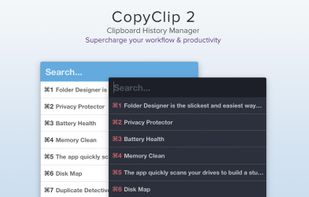
CopyClip 2 is the slickest and most efficient premium clipboard manager for your Mac. Running discreetly from your menu bar, the app stores all that you have copied or cut in the past, allowing you to quickly find that snippet of text you've been looking for.

Cost / License
- Freemium
- Proprietary
Application type
Platforms
- Mac


Features
Highlights All activities
CopyClip News & Activities
Recent activities
 Hiroki Nomura added CopyClip as alternative to Stacky Clipboard
 Marius Constantin Popescu added CopyClip as alternative to PasteSpace
 Armand-Halbert added CopyClip as alternative to PasteDaemon
 Maham Awan added CopyClip as alternative to QuickPaste


Developed by
 FIPLAB Ltd
 Licensing
Proprietary and Freemium product.Pricing
free version with limited functionality.Alternatives
120 alternatives listedBadge
Get an embeddable badge for CopyClipSupported Languages


Apps that made 2017
I used many applications (and websites) on my MacBook in 2017. Here are the best ones.


What I'm using on my Mac
Not ordered in any specific way


Apps I Love
A list with 19 apps by jeromepaulos without a description.

Comments and Reviews
Excellent small tool for people who constantly copy pasta the same data.
clean and efficient