
PasteSpace icon
PasteSpace icon

PasteSpace

Records copied text, links, images and files in a local Mac history, searchable by content, source app or file name. It recognizes text inside images, encrypts passwords, card numbers and API keys in a Touch ID vault, and adds pinning, editing and 57 transformations.
PasteSpace screenshot 1

Cost / License

  • Freemium (Pay once)
  • Proprietary

Application type

Platforms

  • Mac
0likes
0articles
Save

Features

Properties

Features

Highlights All activities

PasteSpace News & Activities

Recent activities

PasteSpace information

PasteSpace was added to AlternativeTo by Marius Constantin Popescu on and this page was last updated .

No comments or reviews, maybe you want to be first?

What is PasteSpace?

PasteSpace is a Mac clipboard manager that stores all copied content including text, links, images, and files. It offers instant search from the menu bar or via a keyboard shortcut and works offline.

Features include:

  • Text search in copied content, file names, and originating apps. Accents are not an issue in search.
  • Text recognition within images in up to 30 languages.
  • In-document search for various file types including PDFs, Word, Excel, RTF, OpenDocument, web pages and text files. (Pro feature)
  • Filters and sorting options for content types. (Additional filters in Pro version)
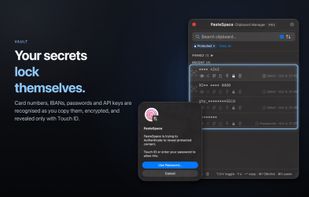
  • Secure storage for sensitive information like card numbers, passwords, API keys, etc. These are automatically encrypted and stored in a vault. They can only be accessed with Touch ID or a Mac password.
  • Privacy-focused design with no analytics, ads, or sync. The history is stored only on your Mac.
  • Rich-text editor for editing before pasting.
  • 57 one-click transformations for copied content.
  • Pinning frequently used items, multi-item selection, dragging items into other apps, sharing options, QR code creation, and plain text pasting.
  • App blocklist and Pro feature for erasing history every time the app quits.

The free version offers 10 history items, 3 pins, 2 vault items, and 1 blocked app. The Pro version, available for a one-time purchase, offers unlimited history, pins, vault items, blocked apps, and advanced features. The app requires macOS 14 Sonoma or later and recommends Touch ID for vault access.