
ClipBear icon
ClipBear icon

ClipBear

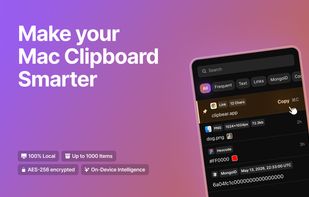
ClipBear is a smart macOS clipboard manager for developers. It detects and transforms developer content — JWTs, JSON, colors, cron, timestamps, ObjectIDs — inline and on-device. Free to use; Pro ($15/yr) unlocks unlimited history. 14-day Pro trial.
ClipBear screenshot 1

Cost / License

  • Freemium (Subscription)
  • Proprietary

Application type

Platforms

  • Mac
1like
0comments
0articles

Features

Properties

  1.  Privacy focused
  2.  Local-First

Features

  1.  Works Offline
  2.  Ad-free
  3.  No registration required
  4.  OCR
  5.  Keyboard Shortcuts
  6.  Screenshot OCR

ClipBear News & Activities

Highlights All activities

Recent activities

ClipBear information

  • Developed by

    DE flagByteZoo Labs
  • Licensing

    Proprietary and Freemium product.
  • Pricing

    Subscription that costs from $1 per month + free version with limited functionality.
  • Alternatives

    51 alternatives listed
  • Supported Languages

    • English

AlternativeTo Categories

DevelopmentOffice & ProductivityOS & Utilities

Popular alternatives

View all
ClipBear was added to AlternativeTo by Kaisen on and this page was last updated .
No comments or reviews, maybe you want to be first?

What is ClipBear?

ClipBear is a native macOS clipboard manager built for developers. Beyond storing what you copy, it understands it: ClipBear automatically detects 13 content types and lets you act on them inline — decode a JWT, format JSON, convert a color between HEX/RGB/HSL, read a cron expression in plain English, extract the timestamp from a MongoDB ObjectID, or pull text out of a screenshot with on-device OCR — without leaving your clipboard or pasting anything into a website.

It's local-first and private by design: clipboard history is encrypted with AES-256-GCM using a key derived from your Mac's hardware, with no cloud and no account. An app blacklist keeps sensitive apps (like your password manager) out of your history entirely.

Highlights

  • 13 developer content types detected automatically (JWT, JSON, MongoDB ObjectID, UUID, cron, IPv4/IPv6, Unix/ISO timestamps, colors, emails, URLs)
  • One-click transformations: decode JWTs, format JSON, convert colors, IP?CIDR, URL/HTML encode-decode
  • On-device OCR (Apple Vision) and AI grammar correction (Apple Intelligence) — nothing leaves your Mac
  • AES-256 encrypted, local-only history; app blacklist for sensitive apps
  • Pin items to Cmd+1–5, search with Cmd+F, filter by content type

Pricing: Free to use (clipboard history limited to 10 items). Pro is $15/year and unlocks unlimited history — try every Pro feature free for 14 days, no credit card. One license covers 2 Macs.

Official Links