
Pluks icon
Pluks icon

Pluks

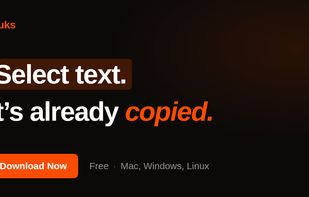
Auto-copies any text the moment you select it — no Ctrl+C needed. Provides deep click paste and a searchable local clipboard history. Works on Mac and Windows.
Pluks screenshot 1

Cost / License

  • Free
  • Proprietary

Application type

Platforms

  • Mac
  • Windows
0likes
0comments
0articles

Features

Properties

  1.  Privacy focused
  2.  Lightweight

Features

  1.  No Tracking
  2.  Works Offline
  3.  Ad-free
  4.  No registration required

Pluks News & Activities

Highlights All activities

Recent activities

Pluks information

  • Developed by

    Unknown
  • Licensing

    Proprietary and Free product.
  • Alternatives

    51 alternatives listed
  • Supported Languages

    • English

AlternativeTo Category

Office & Productivity

Popular alternatives

View all
Pluks was added to AlternativeTo by parth-dixit on and this page was last updated .
No comments or reviews, maybe you want to be first?

What is Pluks?

Pluks is a lightweight select-to-copy utility for macOS and Windows (beta). It automatically copies any text the moment you highlight it — no Ctrl+C, right-click, or keyboard shortcut required. The selection lands on the clipboard instantly and can be pasted anywhere as usual or with a deep click.

Pluks also keeps a searchable clipboard history of up to 200 entries, accessible from any app via a global shortcut (Ctrl+Shift+V, or Cmd+Shift+V on Mac). It runs from the menu bar on macOS and the system tray on Windows.

Built in Rust with the Tauri framework, the app is under 10 MB and uses minimal CPU and RAM — it is not an Electron app. Pluks is local-first: clipboard contents never leave the device, there is no account or cloud sync, and it automatically skips password fields flagged by password managers. Only anonymous, opt-out usage statistics and crash reports are collected.