Apps with 'Markdown Editor' feature Page 12 of 13

All apps in Apps with 'Markdown Editor' feature category. Use the filters below to narrow down your search. 
Copy a direct link to this comment to your clipboard
  1. MarkEditor 2.0 for Mac only.

    Cost / License

    • Pay once
    • Proprietary

    Since

    • Since 2020

    Platforms

    • Mac
    • GB flagUnited Kingdom
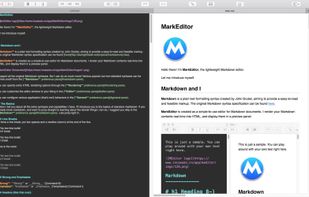
    MarkEditor screenshot 1
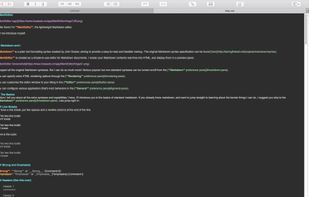
    MarkEditor screenshot 2
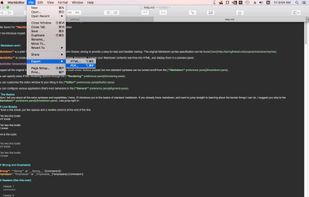
    MarkEditor screenshot 3
    +1
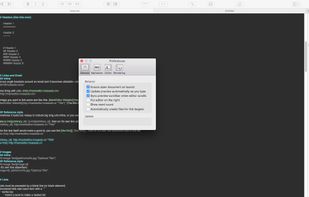
    MarkEditor screenshot 4
    1 alternative
  2. MdNotePad icon
     Like

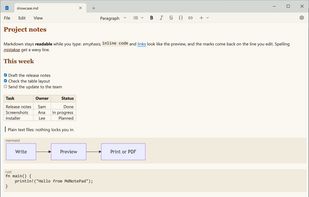
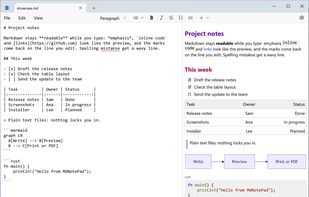
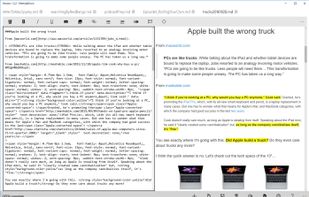
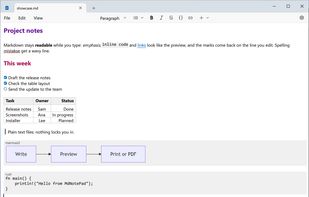
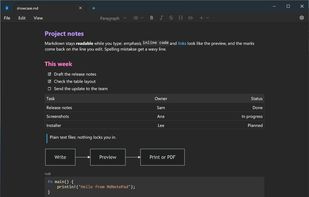
    MdNotePad edits plain .md files in a Windows 11 Notepad look. Headings, bold, links, lists, quotes and code are shown formatted as you type, and the Markdown marks appear only on the line you are editing.
    Cost / License

    • Free
    • Open Source (MIT)

    Application type

    Since

    • New

    Platforms

    • Windows
    Formatted editing: headings, a task list, a table and a Mermaid diagram
    Preview in the Dark theme
    The Paper theme
    Split mode: raw text next to the preview
    17 alternatives
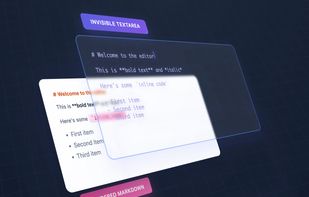
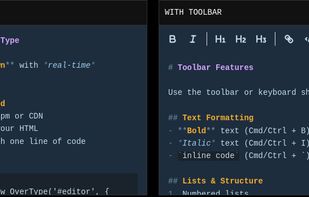
  3. A lightweight Markdown editor library with perfect WYSIWYG alignment using an invisible textarea overlay technique. Includes optional toolbar. ~45KB minified with all features.

    Cost / License

    • Free
    • Open Source (MIT)

    Since

    • Since 2025 (updated Aug 2026)

    GitHub

    • GitHub stars: 3.7k

    Platforms

    • Self-Hosted
    • JavaScript
    • React
    • Vue.js
    • US flagUnited States
    OverType Markdown Editor screenshot 1
    OverType Markdown Editor screenshot 2
    3 alternatives
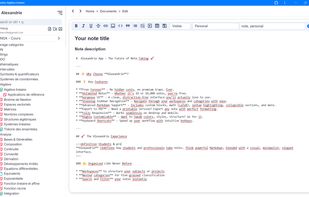
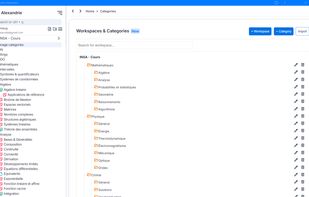
  4. Website for taking beautiful notes in extended Markdown format. Note taking app.

    Cost / License

    • Free
    • Open Source (MIT)

    Application type

    Since

    • Since 2025 (updated Sep 2026)

    GitHub

    • GitHub stars: 2.7k

    Platforms

    • Online
    • Self-Hosted
    • Docker
    • FR flagFrance
    • European Union flagEU
    Interface preview
    Alexandrie screenshot 2
    Alexandrie screenshot 3
    Alexandrie screenshot 4
    1 alternative
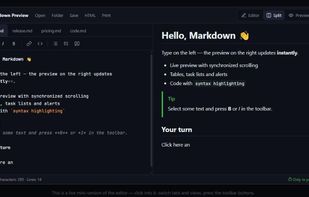
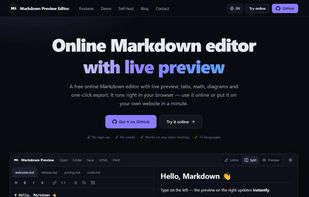
  5. Markdown Preview Editor is a free browser-based Markdown editor with live preview and synchronized scrolling.

    Cost / License

    • Free
    • Open Source (MIT)

    Since

    • New

    GitHub

    • GitHub stars: 1

    Platforms

    • Online
    • Self-Hosted
    • SE flagSweden
    • European Union flagEU
    Split view: Markdown editor with live preview
    Home page
    7 alternatives
  6. Kreajo icon
     Like

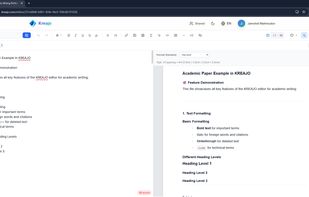
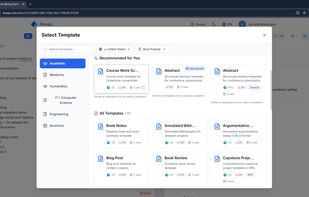
    Kreajo – Academic Markdown Editor Built a modern writing environment for students and researchers with structured templates, export functionality, and clean Markdown workflow.

    Cost / License

    • Freemium (Subscription)
    • Proprietary

    Since

    • Since 2026

    Platforms

    • Online
    • Software as a Service (SaaS)
    • UZ flagUzbekistan
    Kreajo screenshot 1
    Kreajo screenshot 2
    Kreajo screenshot 3
    Kreajo screenshot 4
    1 alternative
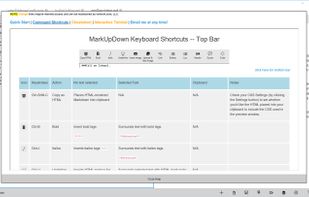
  7. MarkUpDown is an editor specialized to make creating Markdown code easy for beginners and experts. With helpful toolbars for beginners, GitHub Flavored/Multimarkdown table support, and keystroke shortcuts & Easy Actions for the expert, MarkUpDown is ready to help anyone...

    Cost / License

    • Pay once
    • Proprietary

    Since

    • Since 2020

    Platforms

    • Windows
    MarkUpDown screenshot 1
    MarkUpDown screenshot 2
    MarkUpDown screenshot 3
    +2
    MarkUpDown screenshot 4
    82 alternatives
  8. Whippet icon
     Like

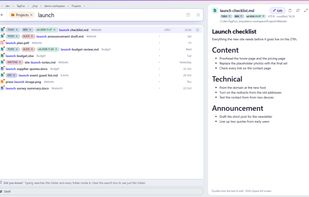
    Whippet finds any file on Windows as you type, then lets you preview, tag and move it without leaving the keyboard. It runs on top of Voidtools Everything 1.5, which keeps an index of every file name on the computer, so a search across millions of files answers while you are...

    Cost / License

    • Free
    • Open Source (MIT)

    Application type

    Since

    • New

    Platforms

    • Windows
    • GB flagUnited Kingdom
    A search for "launch" across a project folder, with a markdown task previewed in the side panel
    9 alternatives
  9. PANACHES icon
     Like

    PANACHES is a local-first desktop workspace for makers, writers, developers and multidisciplinary creators.

    Cost / License

    • Free Personal
    • Proprietary

    Since

    • Since 2026

    Platforms

    • Windows
    • Linux
    • FR flagFrance
    • European Union flagEU
    Welcome workspace
    Moodboard
Capture, organize and connect your visual inspirations.
    Web browser
Search, read, organize and capture without leaving the workshop.
    +5
    Graph
See your files, notes, code and inspirations as one living system.
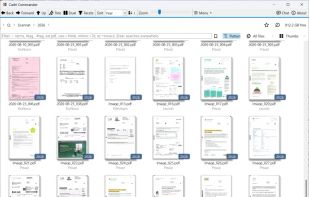
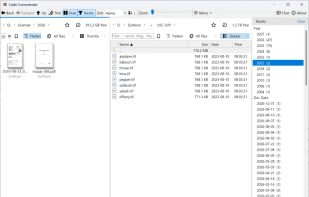
  10. Cadri Commander combines dual-pane file management, PDF tools, Git browsing and cloud access in one free Windows app. Preview files, browse archives, organize with tags and search document content without switching tools.

    Cost / License

    • Free
    • Proprietary

    Application type

    Since

    • New

    Platforms

    • Windows
    • SE flagSweden
    • European Union flagEU
    PDF management "by year"
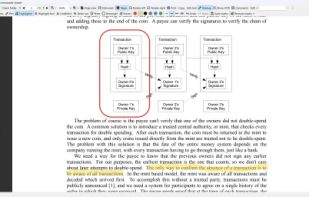
    PDF markup features
    Dual view with filtering panel
    11 alternatives
  11. JSON OS icon
     Like

    Free JSON & Markdown workbench — format, validate, diff, chart, generate types, test APIs. Runs 100% in your browser, no signup, no uploads.

    Cost / License

    • Free
    • Open Source (MIT)

    Application type

    Since

    • Since 2026 (updated Aug 2026)

    GitHub

    • GitHub stars: 1

    Platforms

    • Online
    • IN flagIndia
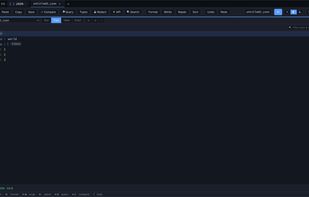
    Default View (sample data)
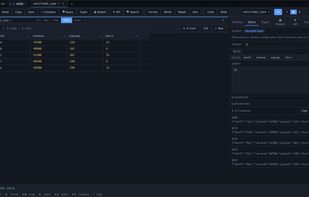
    Table View - "Explore nested data in a virtualized, searchable tree"
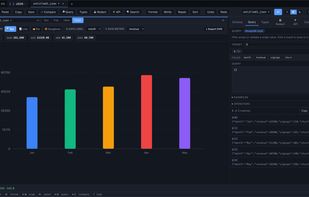
    Chart View - strongest visual, great as a thumbnail/hero shot too: "Turn any JSON array into a bar/line/pie/doughnut chart with SUM/AVG/MIN/MAX"
    +5
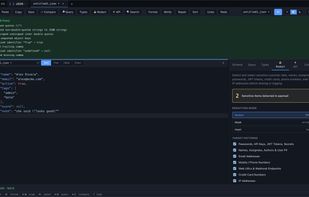
    Repair tool - Paste broken JSON, get an instant list of fixes and clean output
    51 alternatives
  12. RMarkdown icon
     Like

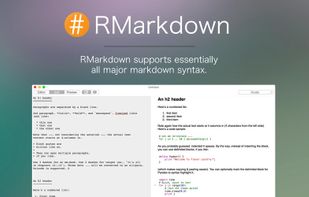
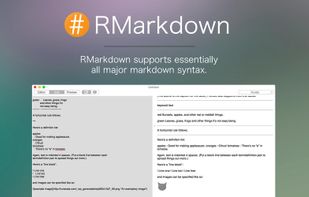
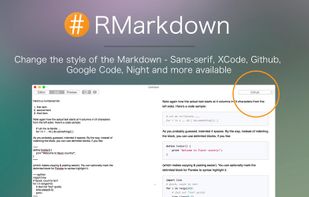
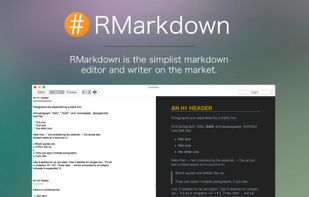
    RMarkdown is a minimalist and distraction free markdown writer and editor, it comes with three view options, the editor mode and the preview mode, or alternatively you can have the split mode which shows both.
    Cost / License

    • Pay once
    • Proprietary

    Since

    • Since 2016

    Platforms

    • Mac
    RMarkdown screenshot 1
    RMarkdown screenshot 2
    RMarkdown screenshot 3
    RMarkdown screenshot 4
  13. mathdown icon
     Like

    Online collaborative MarkDown editor. Single-pane (Zettlr like) in-place formatting, punctuation visible.

    Cost / License

    • Free
    • Open Source (MIT)

    Since

    • New

    GitHub

    • GitHub stars: 419

    Platforms

    • Online
    mathdown screenshot 1
    16 alternatives
  14. Booker icon
     Like

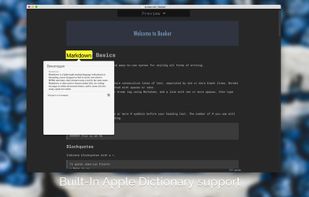
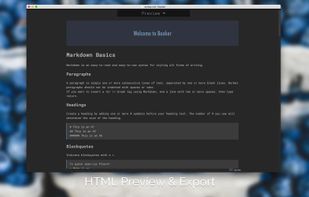
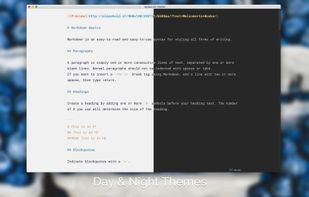
    Meet Booker, an editor with the power of Markdown, made specially for writers and bloggers. You don’t have to blur your mind with any concerns instead of writing down your ideas. Just pull up a chair, enter fullscreen distraction-free mode, and start making a new book, post, or...

    Cost / License

    • Pay once
    • Proprietary

    Since

    • Since 2016

    Platforms

    • Mac
    Booker screenshot 1
    Booker screenshot 2
    Booker screenshot 3
    Booker screenshot 4
    42 alternatives
  15. DotMD icon
     Like

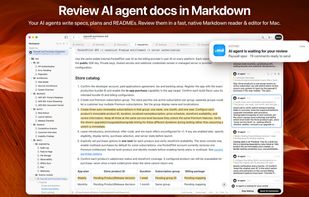
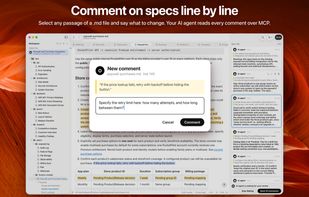
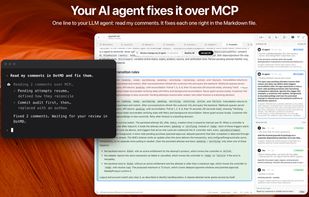
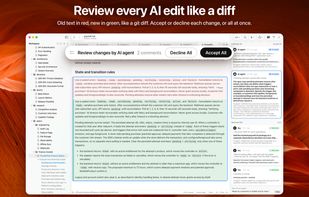
    DotMD is a native Markdown app for the Mac where reviewing an AI agent's document works like a pull request. Claude Code, Codex or Cursor sends you a spec, plan or README over MCP; you select a passage and comment on it right in the document; the agent reads your comments...

    Cost / License

    • Freemium (Pay once)
    • Proprietary

    Since

    • New

    Platforms

    • Mac
    • US flagUnited States
    An AI agent sends a spec to DotMD over MCP and waits for your review.
    Select any passage of a Markdown file and leave a comment on it.
    The agent reads your comments over MCP and fixes each one in the file.
    +2
    Every edit shows as a diff, old text in red and new in green: accept or decline each change.
    9 alternatives
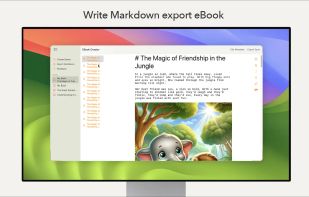
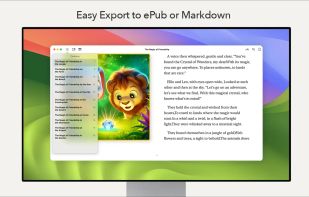
  16. Transform your ideas into professionally formatted eBooks with eBook Design Studio, the comprehensive solution for authors, bloggers, and digital publishers.
    Cost / License

    • Free
    • Proprietary

    Application type

    Since

    • Since 2026

    Platforms

    • Mac
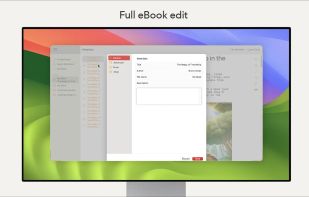
    eBook Creator screenshot 1
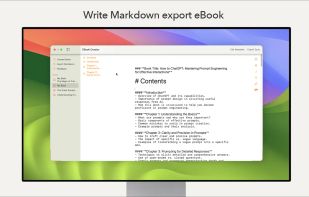
    eBook Creator screenshot 2
    eBook Creator screenshot 3
    eBook Creator screenshot 4
    7 alternatives
  17. OB Lite icon
     Like

    OB Lite is a browser-based editor for Obsidian vaults that are synced through a GitHub repository. It connects to your repo with a GitHub App scoped to the single repository you choose, and lets you read, edit, create and organise your Markdown notes from a phone — without...

    Cost / License

    • Freemium (Pay once)
    • Proprietary

    Application type

    Since

    • Since 2026

    Platforms

    • Online
    • Android
    • iPhone
    • iPad
    • JP flagJapan
    A note from the vault, rendered the way Obsidian does it — frontmatter tags, wiki-links, tables and task checkboxes.
    Browse the vault straight from your GitHub repository, folders and all.
    +2
    Editing Markdown with a formatting toolbar. Saving writes a commit back to your repository.
    6 alternatives
  18. VB Notes icon
     Like

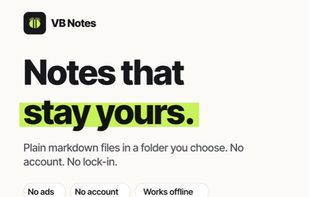
    VB Notes is a free, open-source (MIT) notes app for iPhone, Android, Mac, Windows and Linux. Every note is a plain markdown file in a folder you choose, such as iCloud Drive or a Syncthing folder, so there is nothing to export and any other app can open the same notes.

    Cost / License

    • Free
    • Open Source (MIT)

    Application type

    Since

    • New

    GitHub

    • GitHub stars: 4

    Platforms

    • Windows
    • Mac
    • Linux
    • Android
    • iPhone
    • IN flagIndia
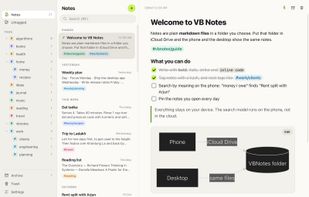
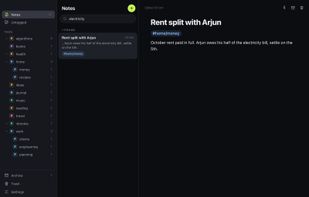
    The desktop app: nested tags, the notes list and a note with checklists and a diagram.
    iPhone: notes are plain markdown files in a folder you choose.
    Search in the dark theme.
    +1
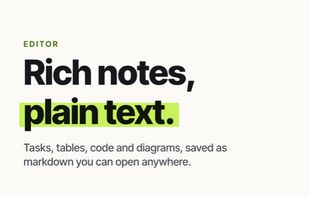
    The editor formats as you type and saves plain markdown.
    10 alternatives
  19. TypeFire icon
     Like

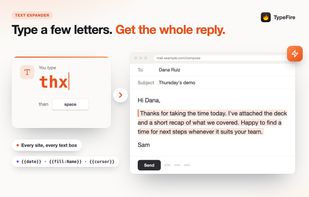
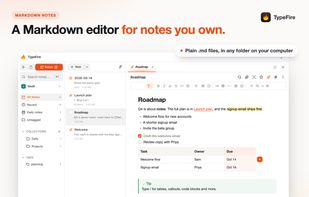
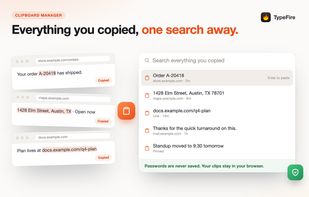
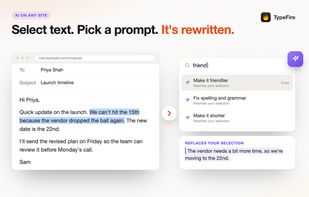
    TypeFire is three tools in one native macOS app: a text expander, a clipboard manager, and a Markdown notes editor. Each one opens over whatever application you are already in, on its own global hotkey, and what you pick lands in the document you were typing in.

    Cost / License

    • Freemium (Pay once)
    • Proprietary

    Application type

    Since

    • Since 2026

    Platforms

    • Mac
    • Online
    • Google Chrome
    • US flagUnited States
    TypeFire screenshot 1
    TypeFire screenshot 2
    TypeFire screenshot 3
    +2
    TypeFire screenshot 4
    35 alternatives
  20. Balise icon
     Like

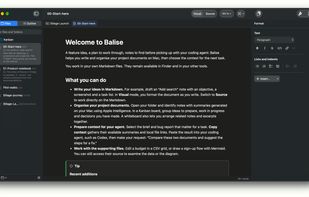
    Balise is a native macOS app for editing Markdown visually or as source, working with CSV and TSV files, and creating Mermaid diagrams. Organize Markdown files on Kanban boards while keeping your documents in standard formats, accessible outside the app.

    Cost / License

    • Pay once
    • Proprietary

    Application type

    Since

    • New

    Platforms

    • Mac
    • CA flagCanada
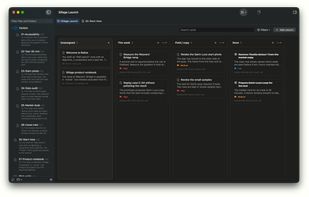
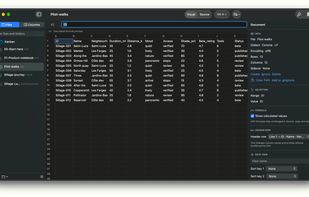
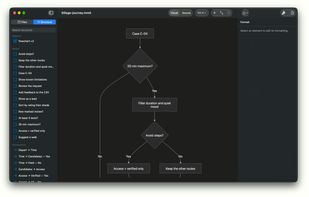
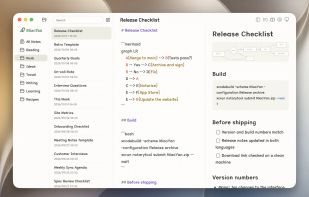
    Markdown editor — Write and format Markdown visually, browse project files, and switch to source mode anytime.
    Kanban board — Organize Markdown files into columns, set priorities, and track progress.
    CSV editor — Edit tabular data in a grid with quick access to file details and sorting options.
    Mermaid diagrams — Create and edit flowcharts visually, with access to the underlying Mermaid source.
    1 alternative
  21. MDXEditor icon
     Like

    MDXEditor is an open-source React component that allows users to author markdown documents naturally. Just like in Google docs or Notion.

    Cost / License

    • Free
    • Open Source (MIT)

    Since

    • Since 2024 (updated Oct 2026)

    GitHub

    • GitHub stars: 3.7k

    Platforms

    • Online
    • Self-Hosted
    MDXEditor screenshot 1
    2 alternatives
  22. Wuffi icon
     Like

    Wuffi is a Markdown editor built for finishing articles. You can speak a rough draft (hold Alt+S) and Wuffi tidies it into clean text while keeping your words. When you ask the AI for edits (Alt+A), suggestions appear inside your document with the old and new sentence side by...

    Cost / License

    • Freemium (Subscription)
    • Open Source (MIT)

    Since

    • New

    Platforms

    • Windows
    • Online
    • TW flagTaiwan
    Writing in the visual Markdown editor
    AI suggestions shown sentence by sentence, each accepted or rejected
    4 alternatives
  23. MiaoYan icon
     Like

    MiaoYan is a native Markdown notes app for macOS, written in Swift. Notes are plain .md files in a folder you choose, so they work with iCloud Drive, Dropbox or any other folder sync, and with other Markdown editors.

    Cost / License

    • Freemium (Pay once)
    • Open Source (MIT)

    Application type

    Since

    • Since 2020 (updated Nov 2026)

    GitHub

    • GitHub stars: 8.7k

    Platforms

    • Mac
    • iPhone
    • iPad
    • Homebrew
    • CN flagChina
    Split mode with the editor and preview side by side
    7 alternatives
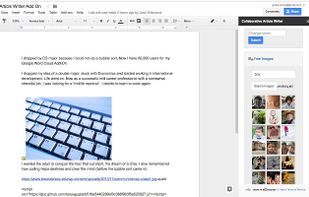
  24. The Medium Article Writer Add-on for Google Docs helps authors to create content and publish to Medium directly from Google Docs.

    Team members can write, edit, and collaborate wherever they are and view the updates real time in Google Docs.
    Cost / License

    • Free
    • Proprietary

    Since

    • Since 2018

    Platforms

    • Chrome OS
    • Online
    • Google Drive
    • Google Drive - Docs
    Medium Article Writer screenshot 1
    20 alternatives
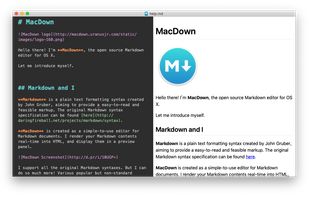
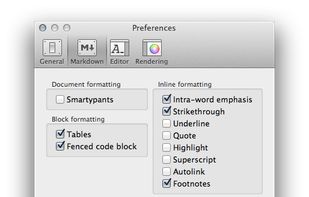
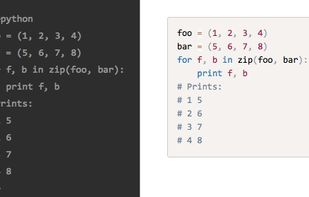
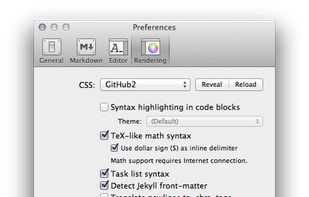
  25. MacDown 3000 is a free Markdown editor for macOS, available under the MIT License. It continues the legacy started by Chen Luo's Mou and carried forward by Tzu-ping Chung's MacDown.

    Cost / License

    • Free
    • Open Source (MIT)

    Application type

    Since

    • Since 2026 (updated Nov 2026)

    GitHub

    • GitHub stars: 506

    Platforms

    • Mac
    • US flagUnited States
    MacDown 3000 screenshot 1
    MacDown 3000 screenshot 2
    MacDown 3000 screenshot 3
    MacDown 3000 screenshot 4
    53 alternatives