Snagit Alternatives

Snagit is described as 'Capture and edit any image or video from the screen, add callouts and effects, and easily organize and share visual content across various applications' and is a very popular screenshot capture tool in the photos & graphics category. There are more than 100 alternatives to Snagit for a variety of platforms, including Windows, Mac, Linux, Web-based and iPhone apps. The best Snagit alternative is ShareX, which is both free and Open Source. Other great apps like Snagit are Greenshot, Flameshot, Shutter and Snipping Tool.

filter to find the best alternatives

Snagit alternatives are mainly Screenshot Capture Tools, but if you're looking for Screen Recorders or Document Scanners you can filter on that. Other popular filters include Open Source, Linux, Linux + Open Source, Mac, Google Chrome, iPad and Android + Screenshot Capture. You can also filter by region, for example EU-based alternatives if you prefer software developed in the European Union. These are just examples - use the filter bar below to find more specific alternatives to Snagit.
Copy a direct link to this comment to your clipboard
Snagit alternatives page was last updated

Alternatives list

  1. PixEase icon
     Like

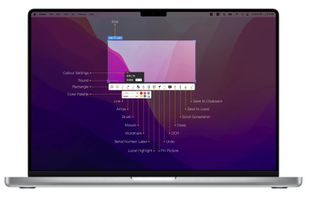
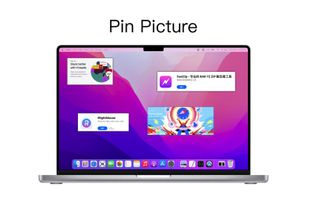
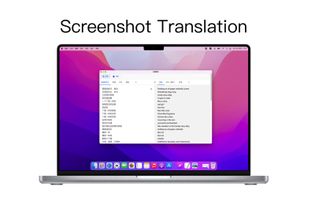
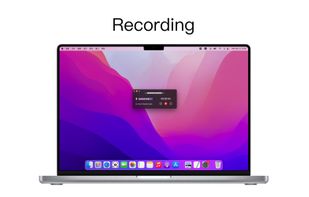
    Capture, Customize, and Share Effortlessly with PixEase. We understand the value of your time, which is why we've designed our app to make the process of creating stunning visuals quick and seamless.

    Cost / License

    • Free
    • Proprietary

    Application type

    Platforms

    • Mac
     
  2. Free Shooter icon
     8 likes

    Freeware tool for taking fast and simple screenshots of the entire screen, windows and regions.

    Cost / License

    Application type

    Platforms

    • Windows
     
  3. Sleekshot icon
     2 likes

    This screenshot tool is made just for Windows 10/11 and lets you take and mark up screenshots really quickly. Right after you take a screenshot, you can start editing it because the editing area shows up around what you've captured.

    Cost / License

    • Free
    • Proprietary

    Platforms

    • Windows
     
  4. FlowShare icon
     1 like

    FlowShare will help you get your documentation done in just a few hours instead of days or weeks. It works with any type of software on Windows, and can be used to distribute guides quickly allowing employees to train on complex tasks and processes.

    19 FlowShare alternatives

    Cost / License

    • Paid
    • Proprietary

    Platforms

    • Windows
     
  5. Tipard Screen Capture is able to capture any video/audio. This software allows you to record any video like webcam video, streaming video or other video tutorials on PC. Besides, it allows you to adjust the size of your screen.

    Cost / License

    • Freemium
    • Proprietary

    Application type

    Platforms

    • Mac
    • Windows
     
  6. Trickle icon
     2 likes

    Trickle helps you summarize and organize screenshots, extracting insights for easy search and query. Transform visual chaos into an intelligent archive, allowing you to screenshot anything and effortlessly retrieve and utilize its contents later.

    Cost / License

    • Paid
    • Proprietary

    Application type

    Platforms

    • Online
    • Mac
     
  7. Shotty icon
     14 likes

    Taking screenshots with Shotty is so natural and easy, you just have to try it. Edit them in minimalistic editor and the upload them with one click. Focusing on simplicity and usability, this tool is probably the most intuitive screenshot utility out there.

    Cost / License

    • Free
    • Proprietary

    Application type

    Alerts

    • Discontinued

    Platforms

    • Windows
     
  8. MWSnap icon
     25 likes

    MWSnap is a small yet powerful Windows program for snapping (capturing) images from selected parts of the screen.

    Cost / License

    • Free
    • Proprietary

    Application type

    Alerts

    • Discontinued

    Platforms

    • Windows
     
  9. Capster helps you enhance your asynchronous communication with captures of your screen. Record your screen as you demonstrate a feature, idea, or bug, or take a screenshot and annotate it to better convey your point - and instantly share it through the cloud.

    Cost / License

    • Freemium
    • Proprietary

    Platforms

    • Mac
     
  10. SnipSVG icon
     4 likes

    SnipSVG is designed to be really simple to use and very fast. Plenty of clever helper functions such as auto-remembered styling and a favorites gallery deliver stunning results with just a few mouse clicks.

    Cost / License

    • Free
    • Proprietary

    Application type

    Platforms

    • Mac
    • Windows
     
    |
    1
    SnipSVG vs Snagit Comments
    Guest
    Positive
    0

    SnipSVG is a good free alternative to Snagit

    Review by a new / low-activity user.
    • SnipSVG is Free and ProprietarySnagit is Paid and Proprietary
    • SnipSVG is Lightweight and Privacy focusedSnagit is not according to our users
  11. SikuliX icon
     7 likes

    SikuliX automates anything you see on the screen of your desktop computer running Windows, Mac or some Linux/Unix. It uses image recognition.

    68 SikuliX alternatives

    Cost / License

    • Free
    • Open Source (MIT)

    Platforms

    • Mac
    • Windows
    • Linux
     
You are at page 7 of Snagit alternatives