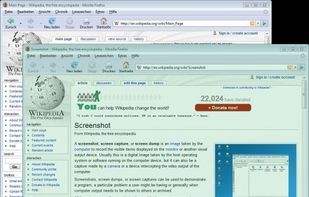
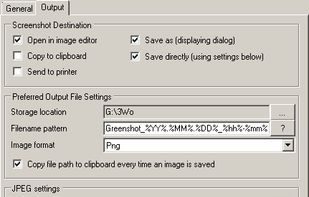
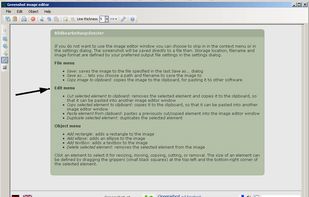
Lightweight screenshot tool offering OCR, exports to Office apps and online storage, integration with external commands, supporting 32 languages and minimal space requirement.


The best alternative to Snagit is Greenshot, which is both free and Open Source. If that doesn't suit you, our users have ranked more than 100 alternatives to Snagit and many of them are so hopefully you can find a suitable replacement. Other interesting alternatives to Snagit are OSS Document Scanner, Ksnip, MakeACopy and Spectacle.
Lightweight screenshot tool offering OCR, exports to Office apps and online storage, integration with external commands, supporting 32 languages and minimal space requirement.


The OSS Document Scanner is a free and Open Source app to transform your mobile device into a powerful document scanner.


Ksnip is a Qt based cross-platform screenshot tool that provides many annotation features for your screenshots.


MakeACopy is an open-source document scanner app for Android that allows you to digitize paper documents with OCR functionality. The app is designed to be privacy-friendly, working completely offline without any cloud connection or tracking.


Spectacle is a simple application for capturing desktop screenshots. It can capture images of the entire desktop, a single monitor, the currently active window, the window currently under the mouse, or a rectangular region of the screen.

Feature-packed native macOS screenshot tool — annotate, auto-redact PII, record GIFs, OCR + translate, scroll capture, beautify, and more. No Electron, no subscription.

Capture and record screens on Mac with CleanShot X, featuring seamless recording, custom keyboard shortcuts, customizable wallpapers, Quick Access Overlay, and Desktop icon toggle for a tidy user interface.


Comprehensive screenshot and screencast tool offering full-screen, window, or region captures with a built-in editor. Supports cropping, resizing, labels, and effects, with integration for popular services. Free version includes some branding and is limited to 15s screen casts.


Capture screenshots or record videos with Ashampoo Snap’s efficient tools. Enjoy easy editing, multi-display support, OCR for 180 languages, and instant sharing capabilities. Revamp your projects with video cutting, annotations, and custom capture options.


Enables screen video, audio, and webcam capture with support for system sounds, microphone input, annotation tools, zoom, custom watermarks, automated scheduling, screenshot upload, adjustable quality, region selection, and support for over 45 languages.


Beautiful screenshots with stunning backgrounds and powerful annotation tools. Create, edit, and share professional-quality screenshots with ease.


Capture your screen, windows, or regions on macOS, record with audio, edit screenshots and videos using built-in tools like shapes, blur, and redaction, export in various formats with multiple quality presets, enjoy ad-free usage, offline access, and no registration.


The OCR functionality is very useful and the annotation and markup tools are plentiful and easy to use; very small learning curve for a powerful tool.