

Sleekshot
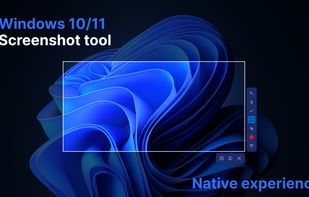
This screenshot tool is made just for Windows 10/11 and lets you take and mark up screenshots really quickly. Right after you take a screenshot, you can start editing it because the editing area shows up around what you've captured.
Cost / License
- Freemium (Pay once)
- Proprietary
Application types
Platforms
- Mac
- Windows
Features
Properties
- Lightweight
- Privacy focused
Features
- Ad-free
- Annotate Screenshot
- Dark Mode
- Works Offline
- No registration required
- Upload Screenshot
- Screen Recording
Sleekshot News & Activities
Recent News
Recent activities
- borisobural reviewed Sleekshot
this app is beautiful and exceptional for recording, you can edit decently and have a floating button on the side of your screen to start recording! this can be deactivated. overall this app is extremely good and as of right now my main recording app.
- anastasia696300-wq reviewed Sleekshot
Sleekshot is simply a great tool to capture screenshots in high quality. The interface is lovely and there are no annoying advertisements at all. It's second to none 💟
- anastasia696300-wq liked Sleekshot
- collinzfx reviewed Sleekshot
Sleekshot is a fast Windows tool that freezes the screen for precise captures and allows you to resize or annotate without needing to restart.
- collinzfx liked Sleekshot
- masarchuk_stas reviewed Sleekshot
What impresses me most about Sleekshot is how lightweight it feels. It doesn't hog system resources, and the transition from capture to edit is seamless. The export options are exactly what I need without any unnecessary bloat. It’s rare to find a utility tool that feels this polished.
- masarchuk_stas liked Sleekshot
- markova2050-alt reviewed Sleekshot
Working perfectly for me. It's working smoothly offline and there are no annoying advertisements. Recommend it 🥳
- maks-g2016 reviewed Sleekshot
"Sleekshot" has become an essential part of my daily toolkit. It makes capturing and sharing high-quality screenshots effortless. The annotation features are intuitive and look professional, which is a huge plus for client communication. Highly recommended for anyone who values a clean, efficient workspace. If you're tired of clunky software, just get this. 5/5.
- ElenaVeriteski reviewed Sleekshot
I use this very convenient and well-designed screenshot app every day and am completely satisfied! The interface is simple and intuitive, with no unnecessary clutter, and everything works quickly and smoothly. I especially like that you can instantly take screenshots of the desired area, edit them on the fly (add arrows, text, highlights), and share them right away.
What is Sleekshot?
This screenshot tool is made just for Windows 10/11 and lets you take and mark up screenshots really quickly. Right after you take a screenshot, you can start editing it because the editing area shows up around what you've captured.
The tool looks modern and comes with themes in dark, light, and a see-through glass style, making it look cool. You can add arrows and notes that you can move around and change how they look. The notes can have a background color so you can see them clearly on any picture. It also has other handy features like drawing boxes, lines, and using a pen to draw smoothly.


Comments and Reviews
The screenshotter is very convenient and easy to use. It quickly takes high-quality screenshots without unnecessary settings. I especially like the ability to instantly edit screenshots and share them. A great tool for work and everyday use
this app is beautiful and exceptional for recording, you can edit decently and have a floating button on the side of your screen to start recording! this can be deactivated. overall this app is extremely good and as of right now my main recording app.
Sleekshot is simply a great tool to capture screenshots in high quality. The interface is lovely and there are no annoying advertisements at all. It's second to none 💟
Sleekshot is a fast Windows tool that freezes the screen for precise captures and allows you to resize or annotate without needing to restart.
What impresses me most about Sleekshot is how lightweight it feels. It doesn't hog system resources, and the transition from capture to edit is seamless. The export options are exactly what I need without any unnecessary bloat. It’s rare to find a utility tool that feels this polished.
I use this very convenient and well-designed screenshot app every day and am completely satisfied! The interface is simple and intuitive, with no unnecessary clutter, and everything works quickly and smoothly. I especially like that you can instantly take screenshots of the desired area, edit them on the fly (add arrows, text, highlights), and share them right away.
"Sleekshot" has become an essential part of my daily toolkit. It makes capturing and sharing high-quality screenshots effortless. The annotation features are intuitive and look professional, which is a huge plus for client communication. Highly recommended for anyone who values a clean, efficient workspace. If you're tired of clunky software, just get this. 5/5.
