Obsidian Alternatives

Obsidian is described as 'Note-taking app that lets you create a personal knowledge graph with ease. It is designed for non-linear thinking and allows you to easily link your notes together wiki-style' and is a leading Note-taking tool in the office & productivity category. There are more than 100 alternatives to Obsidian for a variety of platforms, including Web-based, Mac, Windows, Linux and Android apps. The best Obsidian alternative is Logseq, which is both free and Open Source. Other great apps like Obsidian are Zettlr, Joplin, Anytype and sNotes – Students Notes.

filter to find the best alternatives

Obsidian alternatives are mainly Note-taking Tools, but if you're looking for Todo List Managers or Task Management Tools you can filter on that. Other popular filters include Open Source, Self-Hosted, Free + Ad-free + No Tracking + Privacy focused, Android + Open Source, Windows, Linux and Free. These are just examples - use the filter bar below to find more specific alternatives to Obsidian.
Copy a direct link to this comment to your clipboard
Obsidian alternatives page was last updated

Alternatives list

  1. Google Docs icon
     964 likes

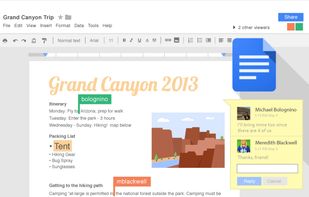
    Powerful online word processor with real-time collaboration, document conversion from Word, extensive formatting options, revision history, and multilingual capabilities, all integrated within the Google Drive ecosystem, accessible through any internet-connected device.

    141 Google Docs alternatives

    Cost / License

    • Free
    • Proprietary

    Platforms

    • Online
    • Android
    • iPhone
    • Chrome OS
    • Android Tablet
    • iPad
     
    |
    1
    Google Docs vs Obsidian Comments
    marcinkowalskipl
    Positive
    0

    More collaborative, sync by design.

    • Google Docs is Free and ProprietaryObsidian is Freemium and Proprietary
    • Google Docs is a Word Processor Obsidian is a Note-taking Tool
  2. Zim icon
     518 likes

    Zim brings the concept of a wiki to your desktop. Store information, link pages and edit with WYSISYG markup or directly typing some lightweight markup syntax and see it previewed as-you-type. Creating a new page is easy by either clicking on the "Create new note"...

    355 Zim alternatives

    Cost / License

    Platforms

    • Mac
    • Windows
    • Linux
    • BSD
    • Flathub
    • Flatpak
     
    |
    3
    Zim vs Obsidian Comments
    Sam Lander
    Positive
    1

    Zim has all of the same basic features as Obsidian, but it uses far less system resources. Both allow you to download and write plugins, such as advanced pasting (to fix carriage returns when copying pdf text). Both are themable.

    Additionally, it's open-source, unlike Obsidian.

    andgregorik
    Negative
    5

    Zim was a pioneer that's now considered an oldtimer, while Obsidian takes much of its features and brings it into 2020+. Obsidian is more "wiki" than Zim, but it uses a different terminology. I've completely migrated from Zim (and CherryTree) to Obsidian.

    gorgonzolla
    Positive
    1

    I've used ZIM for years. It is all offline on Linux, Mac and Windows, and is therefore much faster than online platforms. Used with Dropbox etc it can sync between your devices, but if you need IOS or Android access look elsewhere.

    • Zim is Free and Open SourceObsidian is Freemium and Proprietary
    • Zim is LightweightObsidian is not according to our users
  3. Simplenote icon
     610 likes

    Cloud-based, open-source note-taking app supporting plain text notes, lists, and ideas with real-time sync, multi-device support, version history, markdown, tagging, collaborative editing, no ads, and free registration required for all cloud features.

    183 Simplenote alternatives

    Cost / License

    Alerts

    • Discontinued

    Platforms

    • Mac
    • Windows
    • Linux
    • Online
    • Android
    • iPhone
    • Android Tablet
    • iPad
     
    |
    6
    Simplenote vs Obsidian Comments
    Top Positive Comment
    Mayank-Arora
    -1

    Simplenote is love. You must try it once. I have SimpleNote installed on my Mac, Windows, Linux, Android and iPad. It works on all browsers and all operating systems. It is so easy to take notes and have them sync across all devices and web. It is so easy to quickly get to your notes. I can't live without simplenote as I have so much dependency on this simple tool. Simplenote really makes it simpler to organize 'note taking' task.

    Top Negative Comment
    Niminae
    3

    The most prominent feature of Obsidian is bi-directional linking between notes. Simplenote is more akin to sticky notes; they aren't really similar at all.

    Guest
    Negative
    0

    Its too simple and is focused on simplicity unlike obsiidian

    3 of 6 comments
    • Simplenote is Free and Open SourceObsidian is Freemium and Proprietary
    • Simplenote is Lightweight and MinimalisticObsidian is not according to our users
  4. CherryTree icon
     332 likes

    Hierarchical note-taking software that is free, open-source, cross-platform. Features include rich text, syntax highlighting, multi-level lists, embedded files, customizable interface, code execution, PDF export, spell check, images & tables, and comprehensive project management support.

    146 CherryTree alternatives

    Cost / License

    • Free
    • Open Source

    Platforms

    • Mac
    • Windows
    • Linux
    • Flathub
    • PortableApps.com
    • Flatpak
     
    |
    2
    CherryTree vs Obsidian Comments
    student twenty
    Positive
    3

    Kind of the same thing? More of a hierarchical note taker, but it runs locally, is super stable, and keeps you organized, so if you don't need all the bells and whistles, this'll get the job done.

    Farrukh
    0

    Its not an alternate to Obsidian which is mainly giving you advanced Markdown format, while CherryTree his simply its own format.
    However, its an awesome notes taking software. I really like its Tree structured interface for arranging your notes.

    • CherryTree is Free and Open SourceObsidian is Freemium and Proprietary
    • CherryTree is CustomizableObsidian is not according to our users
  5. CryptPad icon
     191 likes

    CryptPad is a private-by-design alternative to popular office tools and cloud services. All the content stored on CryptPad is encrypted before being sent, which means nobody can access your data unless you give them the keys.

    117 CryptPad alternatives

    Cost / License

    Platforms

    • Software as a Service (SaaS)
    • Self-Hosted
    • Cloudron
     
  6. AFFiNE icon
     124 likes

    Open-source, privacy-focused workspace combining note-taking, project and task management, Kanban board, interactive whiteboard, Pomodoro timer, Markdown support, offline access, real-time team collaboration with @mentions, goal tracking, subtasks, and customizable features.

    204 AFFiNE alternatives

    Cost / License

    • Freemium
    • Proprietary

    Platforms

    • Mac
    • Windows
    • Linux
    • Online
    • Android
    • iPhone
    • Self-Hosted
     
  7. SiYuan icon
     83 likes

    SiYuan is a desktop Markdown Block-Reference and Bidirectional-Link note-taking application. Support fine-grained block-level reference and Markdown WYSIWYG.

    118 SiYuan alternatives

    Cost / License

    Platforms

    • Mac
    • Windows
    • Linux
    • Android
    • iPhone
    • Android Tablet
    • iPad
    • Self-Hosted
    • Microsoft Edge
    • Google Chrome
    • Flathub
    • Docker
    • Docker Hub
    • F-Droid
     
    |
    4
    SiYuan vs Obsidian Comments
    Mark
    Positive
    3

    I honestly think SiYuan is the closest to Obisdian as an alternative compared to all other apps.

    Guest
    Positive
    2

    WYSIWYG is far more important than I thought. Besides, the data in SiYuan is .json, which allows better redering-performance and Notion-like typesetting.

    Randir
    Positive
    0

    WYSIWYG, better rendering performance

    3 of 4 comments
    • SiYuan is Freemium and Open SourceObsidian is Freemium and Proprietary
    • SiYuan is Customizable and LightweightObsidian is not according to our users
  8. GNU Emacs icon
     391 likes

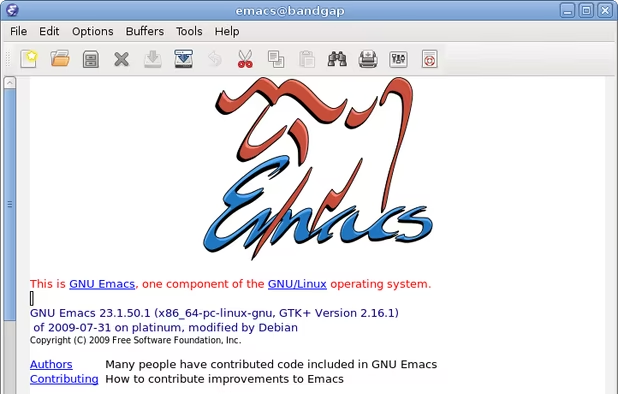
    GNU Emacs is an extensible, customizable text editor—and more. At its core is an interpreter for Emacs Lisp, a dialect of the Lisp programming language with extensions to support text editing. The features of GNU Emacs include:

    201 GNU Emacs alternatives

    Cost / License

    Application types

    Platforms

    • Mac
    • Windows
    • Linux
    • Android
    • BSD
    • Snapcraft
    • F-Droid
    • Haiku
    • Debian
    • MacPorts
    • Homebrew
     
  9. Tolaria icon
     33 likes

    Desktop note app stores plain markdown files with YAML, supports offline-first use, integrated Git repositories for full history, native Claude AI and Codex CLI integration, open source, portable data, keyboard-driven interface, no proprietary lock-in.

    43 Tolaria alternatives

    Cost / License

    Application type

    Platforms

    • Mac
    • Windows
    • Linux
     
  10. QOwnNotes icon
     102 likes

    Plain text notepad with markdown support and todo list manager for Linux, Mac OS X and Windows, that works together with the notes application of ownCloud.

    315 QOwnNotes alternatives

    Cost / License

    Platforms

    • Mac
    • Windows
    • Linux
    • Flathub
    • PortableApps.com
    • Qt
     
    |
    1
    QOwnNotes vs Obsidian Comments
    riveravaldez
    Positive
    5

    Pretty similar concept, both deal with plain .md files, both render in real time, both have automatically-generated TOCs, etc., but QOwnNotes is Free Software, no EULA non-sense, you have a tool without restrictions.

    • QOwnNotes is Free and Open SourceObsidian is Freemium and Proprietary
    • QOwnNotes is LightweightObsidian is not according to our users
  11. Docmost icon
     52 likes

    Open-source wiki and documentation solution offering real-time collaborative editing, robust permissions, group management, spaces for organizing content, inline commenting, full-page history, advanced full-text search, nested pages, attachments, and flexible storage.

    139 Docmost alternatives

    Cost / License

    Platforms

    • Software as a Service (SaaS)
    • Self-Hosted
    • Docker
    • Cloudron
     
  12. Beaver Notes icon
     72 likes

    Your personal note-taking haven for privacy and efficiency.

    106 Beaver Notes alternatives

    Cost / License

    • Free
    • Open Source (MIT)

    Platforms

    • Mac
    • Windows
    • Linux
    • Android
    • iPhone
    • Android Tablet
    • iPad
    • Flathub
     
    |
    2
    Beaver Notes vs Obsidian Comments
    Power User
    Negative
    2

    A note taking application isn't the same as a knowledge management application, even if both allow you to take notes.

    Ulausear
    Negative
    2

    OpenSnitch says it connects to a google owned website.

    • Beaver Notes is Free and Open SourceObsidian is Freemium and Proprietary
    • Beaver Notes is LightweightObsidian is not according to our users
You are at page 2 of Obsidian alternatives