Open Source Microsoft OneNote Alternatives for Linux

Microsoft OneNote is not available for Linux but there are plenty of alternatives that runs on Linux with similar functionality. The best open source Linux alternative is Zim. If that doesn't suit you, our users have ranked more than 100 alternatives to Microsoft OneNote and many of them are open source and available for Linux so hopefully you can find a suitable replacement. Other interesting open source Linux alternatives to Microsoft OneNote are Joplin, Xournal++, Logseq and Standard Notes.

filter to find the best alternatives

Microsoft OneNote alternatives are mainly Note-taking Tools, but if you're looking for Todo List Managers or Task Management Tools you can filter on that. Other popular filters include iPhone, Linux, Open Source, Free, Android, Linux + Open Source and EU. You can also filter by region, for example EU-based alternatives if you prefer software developed in the European Union. These are just examples - use the filter bar below to find more specific alternatives to Microsoft OneNote.
Copy a direct link to this comment to your clipboard
Get a badge for your siteMicrosoft OneNote alternatives page was last updated

Alternatives list

  1. Workspace with end-to-end encryption, zero-knowledge security, rich notes, private journal, encrypted file storage, password management, cross-platform browser access, open-source cryptography, optional Pro features, and no recurring subscription fees.

    • Mac
    • Windows
    • Linux
    • Online
    • Android
    • iPhone
    • iPad
    • Google Chrome
    • Software as a Service (SaaS)
    • US flagUnited States
  2. Zim icon
     519 likes

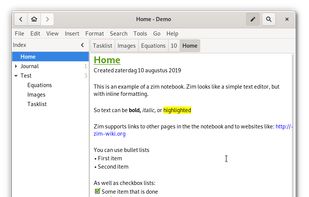
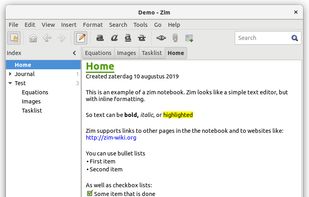
    Zim brings the concept of a wiki to your desktop. Store information, link pages and edit with WYSISYG markup or directly typing some lightweight markup syntax and see it previewed as-you-type. Creating a new page is easy by either clicking on the "Create new note"...

    359 Zim alternatives

    Cost / License

    Platforms

    • Mac
    • Windows
    • Linux
    • BSD
    • Flathub
    • Flatpak
     
    |
    11
    Zim vs Microsoft OneNote Comments
    Top Positive Comment
    LordMax
    18

    Wonderful. Every file is a .txt file, so you're in total control.

    Top Negative Comment
    Guest
    20

    Zim is more like simplenote, or a desktop wiki. It is missing most of the functionality of onenote.

    axcqhsbsadoukciozt
    Positive
    0

    You are better of using a cellulose notepad rather than OneNote which siphons all your data unencrypted to "the cloud"

    3 of 11 comments
    • Zim is Free and Open SourceMicrosoft OneNote is Freemium and Proprietary
    • Zim is Lightweight and Privacy focusedMicrosoft OneNote is not according to our users
  3. Joplin icon
     943 likes

    Open source app for managing notes and to-dos with Markdown support. Syncs seamlessly across devices using services like Dropbox and OneDrive. Offers end-to-end encrypted synchronicity, offline access, rich import/export options, and a Web Clipper for browsers.

    214 Joplin alternatives

    Cost / License

    • Freemium
    • Open Source

    Platforms

    • Mac
    • Windows
    • Linux
    • Online
    • Android
    • iPhone
    • Android Tablet
    • iPad
    • Self-Hosted
    • AppImageHub
    • Snapcraft
    • Google Chrome
    • Flathub
    • PortableApps.com
    • F-Droid
    • Cloudron
    • Homebrew
    • Chocolatey
    • Termux
    • Mozilla Firefox
     
    |
    13
    Joplin vs Microsoft OneNote Comments
    Top Positive Comment
    dasonic
    13

    Same structure as Onenote, supports images, looks modern.

    Doesn't have all the same features (like drawing on the screen) but also has its own unique features Onenote doesn't have.

    Also runs on Linux, which is the biggest plus for me.

    Top Negative Comment
    Martin Ligabue
    7

    it doesn't have pen input support

    Nuncio Bitis
    Negative
    1

    it doesn't do diagrams, and the plain text files it creates are given obscure names so you can't find them.

    3 of 13 comments
    • Joplin is Freemium and Open SourceMicrosoft OneNote is Freemium and Proprietary
    • Joplin is Privacy focused, Lightweight, Minimalistic and DecentralizedMicrosoft OneNote is not according to our users
  4. Xournal++ icon
     199 likes

    Handwritten note-taking and PDF annotation using pen input and pressure sensitivity, shape drawing, customizable toolbar layouts, image insertion, audio recording, multi-language options, LaTeX integration, and complete export in PDF or PNG formats across all platforms.

    72 Xournal++ alternatives

    Cost / License

    Application types

    Platforms

    • Mac
    • Windows
    • Linux
    • Snapcraft
    • Flathub
     
    |
    8
    Xournal++ vs Microsoft OneNote Comments
    Top Positive Comment
    violoncello
    2

    With Xournal++ you own your notes and can save them wherever you want - you are not forced to store them somewhere in the cloud as it's the case with OneNote

    Top Negative Comment
    syserss
    0

    This is really an annotation and sketching tool. While it looks like it may do that well, OneNote has so many more features.

    Guest
    Negative
    0

    In the version available for Chromebooks, the option for typed text is not working.

    3 of 8 comments
    • Xournal++ is Free and Open SourceMicrosoft OneNote is Freemium and Proprietary
    • Xournal++ is Privacy focused and LightweightMicrosoft OneNote is not according to our users
  5. Logseq icon
     356 likes

    Local-first, privacy-focused notebook supporting Markdown and Emacs Org mode. Offers offline use, encrypted backups, plugin extensibility, LaTeX support, real-time collaboration, and hierarchical organization for personal knowledge management.

    252 Logseq alternatives

    Cost / License

    Platforms

    • Mac
    • Windows
    • Linux
    • Android
    • iPhone
    • iPad
    • Self-Hosted
    • Flathub
    • F-Droid
     
  6. Standard Notes icon
     708 likes

    Secure note-taking app with end-to-end encryption, unlimited syncing across all platforms, offline access, detailed organization through tags, strong passcode and biometric protections, and premium features like encrypted files, themes, web clipper, super note types, and hardware key support.

    213 Standard Notes alternatives

    Cost / License

    Platforms

    • Mac
    • Windows
    • Linux
    • Online
    • Android
    • iPhone
    • Chrome OS
    • Android Tablet
    • iPad
    • Self-Hosted
    • F-Droid
     
    |
    7
    Standard Notes vs Microsoft OneNote Comments
    Top Positive Comment
    Guest
    2

    Encrypted, very lightweight and not owned by Microsoft.

    Top Negative Comment
    Guest
    6

    The free version is only plain text editing - can't even paste images or use bold and italics. There simply aren't enough features in the free one to determine whether I like it enough to pay for premium.

    k71
    0

    Good for those options to store online or sync between devices. Devices: Windows app, web-browser, android app...

    I prefer this one than SimpleNote, in any case, to share between devices nowadays i recommend telegram or protectedtext. For text, Onenote. I didnt like turtl, joplin or elephant.

    3 of 7 comments
    • Standard Notes is Freemium and Open SourceMicrosoft OneNote is Freemium and Proprietary
    • Standard Notes is Privacy focused, Minimalistic, Security-focused and CustomizableMicrosoft OneNote is not according to our users
  7. CherryTree icon
     333 likes

    Hierarchical note-taking software that is free, open-source, cross-platform. Features include rich text, syntax highlighting, multi-level lists, embedded files, customizable interface, code execution, PDF export, spell check, images & tables, and comprehensive project management support.

    150 CherryTree alternatives

    Cost / License

    • Free
    • Open Source

    Platforms

    • Mac
    • Windows
    • Linux
    • Flathub
    • PortableApps.com
    • Flatpak
     
    |
    8
    CherryTree vs Microsoft OneNote Comments
    Top Positive Comment
    Guest
    9

    its not OneNote, but its as close as I´ve found on linux. This finally frees me from Windows. Just started using it, but already i can see it will do. Now if only it accepts photos, voice clips, videos and webpages I can call it a day!

    Top Negative Comment
    syserss
    0

    This looks and feels more like a AppDev environment than a note taking tool. If you're a developer, you'll probably love it, but for me, this is the opposite of everything I like about OneNote.

    Guest
    Positive
    2

    hierarchical Nodes and Subnode with icons, quick tool bar, simple as well rich text format, import export option, extremely light weight set up, easy backup, adjustable font size with mouse button, complete set of editting tools, customizable lay out, stable, supports text upto million of words, word count, password protected, multiple data basis, free and easy to use.

    3 of 8 comments
    • CherryTree is Free and Open SourceMicrosoft OneNote is Freemium and Proprietary
    • CherryTree is Customizable and Privacy focusedMicrosoft OneNote is not according to our users
  8. Notesnook icon
     218 likes

    Offers open-source, end-to-end encrypted notes with device-based privacy, cross-platform support, private vault, secure sync, offline access, markdown editor, exports to multiple formats, automatic backups, organizational tools, and strong encryption.

    388 Notesnook alternatives

    Cost / License

    Platforms

    • Mac
    • Windows
    • Linux
    • Online
    • Android
    • iPhone
    • Android Tablet
    • iPad
    • Google Chrome
    • Flathub
    • F-Droid
    • Software as a Service (SaaS)
    • Flatpak
    • Self-Hosted
     
  9. Zettlr icon
     266 likes

    Unified writing platform offering note-taking, easy citations with Zotero integration, LaTeX/Word templates, snippets, themes, dark modes, code highlighting, multi-language support, and knowledge management with Zettelkasten for seamless writing from notes to books.

    242 Zettlr alternatives

    Cost / License

    Application types

    Platforms

    • Mac
    • Windows
    • Linux
    • Flathub
    • PortableApps.com
     
  10. AppFlowy icon
     213 likes

    Open-source workspace offering complete data control, deep customization via themes, plugins, and templates, native multi-platform support using Flutter and Rust, offline access, privacy features, collaborative tools, and easy extensibility for all users.

    150 AppFlowy alternatives

    Cost / License

    Platforms

    • Mac
    • Windows
    • Linux
    • Android
    • iPhone
    • Self-Hosted
    • Snapcraft
    • Rust
    • Flathub
     
  11. Trilium Notes icon
     127 likes

    The original trilium is transfered to this repo by its owner and the app continues to develop here as stated here: https://github.com/TriliumNext/Trilium

    430 Trilium Notes alternatives

    Cost / License

    Platforms

    • Mac
    • Windows
    • Linux
    • Self-Hosted
    • Google Chrome
    • Cloudron
    • Mozilla Firefox
     
  12. SiYuan icon
     84 likes

    SiYuan is a desktop Markdown Block-Reference and Bidirectional-Link note-taking application. Support fine-grained block-level reference and Markdown WYSIWYG.

    122 SiYuan alternatives

    Cost / License

    Platforms

    • Mac
    • Windows
    • Linux
    • Android
    • iPhone
    • Android Tablet
    • iPad
    • Self-Hosted
    • Microsoft Edge
    • Google Chrome
    • Flathub
    • Docker
    • Docker Hub
    • F-Droid
     
12 of 49 Microsoft OneNote alternatives