File Management Page 55 of 62

All apps in File Management category. Use the filters below to narrow down your search. 

Popular filters:

Copy a direct link to this comment to your clipboard
  1. The smartest way to organize files. AiRenamify uses content-aware AI to give every file its true name. Drag, drop, and let AI name your files instantly.

    Cost / License

    • Paid
    • Proprietary

    Application type

    Since

    • Since 2026

    Platforms

    • Mac
    • Windows
    • HK flagHong Kong
    AiRenamify screenshot 1
    AiRenamify screenshot 2
    AiRenamify screenshot 3
    1 alternative
  2. Hurricane is a Windows batch script generator for AutoCAD, used by CAD professionals since 2003. Pick your drawings (drag and drop, folder scan or a file list), choose what to do, and Hurricane opens, processes, saves and closes every drawing in turn, unattended.

    Cost / License

    • Paid
    • Proprietary

    Since

    • Since 2015

    Platforms

    • Windows
    Hurricane for AutoCAD screenshot 1
  3. WhimFiles icon
     Like

    Fast, native Mac file manager built around real-time filtering, with dual-pane browsing, tabs, previews, and fuzzy folder search.

    Cost / License

    • Paid
    • Proprietary

    Application type

    Since

    • Since 2026

    Platforms

    • Mac
    • SE flagSweden
    • European Union flagEU
    WhimFiles screenshot 1
    WhimFiles screenshot 1
    WhimFiles screenshot 2
    +2
    WhimFiles screenshot 3
    5 alternatives
  4. Monitor folders for files and auto rename(Have program rename images when downloaded). Undo, Save settings, Imageview, Drag-drop, and more. File Management made easy. Very good for those pesky PDFs from customer firms that need cleaning.

    Cost / License

    • Freemium
    • Open Source

    Application type

    Since

    • Since 2018

    Platforms

    • Windows
    Personal Renamer screenshot 1
    Personal Renamer screenshot 1
    Personal Renamer screenshot 2
    +10
    Personal Renamer screenshot 3
    65 alternatives
  5. File Manager Pro is the best app to download, organize and view all your files on your iPhone or iPad. It is like the Windows Explorer on your PC or the Finder on your Mac. You can always have your documents right at your fingertips.

    Cost / License

    • Paid
    • Proprietary

    Application type

    Since

    • Since 2017

    Platforms

    • iPhone
    • iPad
    • DE flagGermany
    • European Union flagEU
    File Manager Pro App screenshot 1
    File Manager Pro App screenshot 1
    File Manager Pro App screenshot 2
    +3
    File Manager Pro App screenshot 3
    1 alternative
  6. TekuTeku File Merge combines several files into one, byte for byte, in the order you choose. Nothing is decoded, re-encoded or converted, so CSV files, logs, text in any character encoding and split binary files (.001, .002, ...) come out unchanged.

    Cost / License

    • Free
    • Open Source (MIT)

    Since

    • New

    Platforms

    • Windows
    • JP flagJapan
    TekuTeku File Merge screenshot 1
    TekuTeku File Merge screenshot 1
    8 alternatives
  7. Aspose.Total Comparison is a free file comparison web app that allows users to compare different kinds of documents online. It supports PDF, DOCX, XLSX, PPTX, VSDX, HTML, EPUB, RTF, XPS, ODT, ODP & more from any devices supporting a modern browser.

    Cost / License

    • Free
    • Proprietary

    Application type

    Since

    • Since 2021

    Platforms

    • Self-Hosted
    • Software as a Service (SaaS)
    • US flagUnited States
    Aspose.Total Comparison screenshot 1
    Aspose.Total Comparison screenshot 1
    4 alternatives
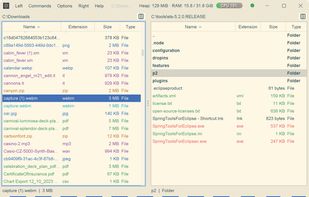
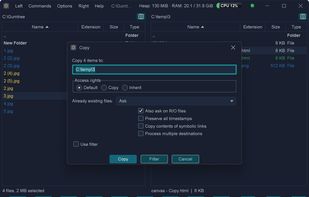
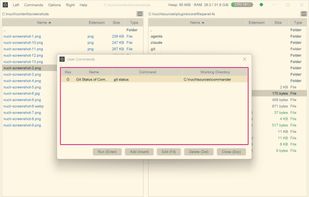
  8. DuoExplorer is a Free and Portable Multi Window File Explorer or a Dual File Explorer.

    Cost / License

    • Free
    • Proprietary

    Since

    • Since 2015

    Platforms

    • Windows
  9. DriveRecall is a Windows desktop utility that helps you find files stored across multiple external drives, including drives that are disconnected from your computer.

    Cost / License

    • Paid
    • Proprietary

    Since

    • New

    Platforms

    • Windows
    • US flagUnited States
    Search saved filenames and locate files on disconnected drives without reconnecting them.
    Select an external drive and give it a recognizable name to create a searchable offline catalog.
    Search across multiple cataloged drives and see matching filenames, original folders, and connection status.
    2 alternatives
  10. WinThunar icon
     Like

    WinThunar is an independent file manager for Windows 11 inspired by Thunar's classic layout. It combines menus, a location bar, and a navigation side pane with tabs, split-pane browsing, bookmarks, multiple folder layouts, recursive filename search, and bulk rename with a...

    Cost / License

    • Free
    • Open Source (MIT)

    Application type

    Since

    • New

    Platforms

    • Windows
    • US flagUnited States
    WinThunar screenshot 1
    WinThunar screenshot 1
    WinThunar screenshot 2
    +2
    WinThunar screenshot 3
    50 alternatives
  11. LineDiff icon
     Like

    Free AI-powered text and file comparison tool. Compare PDF, Word, Excel, JSON, YAML, CSV, XML and Markdown online. End-to-end encryption, real-time collaboration, AI explanations. No installation needed.

    Cost / License

    • Freemium
    • Proprietary

    Application type

    Since

    • Since 2026

    Platforms

    • Online
    • Software as a Service (SaaS)
    Linediff main page.
    Linediff comparison unified view screen.
    Linediff comparison split view screen.
    51 alternatives
  12. Connect to FTP, SFTP, S3, WebDAV, and more. FQB-Transfer is a dual-pane file manager client for macOS, built for professionals who need a reliable WinSCP alternative.

    Cost / License

    • Freemium
    • Proprietary

    Since

    • Since 2026

    Platforms

    • Mac
    • iPhone
    • iPad
    FQB Transfer screenshot 1
    FQB Transfer screenshot 1
    FQB Transfer screenshot 2
    +8
    FQB Transfer screenshot 3
  13. RenameKit icon
     Like

    RenameKit is a versatile tool designed for efficient bulk file renaming. With its user-friendly interface and powerful features, it allows you to rename multiple files quickly and easily. Customize filenames with options for numbers, text, and more.

    Cost / License

    • Paid
    • Proprietary

    Application type

    Since

    • Since 2024

    Platforms

    • Mac
    • Windows
    RenameKit Bulk Renme Utility
    9 alternatives
  14. Online text compare and merge tool, 100% free, privacy, also supports common text processing functions, such as sorting, de-emphasis, etc.

    Cost / License

    • Free
    • Proprietary

    Since

    • Since 2024

    Platforms

    • Online
    Text Compare & Merge Online screenshot 1
  15. Robogator icon
     Like

    Scripting - Enrich your scripts as reusable Tasks for next gen superfast automation.

    Cost / License

    • Freemium
    • Proprietary

    Since

    • Since 2025

    Platforms

    • Windows
    • CH flagSwitzerland
    Monitoring - Everything at a glance with Shortcuts to start your favorite automation Tasks right from the start screen.
    Stay organized - Build your own automation workflows within an account repository with multiple linked Tasks.
    Scripting - Enrich your scripts as reusable Tasks for next gen superfast automation.
    +3
    Tracking - Keep track of your executed script Tasks as so called Trails to be in charge of everything.
  16. QuikZip icon
     Like

    Browse archive trees, preview files, edit files inside regular ZIP archives, then save changes to the same archive or a new ZIP.

    Cost / License

    • Paid
    • Proprietary

    Application type

    Since

    • New

    Platforms

    • Mac
    QuikZip screenshot 1
    QuikZip screenshot 1
    QuikZip screenshot 2
    +2
    QuikZip screenshot 3
    51 alternatives
  17. xfiles icon
     Like

    Unix-shaped command-line tools for SharePoint document libraries over Microsoft Graph: ftp (xftp), cp (xcp), rsync (xsync), find (xfind), tree (xtree).

    Cost / License

    • Free
    • Open Source (MIT)

    Application type

    Since

    • New

    Platforms

    • Mac
    • Windows
    • Linux
    • US flagUnited States
    xfiles screenshot 1
    xfiles screenshot 1
    xfiles screenshot 2
    4 alternatives