Traditional Experience: Faithfully Replicating the Classic for Efficiency and Comfort
Addressing tedious daily file operations, ATBCmder implements about 80% of the core everyday features found in the traditional Total Commander:
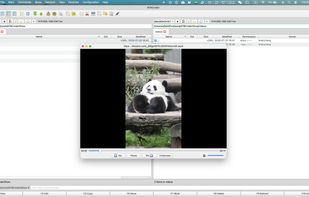
Dual-Pane Side-by-Side Comparison: No more opening a bunch of Finder windows to drag things around. With the source directory on the left and the destination directory on the right, copying and moving files is clear at a glance.
Rich View Options: Whether you want to see thumbnails, a tree directory, or "flatten and expand" all files hidden in deep subdirectories, you can switch views with a single click.
Connect All Your Devices: It manages not only local files but also connects directly to cloud drives, company servers, or your home NAS (supports FTP, SFTP, WebDAV, and Samba/LAN sharing).
Advanced Peace-of-Mind Features: Supports batch renaming (e.g., renaming hundreds of photos at once), as well as directory comparison and synchronization (automatically finding inconsistencies between two folders).
Fluid Keyboard Shortcut Experience: Strives to replicate classic keyboard shortcuts and operational habits. Veterans can pick it up immediately, while new users will quickly experience the thrill of "keeping your hands on the keyboard."







 AI tobox added ATBCmder as alternative to Total Commander, Double Commander, fman, Midnight Commander and 3 more


No comments or reviews, maybe you want to be first?