Screencastify Alternatives

Screencastify is described as 'A Chrome extension for capturing, editing and sharing screencasts. Save recordings automatically to your Google Drive or publish directly to YouTube' and is a Screen Recorder in the video & movies category. There are more than 50 alternatives to Screencastify for a variety of platforms, including Windows, Mac, Web-based, Google Chrome and Linux apps. The best Screencastify alternative is OBS Studio, which is both free and Open Source. Other great apps like Screencastify are ShareX, OpenScreen, GPU Screen Recorder and ScreenArc.

Copy a direct link to this comment to your clipboard
Screencastify alternatives page was last updated

Alternatives list

  1. ActivePresenter icon
     62 likes

    Authoring solution enabling interactive eLearning course creation, flexible project layouts, advanced screen recording, video editing tools with annotation, timeline-based adjustments, and export to video, image, HTML5, SCORM, xAPI, office, or PDF formats.

    125 ActivePresenter alternatives

    Cost / License

    • Free Personal
    • Proprietary

    Platforms

    • Mac
    • Windows
     
  2. Loom icon
     35 likes

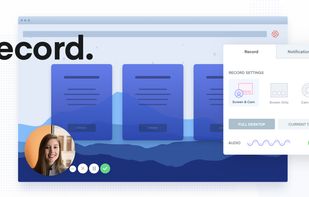
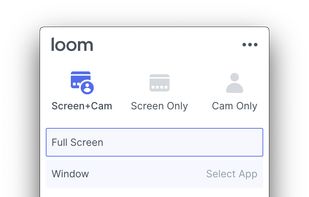
    Easy and free screen recorder for Mac, Windows, and Chromebooks. Record your camera and screen with audio directly from your Chrome browser and share the video with your team, friends, and family.

    271 Loom alternatives

    Cost / License

    • Freemium
    • Proprietary

    Platforms

    • Mac
    • Windows
    • Online
    • iPhone
    • Google Chrome
    • Android
    • Android Tablet
     
  3. Xbox Game Bar icon
     21 likes

    Get to know Game Bar on Windows Open Game Bar to take control of all your favorite gaming activities while playing on your Windows 10/11 device.

    118 Xbox Game Bar alternatives

    Cost / License

    • Free Personal
    • Proprietary

    Platforms

    • Windows
     
  4. ScreenKite icon
     6 likes

    Native macOS screen recording and editing with auto-zoom following every action, built-in editor for quick trims, super-fast Metal-accelerated 4K export, no subscription, customizable backgrounds, movable camera overlay, shadow effects, and AI-driven features.

    Cost / License

    • Freemium
    • Proprietary

    Platforms

    • Mac
     
  5. ShotGlass icon
     6 likes

    Screenshot and screen recorder app for macOS. One app instead of four. Capture multiple windows, annotate, zoom, add transitions, and drop your recording onto a 3D MacBook with a simulated lens. Everything stays local.

    Cost / License

    • Freemium
    • Proprietary

    Platforms

    • Mac
     
  6. Kazam icon
     64 likes

    Kazam is a simple screen recording program that will capture the content of your screen and record a video file that can be played by any video player that supports VP8/WebM video format.

    117 Kazam alternatives

    Cost / License

    • Free
    • Open Source

    Alerts

    • Discontinued

    Platforms

    • Linux
     
  7. ScreenTune icon
     5 likes

    ScreenTune is a macOS app for capturing, editing, and exporting screenshots and screen recordings. It lets users record a screen, window, or selected area, then adjust the result with backgrounds, padding, frames, rounded corners, shadows, cursor styling, annotations, text...

    Cost / License

    • Paid
    • Proprietary

    Platforms

    • Mac
     
  8. FlashBack icon
     38 likes

    Free software records screen, webcam, and audio; supports picture-in-picture overlays, lossless format storage for frame referencing, export to Flash or AVI, and fast sharing options including direct YouTube upload. Suitable for tutorials, demos, or sharing online.

    126 FlashBack alternatives

    Cost / License

    • Freemium
    • Proprietary

    Platforms

    • Windows
     
  9. Free version Records up to 15 minutes, premium is $20/year or $48/year depending on features (as of January 2020).

    Cost / License

    • Freemium
    • Proprietary

    Alerts

    • Warning

    Platforms

    • Windows
    • Online
     
You are at page 2 of Screencastify alternatives