Screencastify AlternativesScreen Recorders & Screen Casting Tools like Screencastify

Screencastify is described as 'A Chrome extension for capturing, editing and sharing screencasts. Save recordings automatically to your Google Drive or publish directly to YouTube' and is a Screen Recorder in the video & movies category. There are more than 50 alternatives to Screencastify for a variety of platforms, including Windows, Mac, Web-based, Google Chrome and Linux apps. The best Screencastify alternative is OBS Studio, which is both free and Open Source. Other great apps like Screencastify are ShareX, OpenScreen, GPU Screen Recorder and ScreenArc.

Copy a direct link to this comment to your clipboard
Screencastify alternatives page was last updated

Alternatives list

  1. OBS Studio icon
     1370 likes

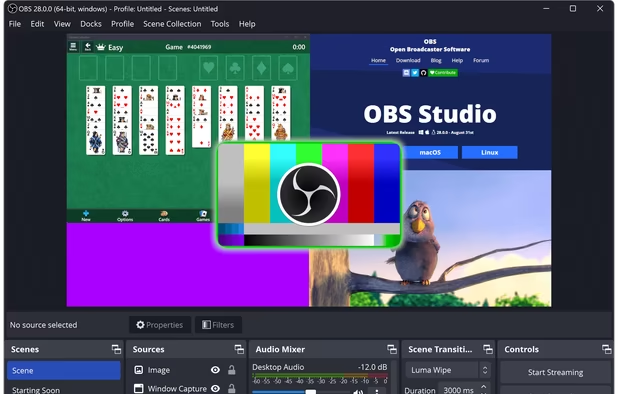
    A robust cross-platform application offering seamless screen recording and live-streaming capabilities across Mac, Windows, and Linux. It supports advanced features like H264 encoding, multiple scenes, customizable themes, and direct streaming to platforms like Twitch and YouTube.

    237 OBS Studio alternatives

    Cost / License

    Platforms

    • Mac
    • Windows
    • Linux
    • BSD
    • Snapcraft
    • Flathub
    • PortableApps.com
    • Steam
    • FreeBSD
     
    |
    2
    OBS Studio vs Screencastify Comments
    Guest
    Positive
    1

    You can record basically anything in very high quality and you can put water marks, donations, links and all that jazz on your screen for other people to use!

    Guest
    Negative
    -1

    It's a windows app that saves videos on hdd, Screencastify is achrome plugin and stores videos on web, if want to share I send a link, on Open BroadcasterI must to send a video file...

    • OBS Studio is Free and Open SourceScreencastify is Freemium and Proprietary
    • OBS Studio is Customizable, Privacy focused and LightweightScreencastify is not according to our users
  2. ShareX icon
     835 likes

    Open-source screen capture and file sharing tool with recording, editing, and annotation features. Supports 4K, dark mode, theming, offline use, and offers a lightweight, ad-free experience without tracking user data.

    297 ShareX alternatives

    Cost / License

    Platforms

    • Windows
    • PortableApps.com
    • Steam
     
  3. OpenScreen icon
     58 likes

    Open-source, no-cost screen recorder with no watermarks, supporting entire screen or app capture, manual zoom, smooth pan, custom backgrounds, cropping, motion blur, and direct use in browser for product demos, tutorials, and commercial purposes.

    86 OpenScreen alternatives

    Cost / License

    • Free
    • Open Source (MIT)

    Application type

    Platforms

    • Mac
    • Windows
    • Linux
     
  4. ScreenArc icon
     25 likes

    Cross-platform screen recording and editing tool featuring automated cinematic pan-and-zoom on mouse actions, webcam overlay, customizable visuals, timeline editor, multi-monitor support, instant aspect ratio switching, style presets, and 2K output in MP4 or GIF.

    57 ScreenArc alternatives

    Cost / License

    Platforms

    • Mac
    • Windows
    • Linux
     
  5. Bandicam icon
     139 likes

    Bandicam is a lightweight screen recorder for Windows that can capture anything on your PC screen. Also, it makes it possible to record a certain area on a PC screen, or capture a game.

    182 Bandicam alternatives

    Cost / License

    • Freemium
    • Proprietary

    Platforms

    • Windows
     
  6. VokoscreenNG icon
     76 likes

    VokoscreenNG is a user friendly screencaster for Linux and Windows. It is a continuation of the now discontinued Vokoscreen project that has been totally rewritten from scratch using Qt and GStreamer.

    Cost / License

    Platforms

    • Windows
    • Linux
     
  7. Camtasia icon
     238 likes

    This all-in-one solution offers screen and webcam recording, video editing, and chroma key features, producing stunning HD-quality content easily shareable on platforms like YouTube and Screencast.com. Designed for training, presentations, and more, it supports H.264 format and compact file sizes.

    316 Camtasia alternatives

    Cost / License

    • Freemium
    • Proprietary

    Platforms

    • Mac
    • Windows
    • Online
     
  8. Kooha icon
     23 likes

    Capture your screen in an intuitive and straightforward way without distractions.

    151 Kooha alternatives

    Cost / License

    Application type

    Platforms

    • Linux
    • Flathub
    • Flatpak
     
  9. BetterCapture icon
     7 likes

    Free, open-source screen recorder for macOS with native menu bar integration, ProRes 422/4444, HEVC, H.264 codecs, alpha channel and HDR support, flexible audio including system and mic, content filtering, privacy features with no tracking, and local file storage.

    Cost / License

    • Free
    • Open Source (MIT)

    Application type

    Platforms

    • Mac
    • Homebrew
     
  10. CamStudio icon
     178 likes

    Record your computer screen with audio input from Mic or Speakers. Also shows mouse clicks in addition to the regular cursor. Simple interface with ability to record in AVI or export as swf.

    Cost / License

    Alerts

    • Warning

    Platforms

    • Windows
    • PortableApps.com
     
  11. Screen Studio icon
     19 likes

    Record macOS screens with smoothed mouse movement, zoomed click highlights, cinematic motion blur, and customizable backgrounds while integrating webcam, microphone, system sound, and easy video editing. Output in HD for instructional and promotional videos.

    Cost / License

    • Paid
    • Proprietary

    Platforms

    • Mac
     
12 of 72 Screencastify alternatives