Paint.NET Alternatives for Windows

There are many alternatives to Paint.NET for Windows if you are looking for a replacement. The best Windows alternative is Krita, which is both free and Open Source. If that doesn't suit you, our users have ranked more than 100 alternatives to Paint.NET and loads of them are available for Windows so hopefully you can find a suitable replacement. Other interesting Windows alternatives to Paint.NET are Pinta, GIMP, Adobe Photoshop and Affinity.

filter to find the best alternatives

Paint.NET alternatives are mainly Image Editors, but if you're looking for Digital Painting Tools or Photo Editors you can filter on that. Other popular filters include Linux, Android, Mac, Online, iPhone, Windows and Android Tablet. You can also filter by region, for example EU-based alternatives if you prefer software developed in the European Union. These are just examples - use the filter bar below to find more specific alternatives to Paint.NET.
Copy a direct link to this comment to your clipboard
Paint.NET alternatives page was last updated

Alternatives list

  1. Krita icon
     1483 likes

    Free, open-source painting software designed by artists for artists. Offers customizable UI, 9 brush engines, color management, tablet support, non-destructive editing, and privacy features. Portable and available on major platforms, supporting seamless texture creation.

    155 Krita alternatives

    Cost / License

    • Free
    • Open Source

    Application type

    Platforms

    • Mac
    • Windows
    • Linux
    • Android Tablet
    • KDE Plasma
    • Epic Games Store
    • PortableApps.com
    • F-Droid
    • Steam
    • AppImage
     
    |
    16
    Krita vs Paint.NET Comments
    Top Positive Comment
    Generic_Sweetener
    5

    There isn't anything else exactly like paint.net, but Krita comes the closest in terms of features and ease of use. It's relatively intuitive, has various customization options, and is sufficient for basic photo editing and more advanced image manipulation and drawing.

    Top Negative Comment
    Guest
    16

    Very good, but not focused to photo editing.

    beng tang
    Positive
    0

    As an alternative to Paint.NET for Linux, Krita is not exactly the same, but it has most of the same functionality and it can resize (Image > Scale Image to New Size) images using a variety of resampling filters including Lanczos3, which makes it better than GIMP for resizing photos.

    3 of 16 comments
    • Krita is Free and Open SourcePaint.NET is Free and Proprietary
    • Krita is a Digital Painting Paint.NET is an Image Editor
    • Krita is Customizable and Privacy focusedPaint.NET is not according to our users
  2. Pinta icon
     284 likes

    Pinta is a image editing, drawing and painting application with a simple yet powerful interface. Pinta has a wide range of drawing tools, including: freehand, rectangles, circles and lines. It also has over 35 effects to apply to your images, and also has the ability to create...

    101 Pinta alternatives

    Cost / License

    • Free
    • Open Source (MIT)

    Platforms

    • Mac
    • Windows
    • Linux
    • BSD
    • Flathub
    • Mono
    • Snapcraft
     
    |
    22
    Pinta vs Paint.NET Comments
    Top Positive Comment
    Guest
    12

    This functions in almost identical ways to Paint.NET, more so than any other program listed on here.

    Top Negative Comment
    Guest
    6

    It gives you a good taste of Paint.NET, but it's so broken and painful to work with that it just isn't worth using; e.g. the text function doesn't work.

    Guest
    Negative
    0

    no settings menu (!), won't snap in place on windows, couldn't change language, buttons have a clunky mac-styled shape and they're too small. won't use.

    3 of 22 comments
    • Pinta is Free and Open SourcePaint.NET is Free and Proprietary
    • Pinta is Privacy focusedPaint.NET is not according to our users
  3. GIMP icon
     4810 likes

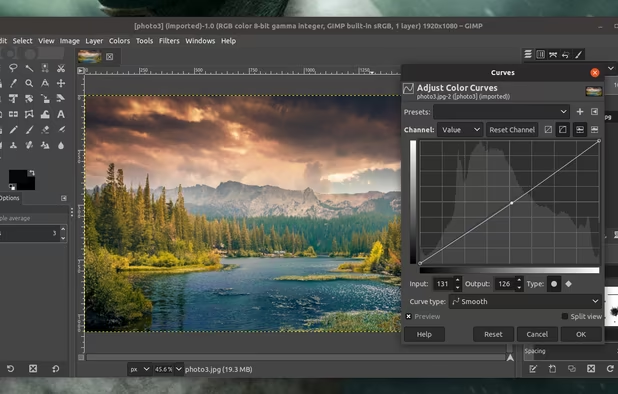
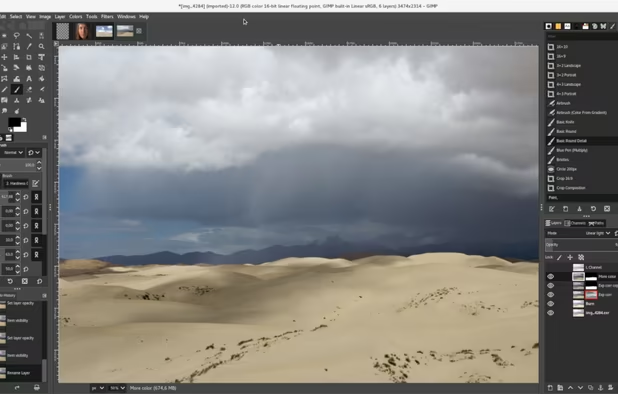
    Free open-source suite offering advanced photo retouching, image composition, original artwork creation, batch processing, plugin support, custom scripting, mass image format conversion, and integration with free publishing tools for comprehensive editing solutions.

    208 GIMP alternatives

    Cost / License

    Platforms

    • Mac
    • Windows
    • Linux
    • BSD
    • Snapcraft
    • Flathub
    • PortableApps.com
    • Haiku
    • Flatpak
    • AmigaOS
    • AppImage
     
    |
    41
    GIMP vs Paint.NET Comments
    Top Positive Comment
    Guest
    1

    free, open-source, cross-platform

    Top Negative Comment
    zlelmefs
    7

    The #1 perk of paint.net is how lightweight and fast it is, it's intended as a competitor to Paint. GIMP is the complete opposite- it's a big, slow monster designed to compete with photoshop.

    Guest
    Negative
    0

    It's slow and has a lot of stuff you have to learn while paint.net is easy to use and lightweight.

    3 of 41 comments
    • GIMP is Free and Open SourcePaint.NET is Free and Proprietary
    • GIMP is Customizable and Privacy focusedPaint.NET is not according to our users
  4. Adobe Photoshop icon
     2446 likes

    Comprehensive raster graphics editor offering advanced photo and image editing features. Supports multiple layers, masks, alpha compositing, various color models, and has limited vector graphics, 3D, and video capabilities. Extensible via plug-ins.

    244 Adobe Photoshop alternatives

    Cost / License

    • Paid
    • Proprietary

    Platforms

    • Mac
    • Windows
    • Online
    • Android
    • iPhone
    • Android Tablet
    • iPad
    • Google Chrome
    • Wine
    • ReactOS
     
    |
    9
    Adobe Photoshop vs Paint.NET Comments
    Top Positive Comment
    HaricharanSrinivasan
    5

    The absolute best in photo correction and manipulation. Slick interface. Fast. Loads of tools for mobile and Web design. Content-aware editing. Video editing. 3D design capability. Synced Libraries. Integrated stock library. Complementary mobile apps.

    Top Negative Comment
    Guest
    35

    Very pricy advanced application compared to free paint.net

    zlelmefs
    Negative
    1

    It's slow. It's not free. It's made by one of the worst software companies on the planet.

    3 of 9 comments
    • Adobe Photoshop is Paid and ProprietaryPaint.NET is Free and Proprietary
  5. Affinity icon
     87 likes

    Unified design solution merging advanced photo, vector, and layout tools for seamless workflow, non-destructive editing, RAW support, batch processing, AI enhancements, GPU acceleration, file compatibility, cloud asset integration, and tailored workspace options.

    91 Affinity alternatives

    Cost / License

    • Freemium
    • Proprietary

    Platforms

    • Mac
    • Windows
     
  6. MyPaint icon
     396 likes

    MyPaint is a fast, distraction-free, and easy painting tool for digital artists. It supports graphics tablets made by Wacom, and many similar devices.

    136 MyPaint alternatives

    Cost / License

    Application type

    Platforms

    • Mac
    • Windows
    • Linux
    • PortableApps.com
     
    |
    2
    MyPaint vs Paint.NET Comments
    superluminar
    Negative
    6

    MyPaint is a digital painting/drawing program, Paint.NET is a simple image editor.

    Guest
    Negative
    2

    MyPaint looks a lot like Photoshop. Paint.NET is so popular because of the simplicity. Photoshop is a beautiful program with a lot of options. Paint.NET is a simple "paint" program that allows you to go as you like, but keep it simple at the beginning. MyPaint is like a Photoshop lite.

    • MyPaint is Free and Open SourcePaint.NET is Free and Proprietary
    • MyPaint is a Digital Painting Paint.NET is an Image Editor
  7. Pixlr icon
     369 likes

    Web-based editor with AI image generation, quick fixes, overlays, intricate lighting and texture adjustments, customizable templates, advanced filters, support for layers, high-res export, and ad-free premium features for accessible image and design editing.

    244 Pixlr alternatives

    Cost / License

    • Freemium
    • Proprietary

    Application types

    Platforms

    • Windows
    • Online
    • Android
    • iPhone
    • Chrome OS
    • Android Tablet
    • iPad
     
    |
    5
    Pixlr vs Paint.NET Comments
    Top Negative Comment
    Guest
    19

    Pixlr is more a fun tool adding overlays and colours and basic fixes. Paint.NET is a full photo manipulation tool

    Guest
    Negative
    0

    Like the others said, Paint.NET is made for photo manipulation while Pixlr on the other hand, is great for Windows but it''s android version is just for adding filters.

    Guest
    Negative
    0

    Paint.NET is awesome to edit pictures (cut, copy, resize, write). Pixlr on the other hand is mainly effective in applying effects to pictures (blur, colorize, liquify,heal)

    3 of 5 comments
    • Pixlr is Freemium and ProprietaryPaint.NET is Free and Proprietary
  8. LazPaint icon
     47 likes

    Raster & vector graphic editor with many tools and filters, written in Lazarus. Portable, 32bit & 64bit versions, ORA format & 16384x16384 image support. In app 3D import & rendering.

    Cost / License

    Platforms

    • Mac
    • Windows
    • Linux
    • BSD
    • PortableApps.com
    • Flathub
    • Flatpak
     
    |
    6
    LazPaint vs Paint.NET Comments
    Top Positive Comment
    sourloti
    3

    Is able to open and edit .pdn files! Especially handy if you're on Linux and aren't able/don't want to use paint.net.

    beng tang
    Positive
    0

    LazPaint comes close to Paint.NET in terms of ease of use and features. Unlike GIMP, LazPaint has good resampling / resizing algorithms including Lanczos. Unlike Krita, it's selection tool does not select outside the image and it can print images. Amongst the Linux image editors I have tried, it is so far the best alternative to Paint.NET.

    Guest
    Positive
    0

    Lightweight and available in Debian 11

    3 of 6 comments
    • LazPaint is Free and Open SourcePaint.NET is Free and Proprietary
    • LazPaint is a Digital Painting Paint.NET is an Image Editor
  9. PixiEditor icon
     28 likes

    Create pixel-perfect sprites, raster paintings, and scalable vector graphics with a unified open-source editor featuring frame-by-frame animation, a node-based workflow, custom shaders, procedural art tools, anti-aliased brushes, and versatile export options.

    Cost / License

    Application type

    Platforms

    • Windows
    • Linux
    • Flathub
    • Steam
    • Flatpak
     
  10. Adobe's mobile photo-editing app lets you edit, share, and upload photos across devices. With features like free 2 GB storage, original size backup, and extra tools for advanced editing, it enhances your images for social media without reducing file quality.

    181 Adobe Photoshop Express alternatives

    Cost / License

    • Freemium
    • Proprietary

    Application types

    Platforms

    • Windows
    • Android
    • iPhone
    • Android Tablet
    • Windows Phone
    • iPad
     
    |
    1
    Adobe Photoshop Express vs Paint.NET Comments
    raingros
    Negative
    1

    Adobe Photoshop Express cannot be compared to Paint.NET. Photoshop Express lacks most of Paint.NET's features and is basically just an app to apply filters to your photos.

    • Adobe Photoshop Express is Freemium and ProprietaryPaint.NET is Free and Proprietary
  11. Microsoft Paint icon
     181 likes

    Windows-bundled image editor for basic painting and raster editing tasks, supporting bitmap, JPEG, GIF, PNG, and TIFF. Offers layer support, offline access, no registration, and dark mode. Lightweight and ad-free, ensuring minimal resource use.

    130 Microsoft Paint alternatives

    Cost / License

    • Free
    • Proprietary

    Platforms

    • Windows
     
    |
    1
    Microsoft Paint vs Paint.NET Comments
    Guest
    Negative
    3

    Save The Transparency Of The Image.

    • Microsoft Paint is Free and ProprietaryPaint.NET is also Free and Proprietary
    • Microsoft Paint is a Digital Painting Paint.NET is an Image Editor
12 of 100 Paint.NET alternatives