MyPaint AlternativesOnly apps categorised as Digital Painting Tools

The best Digital Painting alternative to MyPaint is GIMP, which is both free and Open Source. If that doesn't suit you, our users have ranked more than 100 alternatives to MyPaint and loads of them are Digital Painting Tools so hopefully you can find a suitable replacement. Other interesting Digital Painting Tool alternatives to MyPaint are Krita, Adobe Photoshop, Paint.NET and Photopea.

filter to find the best alternatives

MyPaint alternatives are mainly Digital Painting Tools, but if you're looking for Image Editors or Color Picker Tools you can filter on that. Other popular filters include Android. These are just examples - use the filter bar below to find more specific alternatives to MyPaint.
Copy a direct link to this comment to your clipboard
MyPaint alternatives page was last updated

Alternatives list

  1. GIMP icon
     4737 likes

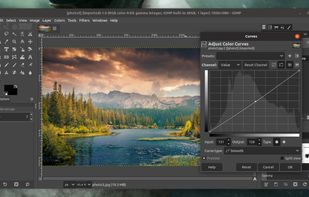
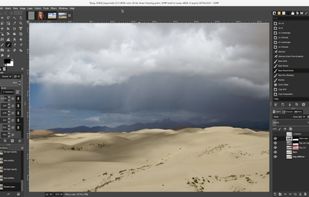
    Free open-source suite offering advanced photo retouching, image composition, original artwork creation, batch processing, plugin support, custom scripting, mass image format conversion, and integration with free publishing tools for comprehensive editing solutions.

    187 GIMP alternatives

    Cost / License

    Platforms

    • Mac
    • Windows
    • Linux
    • BSD
    • Snapcraft
    • Flathub
    • PortableApps.com
    • Haiku
    • Flatpak
    • AmigaOS
    • AppImage
     
    |
    2
    GIMP vs MyPaint Comments
    bunnis
    Negative
    0

    GIMP shares very little in common with MyPaint. MyPaint is a virtual canvas with a brush simulation engine that mimics physical art media for illustration and painting. GIMP is a raster processing suite.

    Review by a new / low-activity user.
    Guest
    Negative
    0

    Very few similarities. GIMP is more similar to Photoshop-style applications than to MyPaint.

    Review by a new / low-activity user.
    • GIMP is Free and Open SourceMyPaint is also Free and Open Source
    • GIMP is Customizable and Privacy focusedMyPaint is not according to our users
  2. Krita icon
     1417 likes

    Free, open-source painting software designed by artists for artists. Offers customizable UI, 9 brush engines, color management, tablet support, non-destructive editing, and privacy features. Portable and available on major platforms, supporting seamless texture creation.

    143 Krita alternatives

    Cost / License

    • Free
    • Open Source

    Application type

    Platforms

    • Mac
    • Windows
    • Linux
    • Android Tablet
    • KDE Plasma
    • Epic Games Store
    • PortableApps.com
    • F-Droid
    • Steam
    • AppImage
     
  3. Adobe Photoshop icon
     2426 likes

    Comprehensive raster graphics editor offering advanced photo and image editing features. Supports multiple layers, masks, alpha compositing, various color models, and has limited vector graphics, 3D, and video capabilities. Extensible via plug-ins.

    224 Adobe Photoshop alternatives

    Cost / License

    • Paid
    • Proprietary

    Platforms

    • Mac
    • Windows
    • Online
    • Android
    • iPhone
    • Android Tablet
    • iPad
    • Google Chrome
    • Wine
    • ReactOS
     
  4. Paint.NET icon
     1653 likes

    Free Windows image editor with support for layers, plugins, and special effects. Offers intuitive interface, works offline, ad-free, and portable, consuming fewer resources.

    163 Paint.NET alternatives

    Cost / License

    • Free
    • Proprietary

    Platforms

    • Windows
    • .NET Framework
     
  5. Photopea icon
     337 likes

    Browser-based image editing supports PSD, XCF, Sketch formats, advanced layers, vector tools, RAW photo support, and exports in 40+ formats. Fully client-side with AI background removal, content-aware tools, and privacy as files never leave your device.

    110 Photopea alternatives

    Cost / License

    • Freemium
    • Proprietary

    Platforms

    • Online
    • Software as a Service (SaaS)
     
  6. This vector graphics editor offers sophisticated tools for drawing, typography, and color management. Equipped with powerful features like multiple art boards, Blob Brush for vector painting, and transparency in gradients, it supports designs for print, web, interactive, motion, and mobile platforms.

    94 Adobe Illustrator alternatives

    Cost / License

    • Paid
    • Proprietary

    Platforms

    • Mac
    • Windows
    • Online
    • iPad
     
  7. Procreate icon
     166 likes

    Procreate is a versatile, award-winning app for creative digital drawing and painting on iOS. It delivers a robust, professional toolset with hundreds of configurable brushes, a powerful layering system, vector graphic tools, and comprehensive design capabilities, ensuring desktop-level flexibility and power.

    64 Procreate alternatives

    Cost / License

    • Paid
    • Proprietary

    Platforms

    • iPhone
    • iPad
     
  8. Pixelmator icon
     422 likes

    Image editing software for macOS and iOS, offering nondestructive, GPU-powered editing with machine learning features, RAW support, custom brushes, and seamless macOS integration for touch-ups, painting, and creative compositions.

    152 Pixelmator alternatives

    Cost / License

    • Paid
    • Proprietary

    Application types

    Platforms

    • Mac
    • iPhone
    • iPad
     
  9. Professional software for comic and manga creation, optimized with panel layouts, perspective rulers, sketching, inking, toning, vector support, and 3D model import, suitable for artists seeking advanced drawing and coloring tools.

    102 Clip Studio Paint alternatives

    Cost / License

    • Paid
    • Proprietary

    Platforms

    • Mac
    • Windows
    • Android
    • iPhone
    • Chrome OS
    • Android Tablet
    • iPad
    • Samsung Galaxy Store
     
  10. Microsoft Paint icon
     179 likes

    Windows-bundled image editor for basic painting and raster editing tasks, supporting bitmap, JPEG, GIF, PNG, and TIFF. Offers layer support, offline access, no registration, and dark mode. Lightweight and ad-free, ensuring minimal resource use.

    125 Microsoft Paint alternatives

    Cost / License

    • Free
    • Proprietary

    Platforms

    • Windows
     
    |
    1
    Microsoft Paint vs MyPaint Comments
    Guest
    Positive
    0

    I love MS Paint, I used to use it a lot. Was really sad when it was discontinued, since our old computer that had it gave out. Really good alternative though.

    Review by a new / low-activity user.
    • Microsoft Paint is Free and ProprietaryMyPaint is Free and Open Source
    • Microsoft Paint is MinimalisticMyPaint is not according to our users
  11. FireAlpaca icon
     89 likes

    FireAlpaca is the image editor that can be used readily and easily. We made it possible to provide the completely free download, in order for our products to be experienced by more users from all over the world. It is available for both Mac and Windows users!

    123 FireAlpaca alternatives

    Cost / License

    • Free
    • Proprietary

    Platforms

    • Mac
    • Windows
    • Linux
     
12 of 84 MyPaint alternatives