InkyCap Alternatives

InkyCap is described as 'Personal knowledge management (PKM) tool that uses Typst markup. It focuses on academics, writers, and anyone wanting both conventional PKM functionality and advanced features for publishing, knowledge discovery, recall, and ideation, as well as agenda-keeping' and is an app in the office & productivity category. There are more than 10 alternatives to InkyCap for a variety of platforms, including Mac, Windows, Linux, iPhone and Android apps. The best InkyCap alternative is Obsidian, which is free. Other great apps like InkyCap are Joplin, Anytype, Logseq and Notion.

Copy a direct link to this comment to your clipboard
InkyCap alternatives page was last updated

Alternatives list

  1. Obsidian icon
     1206 likes

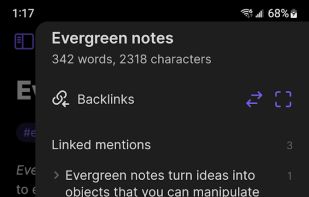
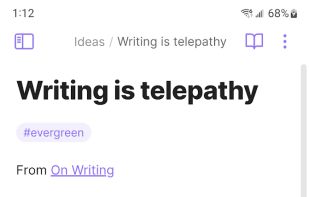
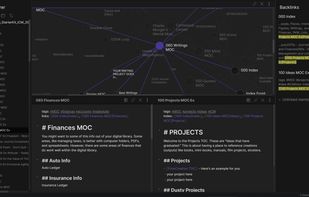
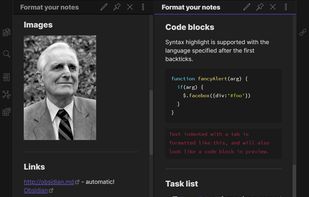
    Privacy-oriented note-taking app for non-linear thinking, blending knowledge graph creation with wiki-style linking. Supports Markdown, end-to-end encryption, and plugins for customization. Offers distraction-free mode, tags, themes, syntax highlighting, and operates offline without tracking.

    Cost / License

    • Freemium
    • Proprietary

    Platforms

    • Mac
    • Windows
    • Linux
    • Android
    • iPhone
    • Android Tablet
    • iPad
    • Snapcraft
    • Microsoft Edge
    • Google Chrome
    • Flathub
    • Safari
    • AppImage
    • Mozilla Firefox
     
  2. Joplin icon
     942 likes

    Open source app for managing notes and to-dos with Markdown support. Syncs seamlessly across devices using services like Dropbox and OneDrive. Offers end-to-end encrypted synchronicity, offline access, rich import/export options, and a Web Clipper for browsers.

    Cost / License

    • Freemium
    • Open Source

    Platforms

    • Mac
    • Windows
    • Linux
    • Online
    • Android
    • iPhone
    • Android Tablet
    • iPad
    • Self-Hosted
    • AppImageHub
    • Snapcraft
    • Google Chrome
    • Flathub
    • PortableApps.com
    • F-Droid
    • Cloudron
    • Homebrew
    • Chocolatey
    • Termux
    • Mozilla Firefox
     
  3. Anytype icon
     310 likes

    Manage notes, tasks, and projects offline with Markdown support. Enjoy encrypted storage, P2P syncing, and powerful dynamic collections across all devices, while allowing redistribution and modification for non-commercial uses.

    Cost / License

    • Freemium
    • Source Available

    Platforms

    • Mac
    • Windows
    • Linux
    • Android
    • iPhone
    • Android Tablet
    • iPad
    • Self-Hosted
    • Google Chrome
    • Flathub
    • Flatpak
    • Docker
     
  4. Logseq icon
     355 likes

    Local-first, privacy-focused notebook supporting Markdown and Emacs Org mode. Offers offline use, encrypted backups, plugin extensibility, LaTeX support, real-time collaboration, and hierarchical organization for personal knowledge management.

    Cost / License

    Platforms

    • Mac
    • Windows
    • Linux
    • Android
    • iPhone
    • iPad
    • Self-Hosted
    • Flathub
    • F-Droid
     
  5. Notion icon
     678 likes

    Enhance team collaboration and content organization with Notion. Experience real-time access, intuitive drag-and-drop functionalities, and visually simple interfaces designed for productivity in managing tasks, notes, and databases effectively. Ideal for teams of every size.

    Cost / License

    • Freemium
    • Proprietary

    Platforms

    • Mac
    • Windows
    • Online
    • Android
    • iPhone
    • Android Tablet
    • iPad
    • Software as a Service (SaaS)
     
  6. Notesnook icon
     215 likes

    Offers open-source, end-to-end encrypted notes with device-based privacy, cross-platform support, private vault, secure sync, offline access, markdown editor, exports to multiple formats, automatic backups, organizational tools, and strong encryption.

    Cost / License

    Platforms

    • Mac
    • Windows
    • Linux
    • Online
    • Android
    • iPhone
    • Android Tablet
    • iPad
    • Google Chrome
    • Flathub
    • F-Droid
    • Software as a Service (SaaS)
    • Flatpak
    • Self-Hosted
     
  7. Standard Notes icon
     708 likes

    Secure note-taking app with end-to-end encryption, unlimited syncing across all platforms, offline access, detailed organization through tags, strong passcode and biometric protections, and premium features like encrypted files, themes, web clipper, super note types, and hardware key support.

    Cost / License

    Platforms

    • Mac
    • Windows
    • Linux
    • Online
    • Android
    • iPhone
    • Chrome OS
    • Android Tablet
    • iPad
    • Self-Hosted
    • F-Droid
     
  8. Zettlr icon
     266 likes

    Unified writing platform offering note-taking, easy citations with Zotero integration, LaTeX/Word templates, snippets, themes, dark modes, code highlighting, multi-language support, and knowledge management with Zettelkasten for seamless writing from notes to books.

    Cost / License

    Application types

    Platforms

    • Mac
    • Windows
    • Linux
    • Flathub
    • PortableApps.com
     
  9. Google Docs icon
     964 likes

    Powerful online word processor with real-time collaboration, document conversion from Word, extensive formatting options, revision history, and multilingual capabilities, all integrated within the Google Drive ecosystem, accessible through any internet-connected device.

    Cost / License

    • Free
    • Proprietary

    Platforms

    • Online
    • Android
    • iPhone
    • Chrome OS
    • Android Tablet
    • iPad
     
  10. Zim icon
     519 likes

    Zim brings the concept of a wiki to your desktop. Store information, link pages and edit with WYSISYG markup or directly typing some lightweight markup syntax and see it previewed as-you-type. Creating a new page is easy by either clicking on the "Create new note"...

    Cost / License

    Platforms

    • Mac
    • Windows
    • Linux
    • BSD
    • Flathub
    • Flatpak
     
  11. AFFiNE icon
     125 likes

    Open-source, privacy-focused workspace combining note-taking, project and task management, Kanban board, interactive whiteboard, Pomodoro timer, Markdown support, offline access, real-time team collaboration with @mentions, goal tracking, subtasks, and customizable features.

    Cost / License

    • Freemium
    • Proprietary

    Platforms

    • Mac
    • Windows
    • Linux
    • Online
    • Android
    • iPhone
    • Self-Hosted
     
12 of 20 InkyCap alternatives