• Ubuntu icon
  • Docker icon
  • MariaDB icon
  • nginx icon
  • Redis icon
  • +19

Web Dev for Windows

kshaner24 appsUpdated
Copy a direct link to this comment to your clipboard

Web development on Windows can be a pain due to compatibility with most modern web tools. Here's what to use to run an efficient web stack on Windows with a focus on free & open source tools.

Stack

These can be run on WSL or Docker, take your pick

  1. Ubuntu icon
     Like

    Ubuntu is a community developed, Linux-based operating system that is perfect for laptops, desktops and servers. It contains all the applications you need - a web browser, presentation, document and spreadsheet software, instant messaging and much more.

    Cost / License

    • Free
    • Open Source

    Application type

    Platforms

    • Linux
    • Ubuntu
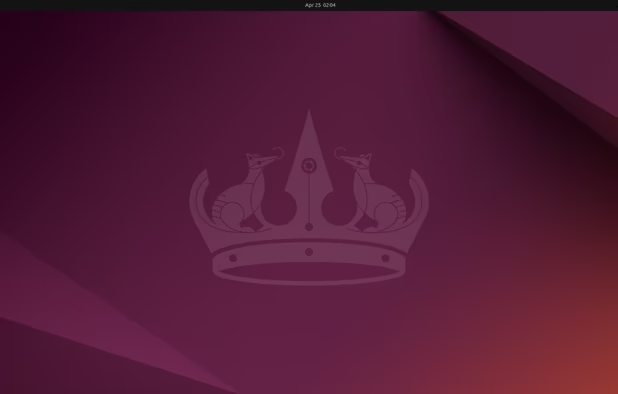
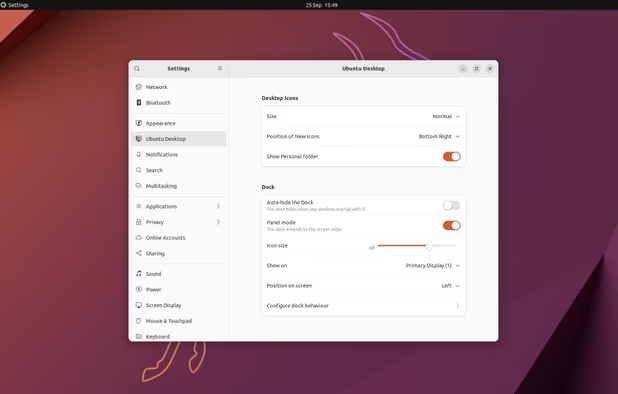
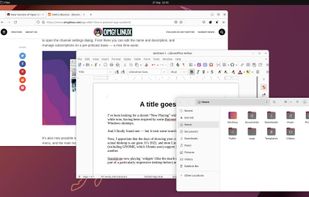
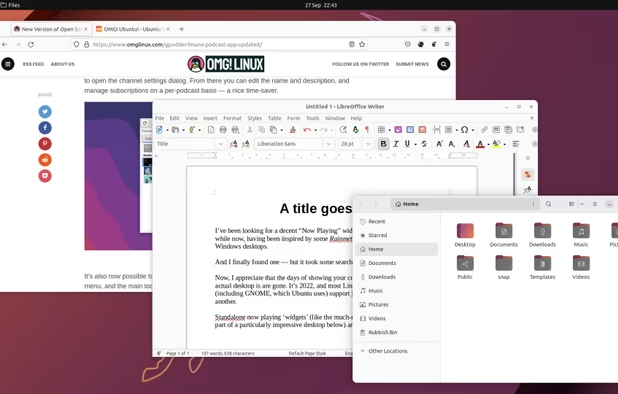
    Ubuntu 24.04 with Gnome 46
    Ubuntu screenshot 1
    Ubuntu screenshot 2
    +1
    Ubuntu screenshot 3
    kshaner’s note

    You'll want this to run things like SSH, SCP, and rsync. Or you can run your full development stack on it.

  2. Docker icon
     Like

    Docker is an open-source engine that automates the deployment of any application as a lightweight, portable, self-sufficient container that will run virtually anywhere.

    Cost / License

    • Freemium
    • Open Source

    Application type

    Platforms

    • Mac
    • Windows
    • Linux
    • Online
    • Self-Hosted
    • TrueNAS
    Docker screenshot 1
    Docker screenshot 1
    kshaner’s note

    Docker allows for software stacks that are loosely coupled from each other. Ideal for when working on multiple projects that have different technology requirements.

  3. MariaDB icon
     Like

    MariaDB is a backward compatible, drop-in replacement of the MySQL® Database Server. It includes all major open source storage engines.

    Cost / License

    • Free
    • Open Source

    Application type

    Platforms

    • Windows
    • Linux
    • BSD
    Deploy
    Monitor
    Backup
    kshaner’s note

    Best relational DB out there. If running it on WSL, you'll want to configure to use TCP/IP instead of sockets.

  4. nginx icon
     Like

    nginx ("engine x") is an HTTP web server, reverse proxy, content cache, load balancer, TCP/UDP proxy server, and mail proxy server.

    Cost / License

    • Free
    • Open Source

    Application type

    Platforms

    • Mac
    • Windows
    • Linux
    • BSD
    • Self-Hosted
    Manual page
    nginx screenshot 1
    kshaner’s note

    Substitute Apache here if that's your flavor. But Nginx has http/2 support out of the box.

  5. Redis icon
     Like

    The in-memory data store used by millions of developers as a cache, vector database, document database, streaming engine, and message broker.

    Cost / License

    • Free
    • Open Source

    Application type

    Platforms

    • Mac
    • Linux
    • Self-Hosted
    • Software as a Service (SaaS)
    • Docker
    Redis running on Windows
    kshaner’s note

    In memory cache for lighten the load on the database

Code Editors

Choose 1 or 2

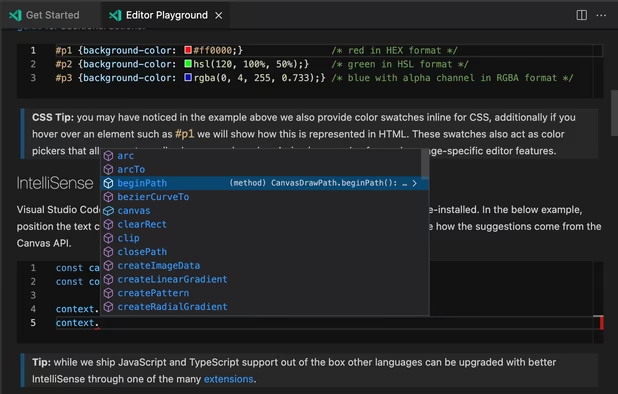
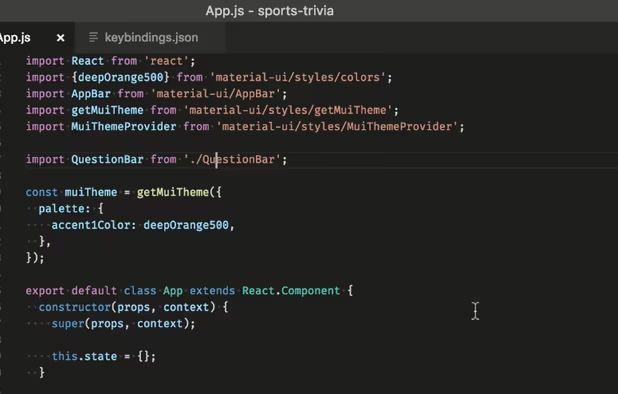
  1. Free, extensible code editor with Git integration, AI-driven IntelliCode, and 30,000+ extensions, supporting various languages like Python, Java.

    Cost / License

    • Free
    • Proprietary

    Application type

    Platforms

    • Mac
    • Windows
    • Linux
    • Online
    • Chrome OS
    • Snapcraft
    • Chocolatey
    Visual Studio Code screenshot 1
    Visual Studio Code screenshot 1
    Visual Studio Code screenshot 2
    +2
    Visual Studio Code screenshot 3
    kshaner’s note

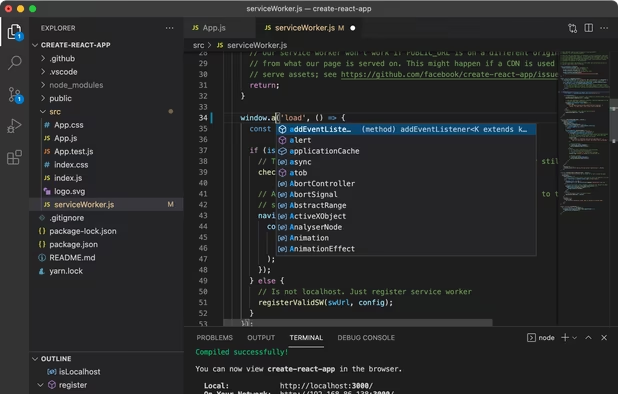
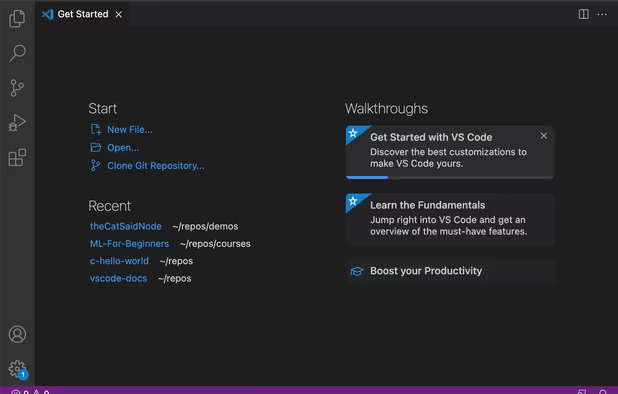
    Modern Code editor with an integrated terminal that's lighter than a full IDE

  2. Atom icon
     Like

    Atom is an open-source, Electron icon Electron based text editor with a massive ecosystem of plugins and themes that are easily accessible through a built-in package manager. Being built with Electron, it uses web technology (HTML, CSS, JavaScript and Node.

    Cost / License

    • Free Personal
    • Open Source

    Application type

    Platforms

    • Mac
    • Windows
    • Linux
    • Chrome OS
    • BSD
    • Electron / Atom Shell
    Intro screen
    Command palette
    Choose from scores of community made themes
    +2
    Project view
    kshaner’s note

    A sibling to VS Code, but from Github, and just as flexible.

  3. Sophisticated text editor for code with sleek interface, multi-select tabs, side-by-side definitions, and swift variable renaming using multiple selections.

    Cost / License

    • Freemium
    • Proprietary

    Application type

    Platforms

    • Mac
    • Windows
    • Linux
    • Snapcraft
    • Flathub
    • Flatpak
    Sublime Text screenshot 1
    Sublime Text screenshot 1
    Sublime Text screenshot 2
    +2
    Sublime Text screenshot 3
    kshaner’s note

    Best editor for opening large files because of it's GPU rendering

  4. Notepad++ icon
     Like

    Free open-source code editor and Notepad replacement supporting multiple languages, featuring high speed, low resource usage, privacy focus, and plugin extensibility.

    Cost / License

    • Free
    • Open Source

    Application type

    Platforms

    • Windows
    • PortableApps.com
    Notepad++ screenshot 1
    Notepad++ screenshot 1
    Notepad++ screenshot 2
    +10
    TextFX plugin menu
    kshaner’s note

    Always useful to have around

CLI

  1. ConEmu icon
     Like

    Windows console emulator with tabs, which presents multiple consoles and simple GUI applications as one customizable GUI window with various features.

    Cost / License

    • Free
    • Open Source

    Application type

    Platforms

    • Windows
    ConEmu screenshot 1
    ConEmu screenshot 1
    Alpha transparency in ConEmu
    +2
    Windows 7 Jump list
    kshaner’s note

    Cause it has tabs

  2. Git Bash icon
     Like

    Git for Windows provides a BASH emulation used to run Git from the command line. *NIX users should feel right at home, as the BASH emulation behaves just like the "git" command in LINUX and UNIX environments.

    Cost / License

    • Free
    • Open Source

    Application type

    Platforms

    • Windows
    Git Bash screenshot 1
    Git Bash screenshot 1
    kshaner’s note

    You can use git with WSL. However, to use git integration with other Windows apps like VS Code or Atom, you'll need the windows version installed.

  3. HTTPie (pronounced aitch-tee-tee-pie) is a command line HTTP client. Its goal is to make CLI interaction with web services as human-friendly as possible. It provides a simple http command that allows for sending arbitrary HTTP requests using a simple and natural syntax, and...

    Cost / License

    • Free
    • Open Source

    Application type

    Platforms

    • Mac
    • Windows
    • Linux
    • Python
    • FreeBSD
    HTTPie for Terminal screenshot 1
    HTTPie for Terminal screenshot 1
    kshaner’s note

    Curl with a syntax you don't have to lookup every time

Browsers

3 of the big 4.

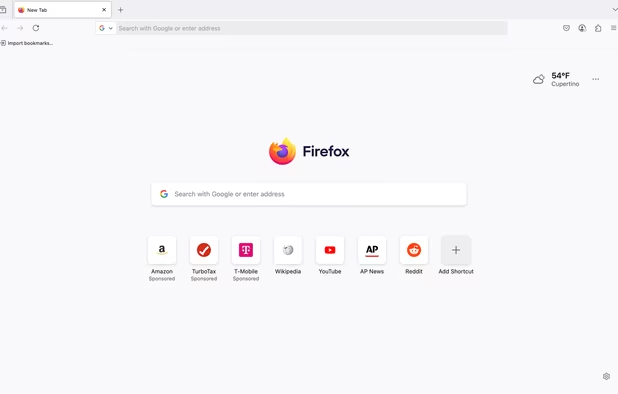
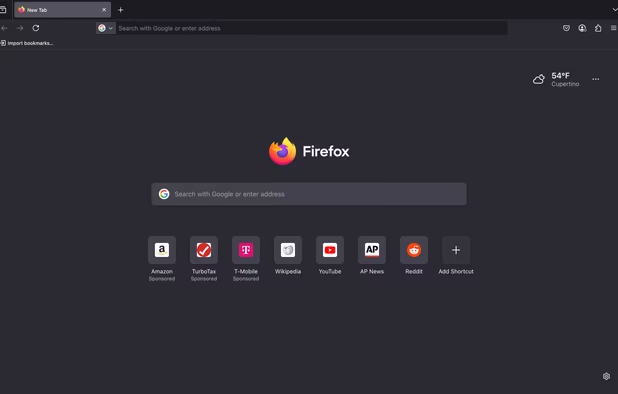
  1. Open-source browser with Gecko engine, supporting HTML add-ons and providing privacy features like Enhanced Tracking Protection and third-party cookie blocking.

    Cost / License

    • Free
    • Open Source

    Application type

    Platforms

    • Mac
    • Windows
    • Linux
    • Android
    • iPhone
    • Android Tablet
    • BSD
    • HUAWEI AppGallery
    • iPad
    • AppImageHub
    • Snapcraft
    • Linux Mobile
    • Flathub
    • Samsung Galaxy Store
    • PortableApps.com
    • Haiku
    • Flatpak
    • Homebrew
    • Chocolatey
    • Gecko
    • F-Droid
    More protection from the start
    Firefox Desktop (Light Theme)
    Firefox Desktop (Dark Theme)
    +8
    Firefox iOS (Light Theme)
    kshaner’s note

    Still the standard for dev tools

  2. Web browser built on an open-source platform featuring multiple account support, integrated password manager, dark mode, real-time translation, and seamless cross-device syncing.

    Cost / License

    • Free
    • Proprietary

    Application type

    Platforms

    • Mac
    • Windows
    • Linux
    • Android
    • iPhone
    • Chrome OS
    • Android Tablet
    • iPad
    • Flathub
    • PortableApps.com
    • Chocolatey
    Google Chrome screenshot 1
    Google Chrome screenshot 1
    Google Chrome screenshot 2
    +12
    Google Chrome screenshot 3
    kshaner’s note

    Cause it's what most people use

  3. Chromium-based browser for Windows, macOS, Linux, iOS, and Android, offering extension support, privacy features, smart security, and cloud sync across devices.

    Cost / License

    • Free
    • Proprietary

    Application type

    Platforms

    • Mac
    • Windows
    • Linux
    • Android
    • iPhone
    • Android Tablet
    • HUAWEI AppGallery
    • iPad
    • Flathub
    • Samsung Galaxy Store
    • Xbox
    • Chocolatey
    Microsoft Edge screenshot 1
    Microsoft Edge screenshot 1
    Microsoft Edge screenshot 2
    +1
    Microsoft Edge screenshot 3
    kshaner’s note

    Good browser that's getting better

  4. A graphical web browser developed by Microsoft as part of Windows OS since 1995, reaching peak usage with IE5 and IE6 before declining.

    Cost / License

    • Free
    • Proprietary

    Application type

    Platforms

    • Windows
    • Windows Phone
    IE11 on Windows 7
    IE11 - Tabs on Separate Row
    IE11 - Internet Options
    +2
    IE11 - Downloads Window
    kshaner’s note

    Cause you have to

  5. BrowserStack is the world’s largest cloud platform for software testing, with 20,000+ real Android and iOS devices that allow developers to comprehensively test their websites and apps for functionality, performance, and visual appeal.

    Cost / License

    • Paid
    • Proprietary

    Application type

    Platforms

    • Online
    Dev Tools
    Dashboard
    Dev Tools
    +2
    Test Management
    kshaner’s note

    Browserstack is great for testing iOS, Android, and Safari on Mac. While not free, it's an invaluable resource.

  6. AI-native platform for intelligent, automated testing of web, mobile, and enterprise apps at scale with real device, browser, and environment support.

    Cost / License

    • Freemium
    • Proprietary

    Application type

    Platforms

    • Mac
    • Windows
    • Online
    • Google Chrome
    • Software as a Service (SaaS)
    • Wordpress
    TestMu AI  screenshot 1
    TestMu AI  screenshot 1
    TestMu AI  screenshot 2
    +6
    TestMu AI  screenshot 3
    kshaner’s note

    Similar to Browserstack but you get 60 free minutes per month.

Tools

Optional, and highly opinionated.

  1. CopyQ icon
     Like

    Multi-platform clipboard tool monitoring and saving text, images, and custom formats, with tabs, search, shortcuts, scripting, and customization for efficiency.

    Cost / License

    • Free
    • Open Source

    Application type

    Platforms

    • Mac
    • Windows
    • Linux
    • Flathub
    • PortableApps.com
    • Flatpak
    • Homebrew
    • Chocolatey
    CopyQ screenshot 1
    Shows a list of previously copied text or images.
    Tabs with text, HTML and image items
    +5
    Simple built-in editor
    kshaner’s note

    Not sure how I worked without a clipboard manager before. CopyQ gets the nod for having an encryption option.

  2. 1Password icon
     Like

    Securely manage passwords across devices with auto-fill and vulnerability alerts, organizing passwords and notes for quick access and synchronization.

    Cost / License

    • Paid
    • Proprietary

    Application type

    Platforms

    • Mac
    • Windows
    • Linux
    • Online
    • Android
    • iPhone
    • Chrome OS
    • Android Tablet
    • iPad
    • Apple Watch
    • Snapcraft
    • Microsoft Edge
    • Vivaldi
    • Google Chrome
    • Flathub
    • Safari
    • Yandex Browser
    • Flatpak
    • Opera
    • Brave
    • Mozilla Firefox
    Desktop & Mobile Apps
    1Password screenshot 1
    1Password screenshot 2
    +2
    1Password screenshot 3
    kshaner’s note

    Credentials management is a must. 1Password has great teams integration for sharing credentials amongst teams.

  3. KeePass icon
     Like

    Free and open source password manager storing passwords in a local encrypted database with strong AES or Twofish encryption and master key access.

    Cost / License

    • Free
    • Open Source

    Application type

    Platforms

    • Mac
    • Windows
    • Linux
    • BSD
    • Mono
    Entry Templates Plugin
    Main window
    Login Screen
    +5
    Built-in Password Generator
    kshaner’s note

    For people who want a pure and verifiable open source password manager, but no teams integration.

  4. A powerful Mac and Windows client for Mercurial and Git distributed version control systems.

    Cost / License

    • Free
    • Proprietary

    Application type

    Platforms

    • Mac
    • Windows
    Sourcetree screenshot 1
    Sourcetree screenshot 1
    Git-flow and Hg-flow out of the box
    +3
    Sourcetree screenshot 3
    kshaner’s note

    For the more complex git operations when the command line gets awkward

  5. WinSCP  icon
     Like

    A versatile client for SFTP, FTP, and other protocols for file transfer. It offers GUI choice, and supports automation and key authentication.

    Cost / License

    • Free
    • Open Source

    Application type

    Platforms

    • Windows
    • PortableApps.com
    • Wine
    WinSCP  screenshot 1
    WinSCP  screenshot 1
    WinSCP  screenshot 2
    +7
    WinSCP  screenshot 3
    kshaner’s note

    Still the best SFTP/FTP client for Windows.

  6. A powerful REST API Client with cookie management, environment variables, code generation, and authentication for Mac, Window, and Linux.

    Cost / License

    • Freemium
    • Open Source

    Application type

    Platforms

    • Mac
    • Windows
    • Linux
    • Flathub
    • Flatpak
    Specify URL, payload, headers, and authorization all in one place. Then just hit send.
    Generate code snippets for over thirty different language libraries, like NodeJS, Go, Swift, Python, Java, C, and others.
    Easily view and manage cookies in a simple yet powerful interface. Cookies are automatically stored and sent with every request, just as you would expect.
    +2
    Reuse common variables like API keys using environments. Define them globally or switch between sub-environments for a seamless development/production workflow.
    kshaner’s note

    Great for working with API's

No comments so far, maybe you want to be first?