Privacy focused OS for everyone

This is a recommandation of privacy focused OS for anyone. Noob or Nerd, you should find something nice to use and hopeful daily drive! If you run an Android based phone and want more privacy/control check :the ultimate F-Droid setup

Also check My privacy & user friendly setup for everyone

If you want to learn more on how to buy, store and use crypto the right way to empower your sovereignty and/or privacy look at my other list Doing crypto the right way !

If you need to setup your computer here are my lists of useful (free) tools: https://alternativeto.net/software/linux-kernel/about/ : https://alternativeto.net/list/29661/my-linux-setup/ https://alternativeto.net/software/mac-os/about/ https://alternativeto.net/list/29658/my-macos-setup/ https://alternativeto.net/software/windows-10/about/ / https://alternativeto.net/software/windows-11/about/ : https://alternativeto.net/list/29653/my-windows-setup/

Darlene Sonalder
Darlene SonalderList by Darlene Sonalder, last updated 
Copy a direct link to this comment to your clipboard
  1. Mobile OS

  2. Only runs on Google Pixel devices this privacy and security focused customROM is probably the most secure and private way to use Android icon Android ! It allows you to relock the bootloader and comes with security enhancements. It does not come with Google Play Services (Google Mobile Services) so some apps might not work like your banking app for exemple, see Plexus (https://plexus.techlore.tech/) for supported apps.

    Now GrapheneOS supports Sandboxed Google Play Services which means you can install them like a real app, it will not have privileges, you can revoke access to location, call history, etc... and 99.99% of apps should work on the user profiles you installed GrapheneOS on ! If you want notifications to work you should allow Play Services to be not battery restricted. You do NOT need to login !!!

    Cost / License

    • Free
    • Open Source

    Application types

    Platforms

    • Android
    • Android Tablet
    GrapheneOS screenshot 1
    GrapheneOS screenshot 1
    GrapheneOS screenshot 2
  3. CalyxOS icon
     Like

    A privacy by design customROM that let you use microG icon microG (open source Google Play Services implementation), which is 100% optional ! It also only runs on Google Pixel devices (and one budget Xiaomi phone) but they're considering supporting more devices in the future ! It allows you to relock the bootloader and comes with default android security and monthly patches. Even if you enable microG some apps might not work like your banking app for exemple, see Plexus (https://plexus.techlore.tech/) for supported apps. At the installation it proposes you many apps (all open source) to install so you get a completely working phone.

    It's what I run on my main device for more than a year now and I really love the project and the team behind !

    Cost / License

    • Free
    • Open Source

    Application types

    Platforms

    • Android
    Encrypted communications
    Tor Browser installed
    Download apps from F-Droid and Aurora Store
  4. DivestOS icon
     Like

    This one is a recent and interesting privacy focused customROM based on the popular LineageOS icon LineageOS ! It supports a large amount of phones but most are not stable builds at the moment. It allows you to relock the bootloader on some of the supported devices but not all of them. The project is quiet new and not as mature as CalyxOS icon CalyxOS or GrapheneOS icon GrapheneOS but the stable builds worth the shot ! I do not have tested it yet but I really want to see this project growing ^^ It does not provide support for either microG or Sandboxed Google Services so see Plexus (https://plexus.techlore.tech/) for supported apps.

    Cost / License

    • Free
    • Open Source

    Application types

    Platforms

    • Android
    • Android Tablet
    DivestOS screenshot 1
  5. /e/ icon
     Like

    This terribly named customROM is also based on LineageOS icon LineageOS without any Google code in it. microG icon microG is installed by default. It supports some Samsung Galaxy and Fairphone and allow you to directly buying them with /e/OS preinstall on it. The bootloader can be relocked on the FP3,FP3+ and FP4 ! It tries to give their users a privacy focus ecosystem. So they took open source software and kinda rebrand them so it feels more consistant as a whole. But in my opinion they still have work to do in that regard. Also some choices they've made are not the smartest in my opinion and I do prefer the CalyxOS icon CalyxOS approche.

    Cost / License

    • Free
    • Open Source

    Application types

    Platforms

    • Android
    • Android Tablet
    /e/ screenshot 1
    /e/ screenshot 2
    /e/ screenshot 3
  6. LineageOS icon
     Like

    The king of customROM ! LineageOS is not a privacy focused ROM, but it gives you way better privacy than your stock ROM... by sacrificing security, you can't relock the bootloader ! But the number of supported devices in enormous and it can allow you to use a 5 years old phone like it's almost a brand new one ! So if you don't have a Pixel and want to gain some privacy it's a great option if you are not with a high threat model. If you want to be more Google free consider LineageOS for microG icon LineageOS for microG

    Cost / License

    • Free
    • Open Source

    Application types

    Platforms

    • Android
    • Android Tablet
    Homescreen
    Notification Shade
    Settings
  7. iOS icon
     Like

    iOS is NOT a private OS compared to GrapheneOS icon GrapheneOS for exemple. Apple doesn't have a good privacy policy and even if they are probably not as a bad as Google they will still take data from you and build a complete profile about you. BUT iOS is not a bad privacy mobile OS either. It deals well against 3rd party tracking, even if it's not perfect. Out of the box it's not as bad as Stock Android icon Android and you can tweak some settings to make it more private. I would recommend you to install AdGuard icon AdGuard to block some traffic. If you want or have to use iOS avoid the Apple Services like Messages icon Messages or Notes icon Notes if you can find better alternatives.

    DO NOT USE iCloud icon iCloud , IT'S A PRIVACY NIGHTMARE !

    Cost / License

    • Paid
    • Proprietary

    Application types

    Platforms

    • iPhone
    iOS screenshot 1
  8. This one is interesting. It's a linux based open source (with closed sourced UI/UX elements) that supports Android Apps. It supports a nice amount of devices, have a nice UI and looks promising !

    I do not have tested it yet but I'm really interested about it !

    Cost / License

    • Paid
    • Proprietary

    Application types

    Platforms

    • Linux Mobile
    Sailfish OS screenshot 1
    Sailfish OS screenshot 1
    Sailfish OS screenshot 2
    +1
    Sailfish OS screenshot 3
  9. PureOS icon
     Like

    PureOS is designed for Purism devices such as the Librem 5. It's a privacy and security focused Linux distro made by a Purism for their laptops and now smartphones too !

    Linux based mobileOS are not as polished as Android icon Android and iOS icon iOS . It's more of a on-going things that a complete smartphone experience.

    Cost / License

    • Free
    • Open Source

    Platforms

    • Linux
    • Linux Mobile
    PureOS screenshot 1
    PureOS screenshot 1
  10. Ubuntu Touch is the mobile flavor of the well known Ubuntu icon Ubuntu linux distro, the grand father of noob friendly linux experience !

    Linux based mobileOS are not as polished as Android icon Android and iOS icon iOS . It's more of a on-going things that a complete smartphone experience.

    Cost / License

    • Free
    • Open Source

    Application types

    Platforms

    • Linux
    Ubuntu Touch screenshot 1
    Ubuntu Touch screenshot 1
    Ubuntu Touch screenshot 2
    +3
    Ubuntu Touch screenshot 3
  11. The mobile flavor of the KDE Plasma icon KDE Plasma desktop environment and KDE neon icon KDE neon linux distro !

    Linux based mobileOS are not as polished as Android icon Android and iOS icon iOS . It's more of a on-going things that a complete smartphone experience.

    Cost / License

    • Free
    • Open Source

    Application types

    Platforms

    • Linux
    • KDE
    • Linux Mobile
    Plasma Mobile screenshot 1
    Plasma Mobile screenshot 2
    Plasma Mobile screenshot 3
  12. Smartwatch OS

  13. The only open source OS for smartwatch that I've found. It's based on Linux and while the project is awesome it's not even close to watchOS icon watchOS or Wear OS icon Wear OS . It has nice features but the syncing with the phone is (for now) pretty limited. But an interesting project and probably the only privacy focused smartwatch OS !

    Cost / License

    • Free
    • Open Source

    Application type

    Platforms

    • Linux
    AsteroidOS screenshot 1
    AsteroidOS screenshot 1
    AsteroidOS screenshot 2
    +8
    AsteroidOS screenshot 3
  14. Computer OS

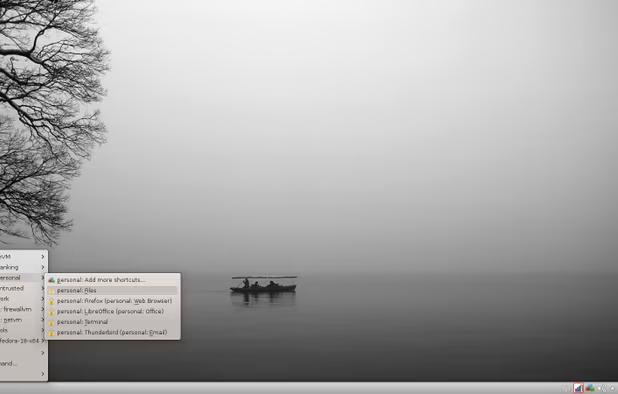
  15. Qubes OS icon
     Like

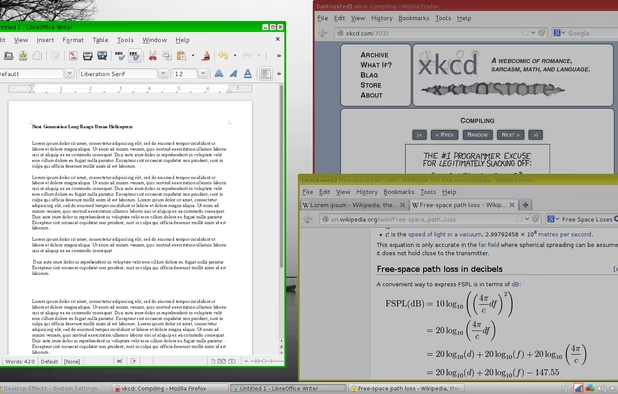
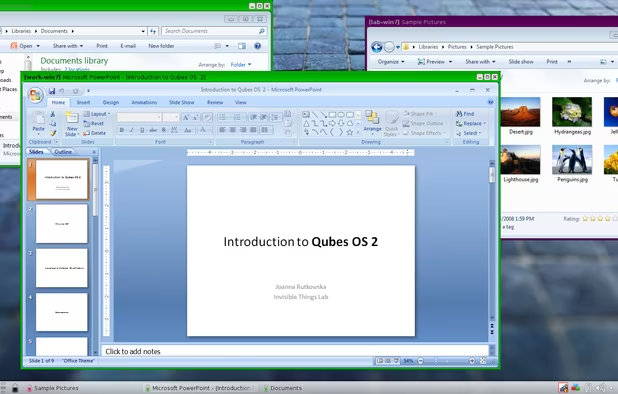
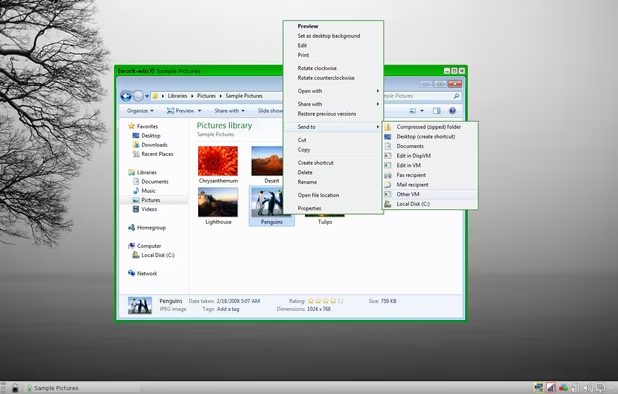
    A privacy/security linux distro that do compartmentalization on an OS level. You will need a good computer to run this smoothly.

    Cost / License

    • Free
    • Open Source

    Platforms

    • Linux
    • Fedora
    • Xen
    Qubes OS screenshot 1
    Qubes OS screenshot 1
    Qubes OS screenshot 2
    +9
    Qubes OS screenshot 3
  16. Whonix icon
     Like

    Another privacy/security linux distro that also have advanced features. Nice to have in a VM. It roots all the internet traffic through Tor icon Tor

    Cost / License

    • Free
    • Open Source

    Platforms

    • Linux
    Whonix Desktop Environment
    Whonix Workstation running on Ubuntu
    Whonix Gateway running on XFCE
  17. Every linux-based operating system is better than Windows 10 icon Windows 10 when it comes to privacy ! If I have to recommend you one distro for day-to-day usage of an average computer enthousiast I'll choose Pop!_OS icon Pop!_OS . It's made by a company that sells computers with open source hardware : System76 If you want more choice for new comers my linux setup list start with distro recommendation based on your current OS

    Cost / License

    • Free
    • Open Source

    Application type

    Platforms

    • Linux
  18. macOS icon
     Like

    macOS is a nice privacy OS for Computer, linux can be a pain in the ass if you don't have a nice beginner-friendly distro or good hardware support. Also software compatibility could be an issue for professionals. If you disable the analytics and don't use iCloud icon iCloud or the Apple App Store icon Apple App Store (go on official websites, most softwares allow direct download) and are not connected to an AppleID account you get quiet strong privacy. You can use a firewall like Little Snitch icon Little Snitch or LuLu by Objective-See icon LuLu by Objective-See to block internet traffic and prevent Apple to get things about you.

    Cost / License

    • Free
    • Proprietary

    Application type

    Platforms

    • Mac
    macOS screenshot 1
    macOS screenshot 1
    macOS screenshot 2
    +4
    macOS screenshot 3
  19. BONUS

  20. Tails icon
     Like

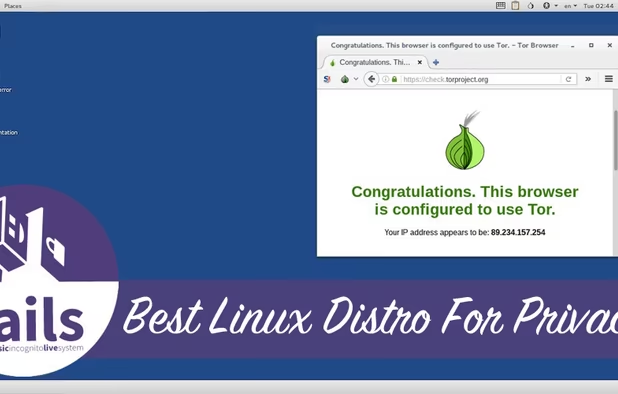
    This let you run a privacy focused Linux on any computer through a USB drive, CD or SD card. It roots all the internet traffic through Tor icon Tor

    Cost / License

    • Free
    • Open Source

    Platforms

    • Linux
    • Tor Browser
    • GNOME
    • Tor
    • Thunderbird
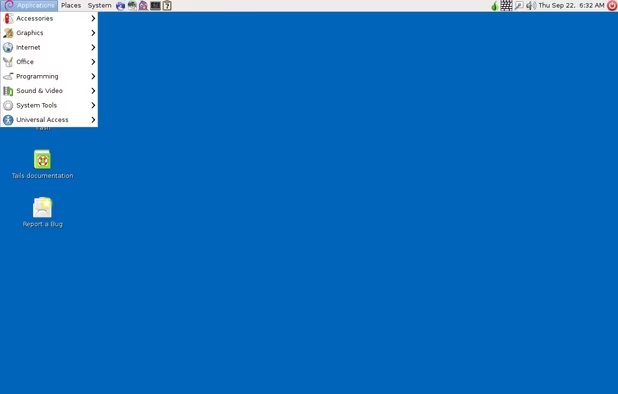
    Tails screenshot 1
    Tails screenshot 1
  21. AtlasOS icon
     Like

    If you are not ready to do the jump from Windows to Linux as a gamer with almost 0-knowledge on computer for exemple, AtlasOS could be a nice option. It's a customized version of Windows that aim to be more private and optimized for gaming.

    Cost / License

    • Free
    • Open Source

    Application type

    Platforms

    • Windows
    AtlasOS screenshot 1
No comments so far, maybe you want to be first?
Gu