Free Video Editors

All apps in Free Video Editors category. Use the filters below to narrow down your search. 
Copy a direct link to this comment to your clipboard
  1. Kdenlive icon
     865 likes

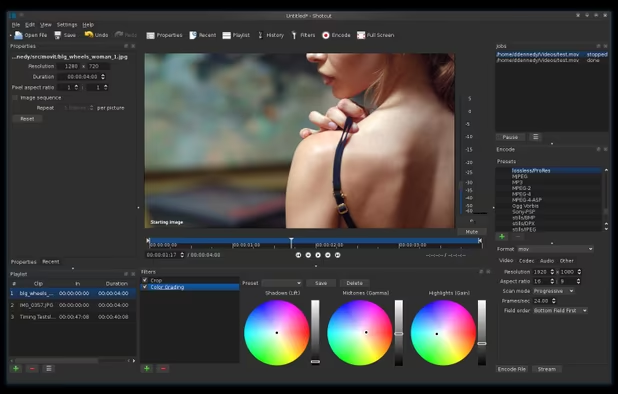
    Intuitive multi-track video editor with robust hardware-accelerated support; offers chroma key, color grading, and extensive audio/video format compatibility.

    • Video Editor
    • FreeOpen Source
    • Mac
    • Windows
    • Linux
    • BSD
    • KDE Plasma
    • Snapcraft
    • Flathub
    • Flatpak
    Logging
    117 alternatives
    4.1
    Very Good100 reviews
  2. Shotcut icon
     466 likes

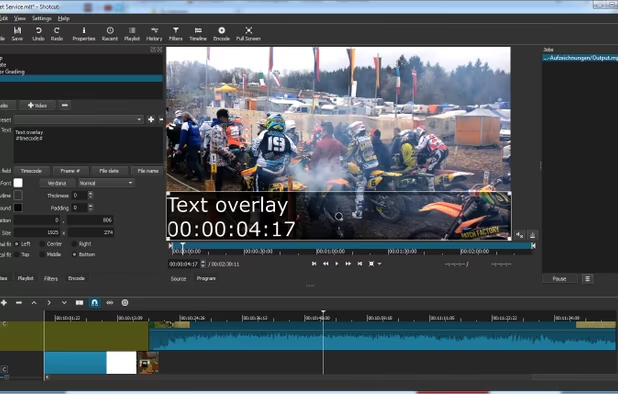
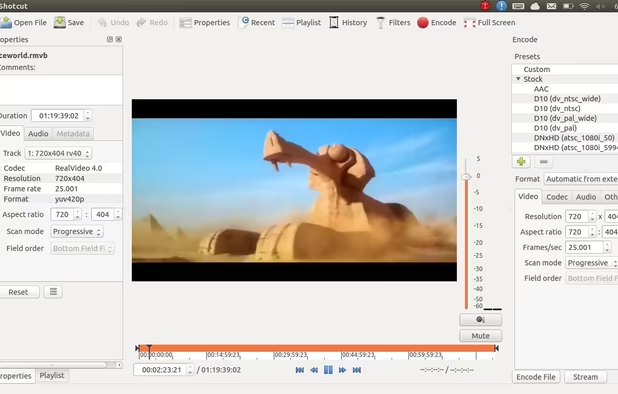
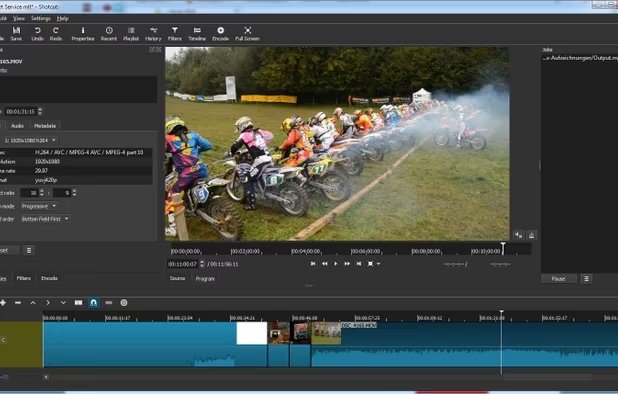
    Free, open-source video editing with multi-format timelines, frame accurate seeking, and robust capture support up to 4k for diverse projects.

    • Video Editor
    • FreeOpen Source
    • Mac
    • Windows
    • Linux
    • AppImageHub
    • Snapcraft
    • Flathub
    • PortableApps.com
    Text filter settings
    130 alternatives
    3.9
    Good50 reviews
  3. DaVinci Resolve icon
     438 likes

    Advanced video editing and color correction with integrated visual effects, motion graphics, and audio post-production tools, used by professionals.

    Hollywood's #1 Post Solution
    114 alternatives
    4.0
    Very Good29 reviews
  4. OpenShot icon
     567 likes

    Free, open-source video editor featuring cross-platform support, unlimited tracks, trim and slice tools, 3D animated titles, and video effects for editing projects.

    • Video Editor
    • FreeOpen Source
    • Mac
    • Windows
    • Linux
    • Flathub
    • Flatpak
    OpenShot 3.3 interface
    133 alternatives
    2.7
    Poor54 reviews
  5. Avidemux icon
     650 likes

    Linear video editor for basic cutting, filtering, encoding, scripting, and batch processing; supports many formats but not for non-linear or montage editing.

    • Video Editor
    • FreeOpen Source
    • Mac
    • Windows
    • Linux
    • BSD
    • PortableApps.com
    Avidemux screenshot 1
    151 alternatives
    4.2
    Very Good29 reviews
  6. LosslessCut icon
     126 likes

    Simple, cross platform video editor for lossless trimming / cutting of videos. Great for rough processing of large video files taken from a video camera, GoPro, drone, etc. Lets you quickly extract the good parts from your videos and discard GB of data without losing quality.

    LosslessCut screenshot 1
    17 alternatives
    4.8
    Excellent24 reviews
  7. MKVToolnix icon
     233 likes

    MKVToolnix is a set of tools to create, alter and inspect Matroska files under Linux, other Unices and Windows. They do for Matroska what the OGMtools do for the OGM format and then some. The latest builds now have the ability to create WebM compliant Files.

    MKVToolnix v89.0 in Dark Mode
    31 alternatives
  8. Open Video Editor lets you edit your videos. It supports HDR and allows to apply filters. With this app you also can trim, scale, and rotate your videos or even grayscale them. It is also possible to use this app to extract audio from a video, to convert a HDR video to SDR, or...

    Open Video Editor screenshot 1
    Open Video Editor screenshot 2
    Open Video Editor screenshot 3
    70 alternatives
  9. CapCut icon
     64 likes

    CapCut is a free video editing app offering a suite of features including cutting, speed adjustment, advanced filters, a vast music library, and creative effects to produce high-quality videos.

    • Video Editor
    • FreemiumProprietary
    • Mac
    • Windows
    • Online
    • Android
    • iPhone
    • Android Tablet
    • iPad
    CapCut screenshot 1
    163 alternatives
    4.2
    Very Good14 reviews
  10. VirtualDub icon
     323 likes

    VirtualDub is a video capture/processing utility for 32-bit and 64-bit Windows platforms (98/ME/NT4/2000/XP/Vista/7), licensed under the GNU General Public License (GPL). It lacks the editing power of a general-purpose editor such as Adobe Premiere, but is streamlined for fast...

    • Discontinued
    • Video Editor
    • FreeOpen Source
    • Windows
    • PortableApps.com
    Main window with input and output window
    133 alternatives
  11. Camtasia icon
     233 likes

    Create stunning HD videos with compact file sizes using this intuitive tool with presets for YouTube, HD display, and Screencast.com platforms.

    Camtasia screenshot 1
    266 alternatives
    3.0
    Fair12 reviews
  12. Omniclip icon
     14 likes

    If you are tired of paying to use all the features of existing video editing applications, then you might have found a gem! Turns out Omniclip is fully free and on top of that it's open source. Everything works inside browser, there's no private data being used...

    Omniclip screenshot 1
    68 alternatives
  13. Lightworks icon
     166 likes

    Lightworks is an editing powerhouse, delivering unparalleled speed and flexibility, fully integrated with the other members of the Complete Collaboration family.

    Lightworks screenshot 1
    107 alternatives
    2.8
    Poor11 reviews
  14. Edits icon
     12 likes

    Create and edit videos with precision and share on Instagram without watermarks. Enjoy high-quality captures, AI features, custom captions, and engagement insights.

    Edits screenshot 1
    Edits screenshot 2
    Edits screenshot 3
    72 alternatives
  15. User-friendly video editor with drag-and-drop timeline, 4K export, effects, transitions, titles, music editing, AI tools, screen recording, and direct sharing.

    • Video Editor
    • FreemiumProprietary
    • Mac
    • Windows
    • Android
    • iPhone
    • Android Tablet
    • iPad
    Wondershare Filmora screenshot 1
    150 alternatives
    1.7
    Very Poor9 reviews
  16. Edit videos privately in your browser — no downloads or uploads needed. Remove silence, generate subtitles, and create clips with complete privacy.

    • Video Editor
    • FreemiumProprietary
    • Online
    • Software as a Service (SaaS)
    Silence Slicer screenshot 1
    19 alternatives
  17. iMovie icon
     121 likes

    With iMovie for iOS and macOS, you can enjoy your videos like never before. It’s easy to browse your clips and create Hollywood-style trailers and stunning 4K-resolution movies. You can even start editing on iPhone or iPad, then finish on your Mac.

    Whether you’re using a Mac or an iOS device, it’s never been easier to make it in the movies. Just choose your clips, then add titles, music, and effects. iMovie even supports 4K video for stunning cinema-quality films. And that, ladies and gentlemen, is a wrap.
    153 alternatives
  18. ActivePresenter icon
     61 likes

    Authoring tool for interactive eLearning, screen recording, and video editing with support for flexible layouts, quiz integration, and export to video, HTML5, SCORM, xAPI, PDF, and office formats.

    ActivePresenter screenshot 1
    114 alternatives
    4.4
    Very Good7 reviews