

Open-source design tool with code inspection, flexible responsive layouts, real-time collaboration, layer support, auto layout, reusable components, and no tracking.
 Spain
Spain EU
EU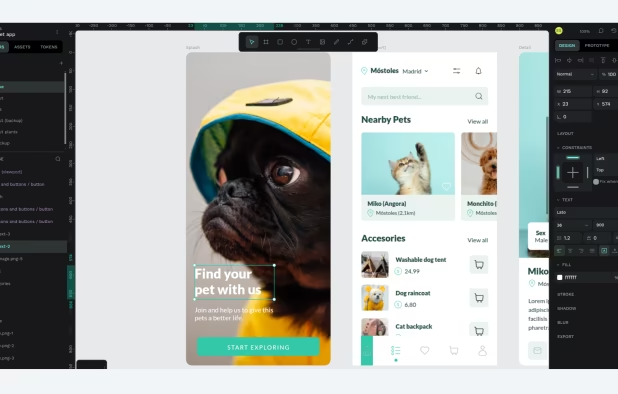


+2


4.7
Excellent30 reviews


Open-source design tool with code inspection, flexible responsive layouts, real-time collaboration, layer support, auto layout, reusable components, and no tracking.

A feature-rich, simple-to-use app seamlessly integrated with a clean, minimal and modern user interface.


Client-side editing with advanced color controls, professional optics, non-destructive workflow, .CUBE LUT export, steganographic presets, and public grade sharing.


Generates color themes that can inspire any project. No matter what you're creating, with Kuler you can experiment quickly with color variations and browse thousands of themes from the Kuler community.


Pixen is a pixel art editor designed for working with low-resolution raster art, such as those 8-bit sprites found in old-school video games. With innovative features like a color palette system, patterns, and high-zoom support, Pixen packs all the tools pixel artists need in an...


Just Color Picker is a tool that captures the colour of any pixel in any screen area and displays its code in a variety of formats.


If you want to choose a color palette for UI properly, the least you have to do is put them on a lofi UI or grayscale the entire UI on Figma, Adobe XD, or similar platforms to get a better idea of what those colors will actually look like on a product.


Welcome to OmniTools, a self-hosted platform offering a variety of online tools to simplify everyday tasks. Whether you are manipulating images, crunching numbers, or coding, OmniTools has you covered. Please don't forget to star the repo to support us.


Browser-based 3D editor for designing animated banners, social media ads, and high-res thumbnails with WebGL rendering, local AI tools, and cloud features.


Magma is where artists draw, collaborate, and grow together. Join shared canvases, follow favorite creators, and take part in live Art Jams.


Windows image editor with crop, resize, rotate, filters, stickers, frames, drawing tools, photo manager, collage presets, and multi-format support.


Instant Eyedropper is a free color detection tool for webmasters that will identify and automatically paste to the clipboard the HTML color code of any pixel on the screen with just a single mouse click.


The refreshingly simple color picker for developers that instantly samples and encodes any color on your screen. Just one quick click to savor the flavor and you're set!.


Mobile app featuring 30+ pro color tools, AI upscaling, RAW editing, smart object removal, batch processing, deep Photos integration, and film-inspired presets.


Professional raster editor offering non-destructive layer editing, 18 retouching tools, full Unicode text support, advanced filters, format versatility, and CMYK.


Free design platform with over 500K templates for presentations, social media, and events. Features AI tools for easy in-browser creation.

 Canvaand

KColorChooser is a color palette tool, used to mix colors and create custom color palettes. Using the dropper, it can obtain the color of any pixel on the screen. A number of common color palettes are included, such as the standard Web colors and the Oxygen color scheme.


Pika (pronounced pi·kuh, like picker) is an easy to use, open-source, native colour picker for macOS. Pika makes it simple to quickly find colours on screen, in the format you need, so you can get on with being a speedy, successful designer.


 Microsoft PowerToys
DevHub is a feature-rich offline application, carefully crafted to support developers' daily tasks and ensure the highest security of their data.


Small utility that can show you coordinates and color of any pixel on your screen in different formats (HEX, HTML, RGB, CMYK, HSV). It's staying on top, displays a color of that pixel under mouse cursor, the program can magnify that zone w/ hotkey.


Pixquare is a powerful pixel art app for iPad. If you are looking for an app with a simple UI, easy workflow, and advanced features for pixel art creation, then Pixquare is a good choice for you!.


 Vietnam


 India
India


 Italy
Italy
 United States


 Czechia
 Lithuania


 Cyprus


 Canada
 South Korea
 Germany

 China
China


