Apps tagged with 'windows-utility'

All apps in Apps tagged with 'windows-utility' category. Use the filters below to narrow down your search. 
Copy a direct link to this comment to your clipboard
  1. WindowSill icon
     17 likes

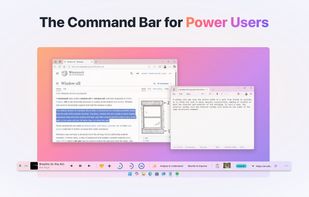
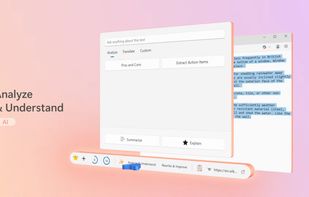
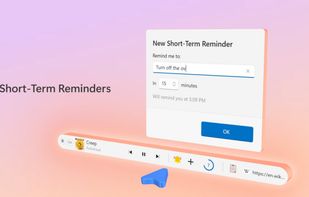
    AI-powered command bar for Windows 10 and 11 centralizes productivity, featuring clipboard privacy, batch image actions, reminders, and advanced AI writing tools.

    Cost / License

    • Freemium
    • Proprietary

    Application type

    Platforms

    • Windows
    WindowSill screenshot 1
    WindowSill screenshot 1
    WindowSill screenshot 2
    +9
    WindowSill screenshot 3
    35 alternatives
  2. PowerToys Awake is a tool for Windows designed to keep a computer awake without having to manage its power & sleep settings. This can be helpful when running time-consuming tasks, ensuring that the computer does not go to sleep or turn off its screens.

    Cost / License

    • Free
    • Open Source (MIT)

    Application type

    Platforms

    • Windows
    PowerToys -  Awake screenshot 1
    PowerToys -  Awake screenshot 1
    48 alternatives
  3. DeskScope icon
     3 likes

    DeskScope is an easy-to-use window manager with the Desk View™, an interactive view of the desktop. DeskScope creates mini-windows on the Desk View to represent desktop applications and Windows 11 apps.

    Cost / License

    • Free
    • Proprietary

    Application type

    Platforms

    • Windows
    DeskScope screenshot 1
    80 alternatives
  4. DWN.BRIDGE icon
     4 likes

    DWN.Bridge is an open-source Windows desktop utility and framework (written in C# WPF and built on .NET) designed to act as a secure, local-first bridge between web-based Large Language Models (LLMs) and a user's local environment.

    Cost / License

    • Free
    • Open Source (MIT)

    Platforms

    • Windows
    choose a local folder as your workspace DWNBridge allows Gemini Web to access the local files
    Choose your agent, go build using backend Gemini Web Chat!
    Community Agents can be chosen, or new agents can be customized by users
    +1
    Login screen multiple choices, even guests with no email are allowed
    2 alternatives
  5. KatMouse icon
     28 likes

    The prime purpose of the KatMouse utility is to enhance the functionality of mice with a scroll wheel, offering universal scrolling: moving the mouse wheel will scroll the window directly beneath the mouse cursor (not the one with the keyboard focus, which is default on Windows...

    Cost / License

    • Free
    • Proprietary

    Application type

    Platforms

    • Windows
    KatMouse screenshot 1
    KatMouse screenshot 1
    KatMouse screenshot 2
  6. OneWaySynchronize is a Windows command line tool for backing up files from A (source) to B (destination). It will make sure that B is an exact copy of A, by copying files and overwriting and deleting files on B. The original A files are never modified in any way.

    Cost / License

    • Free
    • Open Source

    Application type

    Platforms

    • Windows
    OneWaySynchronize screenshot 1
    15 alternatives
  7. WinZenith icon
     Like

    Application with useful tools to maintain your windows / apps updates, driver updates and more. Completely free, portable and without ads.

    Cost / License

    • Free
    • Proprietary

    Platforms

    • Windows
    WinZenith screenshot 1
    WinZenith screenshot 1
    WinZenith screenshot 2
    6 alternatives
  8. Desktop Icon Toggler is a lightweight, zero-dependency C# utility designed to show or hide Windows desktop icons instantly with a single click from the taskbar.

    Cost / License

    • Free
    • Open Source (MIT)

    Platforms

    • Windows
    Desktop Icon Toggler screenshot 1
    1 alternatives
  9. Folder Frenzy is a small tool that helps you create new folders. The names that the folders should have can be typed or pasted into the list box. Each folder name should be entered on a new line. There is also a build in list creator which creates a specified numbers of folders...

    Cost / License

    • Free
    • Proprietary

    Platforms

    • Windows
    Folder Frenzy screenshot 1
    2 alternatives
  10. FreshDisk icon
     Like

    A modern disk space analyzer for Windows that visually maps your storage and uses AI to help you quickly find and clean up unnecessary files.

    Cost / License

    • Freemium
    • Proprietary

    Application type

    Platforms

    • Windows
    Main screen of FreshDisk visualizing disk space usage
    8 alternatives
  11. BoCaps icon
     Like

    BoCaps lets you switch selected text between uppercase and lowercase with a double-tap of Caps Lock, in any Windows app. No menus, no shortcuts to memorize: select your text, double-tap Caps Lock, and it flips case instantly.

    Cost / License

    • Free
    • Proprietary

    Platforms

    • Windows
    Two taps. Case fixed.
    Not just Word. Anywhere you type.
    Quiet in the tray, always ready.
    +1
    Your pace, not the app's.
    1 alternatives
  12. A lightweight Windows utility that helps keep your PC active during long work sessions and provides quick local notes.

    Cost / License

    • Paid
    • Proprietary

    Platforms

    • Windows
    Keep your PC awake while reading, testing, or working online — and keep quick local notes nearby.
    Reading documents, waiting for builds or exports, or monitoring long-running tasks? Keep Active helps reduce unwanted interruptions.
    Save simple local memos in a compact list while you work.
    +3
    Search across notes to find saved text and work details when you need them.
  13. CineCinch icon
     Like

    Find and compress space-hogging videos with a simple Windows tool that analyzes folders, ranks inefficient files, and batch-compresses them using H.265 — no complicated presets or command lines.

    Cost / License

    • Paid
    • Proprietary

    Application type

    Platforms

    • Windows
    CineCinch screenshot 1
    43 alternatives
  14. Professional data recovery software for Windows. Features a powerful freemium model allowing users to recover up to 50 files and 5 GB of data for free.

    Cost / License

    • Freemium
    • Proprietary

    Platforms

    • Windows
    StrongRecovery main interface: Drive selection and file system analysis. Supports NTFS, FAT32, exFAT, and UDF on HDD, SSD, USB drives, and SD cards.
    Scan results overview: StrongRecovery successfully reconstructs folder structures and identifies deleted files. Users can browse recovered data and select specific items for restoration.