
File Renamer X icon
File Renamer X icon

File Renamer X

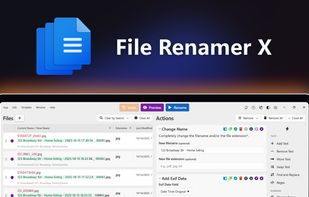
Rename thousands of files in seconds with 16 stackable actions. Batch rename by Exif data, metadata, regex, date, and more. One-time purchase, no subscriptions.
File Renamer X screenshot 1

Cost / License

  • Pay once
  • Proprietary

Application type

Platforms

  • Windows
  • Mac
0likes
0comments
0articles

Features

  1.  No Tracking
  2.  No registration required
  3.  Ad-free
  4.  Works Offline
  5.  Dark Mode
  6.  Batch Rename Files
  7.  File Renaming

File Renamer X News & Activities

Highlights All activities

Recent activities

File Renamer X information

  • Licensing

    Proprietary and Commercial product.
  • Pricing

    One time purchase (perpetual license) ranging between $15 and $20.
  • Alternatives

    19 alternatives listed
  • Supported Languages

    • English
File Renamer X was added to AlternativeTo by jediwade on and this page was last updated .
No comments or reviews, maybe you want to be first?

What is File Renamer X?

The Ultimate Bulk File Renamer Rename thousands of files in seconds with 16 intuitive, stackable actions. Professional precision, without the learning curve. One-time purchase. No subscriptions, ever.

Rename Thousands of Files in Seconds Whether you are a casual user trying to rename a few family photos or a photographer who takes thousands of shots on a shoot, File Renamer X is for you. It is the perfect tool for designers, developers, and anyone who manages a media server. If you are looking for speed, File Renamer X can batch rename thousands of files in just a few seconds, even on older hardware. With an intuitive user interface, File Renamer X is simple to use and even easier to master. File Renamer X features an interface designed around a single window. Preferences are there if you want to personalize the look, layout, or workflow, but you can go from zero to renamed in seconds without touching any of them.

Total Control with 16 Rename Actions File Renamer X allows you to be as simple or as complex as you want when it comes to renaming. You can find and replace a word in an instant or use Regular Expressions for advanced patterns. You can also stack actions to add text, remove phrases, and make files sequential all at once. For more specialized tasks, File Renamer X can read Exif data or extract Metadata from your files to automatically insert information like camera models or track titles directly into the filename. You can even add precise Date Stamps or Rename and Move files to new locations in one step. Whether you're cleaning up vacation photos or standardizing thousands of client deliverables, File Renamer X gets the job done in seconds. Download it from the Mac App Store or Microsoft Store and rename your first batch in minutes.

Official Links