Apps tagged with 'Text Recognition' Page 4 of 5

All apps in Apps tagged with 'Text Recognition' category. Use the filters below to narrow down your search. 
Copy a direct link to this comment to your clipboard
  1. OCR Pro+ icon
     Like

    A great way to scan documents and convert the information to text.

    Cost / License

    • Pay once
    • Proprietary

    Since

    • Since 2020 (updated Jul 2023)

    Platforms

    • iPhone
    • iPad
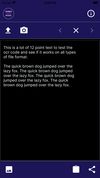
    OCR Pro+ screenshot 1
    OCR Pro+ screenshot 2
    +2
    OCR Pro+ screenshot 3
    61 alternatives
  2. SnapOCR icon
     Like

    A minimalist macOS screenshot text recognition tool.

    Cost / License

    • Free
    • Proprietary (MIT)

    Since

    • Since 2026 (updated Jan 2026)

    Platforms

    • Mac
  3. Glyfo icon
     Like

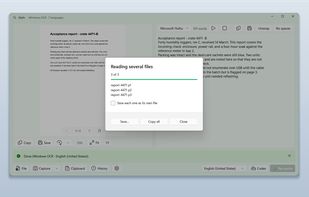
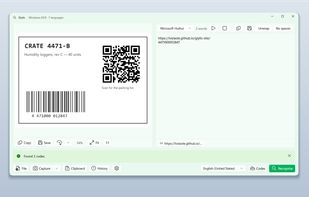
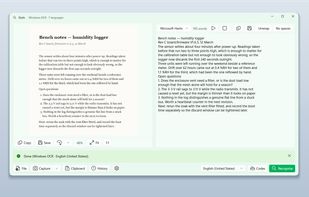
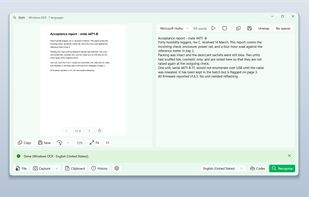
    Glyfo turns pictures of words back into words. Drag a box around part of the screen with Alt+Z, open an image or a PDF with Ctrl+O, paste from the clipboard, or send a file over from Explorer, Photos or Snipping Tool.
    Cost / License

    • Free
    • Open Source (MIT)

    Application type

    Since

    • New

    GitHub

    • GitHub stars: 1

    Platforms

    • Windows
    Glyfo screenshot 1
    Glyfo screenshot 2
    Glyfo screenshot 3
    +1
    Glyfo screenshot 4
    50 alternatives
  4. DataParse icon
     Like

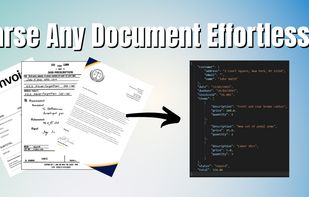
    DataParse is a smart API that extracts structured data from PDFs, images, and other documents in seconds. Using advanced OCR and AI-powered logic, it accurately identifies and organizes data, eliminating the need for manual data entry.
    Cost / License

    • Freemium (Subscription)
    • Proprietary

    Since

    • Since 2025

    Platforms

    • Online
    • Software as a Service (SaaS)
    DataParse screenshot 1
    5 alternatives
  5. Harf OCR icon
     Like

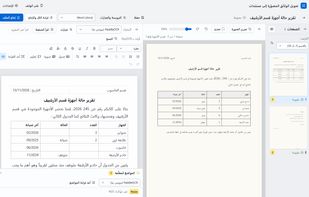
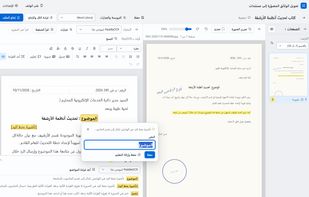
    Harf OCR is a free, open-source Windows program for offices that receive Arabic documents as phone photos. You add the pages in order and read them with a free reader that runs on your computer (PaddleOCR, Nuqta, Tesseract or EasyOCR), or with Claude or Google Cloud Vision using...
    Cost / License

    • Free
    • Open Source (MIT)

    Application type

    Since

    • New

    Platforms

    • Windows
    The pages, the photo and its text side by side
    A clicked line shown on the photo, ready to read again
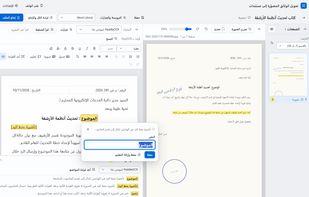
    A highlighted word with the reason it was marked
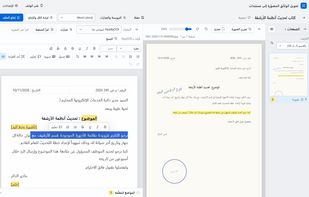
    The formatting tools above selected text
    15 alternatives
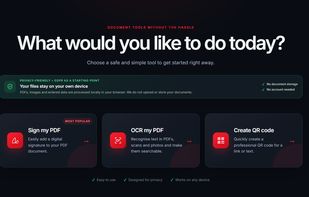
  6. A set of free, no-account web tools for everyday PDF and document tasks: adding a digital signature to a PDF, running OCR on scans or photos to make them searchable, and generating QR codes.

    Cost / License

    • Free
    • Proprietary

    Application type

    Since

    • Since 2026

    Platforms

    • Online
    • NL flagNetherlands
    • European Union flagEU
    Home page with direct buttons to the apps
    52 alternatives
  7. Clearcan icon
     Like

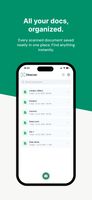
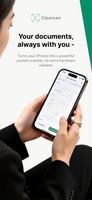
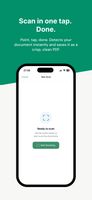
    Clearcan turns your iPhone into a fast document scanner. Point, scan, and get a clean, cropped page with text recognition — all processed on the device.
    Cost / License

    • Free
    • Proprietary

    Application type

    Since

    • Since 2026

    Platforms

    • iPhone
    Clearcan screenshot 1
    Clearcan screenshot 2
    +2
    Clearcan screenshot 3
    8 alternatives
  8. NoteOcr icon
     Like

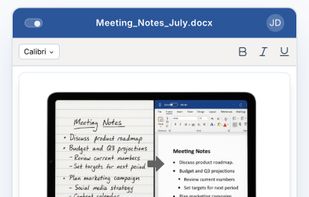
    NoteOCR is a specialized OCR tool designed to solve the problem of transcribing messy handwritten notes. Unlike generic scanners, NoteOCR focuses on cursive accuracy and structured data extraction.

    Cost / License

    • Freemium (Pay once)
    • Proprietary

    Since

    • Since 2026

    Platforms

    • Online
    • Software as a Service (SaaS)
    • NG flagNigeria
    NoteOcr converting handwritten text into formatted document
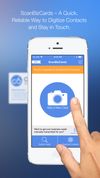
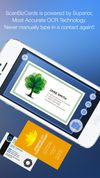
  9. Saving new connections has never been easier. ScanBizCards offers the absolute best in business card scanning, follow-up, and CRM export.
    Cost / License

    • Freemium (Subscription)
    • Proprietary

    Since

    • Since 2018 (updated Mar 2026)

    Platforms

    • Android
    • iPhone
    • iPad
    Scanbizcards screenshot 1
    Scanbizcards screenshot 2
    +7
    Scanbizcards screenshot 3
    11 alternatives
  10. norpaOCR icon
     Like

    All-in-one application for extracting text from scans, PDFs and barcodes. SDK additionally available. Cloud-solution available. Volume independent licensing. Integrators welcome.

    Cost / License

    • Paid
    • Proprietary

    Since

    • Since 2015

    Platforms

    • Windows
    • Self-Hosted
  11. Snipmunk icon
     Like

    Free, offline screenshot clipboard for Windows: capture many, annotate, copy all at once. Plus text recognition, quick redact, screen recording and step-by-step guides. No account, no cloud. ~85 MB RAM.

    Cost / License

    • Free
    • Open Source (MIT)

    Since

    • New

    GitHub

    • GitHub stars: 12

    Platforms

    • Windows
    • DE flagGermany
    • European Union flagEU
    Snipmunk screenshot 1
    Snipmunk screenshot 2
    Snipmunk screenshot 3
    +1
    Snipmunk screenshot 4
    84 alternatives
  12. WordsFromImage extracts text from images in just few clicks, with over 100+ text extraction languages to choose from. Fast, accurate and privacy-aware!

    Cost / License

    • Pay once
    • Proprietary

    Since

    • Since 2022 (updated Feb 2022)

    Platforms

    • iPhone
    • iPad
    • GB flagUnited Kingdom
    WordsFromImage screenshot 1
    WordsFromImage screenshot 2
    +5
    WordsFromImage screenshot 3
    4 alternatives
  13. Microsoft Cognitive Services let you build apps with powerful algorithms using just a few lines of code. They work across devices and platforms such as iOS, Android, and Windows, keep improving, and are easy to set up.

    Cost / License

    • Freemium
    • Proprietary

    Since

    • Since 2016

    Platforms

    • Online
    2 alternatives
  14. Notekeys icon
     2 likes

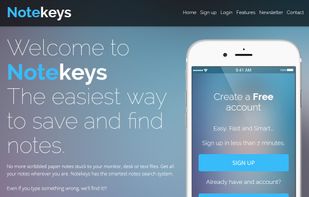
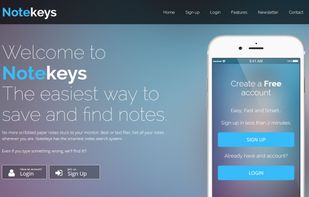
    The easiest way to save and find notes on-line.Get all your notes wherever you are. Notekeys has the smartest notes search system. Even if you type something wrong, notekeys find it by similarity.
    Cost / License

    • Free
    • Proprietary

    Application type

    Since

    • Since 2015

    Platforms

    • Online
    Home
    Home
    49 alternatives
  15. Clip Log icon
     Like

    Say goodbye to losing important snippets of text and images! Clip Log is the ultimate clipboard manager, combining intelligent organization, real-time saving, and privacy-first design. Designed to simplify your workflow, Clip Log ensures that everything you copy is instantly...

    Cost / License

    • Pay once
    • Proprietary

    Application type

    Since

    • Since 2025

    Platforms

    • Mac
    • US flagUnited States
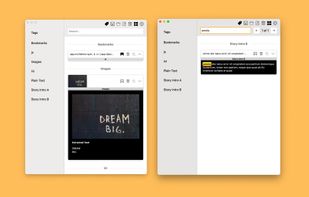
    Clip Log screenshot 1
    Clip Log screenshot 2
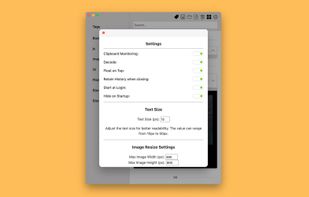
    Clip Log screenshot 3
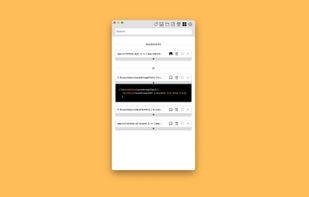
    Clip Log screenshot 4
    50 alternatives
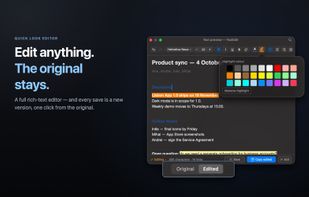
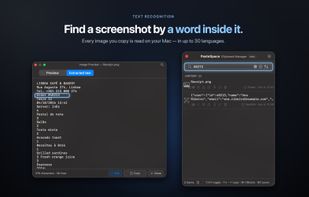
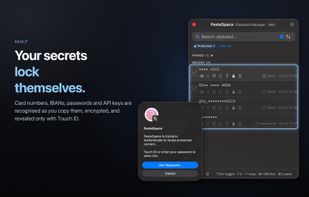
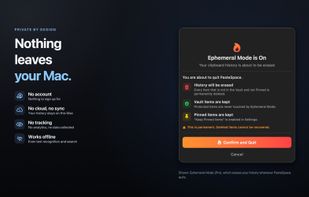
  16. Stores Mac clipboard history for text, links, images and files, with offline search, image OCR, encrypted sensitive-data vaults, edits and tools.
    Cost / License

    • Freemium (Pay once)
    • Proprietary

    Application type

    Since

    • New

    Platforms

    • Mac
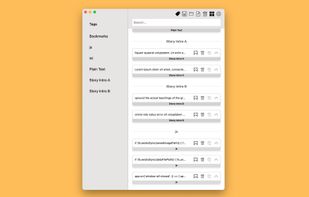
    PasteSpace screenshot 1
    PasteSpace screenshot 2
    PasteSpace screenshot 3
    +14
    PasteSpace screenshot 4
    28 alternatives
  17. Free online image and PDF tools to resize, convert, compress, remove background, create animated gif, edit, merge, and split files instantly. 100% secure, browser-based, and no registration and no installation required.
    Cost / License

    • Free
    • Proprietary

    Since

    • Since 2025

    Platforms

    • Online
    MediaTools Pro screenshot 1
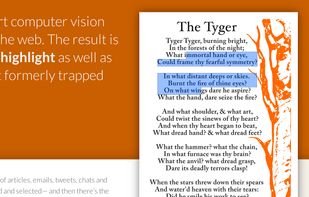
  18. Project Naptha automatically applies state-of-the-art computer vision algorithms on every image you see while browsing the web. The result is a seamless and intuitive experience, where you can highlight as well as copy and paste and even edit and translate the text formerly...

    Cost / License

    • Free
    • Proprietary

    Since

    • Since 2024

    Platforms

    • Google Chrome
    Project Naptha screenshot 1
    8 alternatives
  19. Tessernot icon
     Like

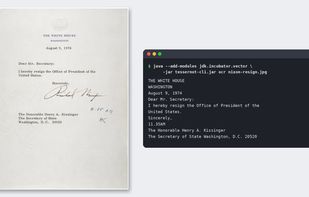
    Tessernot reads text from scans, photos and PDFs of printed documents. It runs PaddleOCR's PP-OCR models (detection, line orientation and recognition) on its own ONNX interpreter, written in Java, so it needs only a Java 21 runtime: there's no Tesseract, OpenCV or ONNX...
    Cost / License

    Since

    • New

    GitHub

    • GitHub stars: 1

    Platforms

    • Windows
    • Mac
    • Linux
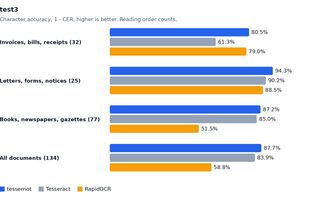
    Character accuracy (1 − CER, higher is better) on the held-out test set of 134 scanned and photographed documents, against Tesseract 5.5.3 and RapidOCR.
    A scanned 1974 letter on the left and Tessernot's command-line output on the right, read in about three seconds on a CPU with no native libraries.
    6 alternatives
  20. WD Officepad may not be one of the normal text editing applications that you may have likely come across while looking for one. This is because of its unique design principles and build style. From the ground up, its designed for users who want simplicity, ease-of-use and beauty...

    Cost / License

    • Free
    • Proprietary

    Application type

    Since

    • Since 2015

    Platforms

    • Windows
    15 alternatives
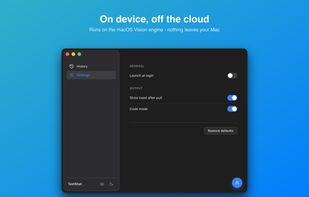
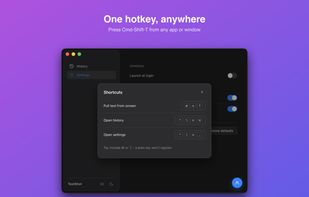
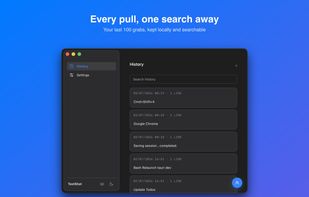
  21. TextShot captures text from anything on your screen — images, videos, PDFs, apps — with one keyboard shortcut and copies it straight to your clipboard. TextShot is included in every getapps.cafe subscription.

    Cost / License

    • Subscription
    • Proprietary

    Since

    • Since 2026

    Platforms

    • Mac
    • US flagUnited States
    TextShot by getapps.cafe screenshot 1
    TextShot by getapps.cafe screenshot 2
    TextShot by getapps.cafe screenshot 3
    3 alternatives
  22. Anyline icon
     2 likes

    Anyline is a mobile text recognition SDK enabling developers to build text recognition apps without having any knowledge about OCR.

    Cost / License

    • Pay once
    • Proprietary

    Since

    • Since 2016

    Platforms

    • Android
    • iPhone
    • iPad
    • Windows Phone
    • Unity
    • Xamarin Studio
    • Apache Cordova
    • Appcelerator Titanium
    55 alternatives
  23. An app designed for readers to track their books, reading time, take notes from books (by scanning pages or taking voice notes) set goals and analyze reading habit (by providing statistics of their reading behavior). Simply put, a smarter way to read.
    Cost / License

    • Subscription
    • Proprietary

    Since

    • Since 2021 (updated May 2023)

    Platforms

    • iPhone
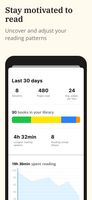
    Statistics screen
This is where the user comes to analyze and better understand his/her reading behavior. This is where you can see how many book you have in your library, how many of them you finished, how big is your To Be Read List or how many books you started but not finished. This also shows your time spent reading each day and how many pages you've read each day.  Reading Streak refers to the longest number of days the user spent reading consecutively.
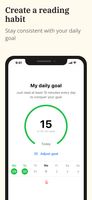
    At the first use of the app, the reader is prompted with the question: How many books do you want to read this year? Based on the answer the app calculates how many minutes per day are you required to read daily to achieve your goal. Scrolling down further in this screen the user can find Yearly Goals. This section of the app is dedicated to your progress towards achieving your yearly books read goal. Here the user can tap to see the books they finished reading during the current year and how far they have progressed towards achieving their yearly goal.
    +5
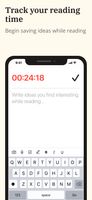
    After adding a book in the app ( you can't read the book in the app) and decide to read it, the user starts a Reading Session. This screen  shows the Reading Session screen where the reader can track their reading time and add notes. there are multiple ways to add notes such as: scanning a a page and extract a quote from it, type the ideas on your own; or use the speech recognition function and dictate your idea.
    16 alternatives
  24. Neat icon
     Like

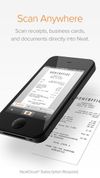
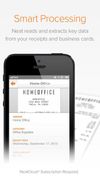
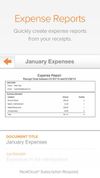
    Find scanners and scanner software to help you transform your receipts, documents and business cards into information that works for you.

    Cost / License

    • Pay once
    • Proprietary

    Application type

    Since

    • Since 2014

    Platforms

    • Windows
    • Mac
    • Online
    • Android
    • iPhone
    • iPad
    • Android Tablet
    • US flagUnited States
    Neat screenshot 1
    Neat screenshot 2
    +2
    Neat screenshot 3
    19 alternatives