Open Source Notepad++ Alternatives

Popular open source Alternatives to Notepad++ for Windows, Linux, Mac, BSD, PortableApps.com and more. Explore 25+ apps like Notepad++, all suggested and ranked by the AlternativeTo user community.

Notepad++ is a free source code editor and Notepad replacement that supports several languages. If your looking for more info about Notepad++ like screenshots, reviews and comments you should visit our info page about it. Below you find the best alternatives.

The list of alternatives was last updated: 2/14/2019 10:37:00 AM

Alternatives to Notepad++ for all platforms with Open Source License

  • SciTE

    SciTE is a SCIntilla based Text Editor. Originally built to demonstrate Scintilla, it has grown to be a generally useful editor with facilities for building and running programs. It is best used for jobs with simple configurations - I use it for building test and demonstration programs as well as SciTE and Scintilla, themselves. SciTE is currently available for Intel Win32 and Linux compatible operating systems with GTK+. It has been run on Windows XP and on Fedora 8 and Ubuntu 7.

    • A simpler version of Notepad++. Supports all the jazz you'll need: syntax higlighting, it's clever with Tabs, mass renaminc, etc. No macros though. xxavxSep 2016 Disagree   Agree

    Free Open Source Windows Linux BSD Xfce

    No features added Add a feature

    SciTE icon
  • AkelPad

    A simple notepad-like text editor with many features. It is designed to be a small and fast. User interface in 20 languages.

    • Portable, light weight, flexible, simple, fast. Guest • Sep 2017 Disagree   Agree

    Free Open Source Windows PortableApps.com

    AkelPad icon
  • TextMate

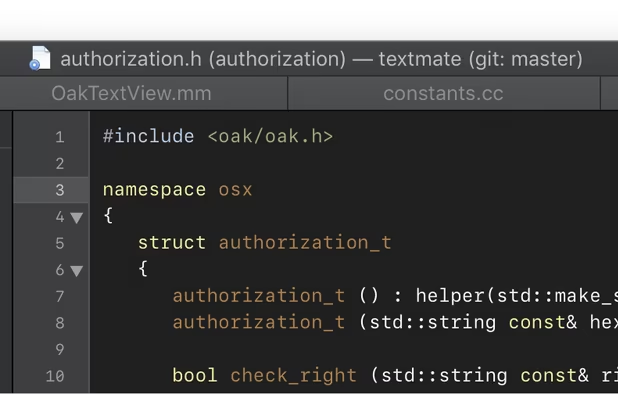
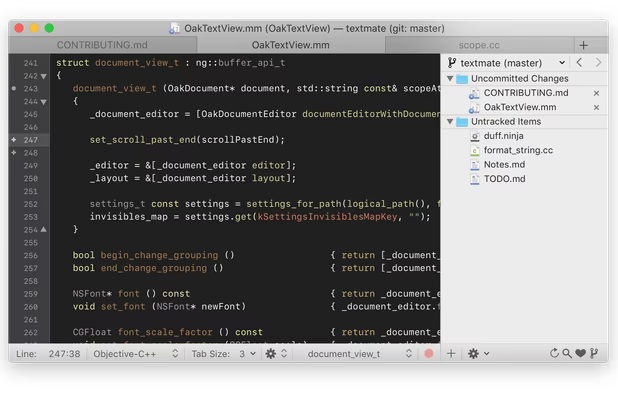
    TextMate brings Apple's approach to operating systems into the world of text editors. By bridging UNIX underpinnings and GUI, TextMate cherry-picks the best of both worlds to the benefit of expert scripters and novice users alike. Whether you are a programmer or a designer, the production of code and markup is hard work. Without an editor dedicated to the task, it is also often cumbersome, overwhelming, and repetitive.

    Commercial $ $ $ Open Source Mac

    TextMate icon
  • Light Table

    Light Table is a new interactive IDE that lets you modify running programs and embed anything from websites to games. It provides the real time feedback we need to not only answer questions about our code, but to understand how our programs really work.

    • Discontinued Appears to be abandoned. Last release was Jan 2016

    Free Open Source Mac Windows Linux Electron / Atom Shell

    Light Table icon
  • QOwnNotes

    QOwnNotes is the open source plain-text notepad with markdown support and todo-list manager for Linux, Mac OS X and Windows, that works together with the notes application of ownCloud. So you are able to write down your thoughts with QOwnNotes and edit or search for them later from your mobile device (like with CloudNotes) or the ownCloud web-service. The notes are stored as plain text files and are synced with ownCloud's file sync functionality.

    Free Open Source Mac Windows Linux Qt

    QOwnNotes icon
  • Lime Text

    Experimental Sublime Text clone. The Backend is written in Go (Programming Language). If you are fluent in go, go ahead fork the projekt. This project is at an early stage. It is a chance and a challenge. We hope you are up to it. The Frontend is written in what ever you want. At the moment there are termbox,qt and HTML/javascript implementations. Dart and skia are in discussion. If one of those Languages is your strong suit feel free to push the task forward.

    Free Open Source Mac Windows Linux Go (Programming Language)

    Lime Text icon
  • Micro

    Micro is a terminal-based text editor that aims to be easy to use and intuitive, while also taking advantage of the full capabilities of modern terminals. It comes as one single, batteries-included, static binary with no dependencies, and you can download and use it right now. Features Easy to use Common keybindings (ctrl-s, ctrl-c, ctrl-v, ctrl-z...

    Free Open Source Mac Windows Linux

    Micro icon
  • jEdit

    jEdit is a mature programmer's text editor with hundreds (counting the time developing plugins) of person-years of development behind it. While jEdit beats many expensive development tools for features and ease of use, it is released as free software with full source code, provided under the terms of the GPL 2.0.

    Free Open Source Mac Windows Linux

    No features added Add a feature

    jEdit icon
  • Leafpad

    Leafpad is a lightweight text editor that emphasizes simplicity. As development focuses on keeping weight down to a minimum, only the most essential features are implemented in the editor. Features: Codeset option (Some OpenI18N registered) Auto codeset detection (UTF-8 and some codesets) Unlimitted Undo/Redo Auto/Multi-line Indent Display line numbers Drag and Drop Printing

    Free Open Source Mac Linux BSD Cygwin MacPorts

    Leafpad icon
  • ReText

    ReText is a simple text editor for Markdown and reStructuredText documents with syntax highlighting and optional live preview. It is written in Python using Qt libraries, able to run on any platforms (Linux and BSD are officially supported).

    Free Open Source Mac Windows Linux BSD

    No features added Add a feature

    ReText icon
  • Notepad3

    Although the Windows operating system was updated significantly over the past years. However, the default Windows Notepad has not been updated in 20 years. If you need a text editor for simple programming tasks, using the vanilla Windows Notepad just does not cut it. Enter Notepad3! Therefore, we created Notepad3 with all the features that the default Windows Notepad currently lacks. Notepad3 is a fast and light-weight Scintilla-based text editor with syntax highlighting.

    Free Open Source Windows

    Notepad3 icon
  • CotEditor

    Syntax Highlighting: Colorize more than 50 pre-installed major languages like HTML, PHP, Python, Ruby or Markdown. You can also create your own settings. Scriptable: Make your own macro in your favorite language, whether it is Python, Ruby, Perl, PHP, UNIX shell, AppleScript or JavaScript. Outline Menu: Extract specified lines with the predefined syntax, and you can jump to the corresponding line.

    Free Open Source Mac

    CotEditor icon
  • NINJA-IDE

    NINJA-IDE (from the recursive acronym: "Ninja-IDE Is Not Just Another IDE"), is a cross-platform integrated development environment (IDE). NINJA-IDE runs on Linux/X11, Mac OS X and Windows desktop operating systems, and allows developers to create applications for several purposes using all the tools and utilities of NINJA-IDE, making the task of writing software easier and more enjoyable.

    Free Open Source Mac Windows Linux BSD

    No features added Add a feature

    NINJA-IDE icon
  • slap

    slap is a Sublime-like terminal-based text editor that strives to make editing from the terminal easier. It has: * first-class mouse support * GUI editor-like keybindings * copying/pasting with OS clipboard support * undo/redo * syntax highlighting for many languages * a Sublime-like file sidebar * select word to highlight other occurrences; double-click to select word * easy-to-use finding with regex support * bracket matching * ...

    Free Open Source Mac Windows Linux Node.JS

    slap icon
  • wxMEdit

    wxMEdit is a cross-platform text and hex editor, derived from MadEdit . It adds automatic updates, bookmarks, selecting lines with a tripple click, a FreeBASIC syntax file, more supported encodings (L1, CP850, CP437 etc, KOI8, UTF-x), better Max OS X and Windows support, better hex editing support, nicer dialogs based on Code::Blocks wxSmith, more localizations, is a bit more stable and comes with an improved build system.

    Free Open Source Mac Windows Linux BSD

    wxMEdit icon
  • Mousepad

    A simple text editor for the Xfce desktop environment. Mousepad aims to be an easy-to-use and fast editor for quickly editing text files, not a development environment or an editor with a huge bunch of plugins. Features: * Complete support for UTF-8 text * Cut/Copy/Paste and Select All text * Search and Replace * Font selection * Word Wrap * Auto character coding detection (UTF-8 and some codesets) * Infinite Undo/Redo * Auto Indent * Multi-line Indent * Drag and Drop * Printing

    Free Open Source Linux BSD Xfce

    Mousepad icon
  • Textadept

    Textadept is a fast, minimalist, and ridiculously extensible cross-platform text editor for programmers. Written in a combination of C and Lua and relentlessly optimized for speed and minimalism over the years, Textadept is an ideal editor for programmers who want endless extensibility without sacrificing speed or succumbing to code bloat and featuritis.

    Free Open Source Mac Windows Linux BSD

    Textadept icon
  • Editra

    Editra is a multi-platform text editor with an implementation that focuses on creating an easy to use interface and features that aid in code development. Currently it supports syntax highlighting and variety of other useful features for over 60 programming languages. Editra is freely available for personal use under the terms of the wxWindows License.

    • Discontinued The latest version available for download from the website is nearly 5 years old, from 2013. The last sign of activity on the blog ( a blog post ) is from 2015.

    Free Open Source Mac Windows Linux

    No features added Add a feature

    Editra icon
  • GNOME Builder

    Builder is an IDE for GNOME that is focused on bringing the power of the platform to more developers than ever before. The Builder project started out of a class teaching people to program for the GNOME platform. In the process, we realized that we need to improve our tooling so we started creating Builder!

    Free Open Source Linux

    GNOME Builder icon
  • Kakoune

    Kakoune is a code editor heavily inspired by Vim, as such most of its commands are similar to vi’s ones. Kakoune can operate in two modes, normal and insertion. In insertion mode, keys are directly inserted into the current buffer. In normal mode, keys are used to manipulate the current selection and to enter insertion mode. Kakoune has a strong focus on interactivity, most commands provide immediate and incremental results, while still being competitive (as in keystroke count) with Vim.

    Free Open Source Mac Linux Cygwin

    Kakoune icon
  • Anjuta

    Anjuta is a versatile Integrated Development Environment (IDE) for C and C++ on GNU/Linux. It has been written for GTK/GNOME and features a number of advanced programming facilities including project management, application wizards, an interactive debugger and a powerful source editor with source browsing and syntax highlighting. Anjuta is an effort to marry the flexibility and power of text-based command-line tools with the ease of use of the GNOME graphical user interface.

    Free Open Source Linux GNOME

    No features added Add a feature

    Anjuta icon

Active filters opensource, clear and show all alternatives

Platforms

Desktop

Mobile

Tablet

Web / Online

Show 13 less popular platforms