


Edit
21 likes
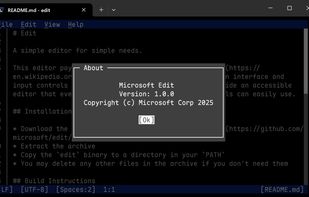
Open-source command-line text editor for Windows with a modern interface inspired by MS-DOS Editor, featuring key bindings, lightweight build under 250KB, multi-file handling with ctrl + P, keyboard-optimized navigation, and direct file editing for developers.

Cost / License
- Free
- Open Source (MIT)
Application typeApplication types
Platforms
- Windows
- Linux
- Mac

Features
Edit News & Activities
Highlights All activities
Recent News
- Mauricio B. Holguin published news article about Edit

Recent activities
 James Cupps added Edit as alternative to Slate Text Editor
- stevexu added Edit as alternative to notePad++++
 Koner added Edit as alternative to Iskra Text Editor
 NGLCZR added Edit as alternative to LightNote for Windows
 jadervasque added Edit as alternative to PlainForge









Edit information
Developed by
 Microsoft
 Licensing
Open Source (MIT) and Free product.Written in
Alternatives
79 alternatives listedBadge
Get an embeddable badge for EditSupported Languages

AlternativeTo Categories
Development, Office & Productivity, OS & UtilitiesGitHub repository
- 14,687 Stars
- 737 Forks
- 163 Open Issues
- Updated


Featured in Lists



phant's software list
my software list, mostly open-source.I have used the vast majority of the software listed there myself for a long time.
This software list open-source/free/freemium apps for Windows 10/11 that I would recommend.This also includes tools for CS/EE background developer.
This list is designed to highlight excellent software in a particular area, so you don’t need to install all the software on the list. You should only consider installing the software I’ve selected when you have a need that falls under a specific section of the list.


Comments and Reviews
MIT license, lightweight, and native 64bit support. Runs great on modern windows PC.
I wish there are more documentation and have native vi-like keybind. There is also barely any third part plugin for it. Hopefully, this will change in future.
It's small, simple, written in Rust.