Web-based Microsoft Word Alternatives

Microsoft Word is not available as a web app but there are plenty of alternatives that runs in the browser with similar functionality. The best Online alternative is ONLYOFFICE, which is both free and Open Source. If that doesn't suit you, our users have ranked more than 100 alternatives to Microsoft Word and many of them are available as a web app so hopefully you can find a suitable replacement. Other interesting Online alternatives to Microsoft Word are Google Docs, Pages, Proton Docs and La Suite Docs.

filter to find the best alternatives

Microsoft Word alternatives are mainly Word Processors, but if you're looking for Team Collaboration Tools or Note-taking Tools you can filter on that. Other popular filters include Open Source, Free, Mac, Windows, Linux, Android and Windows + Free. You can also filter by region, for example EU-based alternatives if you prefer software developed in the European Union. These are just examples - use the filter bar below to find more specific alternatives to Microsoft Word.
Copy a direct link to this comment to your clipboard
Microsoft Word alternatives page was last updated

Alternatives list

  1. ONLYOFFICE icon
     667 likes

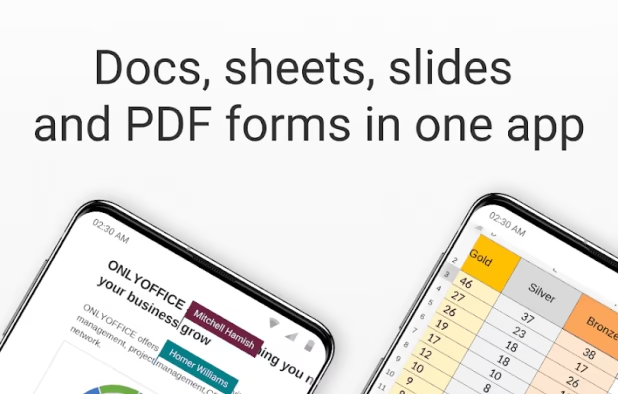
    Open-source office suite offering document, spreadsheet, and presentation editing with co-editing modes, plugin support, integration across 30+ services, robust security, and mobile access. Available in Community, Enterprise, and Home Server editions for versatile deployment.

    81 ONLYOFFICE alternatives

    Cost / License

    Application types

    Platforms

    • Mac
    • Windows
    • Linux
    • Online
    • Android
    • iPhone
    • Android Tablet
    • HUAWEI AppGallery
    • iPad
    • Self-Hosted
    • AppImageHub
    • Snapcraft
    • Flathub
    • Samsung Galaxy Store
    • Software as a Service (SaaS)
    • Flatpak
    • Cloudron
     
    |
    7
    ONLYOFFICE vs Microsoft Word Comments
    Top Positive Comment
    2

    Very easy to use and has a familiar interface. It’s much better than LibreOffice for both compatibility with MS Word and its overall design.

    RemovedUser
    Positive
    2

    Best alternative I tested to date.

    Review by a new / low-activity user.
    Guest
    Positive
    3

    If you know how to use Word, the you will feel at home using OnlyOffice. It's feature rich, supports all platforms and even the browser. You can collaborate with other people, and OnlyOffcie respects your privacy.

    Compared to something like Apple Pages, it's not the cleanest and smoothest experience, but if you have used MS Word og LibreOffice, it won't be a problem.

    Review by a new / low-activity user.
    3 of 7 comments
    • ONLYOFFICE is Free and Open SourceMicrosoft Word is Paid and Proprietary
    • ONLYOFFICE is Privacy focusedMicrosoft Word is not according to our users
  2. Google Docs icon
     956 likes

    Powerful online word processor with real-time collaboration, document conversion from Word, extensive formatting options, revision history, and multilingual capabilities, all integrated within the Google Drive ecosystem, accessible through any internet-connected device.

    119 Google Docs alternatives

    Cost / License

    • Free
    • Proprietary

    Platforms

    • Online
    • Android
    • iPhone
    • Chrome OS
    • Android Tablet
    • iPad
     
    |
    20
    Google Docs vs Microsoft Word Comments
    Top Positive Comment
    n10m
    5

    Cloud based document storage and editing.

    Top Negative Comment
    freedom lover
    5

    Worst than Microsoft Word. Their enormous surveillance and privacy violations are very dangerous. I suggest LibreOffice instead.

    Kelson V
    0

    It's fast, the collaboration features are dead simple, and mobile app support is decent. It's far less complete than Word, but mostly features I never used. Unfortunately it only runs in the cloud, and I don't trust Google's services any more than Microsoft's these days.

    3 of 20 comments
    • Google Docs is Free and ProprietaryMicrosoft Word is Paid and Proprietary
  3. Pages icon
     212 likes

    Word processor providing real-time collaboration, over 90 templates, iCloud integration, support for Word and EPUB files, over 700 shapes, advanced formatting tools, change tracking, mathematical equations, multimedia insertion, wireless printing, and flexible export options.

    80 Pages alternatives

    Cost / License

    • Freemium
    • Proprietary

    Platforms

    • Mac
    • Online
    • iPhone
    • iPad
     
    |
    4
    Pages vs Microsoft Word Comments
    rose64bit
    Positive
    7

    Microsoft Office Word is expensive and slow, but Pages is free, fast, responsive, and integrates very well with the rest of macOS.

    maurosoft391
    Negative
    1

    Pages is free, but it's not compatible with Windows and linux. Pages is apple-only and if you don't have a mac or an iPhone, you have to select buggy software like libreoffice.

    George Garner
    Positive
    7

    Clean, simple, yet powerful app design puts all of the editing tools within easy reach and without clutter.

    3 of 4 comments
    • Pages is Freemium and ProprietaryMicrosoft Word is Paid and Proprietary
  4. Proton Docs icon
     41 likes

    Docs in Proton Drive are end-to-end encrypted so your work stays safe from data breaches, online surveillance, and can never be fed into AI models.

    Cost / License

    Platforms

    • Online
     
  5. La Suite Docs icon
     22 likes

    Collaborative platform for real-time note-taking, documentation, and wikis, featuring offline editing, granular permissions, AI-assisted writing, multiple export formats, user-friendly formatting, scalable team support, customizable templates, and open-source licensing.

    87 La Suite Docs alternatives

    Cost / License

    • Free
    • Open Source (MIT)

    Platforms

    • Online
    • Self-Hosted
    • Docker
     
  6. Word Online icon
     21 likes

    Edit and create documents online with Word Online. Work collaboratively in real-time using your browser. Requires Microsoft 365 sign-in. Save and share documents in OneDrive. Use alongside desktop Office applications for a flexible workflow.

    101 Word Online alternatives

    Cost / License

    • Free Personal
    • Proprietary

    Application type

    Platforms

    • Online
    • Chrome OS
    • Software as a Service (SaaS)
     
  7. Walling icon
     44 likes

    Working on a project, researching a topic or writing an article? Walling makes it easy to break down your ideas, refine them and visually organize them.

    Cost / License

    • Freemium
    • Proprietary

    Platforms

    • Mac
    • Windows
    • Online
    • iPhone
    • Software as a Service (SaaS)
     
  8. Fileverse  icon
     19 likes

    Trustless collaboration platform with decentralized file-sharing, collaborative editing, cheap storage, privacy controls, onchain team and community access, website and blog publishing, open workflows, customizable spaces, and alternatives to traditional online suites.

    121 Fileverse alternatives

    Cost / License

    • Free
    • Open Source

    Platforms

    • Online
     
  9. Zoho Writer icon
     58 likes

    Cloud-based word processor with AI assistant for improved writing, document publishing across platforms, e-signature, mobile apps, and MS Word compatibility. Offers collaborative tools, custom workflows, secure cloud storage, and seamless integration with other Zoho applications.

    Cost / License

    • Free Personal
    • Proprietary

    Platforms

    • Mac
    • Windows
    • Linux
    • Online
    • Android
    • iPhone
    • Chrome OS
    • Android Tablet
    • iPad
    • Google Chrome
     
    |
    2
    Zoho Writer vs Microsoft Word Comments
    offtheshelves
    Positive
    -1

    DISCONTINUED. Replaced by Zoho WorkDrive which is NOT FREE.

    Review by a new / low-activity user.
    Guest
    Positive
    1

    Awesome interface, is does not conform to the previous stigma and innovates

    Review by a new / low-activity user.
    • Zoho Writer is Free Personal and ProprietaryMicrosoft Word is Paid and Proprietary
    • Zoho Writer is Privacy focusedMicrosoft Word is not according to our users
  10. Authorea icon
     23 likes

    Authorea is the online document editor for researchers that allows researchers to write, cite, host data, and publish research documents. Authorea is trusted worldwide by leading researchers writing and publishing content in every discipline, from astrophysics to zoology.

    53 Authorea alternatives

    Cost / License

    • Freemium
    • Proprietary

    Platforms

    • Online
     
    |
    1
    Authorea vs Microsoft Word Comments
    milomord
    Positive
    0

    Much better for writing academic papers/documents

    Review by a new / low-activity user.
    • Authorea is Freemium and ProprietaryMicrosoft Word is Paid and Proprietary
12 of 42 Microsoft Word alternatives