Microsoft Word Alternatives for Linux

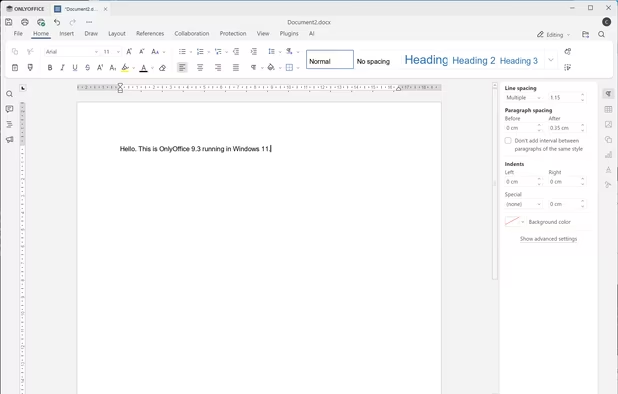
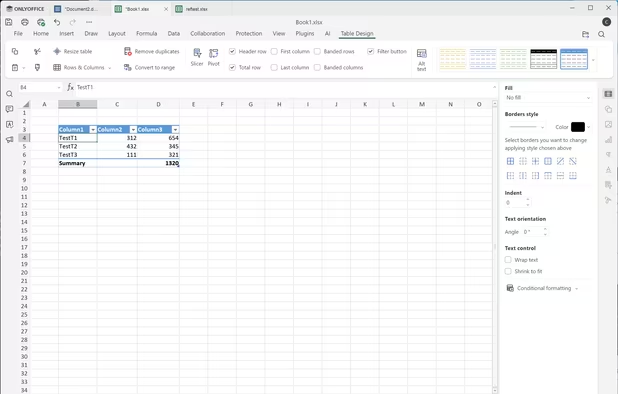
Microsoft Word is not available for Linux but there are plenty of alternatives that runs on Linux with similar functionality. The best Linux alternative is LibreOffice - Writer, which is both free and Open Source. If that doesn't suit you, our users have ranked more than 100 alternatives to Microsoft Word and many of them are available for Linux so hopefully you can find a suitable replacement. Other interesting Linux alternatives to Microsoft Word are ONLYOFFICE, Apache OpenOffice Writer, WPS Writer and TextMaker.

filter to find the best alternatives

Microsoft Word alternatives are mainly Word Processors, but if you're looking for Note-taking Tools or Text Editors you can filter on that. Other popular filters include Open Source, Free, Mac, Windows, Linux, Android and iPad. You can also filter by region, for example EU-based alternatives if you prefer software developed in the European Union. These are just examples - use the filter bar below to find more specific alternatives to Microsoft Word.
Copy a direct link to this comment to your clipboard
Microsoft Word alternatives page was last updated

Alternatives list

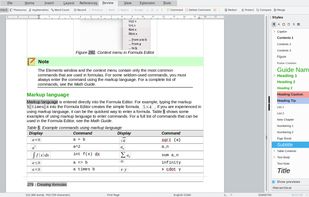
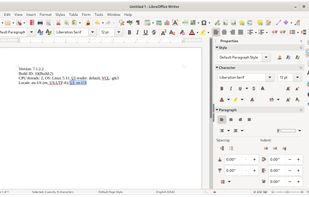
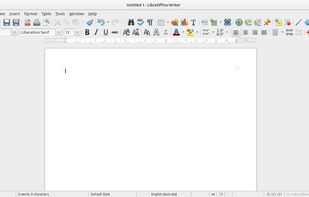
  1. An open-source word processor offering rich formatting and style options across multiple platforms. Versatile enough to handle both simple memos and complex book publishing, it supports a wide range of document formats and Microsoft Word compatibility, enhancing productivity through templates and layouts.

    88 LibreOffice - Writer alternatives

    Cost / License

    Application type

    Platforms

    • Mac
    • Windows
    • Linux
    • BSD
    • Flathub
    • PortableApps.com
    • ReactOS
     
    |
    61
    LibreOffice - Writer vs Microsoft Word Comments
    Top Positive Comment
    KuboFHromoslav
    41

    If you do not need some very rare functions, LibreOffice Writer is better and totally libre alternative!

    Guest
    Positive
    0

    It's the best alternative I could find for Microsoft Office.

    Review by a new / low-activity user.
    harrietwintrose
    Positive
    0

    Probably has more functionality, but more important is that fid the UI much cleaner and so much easier to use.

    3 of 61 comments
    • LibreOffice - Writer is Free and Open SourceMicrosoft Word is Paid and Proprietary
    • LibreOffice - Writer is Privacy focused and LightweightMicrosoft Word is not according to our users
  2. ONLYOFFICE icon
     662 likes

    Open-source office suite offering document, spreadsheet, and presentation editing with co-editing modes, plugin support, integration across 30+ services, robust security, and mobile access. Available in Community, Enterprise, and Home Server editions for versatile deployment.

    79 ONLYOFFICE alternatives

    Cost / License

    Application types

    Platforms

    • Mac
    • Windows
    • Linux
    • Online
    • Android
    • iPhone
    • Android Tablet
    • HUAWEI AppGallery
    • iPad
    • Self-Hosted
    • AppImageHub
    • Snapcraft
    • Flathub
    • Samsung Galaxy Store
    • Software as a Service (SaaS)
    • Flatpak
    • Cloudron
     
    |
    7
    ONLYOFFICE vs Microsoft Word Comments
    Top Positive Comment
    2

    Very easy to use and has a familiar interface. It’s much better than LibreOffice for both compatibility with MS Word and its overall design.

    RemovedUser
    Positive
    2

    Best alternative I tested to date.

    Review by a new / low-activity user.
    Guest
    Positive
    3

    If you know how to use Word, the you will feel at home using OnlyOffice. It's feature rich, supports all platforms and even the browser. You can collaborate with other people, and OnlyOffcie respects your privacy.

    Compared to something like Apple Pages, it's not the cleanest and smoothest experience, but if you have used MS Word og LibreOffice, it won't be a problem.

    Review by a new / low-activity user.
    3 of 7 comments
    • ONLYOFFICE is Free and Open SourceMicrosoft Word is Paid and Proprietary
    • ONLYOFFICE is Privacy focusedMicrosoft Word is not according to our users
  3. Writer, part of the Apache OpenOffice suite, is an open-source word processor. It supports the ISO standard Open Document Format (ODF) for data interchange as its default file format, as well as Microsoft Office 97-2003 formats, Microsoft Office 2007...

    73 Apache OpenOffice Writer alternatives

    Cost / License

    Application type

    Alerts

    • Discontinued

    Platforms

    • Mac
    • Windows
    • Linux
    • BSD
     
    |
    11
    Apache OpenOffice Writer vs Microsoft Word Comments
    Top Positive Comment
    chtfn
    6

    Unfortunately, is lagging far behind LibreOffice. Would be great to see development pick up and take a different direction, but it seems very much stalled, with the latest major in 2014 (7 years ago at the time of writing). I strongly recommend using LibreOffice instead, for security reasons, and also for newer features.

    Top Negative Comment
    AndreStork
    1

    It's pretty much the worst Office alternative available. It has a bad UI and I shouldn't talk about compatibility with .docx files

    Kelson V
    Positive
    1

    Way out of date compared to LibreOffice.

    3 of 11 comments
    • Apache OpenOffice Writer is Free and Open SourceMicrosoft Word is Paid and Proprietary
    • Apache OpenOffice Writer is Privacy focusedMicrosoft Word is not according to our users
  4. WPS Writer icon
     113 likes

    WPS Writer, part of WPS Office , is dependable and fast word processing software that is highly compatible with Microsoft Word , and can read and edit DOC and DOCX formats.

    70 WPS Writer alternatives

    Cost / License

    • Freemium
    • Proprietary

    Application type

    Platforms

    • Mac
    • Windows
    • Linux
    • Android
    • iPhone
    • Android Tablet
    • iPad
     
    |
    22
    WPS Writer vs Microsoft Word Comments
    Top Positive Comment
    Guest
    7

    I think WPS Office is the closest you can get to Microsoft Office (Word, Excel and PowerPoint). It handels .docx witch was my main problem. The WPS Writer may be in a early stage but I see alot of potential of it becomming better, more easy to use, beautiful and more stable.

    Review by a new / low-activity user.
    Top Negative Comment
    Guest
    8

    Very poor multi language / proofing support.

    Review by a new / low-activity user.
    Guest
    Positive
    2

    The tool almost same as microsoft office. I think It's the closest to microsoft office

    Review by a new / low-activity user.
    3 of 22 comments
    • WPS Writer is Freemium and ProprietaryMicrosoft Word is Paid and Proprietary
  5. TextMaker icon
     64 likes

    TextMaker is the word processor in SoftMaker Office – fast, powerful, compatible and GDPR-compliant.

    70 TextMaker alternatives

    Cost / License

    • Freemium
    • Proprietary

    Application type

    Platforms

    • Mac
    • Windows
    • Linux
    • Android
    • iPhone
    • Android Tablet
    • iPad
     
    |
    8
    TextMaker vs Microsoft Word Comments
    Top Positive Comment
    Guest
    5

    If you are like me: one who only needs the necessary to fulfill your needs, and really like when the response of the software comes quickly (think that the MS Office in general certainly does not). This is the right solution. It is fully compatible with outputs formats from MS Word; it is fast; and it does everything you need to white a nice and organized document, whatever that is.

    Review by a new / low-activity user.
    Guest
    Positive
    0

    it's the absolute #1 alternative to Micro$oft !!!

    Review by a new / low-activity user.
    Guest
    Positive
    0

    Similar feature set; much much faster with larger documents.

    Review by a new / low-activity user.
    3 of 8 comments
    • TextMaker is Freemium and ProprietaryMicrosoft Word is Paid and Proprietary
    • TextMaker is LightweightMicrosoft Word is not according to our users
  6. AbiWord icon
     261 likes

    AbiWord is a free word processing program similar to Microsoft® Word. It is suitable for a wide variety of word processing tasks.

    67 AbiWord alternatives

    Cost / License

    Application type

    Platforms

    • Linux
    • BSD
    • Flathub
    • PortableApps.com
    • Haiku
    • GTK
    • Flatpak
    • AmigaOS
     
    |
    3
    AbiWord vs Microsoft Word Comments
    thomaszoschke
    Positive
    2

    It does what the user wants. It's a full featured text processor. It is affordable. It is not coded like a swamp.

    kaylinTechAU
    Positive
    8

    AbiWord is a great simple word processor. However it doesn't have many advanced features. Just a simple text document. And it's free!

    Daria Nowacka
    Positive
    1

    Very simple to use, I really like it

    • AbiWord is Free and Open SourceMicrosoft Word is Paid and Proprietary
    • AbiWord is LightweightMicrosoft Word is not according to our users
  7. A smooth yet powerful writing experience for devoted authors. With only wanted features and native workflow it runs faster than all your previous apps combined.

    Cost / License

    Platforms

    • Mac
    • Windows
    • Linux
    • Chrome OS
    • AppImageHub
    • Flathub
    • Android
     
  8. Quoll Writer icon
     41 likes

    Focus on your words not the interface. Quoll Writer is a writing application that helps you focus on your words. Clean and uncluttered. Feature rich. Features are where you would expect them to be.

    Cost / License

    Platforms

    • Windows
    • Mac
    • Linux
     
  9. Zoho Writer icon
     58 likes

    Cloud-based word processor with AI assistant for improved writing, document publishing across platforms, e-signature, mobile apps, and MS Word compatibility. Offers collaborative tools, custom workflows, secure cloud storage, and seamless integration with other Zoho applications.

    Cost / License

    • Free Personal
    • Proprietary

    Platforms

    • Mac
    • Windows
    • Linux
    • Online
    • Android
    • iPhone
    • Chrome OS
    • Android Tablet
    • iPad
    • Google Chrome
     
    |
    2
    Zoho Writer vs Microsoft Word Comments
    offtheshelves
    Positive
    -1

    DISCONTINUED. Replaced by Zoho WorkDrive which is NOT FREE.

    Review by a new / low-activity user.
    Guest
    Positive
    1

    Awesome interface, is does not conform to the previous stigma and innovates

    Review by a new / low-activity user.
    • Zoho Writer is Free Personal and ProprietaryMicrosoft Word is Paid and Proprietary
    • Zoho Writer is Privacy focusedMicrosoft Word is not according to our users
  10. Daino Notes icon
     9 likes

    Offers fast, distraction-free note-taking via a high-performance editor with real-time Markdown, local-first storage, image support, Kanban task boards, intuitive drag-and-drop, keyboard shortcuts, configurable themes, fast search, and cross-platform access.

    83 Daino Notes alternatives

    Cost / License

    • Freemium
    • Open Source

    Platforms

    • Mac
    • Windows
    • Linux
     
  11. Tritium icon
     3 likes

    Tritium is a desktop word processor built for transactional lawyers. Draft, review, and compare legal documents faster with real-time clause annotations, minimal redlines, and AI integrations - free for personal use.

    Cost / License

    • Free Personal
    • Proprietary

    Application types

    Platforms

    • Linux
    • Windows
    • Mac
     
  12. Calligra Words icon
     26 likes

    Words is an intuitive word processor and desktop publisher application. With it, you can create informative and attractive documents with pleasure and ease.

    28 Calligra Words alternatives

    Cost / License

    Application type

    Platforms

    • Linux
    • KDE Plasma
    • Flathub
    • Flatpak
     
    |
    1
    Calligra Words vs Microsoft Word Comments
    Centaro
    Negative
    0

    It lacks many features and the UI is a mess.

    • Calligra Words is Free and Open SourceMicrosoft Word is Paid and Proprietary
12 of 21 Microsoft Word alternatives