Hazel Alternatives

Hazel is described as 'Automates file organization by monitoring specific folders, sorting, renaming, moving files with custom rules, managing trash, and removing leftover app files' and is a popular app in the os & utilities category. There are more than 25 alternatives to Hazel for Mac, Windows, Linux, Unraid and Docker. The best Hazel alternative is AutoIt, which is free. Other great apps like Hazel are DropIt, Neatify, File Juggler and Floxtop.

Copy a direct link to this comment to your clipboard
Hazel alternatives page was last updated

Alternatives list

  1. FileMason icon
     Like

    FileMason is the smart file organizer that keeps your Mac tidy automatically. Create visual rules using simple building blocks - no coding required.

    Cost / License

    • Paid
    • Proprietary

    Platforms

    • Mac
     
  2. Taxonomy icon
     1 like

    Taxonomy helps you to quickly sort the folders and store them in order.

    Taxonomy was specially developed for quick file sorting. It will come handy if you need to sort your photos among several folders: “Holiday in Spain”, “Party”, “Add to Facebook”, etc. It is indispensable whe.

    Cost / License

    • Paid
    • Proprietary

    Application type

    Platforms

    • Mac
     
    |
    1
    Taxonomy vs Hazel Comments
    Guest
    Negative
    1

    Taxonomy is manual while hazel is automated

    Review by a new / low-activity user.
    • Taxonomy is Paid and ProprietaryHazel is also Paid and Proprietary
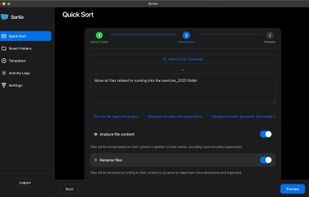
  3. AI-powered program: Put an end to the infinite chaos of files.

    Cost / License

    • Paid
    • Proprietary

    Application type

    Platforms

    • Mac
     
  4.  3 likes

    Anacron is a periodic command scheduler. It executes commands at intervals specified in days. Unlike cron, it does not assume that the system is running continuously. It can therefore be used to control the execution of daily, weekly and monthly jobs (or anything with a period...

    Cost / License

    • Free
    • Open Source

    Platforms

    • Linux
     
  5. Recall Local icon
     2 likes

    Local AI file organizer and document chat powered by Llama 3.2.

    Cost / License

    • Free
    • Open Source (MIT)

    Application type

    Platforms

    • Mac
    • Windows
     
  6. Ornix icon
     1 like

    Ornix automatically organizes your messy Downloads folder. Set it once, and Ornix watches your folders, sorting files into categories like Documents, Images, Videos, and more.

    Cost / License

    • Freemium
    • Proprietary

    Platforms

    • Mac
     
  7. Intelligent Copier is an automatic file mover and copier. It offers a window that you can drag files onto, and will then copy or move them based on your settings. For example, you could choose to move all .mp3 files into the C:Music folder or copy any .

    Cost / License

    • Free
    • Proprietary

    Application type

    Platforms

    • Windows
     
  8. Declutter icon
     1 like

    Declutter is an elegant solution to Desktop Clutter that every Mac user faces. It automatically keeps your desktop organised and clean always by moving the files on the Desktop to smart folders using rules based on file names and extensions.

    Cost / License

    • Paid
    • Proprietary

    Alerts

    • Discontinued

    Platforms

    • Mac
     
  9. inbetweenbox sits in between your organized file system and the files that you get sent and download everyday. Import these files into inbetweenbox, and inbetweenbox with organize them within it's own library system.

    Cost / License

    • Paid
    • Proprietary

    Application type

    Platforms

    • Mac
     
  10. Drop Zone icon
     7 likes

    Create simple drag-n-drop windows to quickly copy or move files. After dropping files or folders onto a Drop Zone window, a menu of paths you've configured will pop up, allowing you to quickly copy or move files to those destinations.

    12 Drop Zone alternatives

    Cost / License

    • Free
    • Proprietary

    Application type

    Platforms

    • Windows
     
  11. MoveOut icon
     2 likes

    MoveOut will help you make rules to move files automatically. Use it to make a rule that moves files from the desktop to a subfolder, based on file type, part of a filename, or whatever.

    Cost / License

    • Free
    • Proprietary

    Application type

    Platforms

    • Windows
     
  12. PopStack icon
     Like

    Desktop stacks, reimagined. Instant folder popovers for a cleaner, faster Mac experience.

    22 PopStack alternatives

    Cost / License

    • Paid
    • Proprietary

    Application type

    Platforms

    • Mac
     
You are at page 3 of Hazel alternatives