• 7-Zip icon
  • Notepad++ icon
  • GIMP icon
  • Paint.NET icon
  • Krita icon
  • +10

My Windows Faves

RobotHobo15 appsUpdated
Copy a direct link to this comment to your clipboard

Here's the apps I like to use on Windows, either installed or as web apps.

  1. 7-Zip icon
     Like

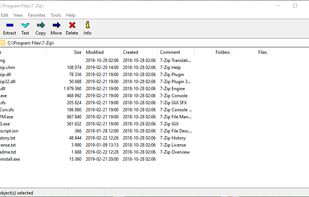
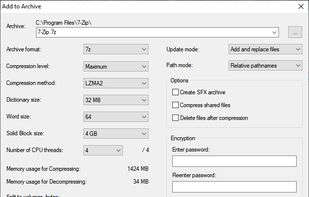
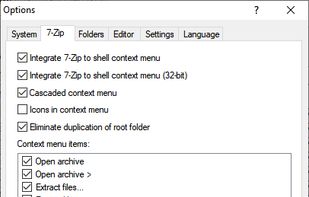
    Efficient file archiver offering superior compression and encryption. Supports multiple formats such as TAR, ZIP, with a unique self-extracting feature.

    Cost / License

    • Free
    • Open Source

    Application type

    Platforms

    • Mac
    • Windows
    • Linux
    • BSD
    • PortableApps.com
    • ReactOS
    • Arch Linux
    Main Window
    Add to Archive
    Options
    RobotHobo’s note

    The best compression app around. Handles everything, and does it with maximum options and minimal bloat.

  2. Notepad++ icon
     Like

    Free open-source code editor and Notepad replacement supporting multiple languages, featuring high speed, low resource usage, privacy focus, and plugin extensibility.

    Cost / License

    • Free
    • Open Source

    Application type

    Platforms

    • Windows
    • PortableApps.com
    Notepad++ screenshot 1
    Notepad++ screenshot 1
    Notepad++ screenshot 2
    +10
    TextFX plugin menu
    RobotHobo’s note

    The best plain text editor, hands-down. I find it absolutely crucial for any kind of light coding or scripting (Python, CSS, HTML, etc)

  3. GIMP icon
     Like

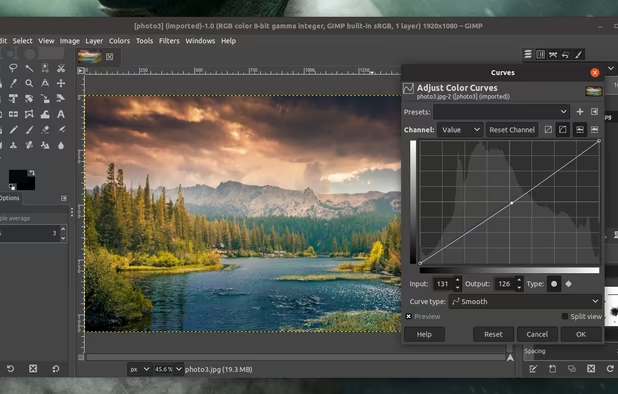
    Free open-source suite with advanced photo retouching, composition, batch processing, plugin extensibility, custom scripting, and wide file format compatibility.

    Cost / License

    • Free
    • Open Source

    Application type

    Platforms

    • Mac
    • Windows
    • Linux
    • BSD
    • Snapcraft
    • Flathub
    • PortableApps.com
    • Haiku
    • Flatpak
    • AmigaOS
    • AppImage
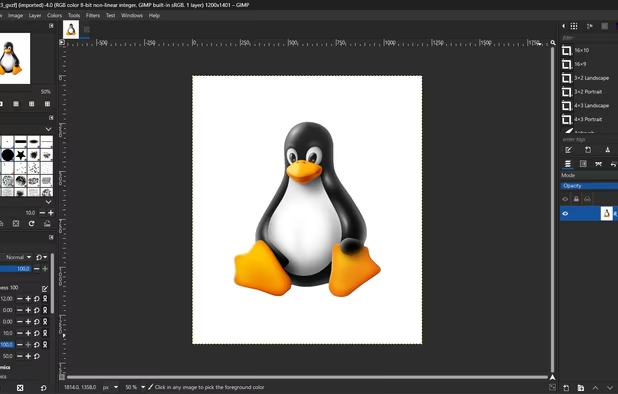
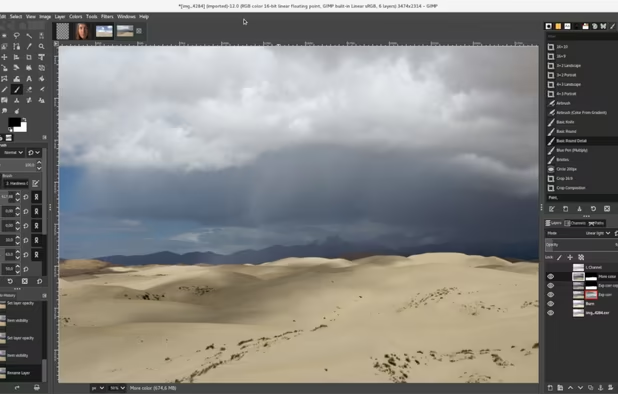
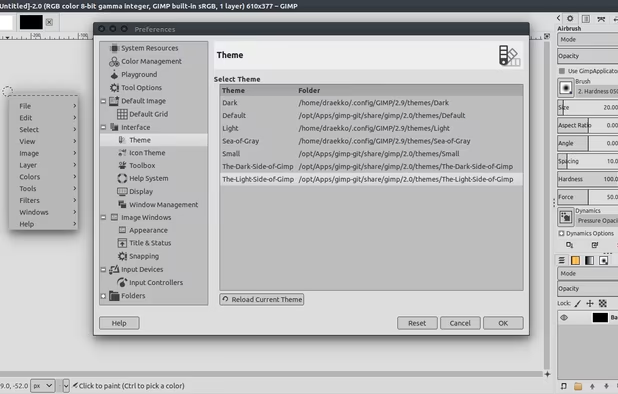
    GIMP screenshot 1
    GIMP 2.99.18 on Windows, non-default theme.
    GIMP screenshot 2
    +5
    GIMP screenshot 3
    RobotHobo’s note

    Not quite as nice as Adobe Photoshop, but nothing really is. It's nearly as good though, and for free. Hard to beat that.

  4. Paint.NET icon
     Like

    Free image editor for Windows, offering layer support, plugins, special effects, and portable use without installation. Lightweight and ad-free.

    Cost / License

    • Free
    • Proprietary

    Application type

    Platforms

    • Windows
    • .NET Framework
    Paint.NET screenshot 1
    RobotHobo’s note

    When Microsoft finally gets rid of MS Paint, this will be the best replacement. More features, but not too much to deal with for quick edits.

  5. Krita icon
     Like

    A free, open-source painting program for professional artists offering customizable UI, 9 brush engines, layer support, and color management.

    Cost / License

    • Free
    • Open Source

    Application type

    Platforms

    • Mac
    • Windows
    • Linux
    • Android Tablet
    • KDE Plasma
    • Epic Games Store
    • PortableApps.com
    • F-Droid
    • Steam
    • AppImage
    Krita screenshot 1
    Krita screenshot 1
    Krita screenshot 2
    +6
    Main Window
    RobotHobo’s note

    Very solid drawing & digital painting app.

  6. ShareX icon
     Like

    Free and open-source tool for screen capture and recording; enables file uploads, annotation, dark mode, 4K support, and customizable themes.

    Cost / License

    • Free
    • Open Source

    Application type

    Platforms

    • Windows
    • PortableApps.com
    • Steam
    Main window
    ShareX screenshot 1
    ShareX screenshot 2
    +29
    ShareX screenshot 3
    RobotHobo’s note

    Screencap tool with lots of options.

  7. Multifunctional cross-device tool captures ideas, lists, voice/photo notes. Features color coding, geo-fencing, checklists, and cloud sync.

    Cost / License

    • Free
    • Proprietary

    Application type

    Platforms

    • Mac
    • Windows
    • Linux
    • Online
    • Android
    • iPhone
    • Chrome OS
    • Android Tablet
    • iPad
    • Google Chrome
    • Android Wear
    Google Keep screenshot 1
    Google Keep screenshot 2
    Google Keep screenshot 3
    RobotHobo’s note

    My favorite note-taking app. It's may quicker and easier to work with than MS OneNote, and that's maybe the most important part of a quick note-taking tool. Evernote is a close second though.

  8. LastPass icon
     Like

    Online encrypted password storage with password generation, dark web monitoring, and two-factor authentication. Manage with security dashboard.

    Cost / License

    • Freemium
    • Proprietary

    Application type

    Platforms

    • Mac
    • Windows
    • Linux
    • Online
    • Android
    • iPhone
    • Android Tablet
    • BSD
    • iPad
    • Microsoft Edge
    • Internet Explorer
    • Vivaldi
    • Google Chrome
    • Maxthon Cloud Browser
    • Opera
    • Mozilla Firefox
    LastPass screenshot 1
    LastPass screenshot 1
    LastPass screenshot 2
    +6
    LastPass screenshot 3
    RobotHobo’s note

    I would be lost without this thing. Free with limited features, but $12 a year is absolutely cheap for all the features.

  9. FileZilla icon
     Like

    Open-source FTP client supporting FTP, FTPS, and SFTP with features like large file transfers, site management, and cross-platform because of FileZilla Server.

    Cost / License

    • Freemium
    • Open Source

    Application type

    Platforms

    • Mac
    • Windows
    • Linux
    • BSD
    • PortableApps.com
    • ReactOS
    • Haiku
    FileZilla screenshot 1
    FileZilla screenshot 1
    RobotHobo’s note

    Sometimes you just need to FTP something.

  10. CDisplayEx is a light, efficient CBR Reader, and it is also the most popular comic book reader. It is able to read all comic book formats (.cbr file, .cbz, .pdf, etc..) and Manga. Everything is designed to give you the best comic reading experience, it load comic books...

    Cost / License

    • Freemium
    • Proprietary

    Application type

    Platforms

    • Windows
    • Android
    • Android Tablet
    CDisplay Ex screenshot 1
    CDisplay Ex screenshot 1
    CDisplay Ex screenshot 2
    +4
    CDisplay Ex screenshot 3
    RobotHobo’s note

    For reading comics.

  11. Powerful podcast player offering streaming, downloading, episode search, 'Up Next' syncing, and improved discovery with curated recommendations.

    Cost / License

    • Freemium
    • Open Source

    Application type

    Platforms

    • Android
    • iPhone
    • Chrome OS
    • Android Tablet
    • iPad
    • Apple Watch
    • Android Auto
    • Android Wear
    • Apple Car Play
    Pocket Casts screenshot 1
    Pocket Casts screenshot 2
    Pocket Casts screenshot 3
    RobotHobo’s note

    The best app for listening to and downloading podcasts. Android app is a few dollars, and it can connect to their web app to sync across systems or play in your browser.

  12. IrfanView icon
     Like

    Fast and powerful image viewer, editor, and converter for beginners and pros. Supports various formats, batch processing, and many extensions.

    Cost / License

    • Free Personal
    • Proprietary

    Application type

    Platforms

    • Windows
    • PortableApps.com
    IrfanView screenshot 1
    IrfanView screenshot 1
    Paint plugin
    +33
    Add text to image
    RobotHobo’s note

    Quick and bloat-free image viewer, with useful editing tools for basic resizing, cropping, converting, etc.

  13. TeraCopy icon
     Like

    TeraCopy is a utility software for efficient and reliable file copying. It verifies copied files by comparing their hashes and can skip bad files during the process to avoid terminating the entire transfer.

    Cost / License

    • Freemium
    • Proprietary

    Application type

    Platforms

    • Mac
    • Windows
    TeraCopy screenshot 1
    TeraCopy screenshot 1
    TeraCopy screenshot 2
    +3
    TeraCopy screenshot 3
    RobotHobo’s note

    Windows' built-in copy/move utility is surprisingly bad. This will give you more options and make some transfers (especially to flash storage) much faster. Free version has all the features you probably need.

  14. Meld icon
     Like

    Open-source tool for dynamic file and folder comparisions, syntax highlighting, offline functionality, and version control integration.

    Cost / License

    • Free
    • Open Source

    Application type

    Platforms

    • Windows
    • Linux
    • BSD
    • Python
    • GTK
    File comparison
    Folder comparison
    Version control
    +5
    Folder comparsion
    RobotHobo’s note

    Sometimes you've got two files, and you need to know what's different between them. Works on folders too.

  15. WinCDEmu icon
     Like

    WinCDEmu is an open-source CD/DVD/BD emulator - a tool that allows you to mount optical disc images by simply clicking on them in Windows Explorer. If you have downloaded an ISO image and want to use it without burning it to a blank disc, WinCDEmu is the easiest way to do it.

    Cost / License

    • Free
    • Open Source

    Application type

    Platforms

    • Windows
    • PortableApps.com
    WinCDEmu screenshot 1
    WinCDEmu screenshot 1
    WinCDEmu screenshot 2
    +14
    "Select drive letter & mount"-Dialog
    RobotHobo’s note

    For when you need to turn disk image (.iso, etc) into a mounted drive.

Comments

skin tech
0

Okay, I'll be the first! First off, i'm not going to down talk your list, because that is what you use and its your honest opinion, That would be rude! Right now, I have installed on my pc: gimp, krita and 7 zip. There free and 7zip is way easy to use, but I mainly use artweaver, for drawing, and winrar for decompression, daemon tools for virtual mountable drives for ISOs, Mainly because there all free and i'm a poor-mo-fo. I use krita on occasion mostly because its more about making comics(among other stuff) and i am no good at drawing comics, more at free hand stuff, plus artweaver is by far way easier to use for me. Other than that i haven't used the other app/software you've listed, but will look into them. One thing before I go, that app lastpass, what does it do, you've expertly described every app but that one. I for one am interested.Thanks for the great list! later! Skintech

My Windows Faves | AlternativeTo