Apps with 'Annotate' feature

All apps in Apps with 'Annotate' feature category. Use the filters below to narrow down your search. 
Copy a direct link to this comment to your clipboard
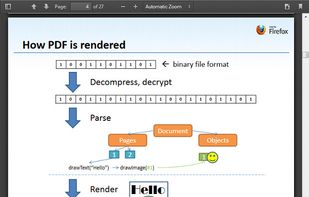
  1. PDF Viewer (aka pdf.js) is a new revolutionary extension using web standard technologies that allows you to display within Mozilla Firefox almost all PDF files found on the web without a plugin.

    Cost / License

    Application type

    Since

    • Since 2013 (updated Nov 2026)

    GitHub

    • GitHub stars: 54.2k

    Platforms

    • Google Chrome
    • Mozilla Firefox
    • Opera
    • US flagUnited States
    Firefox PDF Viewer (PDF.js) screenshot 1
    Firefox PDF Viewer (PDF.js) screenshot 2
    112 alternatives
  2. GGather icon
     47 likes

    Collect any article you want to read later, image that inspired you or video you want to watch later. Save anything, never lose it and view it without ever leaving GGather. Organize your bookmarks with tags and notes. And GGather tags are special.

    Cost / License

    • Freemium (Subscription)
    • Proprietary

    Application type

    Since

    • Since 2017

    Platforms

    • Online
    • Google Chrome
    • PL flagPoland
    • European Union flagEU
    Chrome Extension Save
    Chrome Extension Library
    Library
    +1
    Discover
    113 alternatives
  3. Epic Pen icon
     20 likes

    Enhance your workspace with epic Pen's screen writing features. Offering annotation tools, hotkey support, and offline access for Windows to mark up anything on your desktop.

    Cost / License

    • Freemium (Subscription)
    • Proprietary

    Application type

    Since

    • Since 2013

    Platforms

    • Windows
    • GB flagUnited Kingdom
    Epic Pen screenshot 1
    Epic Pen screenshot 2
    Epic Pen screenshot 3
    35 alternatives
  4. This app allows you live drawing and taking notes over desktop applications. There are also tools for screen recording and making screenshots. It is great tool for creating presentations, tutorials, manuals, animations, video or streaming.

    Cost / License

    • Free
    • Proprietary

    Application type

    Since

    • Since 2022

    Platforms

    • Windows
    Screen Marker and Recorder screenshot 2
    Screen Marker and Recorder screenshot 1
    Screen Marker and Recorder screenshot 3
    +3
    Screen Marker and Recorder screenshot 4
    33 alternatives
  5. Markup icon
     22 likes

    Annotate PDFs, web pages, and ePub books with highlighting, centralized management, AI features, document sharing, syncing, and backup tools across devices.

    Cost / License

    • Free
    • Proprietary

    Since

    • Since 2020 (updated Jun 2023)

    Platforms

    • Chrome OS
    • iPhone
    • iPad
    • TW flagTaiwan
    Markup screenshot 1
    Markup screenshot 2
    Markup screenshot 3
    Markup screenshot 4
    24 alternatives
  6. AnnotateUp icon
     1 like

    AnnotateUp is built for fast, structured image annotation. Whether you’re labeling equipment, marking objects, documenting inspections, or adding quick reference notes, it gives you a simple workflow designed for clarity and speed — no formatting, no styling decisions, no...

    Cost / License

    • Freemium (Pay once)
    • Proprietary

    Since

    • Since 2025 (updated Sep 2026)

    Platforms

    • Mac
    • iPhone
    • iPad
    • Apple Watch
    • US flagUnited States
    AnnotateUp screenshot 1
    AnnotateUp screenshot 2
    AnnotateUp screenshot 3
    +1
    AnnotateUp screenshot 4
    1 alternative
  7. Are you tired of losing track of important information in your online reading? Multi Highlight is here to help! With this powerful and efficient chrome extension, you can easily highlight all your user-specified words in webpages with beautiful colors.

    Cost / License

    Since

    • Since 2023 (updated Jul 2024)

    GitHub

    • GitHub stars: 152

    Platforms

    • Google Chrome
    Multi Highlight screenshot 1
    Multi Highlight screenshot 2
    Multi Highlight screenshot 3
    Multi Highlight screenshot 4
    4 alternatives
  8. Amanote icon
     7 likes

    Take clear, structured, and comprehensive notes directly on your course materials or documents (PDF, PowerPoint, etc.). Integrate Amanote into your LMS.

    Cost / License

    • Pay once or Subscription
    • Proprietary

    Application type

    Since

    • Since 2017

    Platforms

    • Windows
    • Mac
    • Linux
    • Online
    • Software as a Service (SaaS)
    • iPad
    • Moodle
    • Instructure Canvas
    Amanote screenshot 1
    Amanote screenshot 2
    Amanote screenshot 3
    LMS Integrations
    20 alternatives
  9. Filestage icon
     19 likes

    Filestage is the review and approval software that runs itself. You can share any content, set your due dates, then let the feedback come to you – freeing you up to focus on what you do best.

    Cost / License

    • Pay once
    • Proprietary

    Application type

    Since

    • Since 2016

    Platforms

    • Windows
    • Mac
    • Linux
    • Chrome OS
    • Online
    • Software as a Service (SaaS)
    • Android
    • iPhone
    • iPad
    • Android Tablet
    • DE flagGermany
    • European Union flagEU
    Filestage’s digital proofing software makes stakeholder management a breeze. Instead of chasing reviewers on email and setting up spreadsheets to keep track, you can see everything in your dashboard in real time. Every file, version, change request, and approval, all in one place.
    Tired of consolidating feedback and missing important comments? With Filestage’s creative proofing software, you can compare versions of your content side by side. So you can check the comments, see what’s changed, and make sure the latest version hits the mark.
    Filestage’s online proofing service includes free reviewer accounts for all your stakeholders. This gives them a clear list of every file awaiting their review, prioritized by the due date. And with automated reminders when deadlines are looming, you can rest assured that feedback will arrive on time, every time.
    49 alternatives
  10. iDentify icon
     4 likes

    Tags iTunes-compatible MP4 video files, automatically - using information from online databases.

    Cost / License

    • Freemium
    • Proprietary

    Since

    • Since 2010

    Alerts

    • Discontinued

    Platforms

    • Mac
    iDentify screenshot 1
  11. TLDRify icon
     3 likes

    annotate web pages easily like genius web annotator ( by bookmarklet ).

    Cost / License

    • Free
    • Proprietary

    Since

    • Since 2017

    Platforms

    • Online
    2 alternatives
  12. iPhotoDraw icon
     2 likes

    Add name tag to people in the photo. Display objects with dimension information in the images. Add enlarged details for a particular part in the image. Annotations stored in separate file; original picture file is intact.

    Cost / License

    • Free
    • Proprietary

    Since

    • Since 2020

    Platforms

    • Windows
    iPhotoDraw screenshot 1
    5 alternatives
  13. Originally intended for software developers, UX/UI designers and IT support desks, goScreenCapture is the perfect software utility for anyone who wants to create a document, build a slide presentation, check artwork, complete a project and work collaboratively.

    Cost / License

    • Free
    • Proprietary

    Application type

    Since

    • Since 2016

    Platforms

    • Windows
    • GB flagUnited Kingdom
    goScreenCapture enables you to capture the whole screen, just one window or a section of the screen.
    Having captured your screen, goScreenCapture provides handy tools to make annotations.
    goScreenCapture lets you create your own personalised mark-up tools for easy annotation.
    Having captured your screen, made your annotations, now you're ready to share your screenshot. goScreenCapture makes sharing easy with email and secure managed file transfer.
    114 alternatives
  14. VideoMarkup icon
     1 like

    Annotate videos with captions, arrows, custom images, outlines, blackout shapes, background audio and free form drawings.

    Cost / License

    • Subscription
    • Proprietary

    Application type

    Since

    • Since 2020

    Platforms

    • Windows
    • US flagUnited States
    VideoMarkup screenshot 1
    VideoMarkup screenshot 2
    VideoMarkup screenshot 3
    +1
    VideoMarkup screenshot 4
    7 alternatives
  15. Blrt icon
     1 like

    Blrt is a mobile collaboration app that enables you to talk, point and draw over images, documents and websites, as if you were discussing them in person.

    Cost / License

    • Freemium
    • Proprietary

    Since

    • Since 2016

    Platforms

    • Android
    • iPhone
    • iPad
    • Android Tablet
    • GB flagUnited Kingdom
    Blrt screenshot 1
    Blrt screenshot 2
    +2
    Blrt screenshot 3
  16. SnipZero icon
     Like

    SnipZero is a convenient zero-install screenshot app that lets you take screenshots right from your web browser. No installation required. You can select any application window or browser tab as source.

    Cost / License

    • Free
    • Proprietary

    Application type

    Since

    • Since 2022

    Platforms

    • Chrome OS
    • Online
    • DE flagGermany
    • European Union flagEU
    SnipZero screenshot 1
    SnipZero screenshot 2
    85 alternatives
  17.  Like

    veotag lets you display clickable text, called "veotags," within an audio or video file.

    Cost / License

    • Paid
    • Proprietary

    Since

    • Since 2010

    Platforms

    • Online
    4 alternatives
  18. Use MovieChapterizer to create chapter names for favorite sections of your movies. When you're done, open the movie in QuickTime Player and use the chapter popup button to jump instantly to any chapter markers you added.

    Cost / License

    • Freemium
    • Proprietary

    Since

    • Since 2010

    Platforms

    • Mac
    4 alternatives
  19. Use CheckItOut HD to capture the webpage into an image. Make markups DIRECTLY on the webpage to make your point clearer and include both the image and the markups automatically into email ready to be sent along with the url for easy access.

    Cost / License

    • Paid
    • Proprietary

    Since

    • Since 2011

    Platforms

    • iPad
    Markup directly onto a webpage and select region to capture
    Easily email the annotated webpage screenshot
    Choose different pen color
  20. PDFCafe icon
     Like

    PDFCafe is a native PDF editor for Mac and Windows. Read, annotate, sign, and even fix typos inside the body text, then save — all offline with no subscription. PDFCafe is included in every getapps.cafe subscription.

    Cost / License

    • Pay once or Subscription
    • Proprietary

    Application type

    Since

    • Since 2026

    Platforms

    • Windows
    • Mac
    • US flagUnited States
    PDFCafe screenshot 1
    PDFCafe screenshot 2
    PDFCafe screenshot 3
    PDFCafe screenshot 4
    9 alternatives
  21. PinMy icon
     Like

    PinMy: Streamline collaboration with an innovative app for annotating images/PDFs. Ideal for various sectors, it offers interactive pins, text/voice notes, and efficient sharing. Perfect for remote teams, it includes real-time updates and intuitive comment management, enhancing teamwork.

    Cost / License

    • Freemium (Subscription)
    • Proprietary

    Since

    • Since 2024 (updated Apr 2026)

    Platforms

    • Online
    • Software as a Service (SaaS)
    • Android
    • iPhone
    • iPad
    • Android Tablet
    • Google Chrome
    • EE flagEstonia
    • European Union flagEU
    WEB 1
    Mobile 1
    Mobile 2
    +9
    Mobile 3