Apps tagged with 'Text Expansion' Page 3 of 5

All apps in Apps tagged with 'Text Expansion' category. Use the filters below to narrow down your search. 
Copy a direct link to this comment to your clipboard
  1. Texpander icon
     3 likes

    I just want a quick way to expand a text snippet into a longer chunk of text. For example, I want to type 'sig' and have it expand into my complete email signature – no matter what browser or email client I’m using.

    Cost / License

    Application type

    Since

    • Since 2017 (updated Sep 2022)

    GitHub

    • GitHub stars: 259

    Platforms

    • Linux
    22 alternatives
  2. Kissphrase icon
     5 likes

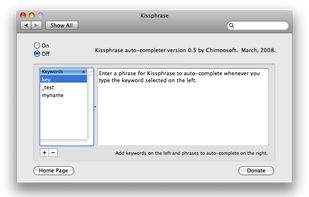
    Phrase auto-typer for Mac OS X. Kissphrase is a freeware program for Mac OS X which pastes a phrase when a keyword is typed.
    Cost / License

    • Free
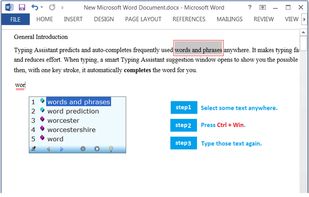
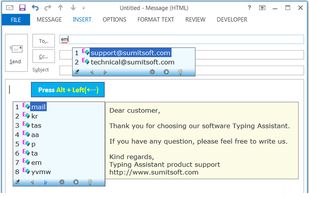
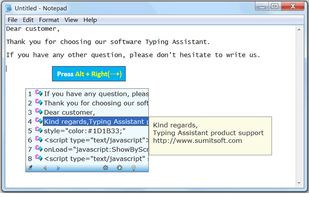
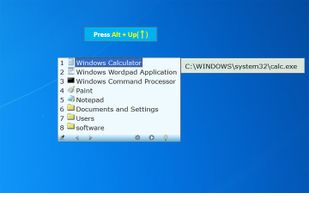
    • Open Source

    Application type

    Since

    • Since 2011

    Alerts

    • Discontinued

    Platforms

    • Mac
    Kissphrase screenshot 1
    19 alternatives
  3. Asyar icon
     3 likes

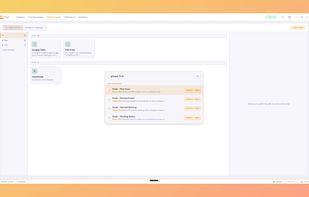
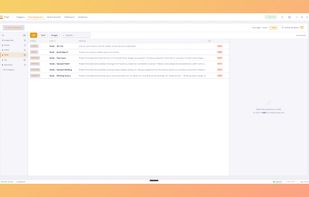
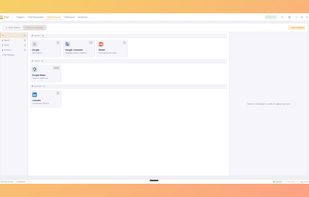
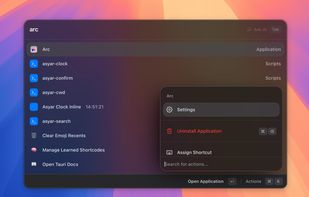
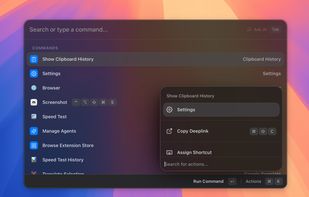
    Asyar is a fast, extensible, local-first command launcher for macOS, Windows, and Linux. No account. No cloud. No subscription. Just a blazing-fast launcher that stays entirely on your machine.
    Cost / License

    Application type

    Since

    • Since 2026 (updated Nov 2026)

    GitHub

    • GitHub stars: 1k

    Platforms

    • Windows
    • Mac
    • Linux
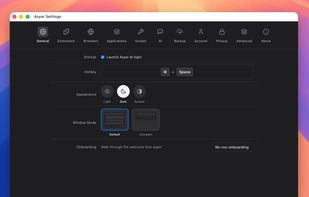
    Asyar screenshot 1
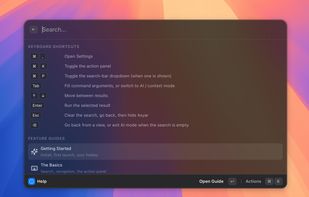
    Asyar screenshot 2
    Asyar screenshot 3
    +9
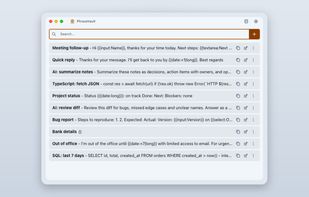
    Asyar screenshot 4
    35 alternatives
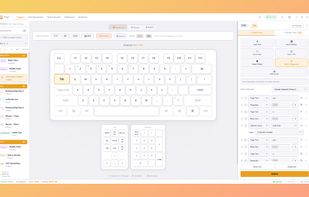
  4. Hold your Super key, a hyper key for Mac, and a keyboard map shows what each key does in the app or website you're in. Tap one to run it. Free for up to 10 shortcuts, no account. Pro is $39 once.

    Cost / License

    • Freemium (Pay once)
    • Proprietary

    Application type

    Since

    • Since 2026

    Platforms

    • Mac
    5 alternatives
  5. Keyfire icon
     4 likes

    Keyfire is a visual Windows tool for hotkeys, macros, and text expansions — no scripting. Remap any key, chain actions, and scope shortcuts per app. Runs fully local, no accounts. Includes quick search, clipboard history, and offline voice commands. Lightweight and free during beta.

    Cost / License

    • Freemium (Subscription)
    • Proprietary

    Application type

    Since

    • Since 2026

    Platforms

    • Windows
    • GB flagUnited Kingdom
    Trigr main window with keyboard view and macro list
    Quick search overlay launching an application
    Text expansion list with trigger words and snippets
    +1
    Quick actions for use in the quick search overlay launching an application
    21 alternatives
  6. PhraseVault icon
     3 likes

    Text expander for Windows and macOS: office staff find a saved reply with a hotkey and a few letters, then press Enter to insert.

    Cost / License

    • Pay once
    • Proprietary

    Application type

    Since

    • Since 2024 (updated Sep 2026)

    GitHub

    • GitHub stars: 17

    Platforms

    • Windows
    • Mac
    • AT flagAustria
    • European Union flagEU
    Search and insert with Ctrl+. or Cmd+.
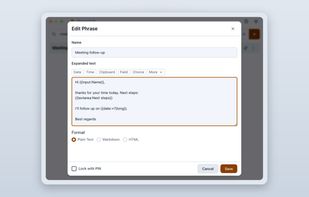
    Phrase editor
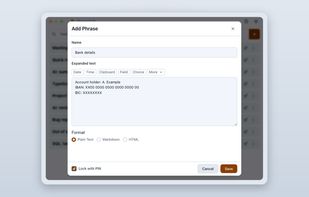
    PIN lock on a phrase
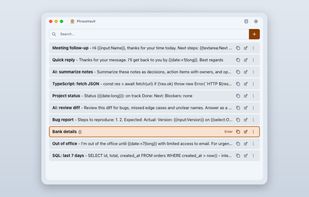
    Protected phrases in the list
    45 alternatives
  7. NexoPad icon
     1 like

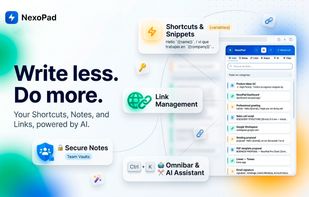
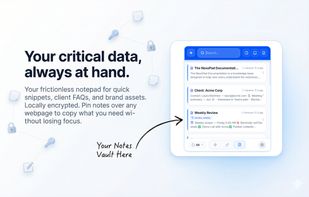
    The ultimate all-in-one browser extension featuring a text expander, secure notes, inline AI assistant (BYOK), and bookmark manager to eliminate context-switching.

    Cost / License

    • Freemium (Subscription)
    • Proprietary

    Application type

    Since

    • Since 2026

    Platforms

    • Google Chrome
    • Mozilla Firefox
    • Microsoft Edge
    • Brave
    • Vivaldi
    • IN flagIndia
    NexoPad screenshot 1
    NexoPad screenshot 2
    NexoPad screenshot 3
    +1
    NexoPad screenshot 4
    57 alternatives
  8. Slashit App icon
     1 like

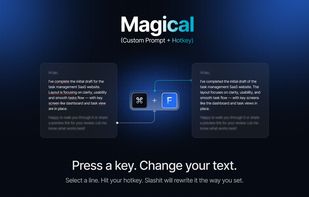
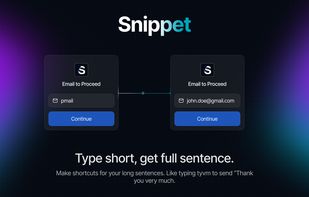
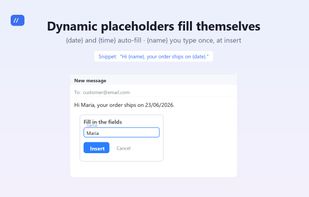
    Slashit App is a productivity tool that helps you reply faster using dynamic placeholder templates, text snippets, AI to rewrite sentences, and a clipboard history manager.

    Cost / License

    • Subscription
    • Proprietary

    Application type

    Since

    • Since 2025

    Platforms

    • Windows
    • Mac
    • BD flagBangladesh
    Create dynamic templates with placeholders
    Use AI in your template to auto write parts for you
    Set your own magic hotkeys (select text ? press key ? text changes based on your prompt)
    +1
    Turn short text into full messages with Snippets (like typing “tks” to get “Thank you so much!”)
    128 alternatives
  9.  4 likes

    Snippits - a program that will type text for you. It uses 'snippits', small text files with a simple syntax to determine what to type.

    Cost / License

    • Free
    • Proprietary

    Application type

    Since

    • Since 2009

    Alerts

    • Discontinued

    Platforms

    • Linux
    22 alternatives
  10. Snippety icon
     2 likes

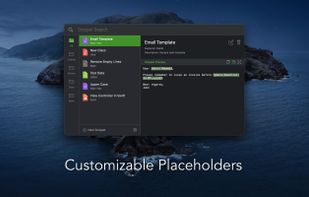
    Snippety improves productivity by providing quick access to your snippets. Keep there often used sentences, code fragments, mail templates, test data, or anything you like.

    Cost / License

    • Pay once
    • Proprietary

    Application type

    Since

    • Since 2022 (updated Oct 2026)

    Platforms

    • Mac
    • iPhone
    • iPad
    • PL flagPoland
    • European Union flagEU
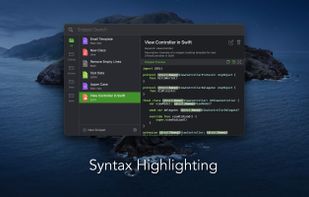
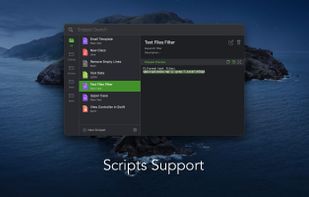
    Snippety screenshot 1
    Snippety screenshot 2
    Snippety screenshot 3
    26 alternatives
  11. typedesk icon
     8 likes

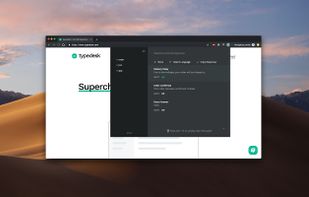
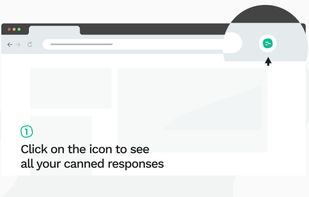
    typedesk supercharges your canned responses. Use typedesk with your current tools (help desk, email client, chat, social media) to quickly and easily answer your customers.
    Cost / License

    • Pay once
    • Proprietary

    Application type

    Since

    • Since 2019

    Platforms

    • Windows
    • Mac
    • Chrome OS
    • Software as a Service (SaaS)
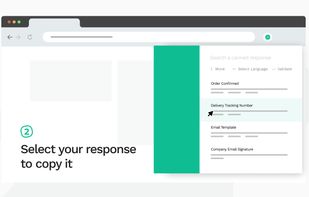
    typedesk screenshot 1
    typedesk screenshot 2
    typedesk screenshot 3
    +10
    typedesk screenshot 4
    11 alternatives
  12.  1 like

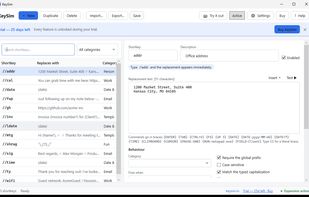
    Text expander for Windows and modern replacement for the discontinued ShortKeys. Type a short abbreviation, get the full text in any program.
    Cost / License

    • Pay once
    • Proprietary

    Application type

    Since

    • Since 2026

    Platforms

    • Windows
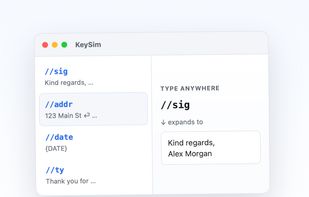
    The KeySim library: shortkeys on the left, the editor with live macro hints on the right.
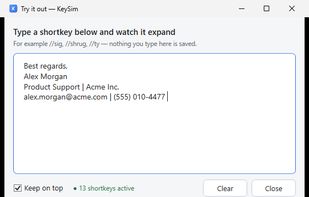
    The Try It sandbox: type //sig and the full signature appears instantly.
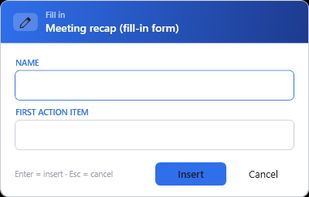
    Fill-in form fields: a {FIELD:...} snippet pauses to ask for the blanks, then types the finished text.
    KeySim screenshot 4
    8 alternatives
  13. TastenTrick icon
     1 like

    A text expander and note taking tool for Windows. Replace abbreviations with full sentences and take notes just by tapping caps lock ...

    Cost / License

    • Paid
    • Proprietary

    Application type

    Since

    • Since 2013

    Platforms

    • Windows
    • DE flagGermany
    • European Union flagEU
    TastenTrick input screen
    Sample Copy Mode entry
    38 alternatives
  14. ReplyKit icon
     1 like

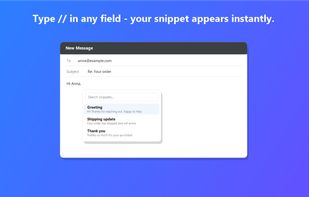
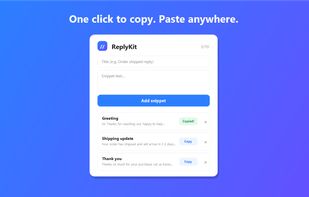
    ReplyKit is a lightweight Chrome extension for saving text snippets and canned replies. Type "//" in any text field — Gmail, help desks, CRMs, social media — and instantly search and insert your saved responses. Supports abbreviation shortcuts (e.g.

    Cost / License

    • Freemium (Subscription)
    • Proprietary

    Application type

    Since

    • Since 2026

    Platforms

    • Online
    • IT flagItaly
    • European Union flagEU
    ReplyKit screenshot 1
    ReplyKit screenshot 2
    ReplyKit screenshot 3
    +1
    ReplyKit screenshot 4
    52 alternatives
  15. TextStow icon
     Like

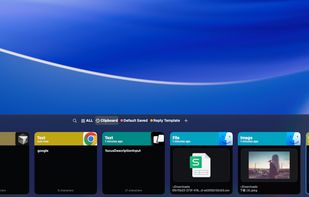
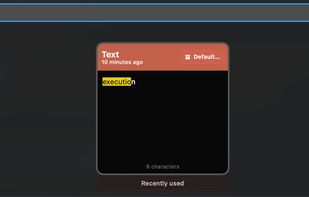
    TextStow is a lightweight, native macOS menu bar utility that serves as your ultimate text workbench. It automatically records your copied content, ensuring that every snippet, image, or file is safely preserved and never forgotten.
    Cost / License

    • Free
    • Proprietary

    Application type

    Since

    • Since 2026

    Platforms

    • Mac
    Clipboard History Panel
    Quick Search
    Text Cleaning (JSON, PDF format repair, etc.)
    +1
    Collect Text Snippets
    7 alternatives
  16. Expanda icon
     1 like

    Expanda inserts reusable text snippets in editable fields across Android apps. It supports shortcuts, a suggestion popup, tags, multiple templates, forms, dates, clipboard text, nested snippets, cursor placement and local text actions.


    Cost / License

    • Free
    • Open Source (MIT)

    Application type

    Since

    • Since 2026 (updated Sep 2026)

    GitHub

    • GitHub stars: 56

    Platforms

    • Android
    Expanda screenshot 1
    Expanda screenshot 2
    +4
    Expanda screenshot 3
    9 alternatives
  17. yType icon
     2 likes

    yType is a productivity tool to amplify your typing ability. Type a few characters (shortcut) to paste a much larger block of text (expansion) like your name, a url, picture or even several pages of formatted text instantly anywhere on your Mac in any application.

    Cost / License

    • Paid
    • Proprietary

    Application type

    Since

    • Since 2011

    Platforms

    • Mac
    • US flagUnited States
    Main screen
    45 alternatives
  18. Auto Typer icon
     1 like

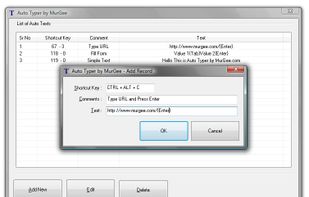
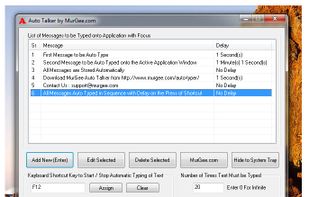
    Auto Typer Software Utility to type on keyboard automatically. Configure or Assign Keyboard Shortcuts for Auto Typer to type on keyboard automatically whenever shortcut key is pressed. Auto Typer allows to use special keyboard keys such as Tab and Enter to automate filling in...

    Cost / License

    • Paid
    • Proprietary

    Application type

    Since

    • Since 2016

    Platforms

    • Windows
    • IN flagIndia
    Auto Typer screenshot 1
    Auto Typer screenshot 2
    27 alternatives
  19. MacroWin icon
     1 like

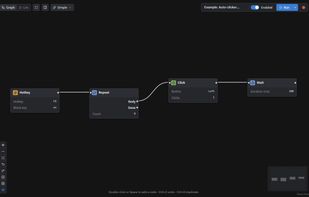
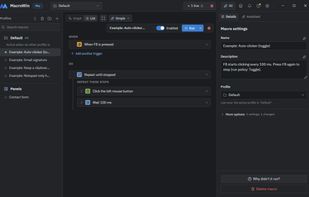
    MacroWin turns the things you do over and over on Windows into one key press. You pick what starts a macro, such as a hotkey, a mouse button, a typed shortcut, a schedule, a USB drive or your voice. Then you pick what it does, such as pressing keys, typing, clicking, opening...
    Cost / License

    • Freemium (Pay once or Subscription)
    • Proprietary

    Application type

    Since

    • New

    Platforms

    • Windows
    A macro in the Graph view: F8 starts and stops an auto-clicker
    The same macro in the List view
    Describe a macro in plain words and the built-in AI builds it
    18 alternatives
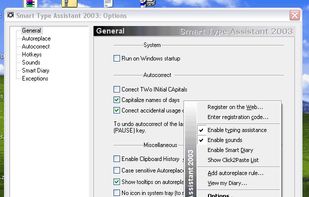
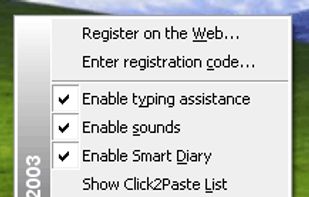
  20. Are you working with texts every day, typing the same phrases over and over again? Often mistype? Smart Type Assistant is here to help! It's easy-to-use, time-saving utility for all Windows operating systems.

    Cost / License

    • Free
    • Proprietary

    Application type

    Since

    • Since 2013

    Platforms

    • Windows
    • Mac
    • RU flagRussia
    BlazingTools Smart Type Assistant screenshot 2
    BlazingTools Smart Type Assistant screenshot 1
  21. Typi AI icon
     Like

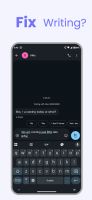
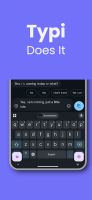
    Get instant AI help anywhere you type. Just add @typi, @fix, @emoji, or @translate at the end of any text, and let Typi do the rest.

    Cost / License

    • Freemium
    • Proprietary

    Application type

    Since

    • Since 2026

    Platforms

    • Android
    • IN flagIndia
    Typi AI screenshot 1
    Typi AI screenshot 2
    +4
    Typi AI screenshot 3
    3 alternatives
  22. xType icon
     Like

    xType allows you to quickly insert frequently used phrases in your applications.

    Cost / License

    • Paid
    • Proprietary

    Application type

    Since

    • Since 2010

    Alerts

    • Discontinued

    Platforms

    • Mac
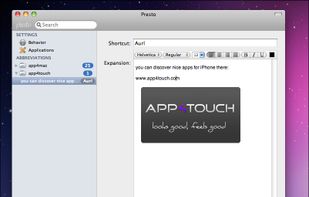
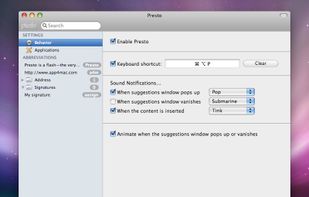
    xType screenshot 1
    xType screenshot 2
    xType screenshot 3
    13 alternatives
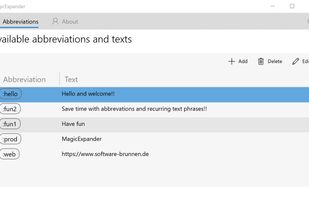
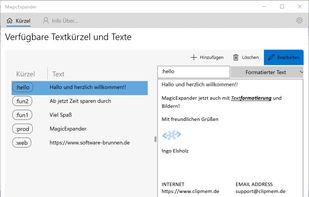
  23. MagicExpander HowTo: Insert your complex texts into other applications by using just short abbreviations with MagicExpander.

    Cost / License

    • Pay once
    • Proprietary

    Application type

    Since

    • Since 2021

    Platforms

    • Windows
    • DE flagGermany
    • European Union flagEU
    Magic Expander screenshot 1
    Magic Expander screenshot 2
    15 alternatives