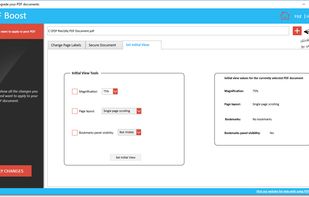
Edit the labels of PDF pages, manage security options (password, printing, text copying, signing), set initial view.
Cost / License
- Paid
- Proprietary
Application type
Platforms
- Windows
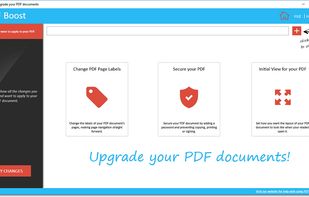

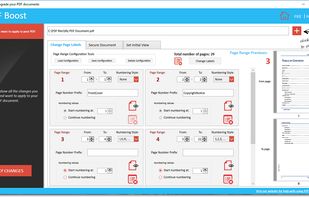

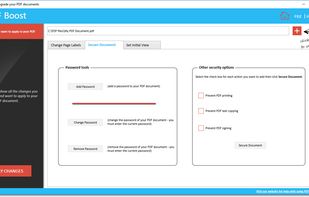
Edit the labels of PDF pages, manage security options (password, printing, text copying, signing), set initial view.


Secure Drive 2026 is a complete web-based utility platform. It provides fast and secure cloud storage to manage and share your files. What makes it unique is the built-in malware scanner that checks files for viruses to ensure safety.


jPDFImages is a Java PDF library SDK to export images from PDF files and to import images into PDF files. jPDFImages can create images from pages in a PDF document and export them as JPEG, TIFF, or PNG images.
PDFHaul is a free, privacy-first PDF tool suite for web and mobile. Merge, split, compress, convert, annotate, sign, and redact PDFs in seconds. No installation required. Files are automatically deleted within 2 hours, never stored permanently.


A privacy-first PDF tool suite that processes files entirely in your browser. Merge, split, and convert PDFs without ever uploading them to a server.

Free, privacy-focused suite of PDF, video, and image tools that runs entirely in your browser. No server uploads required.


SwiftPDFLab is a modern, privacy-first PDF toolkit designed for users who want to work with PDF files without uploading them to external servers.


This document scanner application is developed for windows only. Compatible with both WIA and TWAIN. Users can Rotate, crop, rearrange scanned images and identify texts using OCR module

Split, filter, and organize PDF documents. Easily manage past exam papers and bulk files while keeping original formatting.


Free desktop PDF reader and word processor for Windows and Linux: read, annotate, fill in and redact PDFs, and write documents saved as PDF or Word, offline.


Bookmark PDF is a free, browser-based tool designed to simplify the process of adding, editing, and organizing bookmarks in PDF files. Unlike traditional tools, Bookmark PDF operates entirely online, ensuring maximum privacy and security for your documents.

PyPDFForm is a free and open source pure-Python 3 library for PDF form processing. It contains the essential functionalities needed to interact with PDF forms:

Free, privacy-first collection of 95+ PDF tools that process files entirely in your browser using WebAssembly. No uploads required - your documents never leave your device.


Unlock PDFs with the password you know, protect them with a new one, and merge, compress, sign and scan on iPhone and iPad.


Nettongia PDF Editor is a free and open-source PDF editor for Windows that processes documents locally without uploading them to a server. It allows users to edit existing text, add and modify images, reorder, rotate or delete pages, create and insert signatures, search...

Pull the data out of your PDF without sending it anywhere. PDFTrail extracts tables and text on-device — no upload, no account — into Excel, Word, Markdown, or JSON, with structure kept intact.


No need to pay subscriptions for complicated tools, PDF Extractor is one of easier and most simple tools to edit your PDF file. With this simple tool you can extract all of the text from your PDF. You can also combine the texts from several different PDF files without the need...


FeatherPDF is a fast, lightweight native Windows app to view, merge, split, reorder, rotate PDF files 100% offline and private.


An intuitive web tool designed to seamlessly manage, combine, and reorder PDF documents. Upload multiple files, visualize them in a user-friendly interface, and easily download individual pages or a combined document. Streamlined PDF management at your fingertips.


PDF 7 is an efficient and reliable app for all your PDF needs. Organize, merge, rotate, compress, and convert PDFs effortlessly. It also supports converting images and documents to and from PDFs, along with various additional features like extracting pages, repairing files, and more.

PDF Max is a desktop class PDF app for reading, annotating or signing PDF documents on your iPhone/iPad. Mark up documents with highlights and handwriting, insert texts and stamps, fill out, sign PDFs and even manipulate PDF pages.


Word, Excel, PowerPoint and images, OCR scanned documents into searchable PDFs, edit existing text, sign, annotate, add watermarks or page numbers, encrypt, unlock, repair and flatten, extract embedded images or plain text, convert a web page to PDF, and scan paper documents...


PDF Assist is a versatile tool for PDF manipulation, offering a secure redaction feature that completely removes selected content, including common areas like National Insurance Numbers and phone numbers.