





Workspace Pro
Like
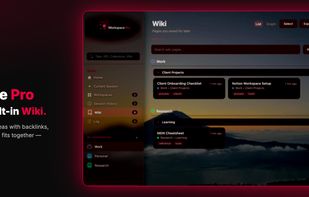
Browser tabs and research rarely stay organized across sessions. Workspace Pro keeps both in one local-first Chrome extension: project workspaces for tabs, a personal Wiki for pages you want to keep, and optional AI when you need it.

Cost / License
- Pay once
- Proprietary
Platforms
- Google Chrome


Features

Highlights All activities
Workspace Pro News & Activities
Recent activities
 Br3akTheBr33d added Workspace Pro as alternative to Trilium Notes, Tolaria and Standard Notes
 Br3akTheBr33d added Workspace Pro as alternative to Deta Surf
 Br3akTheBr33d added Workspace Pro as alternative to Reor and CryptPad
 Br3akTheBr33d added Workspace Pro as alternative to Obsidian, Simplenote, Microsoft OneNote and Clearly Markdown
 Br3akTheBr33d added Workspace Pro as alternative to Zim
 Br3akTheBr33d added Workspace Pro as alternative to Anytype and QOwnNotes
 Br3akTheBr33d added Workspace Pro as alternative to NeverWrite
 Br3akTheBr33d added Workspace Pro as alternative to Docmost
 Br3akTheBr33d added Workspace Pro as alternative to RemNote and GNU Emacs
 Br3akTheBr33d added Workspace Pro as alternative to Joplin, Google Keep, La Suite Docs and Marknote


Licensing
Proprietary and Commercial product.Pricing
One time purchase (perpetual license) that costs $10.Alternatives
91 alternatives listedBadge
Get an embeddable badge for Workspace ProSupported Languages

No comments or reviews, maybe you want to be first?