File Explorer Alternatives

File Explorer is described as 'Manage files effortlessly with a graphical interface offering offline access, dark mode, ad-free usage, and zip support, optimized for Windows' and is a very popular File Manager in the file management category. There are more than 100 alternatives to File Explorer for a variety of platforms, including Windows, Mac, Linux, Android and Android Tablet apps. The best File Explorer alternative is Double Commander, which is both free and Open Source. Other great apps like File Explorer are Files, Total Commander, FreeCommander and Spacedrive.

filter to find the best alternatives

File Explorer alternatives are mainly File Managers, but if you're looking for File Search Utilities or FTP Clients you can filter on that. Other popular filters include Windows, Open Source, Windows + Open Source, Linux, Free, Mac and Windows + Free. You can also filter by region, for example EU-based alternatives if you prefer software developed in the European Union. These are just examples - use the filter bar below to find more specific alternatives to File Explorer.
Copy a direct link to this comment to your clipboard
File Explorer alternatives page was last updated

Alternatives list

  1. Directory Opus icon
     227 likes

    Complete Explorer alternative with dual-pane navigation, folder tabs, batch renaming, built-in image and document viewer, portable device access, scriptable interface, archive and metadata support, robust search, color coding, sync tools, and high DPI compatibility.

    88 Directory Opus alternatives

    Cost / License

    • Paid
    • Proprietary

    Application types

    Platforms

    • Windows
     
    |
    2
    Directory Opus vs File Explorer Comments
    Guest
    Positive
    0

    All the FE is and much, much more

    Review by a new / low-activity user.
    Guest
    Positive
    0

    It has all the features that File Explorer refuses to add.

    Review by a new / low-activity user.
    • Directory Opus is Paid and ProprietaryFile Explorer is Free and Proprietary
  2. Thunar icon
     148 likes

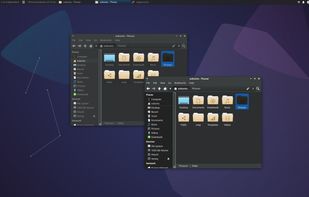
    Thunar is a modern file manager for the Xfce Desktop Environment. Thunar has been designed from the ground up to be fast and easy-to-use. Its user interface is clean, intuitive, and customizable. Thunar is fast and responsive with a good start up time and directory load time.

    88 Thunar alternatives

    Cost / License

    Application type

    Platforms

    • Mac
    • Linux
    • BSD
    • Xfce
    • MacPorts
    • XQuartz
     
  3. Sigma File Manager is a free, open-source, quickly evolving, modern file manager (explorer / finder) app for Windows and Linux.

    Cost / License

    • Free
    • Open Source

    Application types

    Platforms

    • Windows
    • Linux
     
    |
    1
    Sigma File Manager vs File Explorer Comments
    Guest
    Positive
    0

    Amazing alternative to explorer.exe sleek and full featured. Certainly worth trying out!

    Review by a new / low-activity user.
    • Sigma File Manager is Free and Open SourceFile Explorer is Free and Proprietary
    • Sigma File Manager is Privacy focusedFile Explorer is not according to our users
  4. Tablacus Explorer is a tabbed file manager with Add-on support.

    Tabbed interface Add-on support Customizable association, menus, keys, mouse gestures, alias Completely Portable, No installation required Multiple language and Unicode support Open source .

    Cost / License

    • Free
    • Open Source (MIT)

    Application type

    Platforms

    • Windows
     
    |
    2
    Tablacus Explorer vs File Explorer Comments
    Guest
    Positive
    2

    Very customizable and responsive. It has preloaded layouts such as dual pane, four pane, one pane layouts and layouts with tab titles at different places. You can create customized bars, etc. Although not as good as Linux alternatives, it's quite above the average for Windows file managers. However, customization is a bit complicated, it's something for power users.

    Review by a new / low-activity user.
    Guest
    Positive
    0

    It has multiple panes to be viewed at the same time. These can be extend to the number desired, by extensions.

    Review by a new / low-activity user.
    • Tablacus Explorer is Free and Open SourceFile Explorer is Free and Proprietary
    • Tablacus Explorer is Privacy focusedFile Explorer is not according to our users
  5. Far Manager icon
     179 likes

    Far Manager is a program for managing files and archives in Windows operating systems. Far Manager works in text mode and provides a simple and intuitive interface for performing most of the necessary actions:

    107 Far Manager alternatives

    Cost / License

    • Free
    • Open Source

    Application type

    Platforms

    • Windows
     
  6. Multi Commander icon
     115 likes

    Multi Commander is a multi-tabbed file manager and is an alternative to the standard Windows Explorer. It uses the very popular and efficient dual-panel layout.

    88 Multi Commander alternatives

    Cost / License

    • Free
    • Proprietary

    Application type

    Platforms

    • Windows
     
  7. xplorer² icon
     104 likes

    xplorer² is a desktop file manager combining the simplicity of Windows explorer with the speed and efficiency of traditional dual pane file managers.

    94 xplorer² alternatives

    Cost / License

    • Paid
    • Proprietary

    Application types

    Platforms

    • Windows
     
    |
    3
    xplorer² vs File Explorer Comments
    Guest
    Positive
    0

    Lightweight, full-feature customizable file manager

    Review by a new / low-activity user.
    Guest
    Positive
    1

    Very powerfull Explorer replacement, with tons of additional services, tabbed interface, flat navigation, favorite folders and views, long etc.

    Review by a new / low-activity user.
    w-y
    Positive
    1

    Customizable, clean, powerful. The only alternative for Windows

    Review by a new / low-activity user.
    • xplorer² is Paid and ProprietaryFile Explorer is Free and Proprietary
  8. muCommander icon
     125 likes

    muCommander is a lightweight, cross-platform file manager with a dual-pane interface. It runs on any operating system with Java support (Mac OS X, Windows, Linux, *BSD, Solaris...).

    110 muCommander alternatives

    Cost / License

    • Free
    • Open Source

    Application type

    Platforms

    • Mac
    • Windows
    • Linux
    • Online
    • BSD
    • Java
     
    |
    1
    muCommander vs File Explorer Comments
    RemovedUser
    Negative
    -8

    Forced to have 2 panes open, neither one is wide enough. Open the "tree view" and you've lost a lot of screen real estate. Neither pane follows the tree view either, so there's no point having it.

    Review by a new / low-activity user.
    • muCommander is Free and Open SourceFile Explorer is Free and Proprietary
  9. Finder icon
     63 likes

    The Finder is the first thing that you see when your Mac finishes starting up. It opens automatically and stays open as you use other apps. It includes the Finder menu bar at the top of the screen and the desktop below that.

    144 Finder alternatives

    Cost / License

    • Free
    • Proprietary

    Application type

    Platforms

    • Mac
     
You are at page 2 of File Explorer alternatives