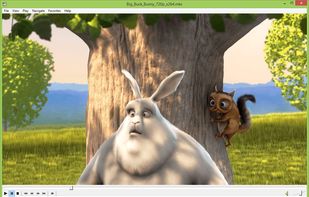
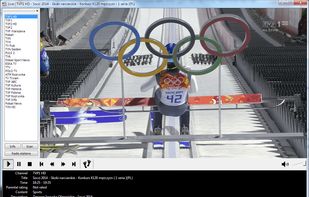
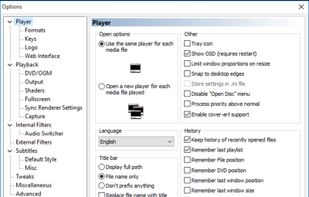
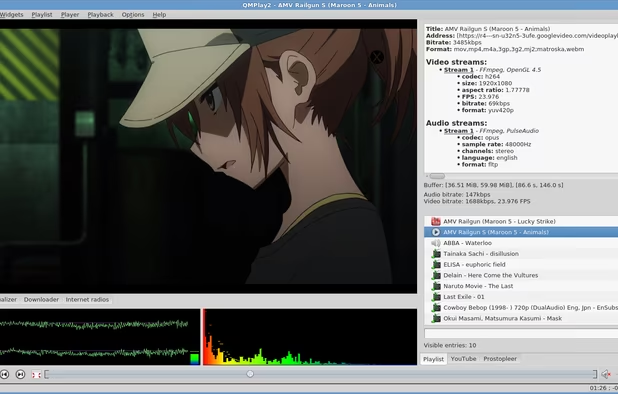
MPC-HC's biggest advantage is arguably just how lightweight it is. Not only is it small in terms of hard drive space, but its CPU and overall system resource use is incredibly small compared to other video players, VLC included.


There are many alternatives to VLC Media Player for Windows if you are looking for a replacement. The best Windows alternative is MPC-HC, which is both free and Open Source. If that doesn't suit you, our users have ranked more than 100 alternatives to VLC Media Player and many of them are available for Windows so hopefully you can find a suitable replacement. Other interesting Windows alternatives to VLC Media Player are MPV, PotPlayer, SMPlayer and MPC-BE.
MPC-HC's biggest advantage is arguably just how lightweight it is. Not only is it small in terms of hard drive space, but its CPU and overall system resource use is incredibly small compared to other video players, VLC included.


MPV is an MPlayer-based video player that is available on all major desktop operating systems. Linux users in particular cite MPV as one of the best alternatives to VLC. Its interface is extremely minimal, though with that comes extraordinary stability.


PotPlayer is a modular video player that also works with most video file formats by default. Many of our users also find that it starts up faster and performs better than VLC, while also including small quality of life features that can be useful in specific contexts (such as support for two subtitle tracks on the same video file in order to help learn a new language).


Like MPV, SMPlayer is based off of MPlayer, but unlike MPV, it's more focused on accessibility with its user interface. Out of the box, users cite SMPlayer as having the versatility and stability of MPV with the ease of use of players like VLC. It also supports add-ons such as a YouTube search.


MPC-BE is another fork of Media Player Classic (specifically of the Home Cinema fork) with a focus on bug fixes and for automatically mounting ISO images. It is actively updated and performs really well for video playback. Users do not recommend it for music playback, as it lacks support for playlist looping and includes odd behaviors for shuffling media playback.


MPlayer is a movie player which runs on many systems (see the documentation). It plays most MPEG/VOB, AVI, Ogg/OGM, VIVO, ASF/WMA/WMV, QT/MOV/MP4, RealMedia, Matroska, NUT, NuppelVideo, FLI, YUV4MPEG, FILM, RoQ, PVA files, supported by many native, XAnim, and Win32 DLL codecs.

GOM Player is a freeware media player. Key strengths are the ability to play the majority of media files without the need to obtain a codec, and the ability to play some broken media files, both advantages over traditional players, like Windows Media Player.


Windows Media Player is a video and audio player developed by Microsoft for Windows 11 and Windows 10. It is the successor to Groove Music (previously Xbox Music), Microsoft Movies & TV and the original Windows Media...


Open source video player leveraging Qt/QML and libmpv, featuring dual subtitle support, customizable shortcuts, auto chapter skipping by keyword, YouTube and online video playback, integrated playlist overlay, dynamic navigation, and KDE ecosystem compatibility.


Screenbox is a modern video player that cares about performance and ease of use on a wide range of device types. It features a beautiful, friendly user interface while being fast and lightweight


BSPlayer is the first software movie player ever to enable its users to focus on watching the movie instead of dealing with poor computer capabilities or running around looking for a proper setting and codec. Also, it has very low CPU and RAM requirements.

mpv.net is a modern media player for Windows. mpv is similar to VLC not based on DirectShow like MPC, mpv.net is based on libmpv which in return is based on ffmpeg.


Very light-weight. With super easy interface and without any bugs.